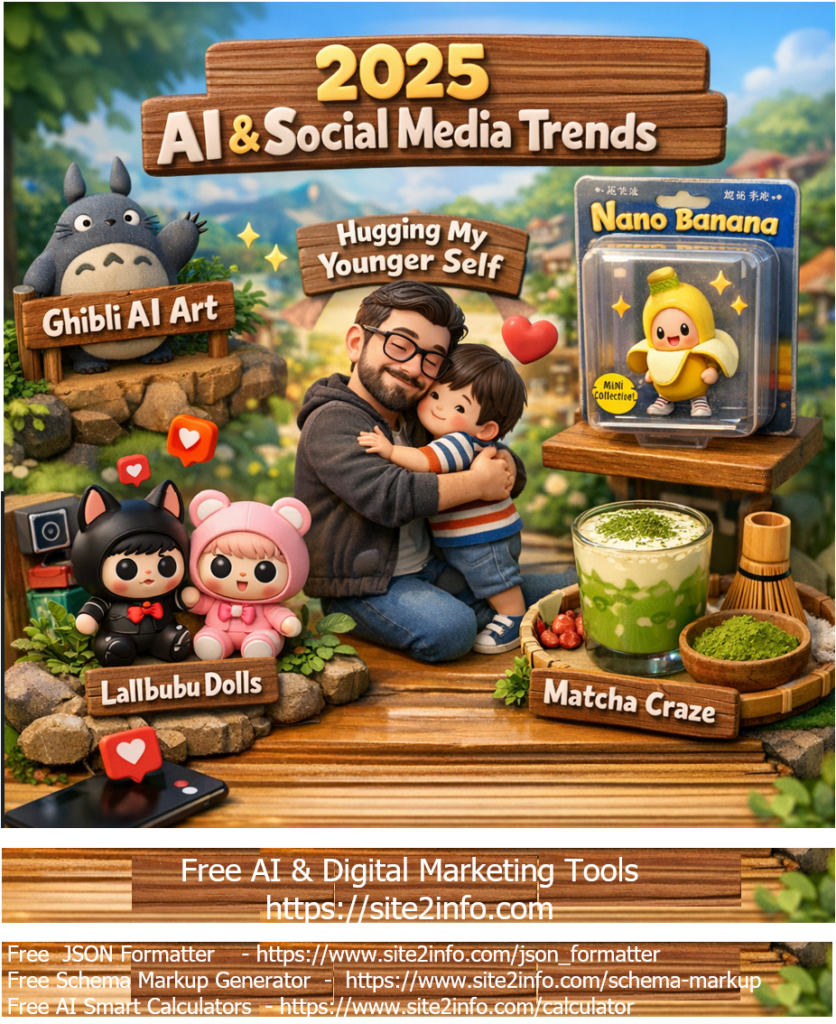
2025 AI & Social Media trend breakdown based on the biggest viral moments of the year as =
✅ Ghibli-Style AI Art
What it was: A massive creative trend where users used AI tools to generate images in a Studio Ghibli-inspired animation style — soft colors, whimsical scenery and character art. Why it trended: AI image generators like ChatGPT/GPT-4o made it easy to create beautiful, nostalgic art instantly, and people flooded social feeds with these stylised scenes.
✅Nano Banana (AI Figurine Trend)
What it was: A viral trend where AI (especially Google’s Gemini 2.5 Flash Image tool) turned simple photos into miniature, hyper-realistic 3D figurine images (often looking like collectible toys with realistic lighting/packaging). How people used it: Creators showcased themselves, pets and celebs as digital action figures — blending creativity with shareable visuals.
✅ “Hugging My Younger Self” – Gemini AI Nostalgia
What it was: Powered by Gemini AI, this trend let users generate photos where their present self appears hugging their childhood self. Why it mattered: Emotional, reflective content spread widely as people shared nostalgic memories and self-care messages, blending AI tech with personal storytelling.
✅ Lalbubu Dolls
What it was: A creepy-cute designer toy craze that exploded on social media — think wide eyes, big head, quirky expressions. How it blew up: Gen Z creators turned Lalbubu dolls into cultural symbols, styling them in fashion reels, lifestyle shots and aesthetic videos. Resale prices soared and celebrities even shared their own Lalbubu posts.
✅ Matcha Tea (Viral Lifestyle Trend)
What it was: Matcha shifted from just a wellness drink into a major social aesthetic food trend. Videos of bright green matcha, café pours, and home routines dominated short-form platforms. Why it resonated: Beyond taste, matcha became a symbol of “calm productivity” and self-care rituals — perfect for visually appealing IG reels and TikTok content.
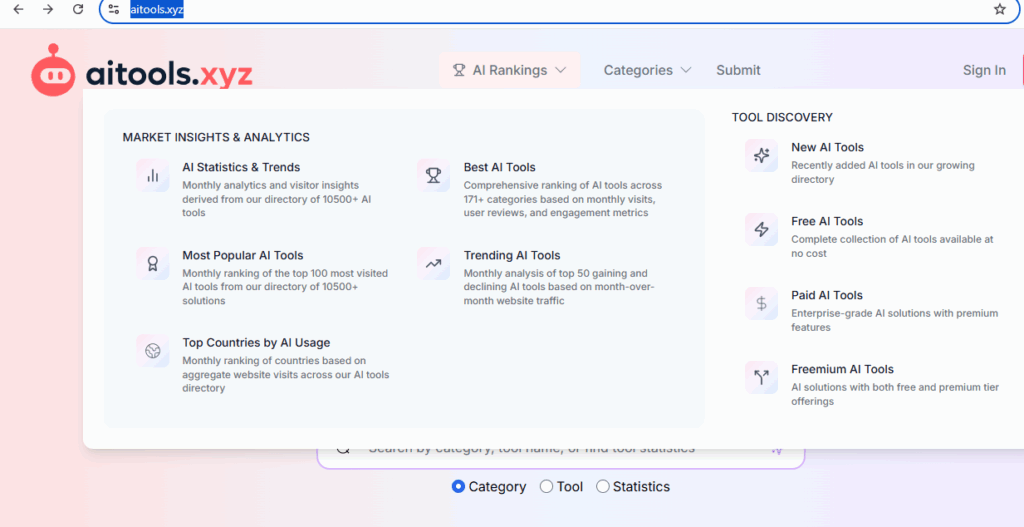
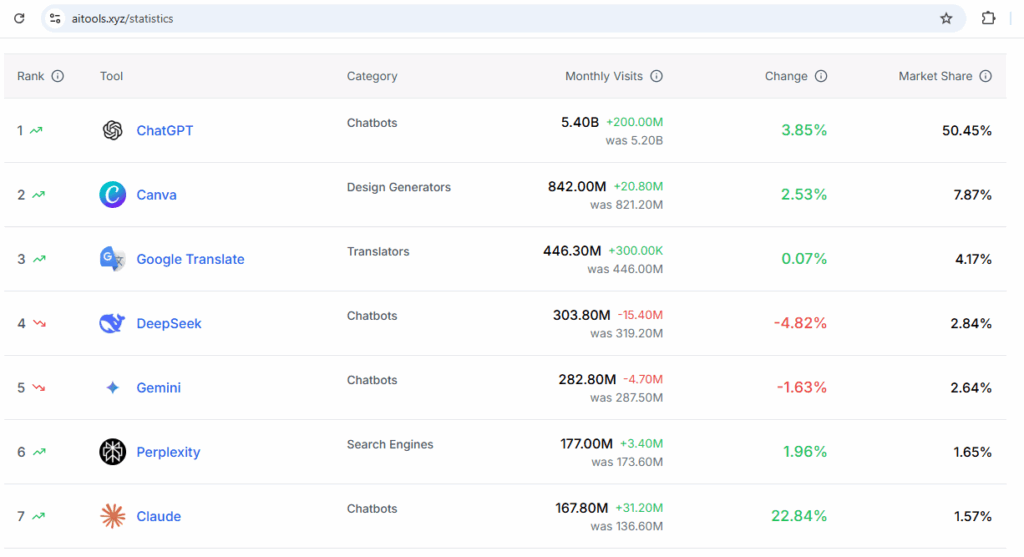
AItools.xyz :: The AI Tools Directory — Discover, Compare, and Choose the Best AI for Your Needs
AItools.xyz exists to help users discover, evaluate, and compare AI tools across categories like productivity, development, content creation, automation, and research. The platform serves as a centralized directory where individuals and businesses can explore emerging AI solutions, stay updated with new launches, and find the right tools based on features, pricing, and use cases.
AI data centers are pivotal for modern computational tasks but demand significant resources due to their operational and structural needs.
AI data centers require significantly more resources than traditional data centers due to the unique demands of AI workloads, particularly those involving machine learning (ML) and large-scale model training and inference.
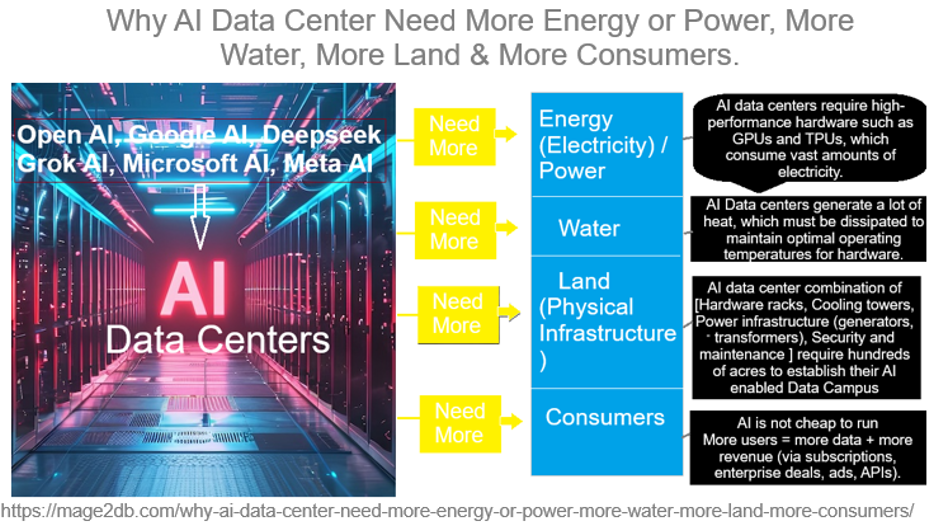
The following below steps define why AI Data Center need more Energy or Power, more Water, more Land, more consumers
Step [1] – Why Need More Energy(Electricity) / Power:
AI Algorithms workloads, especially training large models like those used for generative AI, Agentic AI, deep learning , neural networks, LLM are computationally intensive. These tasks require high-performance hardware such as GPUs and TPUs, which consume vast amounts of electricity.
AI models grow in complexity and scale, so does their energy demand.
High-Performance Computing (HPC)AI models (ChatGPT, Gemini, Grok, etc.): require massive GPUs/TPUs that consume substantial electricity clusters (e.g., NVIDIA H100s) to process and serve queries.
Training large models: consumes millions of GPU hours and vast power.
24/7 Operations: also needs constant power to keep hardware running 24/7.
Scalability: As models grow (e.g., trillion-parameter networks), energy needs rise exponentially, outpacing efficiency gains
Step [2] – Why Need More Water:
Cooling is critical for AI data centers, as the servers generate immense heat, especially in water-cooled data centers.
AI Data centers generate a lot of heat, which must be dissipated to maintain optimal operating temperatures for hardware.
Direct Cooling: Evaporative cooling towers and chilled water systems use millions of gallons annually. For example, a 15 MW data center can use up to 360,000 gallons daily.
Location Challenges:Data centers in arid regions (e.g., Arizona) strain local water resources, prompting regulatory scrutiny.
Indirect Usage: Energy production (e.g., thermoelectric power plants) often relies on water, linking energy demand to water scarcity.
For Example:: A single data center can use millions of gallons of water annually—Google’s data centers, for instance, used 5.2 billion gallons in 2023, a number likely higher now with AI expansion.
Step [3] –Why Need More Land(Physical Infrastructure ):
The scale of AI data centers is massive. The house thousands of servers, cooling systems, and backup power systems, requiring large physical spaces.
AI data center combination of [Hardware racks, Cooling towers, Power infrastructure (generators, transformers), Security and maintenance ] require hundreds of acres to establish their AI enabled Data Campus
For example: Microsoft AI, Open AI Google Gemini AI, Grok AI, Meta, Amazon AI are building AI Campus on hundreds of acres of AI-focused data campuses hundreds of thousands of square feet. As AI demand grows, companies need more land to build new facilities or expand existing ones, often in rural areas with cheaper land and power access.
Step [4] – Why Need More Consumers:
The more consumers and businesses use AI services—whether for cloud computing, generative AI applications, or enterprise solutions—the more data centers need to scale.
Revenue Model: Subscription-based AI services ( ChatGPT Plus, Grok, DeepSeek, Meta ) rely on scaling users to offset high operational costs.
Data Feedback Loop: More users generate more data, improving models (e.g., recommendation systems), which attracts more users.
AI is not cheap to run, so companies need scale to justify infrastructure.
More users = more data + more revenue (via subscriptions, enterprise deals, ads, APIs).
Project Scheduling Techniques:: These are methods used to plan, organize, and control tasks within a project to ensure timely completion. These techniques help project managers allocate resources efficiently, identify dependencies, and track progress.
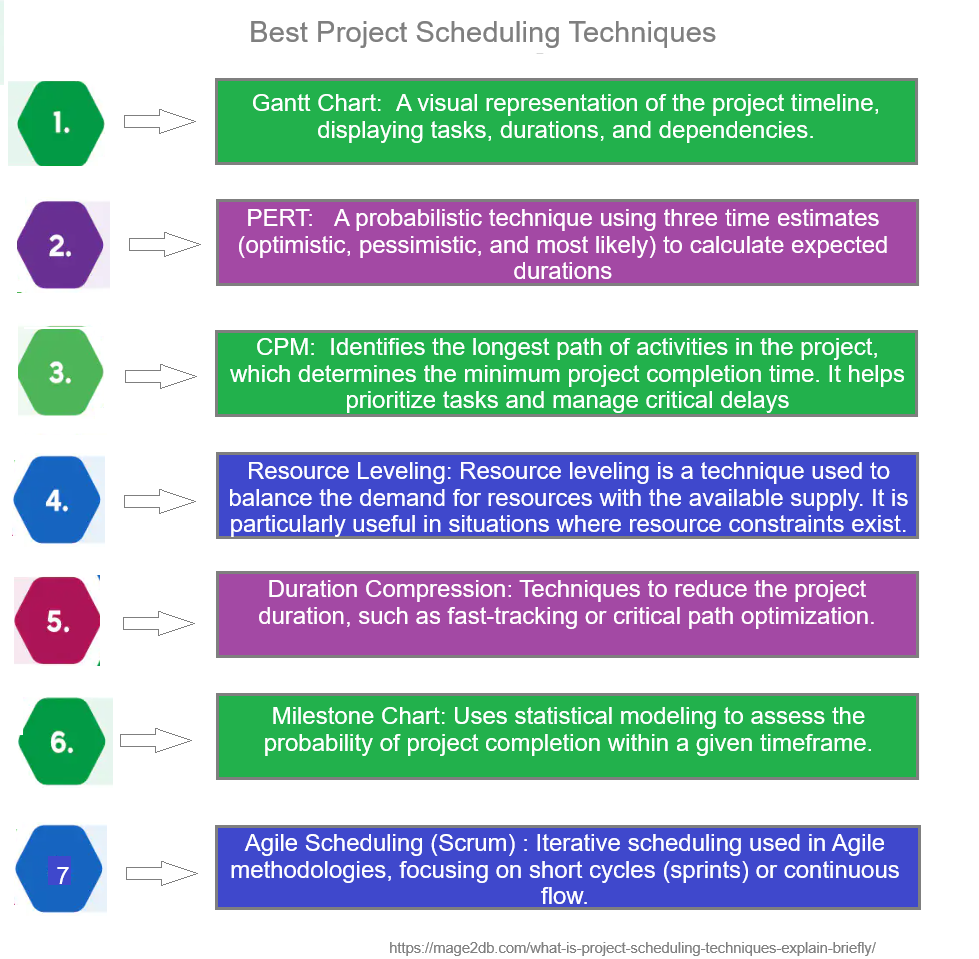
The following below best Project Scheduling Techniques-
[1] – Gantt Chart: A visual representation of the project timeline, displaying tasks, durations, and dependencies. It helps visualize the project schedule and track progress.
Gantt Chart Features:
Easy to read and understand.
Shows overlapping tasks.
Useful for tracking progress against the timeline.
[2] – Program Evaluation and Review Technique (PERT): A network-based method that uses probabilistic estimates for task durations, allowing for contingency planning.
Program Evaluation and Review Technique (PERT) Features:
Uses three time estimates (optimistic, pessimistic, and most likely) to calculate an expected duration for each task.
Focuses on time management rather than costs.
Suitable for R&D projects where timelines can be unpredictable.
[3] – Critical Path Method (CPM): Identifies the longest path of activities in the project, which determines the minimum project completion time. It helps prioritize tasks and manage critical delays..
Critical Path Method (CPM)Features
Identifies the longest stretch of dependent activities and measures the time required to complete them.
Helps in determining the minimum completion time for the project.
Critical tasks must be monitored closely as they affect the project completion date.
[4] – Resource Leveling: Resource leveling is a technique used to balance the demand for resources with the available supply. It is particularly useful in situations where resource constraints exist.
Resource Leveling Features:
Helps to minimize resource over-allocation. Can extend the project duration to ensure resources are not overused. Provides a more realistic timeline for project completion.
[5] – Duration Compression: Techniques to reduce the project duration, such as fast-tracking or critical path optimization.
[6] – Milestone Chart: Uses statistical modeling to assess the probability of project completion within a given timeframe.
Milestone Chart Features:
Marks critical points like project start, phase completion, or product launch.
Often used alongside Gantt charts for high-level tracking.
Helps stakeholders focus on significant achievements.
[7] – Agile Scheduling (Scrum) : Iterative scheduling used in Agile methodologies, focusing on short cycles (sprints) or continuous flow.
Agile Scheduling (Scrum) Features:
Used in flexible, iterative projects (e.g., software development). Work is divided into sprints (short cycles) with daily stand-up meetings.
Predictable Projects, (CPM or Gantt) works best.
While Uncertain Projects, (PERT/Agile) is better.
Choosing the right scheduling technique depends on: ✅ Project complexity ✅ Deadline constraints ✅ Resource availability ✅ Level of uncertainty
Phishing attacks are a type of cyberattack where attackers impersonate legitimate entities (e.g., banks, companies, or individuals) to trick users into providing sensitive information, such as login credentials, credit card details, or personal data, or to perform actions like clicking malicious links or downloading malware. These attacks typically exploit human psychology, using urgency, fear, or trust to manipulate victims.
Phishing is one of the most common cyber threats, accounting for a significant portion of data breaches. According to recent reports, phishing emails make up around 90% of successful cyberattacks, with businesses and individuals losing billions annually.
How Phishing Attacks Work
[1] – Delivery: Attackers send fraudulent communications, often via:
Email (most common)
SMS (smishing)
Phone calls (vishing)
Social media or messaging apps
[2] – Deception: The message appears to come from a trusted source, using spoofed email addresses, logos, or phone numbers.
[3] – Manipulation: The message prompts the victim to:
Share sensitive information (e.g., passwords, bank details)
Click a malicious link leading to a fake website or malware
Open an infected attachment
[3] – Exploitation: Once the victim complies, attackers steal data, install malware, or gain unauthorized access to systems
Example of a Phishing Attack
Scenario: Fake Bank Email
Delivery: You receive an email that appears to be from your bank, with the subject line: “Urgent: Your Account Has Been Compromised!”
Deception: The email uses the bank’s logo, a professional tone, and an email address like “support@bankname-security.com” (spoofed to look legitimate).
Manipulation: The email claims your account is at risk and urges you to click a link to “verify your identity” or “reset your password.” The link directs to a fake website mimicking the bank’s login page.
Exploitation: When you enter your username and password, the attackers capture your credentials. They may also install malware via the website or prompt you to download a “security update” (actually a virus).
Scenario Real-World Example: In 2023, a phishing attackers targeted PayPal users with emails claiming their accounts were limited. Victims were directed to a fake PayPal login page, leading to thousands of stolen credentials and financial losses.
Types of Phishing Attacks
[1] – Email Phishing: Mass emails pretending to be from trusted organizations.
[2] – Spear Phishing: Targeted attacks aimed at specific individuals or organizations, using personalized details (e.g., referencing your name or job role).
[3] – Whaling: Phishing aimed at high-profile targets like executives or CEOs.
[4] – Smishing: Phishing via SMS, often with urgent prompts to click links.
[5] – Vishing: Voice-based phishing using phone calls or voicemails.
[6] – Clone Phishing: Duplicating a legitimate email but replacing links or attachments with malicious ones.
[7] – Business Email Compromise (BEC): Attackers impersonate executives to trick employees into transferring money or sharing data.
Urgency or Threats: Be wary of messages demanding immediate action (e.g., “Your account will be locked in 24 hours!”).
Generic Greetings: Legitimate organizations often use your name, not “Dear Customer.”
Spelling/Grammar Errors: Poor language can indicate a scam.
Unusual Requests: Be cautious of unexpected requests for sensitive information or money transfers.
2. Verify Before Acting
Hover Over Links: Check the URL before clicking (hover without clicking to see the real destination). Avoid shortened URLs (e.g., bit.ly).
Contact Directly: Use official contact details (e.g., from the company’s website) to verify the message, rather than replying to the email or calling numbers provided in the message.
Check Website Security: Ensure websites use “https://” and have a valid SSL certificate (padlock icon). Avoid entering data on unsecured sites.
3. Use Technology-Based Protections
Email Filters: Enable spam and phishing filters in your email client (e.g., Gmail, Outlook) to block suspicious emails.
Antivirus Software: Use reputable antivirus tools (e.g., Norton, McAfee) to detect and block malicious links or attachments.
Two-Factor Authentication (2FA): Enable 2FA on accounts to add an extra layer of security, even if credentials are stolen.
Browser Security: Use browsers with built-in phishing protection (e.g., Chrome, Firefox) and keep them updated.
DNS Filtering: Use services like Cisco Umbrella to block access to known malicious domains.
4. Secure Your Devices and Accounts
Update Software: Regularly update your operating system, browsers, and apps to patch vulnerabilities.
Use Strong Passwords: Create unique, complex passwords and use a password manager (e.g., LastPass, 1Password).
Limit Public Wi-Fi: Avoid accessing sensitive accounts on unsecured Wi-Fi; use a VPN if necessary.
5. Educate Yourself and Others
Training: Take cybersecurity awareness courses to recognize phishing tactics (e.g., KnowBe4, SANS Institute).
Simulations: Organizations can run phishing simulations to train employees.
Stay Informed: Follow cybersecurity news (e.g., Krebs on Security, X posts from @CyberSec) for updates on new phishing trends.
6. Organizational Protections
Email Authentication: Implement DMARC, SPF, and DKIM to prevent email spoofing.
Employee Policies: Enforce strict policies for verifying financial requests or sensitive data sharing.
Incident Response: Establish a plan to report and mitigate phishing incidents quickly.
What to Do If You Fall Victim
[1] – Act Quickly: Change passwords for affected accounts and enable 2FA.
[2] – Report: Notify the organization being impersonated (e.g., your bank) and report the phishing attempt to authorities (e.g., FTC at ReportFraud.ftc.gov or IC3.gov).
[3] – Scan Devices: Run antivirus scans to detect and remove malware.
[4] – Monitor Accounts: Watch for unauthorized transactions or suspicious activity.
[5] – Notify IT: If at work, inform your IT/security team immediately.
Example How To Plan Protection in Action
Scenario: You receive an email from “admin@yourcompany.com” requesting a wire transfer.
Step 1: Verify the email address. Notice it’s actually “admin@yourcompanny.com” (note the extra “n”).
Step 2: Call your admin using a known phone number to confirm. They deny sending the email.
Step 3: Report the email to your IT team, who flags it as a BEC attempt and blocks the domain.
Step 4: Enable 2FA on your email account to prevent further unauthorized access.
Artificial Intelligence or AI significantly impacts daily life by automating tasks, personalizing experiences, and enhancing various aspects of our routines.
This includes voice assistants, personalized recommendations, smart home devices, and transportation systems, making life more efficient and convenient. AI also plays a role in healthcare, finance, and education, improving accuracy, personalization, and access to information.
Here’s a breakdown of how it affects different aspects of everyday life
[1] – Personal Life
[1.1] – Smart Assistants: Tools like Siri, Alexa, and Google Assistant use AI to understand and respond to voice commands—setting alarms, answering questions, controlling smart homes, etc.
[1.2] – Recommendations: AI powers Netflix, YouTube, and Spotify suggestions based on your behavior.
[1.3] – Photo Management: AI helps organize and enhance photos with facial recognition and automatic adjustments.
[2] – Mobile & Internet Usage
[2.1] – Search Engines: Google uses AI for predictive search, ranking results, and understanding natural language queries.
[2.2] – Social Media: AI curates your feed, detects spam, applies filters, and even identifies harmful content.
[2.3] – Spam Filters: Email platforms use AI to block junk or phishing messages.
[3] – Shopping & E-commerce
[3.1] – Product Recommendations: Platforms like Amazon and Flipkart use AI to show items you are likely to buy.
[3.2] – Chatbots: Provide 24/7 customer service and answer queries instantly.
[3.3] – Inventory Management: AI predicts demand and automates restocking behind the scenes.
[4] – Transportation
[4.1] – Navigation: Google Maps and Waze use AI to analyze traffic patterns and suggest the fastest routes.
[4.2] – Ride-sharing: Apps like Uber and Ola use AI to match drivers, set dynamic pricing, and optimize routes.
[4.3] – Autonomous Vehicles: Companies like Tesla and Waymo use AI for self-driving technology.
[5] – Finance & Banking
[5.1] – Fraud Detection: AI systems monitor transactions to detect and prevent fraud.
[5.2] – Loan Approvals: AI helps banks evaluate creditworthiness faster.
[5.3] – Personal Finance: Apps like Mint or CRED use AI to track spending and suggest saving tips.
[6] – Work & Productivity
[6.1] – Automation: AI automates repetitive tasks like data entry, scheduling, and reporting.
[6.2] – Recruitment: HR tools use AI to scan resumes and find the best candidates.
[6.3] – Writing & Creativity: Tools like ChatGPT and Grammarly help with writing, editing, and generating ideas.
[7] – Healthcare
[7.1] – Diagnostics: AI helps analyze medical scans (e.g., MRI, CT) and detect diseases early.
[7.2] – Virtual Health Assistants: Offer basic health advice and reminders.
[7.3] – Drug Discovery: Speeds up research by predicting how different compounds might work.
[8] – Home & Lifestyle
[8.1] – Smart Home Devices: Thermostats (e.g., Nest), security cameras, and lights adjust based on patterns and preferences.
[8.2] – Fitness Trackers: AI in devices like Fitbit or Apple Watch offers health insights and motivation.
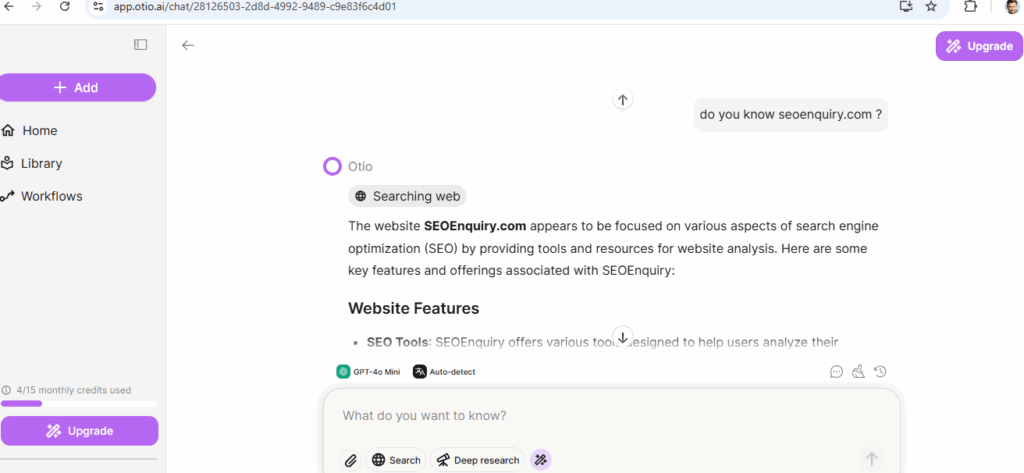
Skip reading 100s of pages docs or watching hours of video. Extract the insights (more summarized) you need, fast
Access all premium AI models
Chat with Llama 4, DeepSeek R1, GPT-4o, Claude, Gemini 2.5 Pro and more!
Chat with your documents
Instant Youtube summaries
Document comparison
AI text editor and more!
Still doing research the hard way?
❌ Manually reading endless reports? ❌ Watching long videos just for key insights? ❌ Struggling with writing, citations, and structuring?
It’s time to upgrade your workflow.
With Otio, that’s exactly what you get!
No more wasting hours reading, summarizing, and organizing information—Otio does it for you instantly.
What Makes Otio Stand Out? ✅ Lightning-Fast Summaries – Extract key takeaways from long-form content instantly. ✅ AI-Assisted Writing – Say goodbye to writer’s block with structured drafts and edits. ✅ Reliable Research – Get accurate, cited information without endless fact-checking. ✅ Automated Workflows – Set up smart AI routines to streamline your research process.
By using otio.ai your asking query will be detailed, structured AI summaries & Automatically generated summaries from Images, Videos, PPT, Audio, Docs, Links, PDFs to Youtube videos
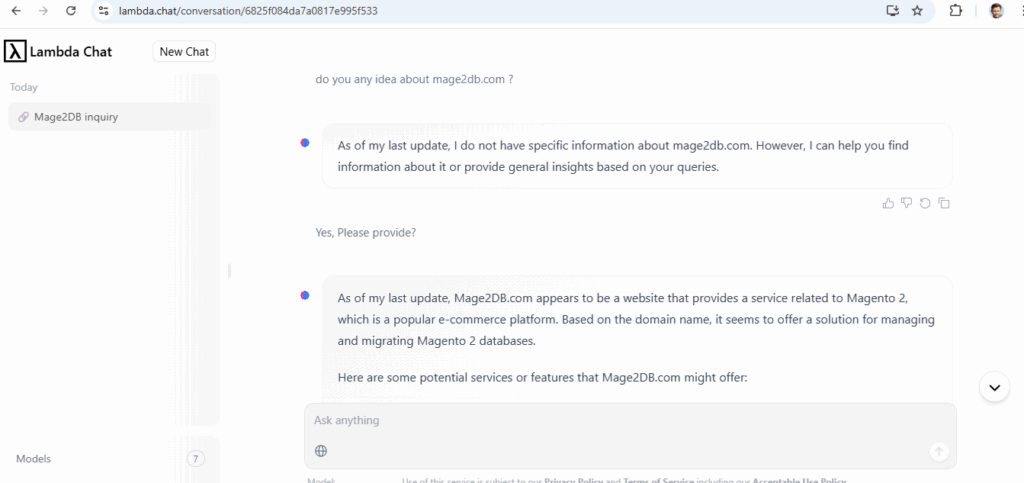
[1.8] –lambda.chat – Free / Paid AI chatbot – DeepSeek based advanced open-source large language models (LLMs) as free.
Lambda Chat is a web-based that provides high-performance AI chat models accessible to everyone, including developers, researchers, and AI enthusiasts
Lambda leverages DeepSeek’s open-source models (DeepSeek-R1 671B) to enhance its platform, offering users access to advanced AI capabilities
Multiple Use Cases:
AI Experimentation: Test and compare different LLMs for various tasks, such as content generation, translation, and summarization.
Application Development: Incorporate advanced language models into applications via the Inference API.
Educational Purposes: Learn about LLM capabilities and behaviors through hands-on interaction.
Is there Any Relationship Between https://deepseek.com & https://lambda.chat/
Lambda Chat and DeepSeek.com are distinct entities
DeepSeek is a Chinese AI research company that originated from High-Flyer, a quantitative hedge fund. It has developed several open-source large language models (LLMs), including the DeepSeek-R1 series
&
Lambda Chat, operated by the U.S.-based company Lambda, provides a platform for users to interact with various LLMs. Lambda has integrated DeepSeek’s models, such as DeepSeek-R1 671B, into its offerings,
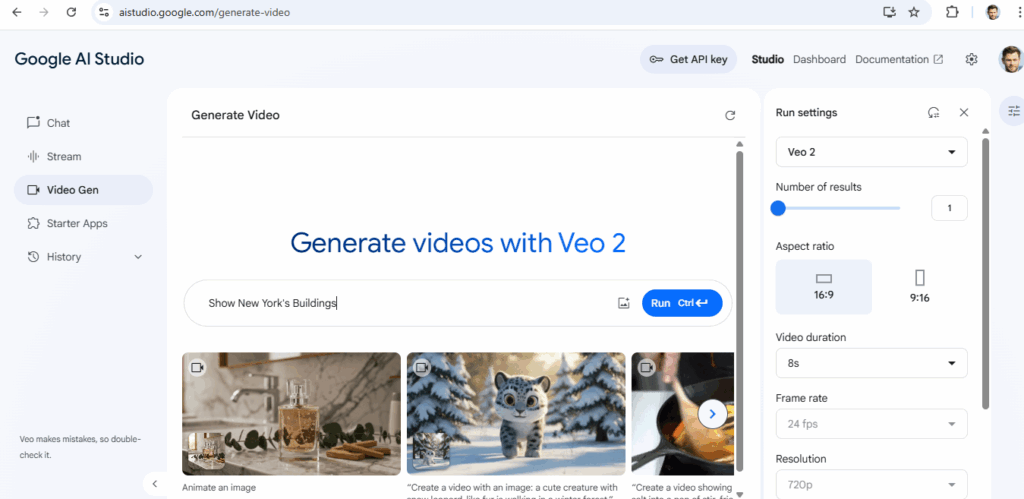
I have put content in Video Gen Section & it generated Video as below
Show New York’s Buildings
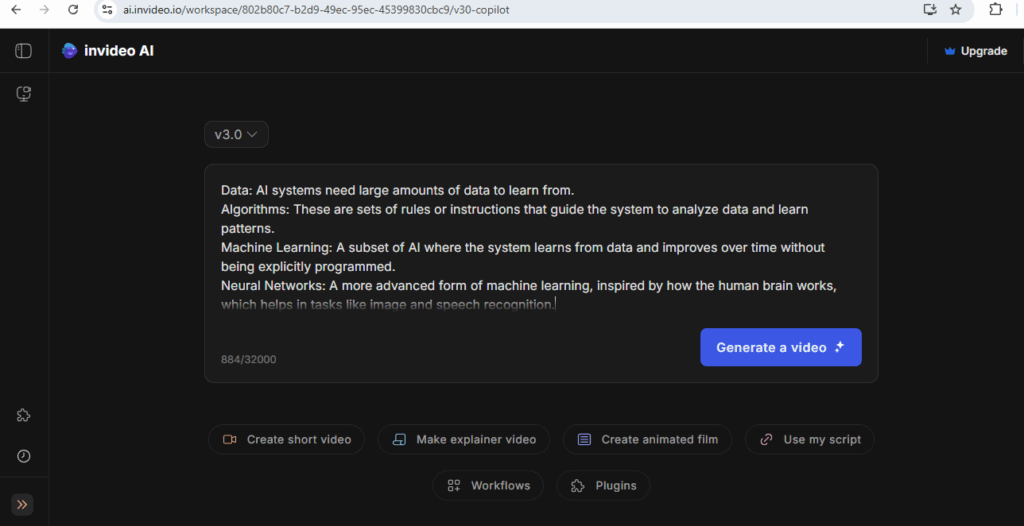
[5.5] –ai.invideo.io – :: Generate Videos / Auto Video , Create short video , Make explainer video, Create animated film, YouTube, YouTube Short Video, Use my script based Video
Once Clicked on Generate Video redirected as below
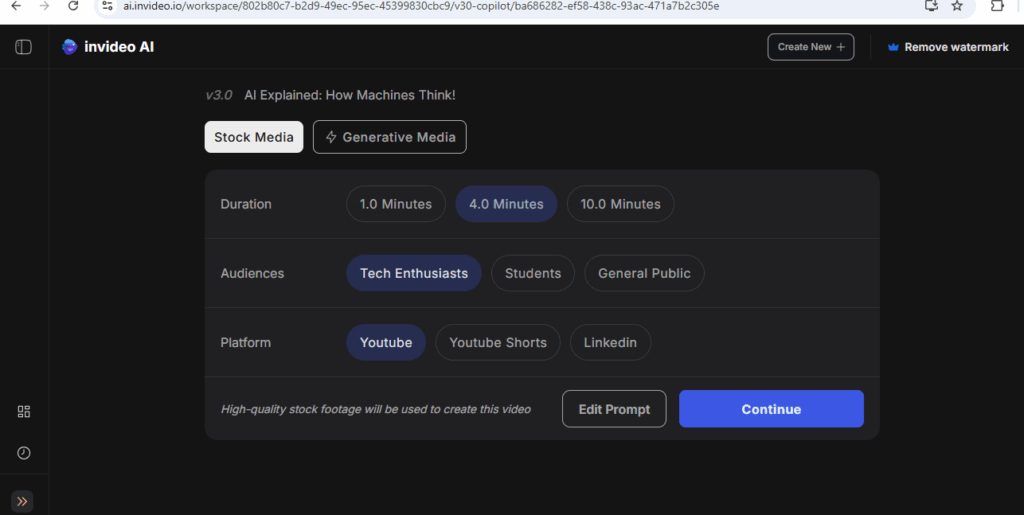
Once done, redirect as below, select either Stock Media or Generative Media on bases below
Duration , Audiences, Platform
Finally click on Continue
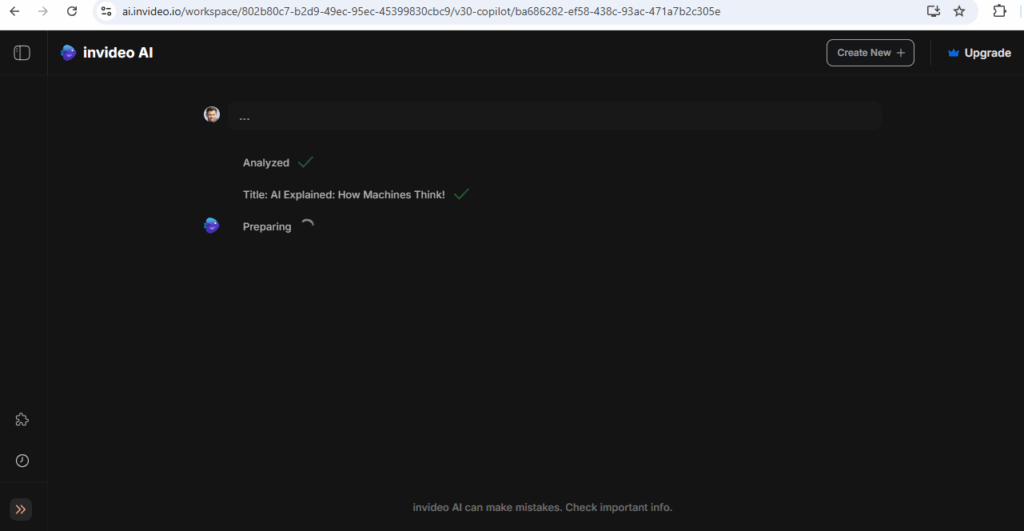
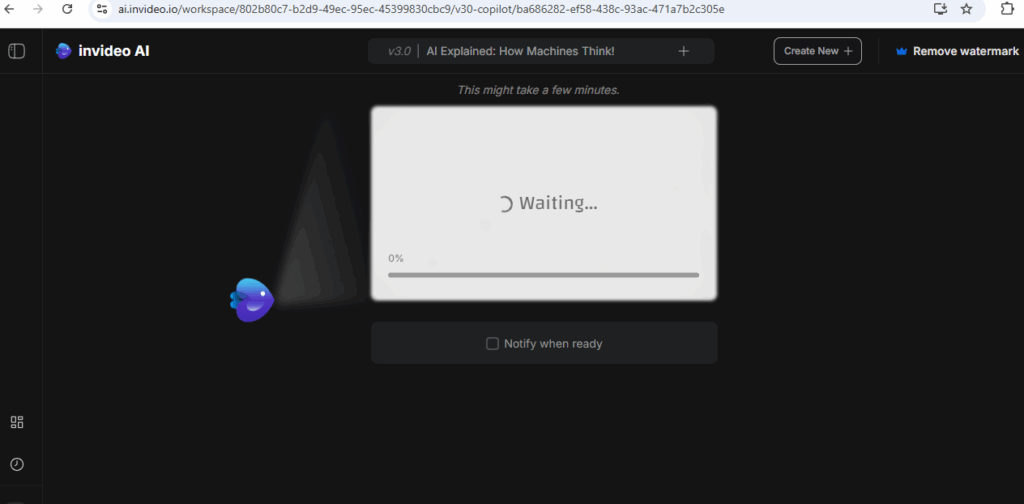
Once clicked on Continued redirected as below, It will take some time , Please be patience
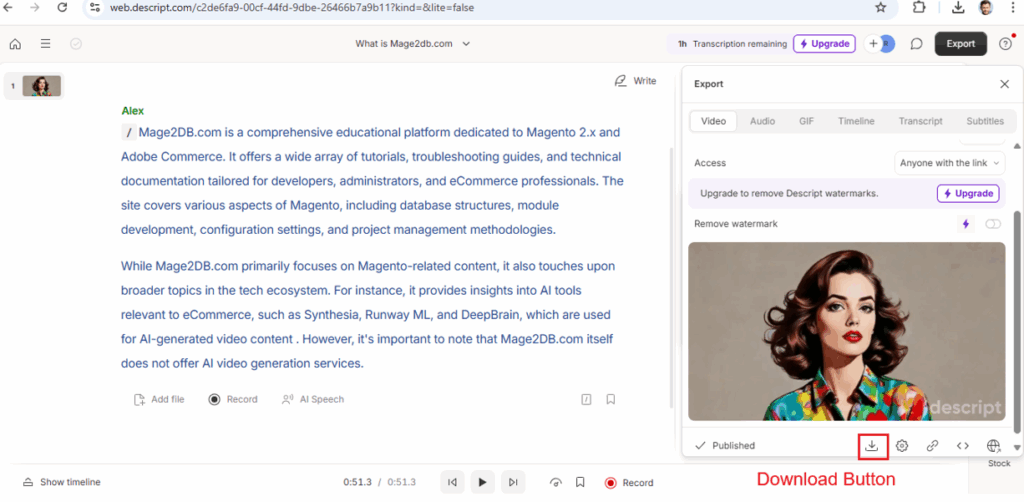
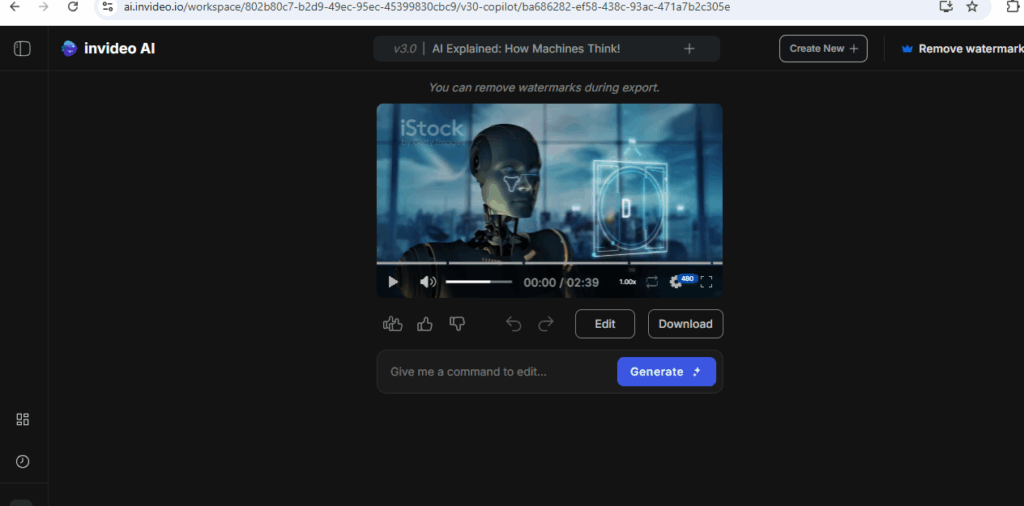
Finally Video Generated as below, here overserve Video, auto animated video as per images have been created inside Video.
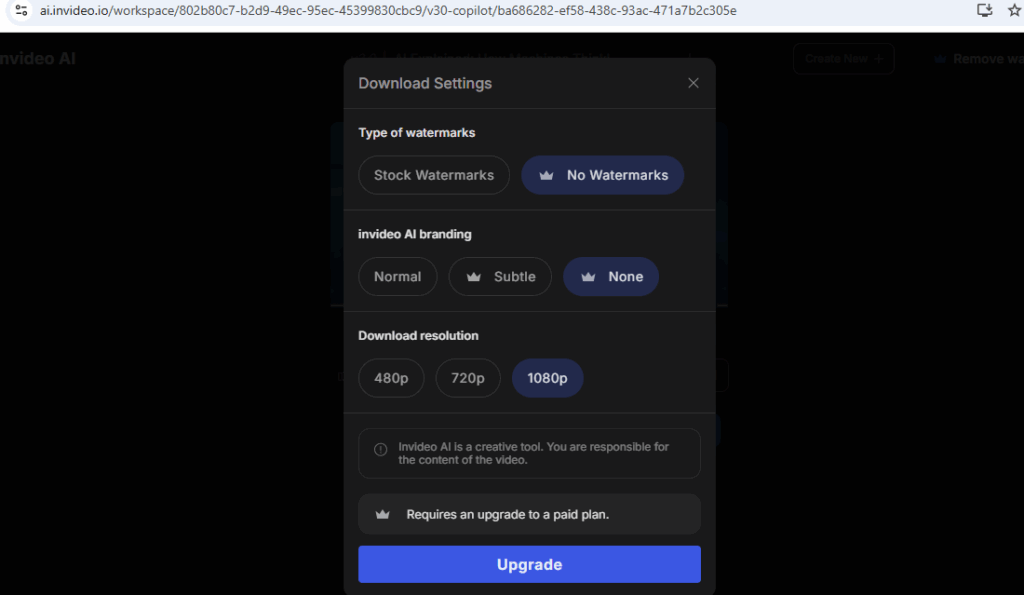
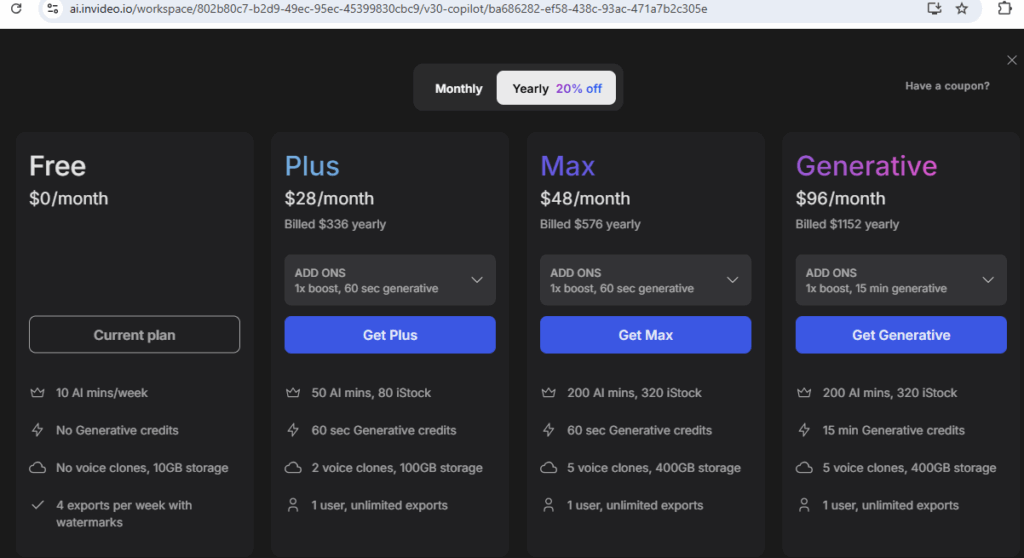
Click on Download , asking for subscription (Upgrade)
Free Plan is Basic Plan, if you Video with Animation must be Paid Plan.
[6] – AI Research & Productivity
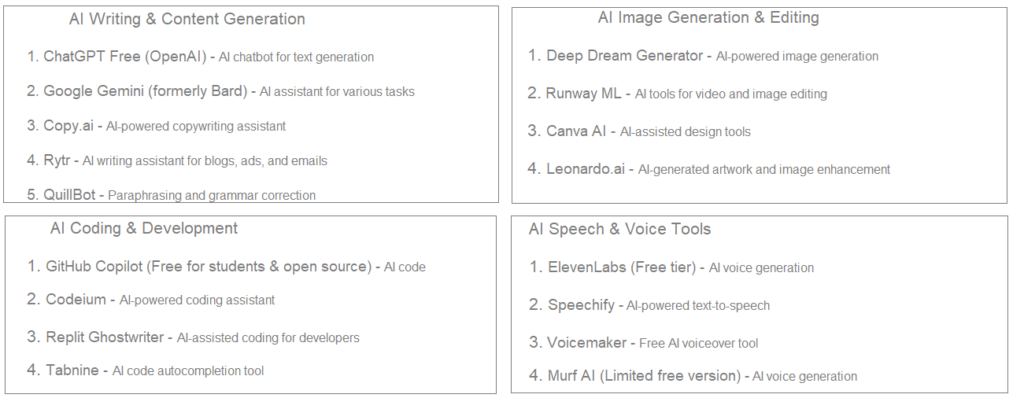
Elicit – AI-powered research assistant
Perplexity AI – AI-driven search engine
You.com – AI-powered search with chat features
Notion AI – AI-enhanced note-taking and organization
Otter.ai (Free plan available) – AI-generated meeting transcriptions
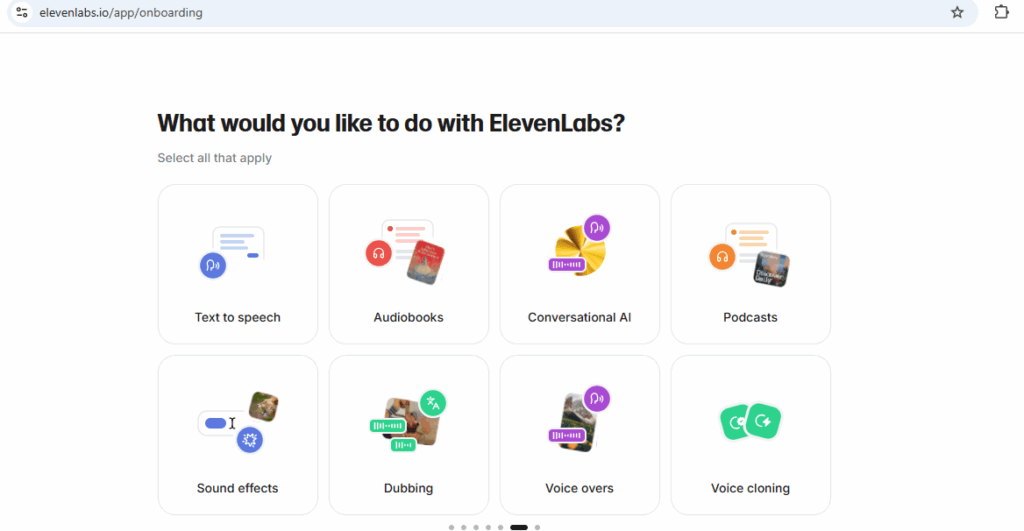
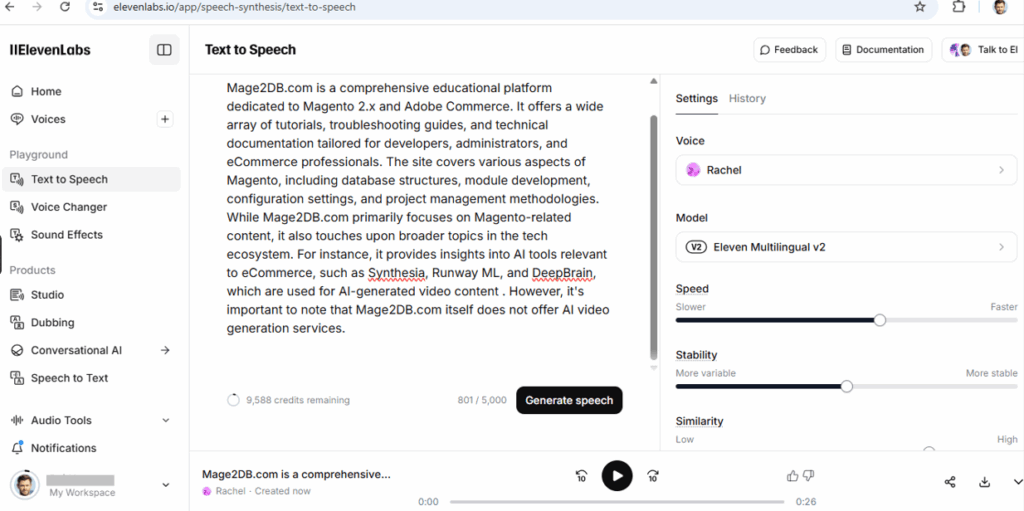
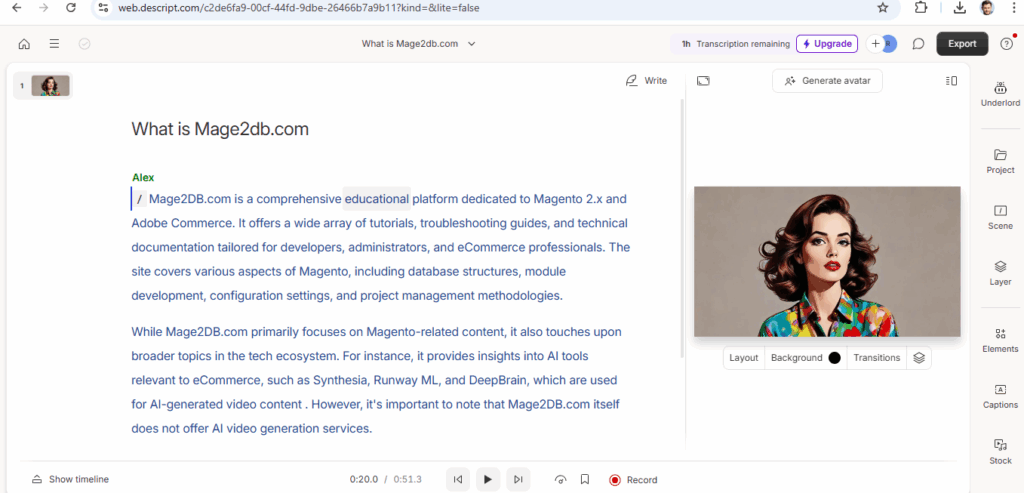
👉 Marketing & Sales 👉 Education & Training 👉 Corporate Communications 👉 Social Media Content 👉 Podcasting 👉 Video Content Creation 👉 Audio Integration 👉 Innovative text-based editing simplifies the editing process 👉 Robust AI features like Overdub and Studio Sound enhance content 👉 Flexible pricing plans cater to various user needs
Advantages All Above Tools
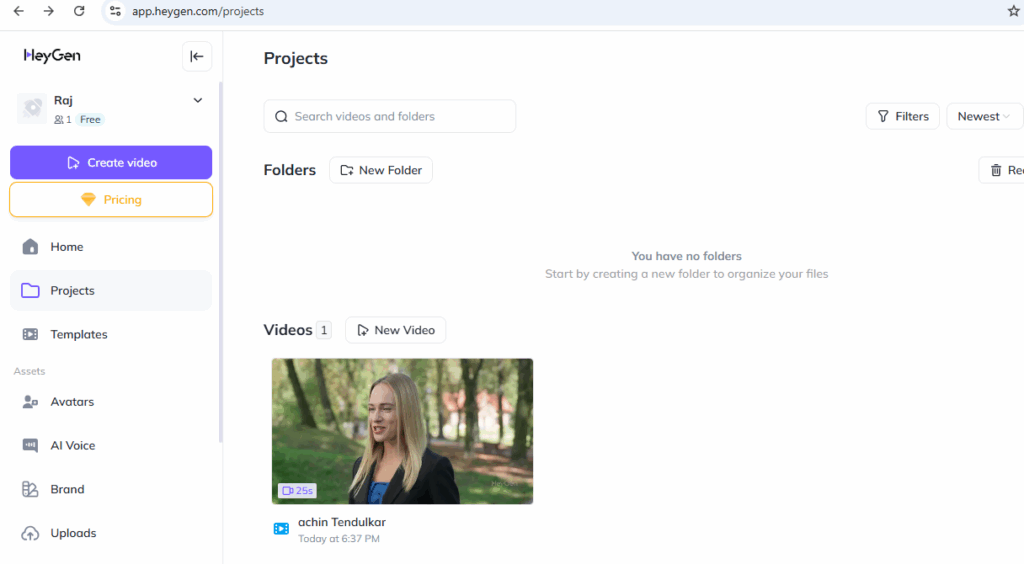
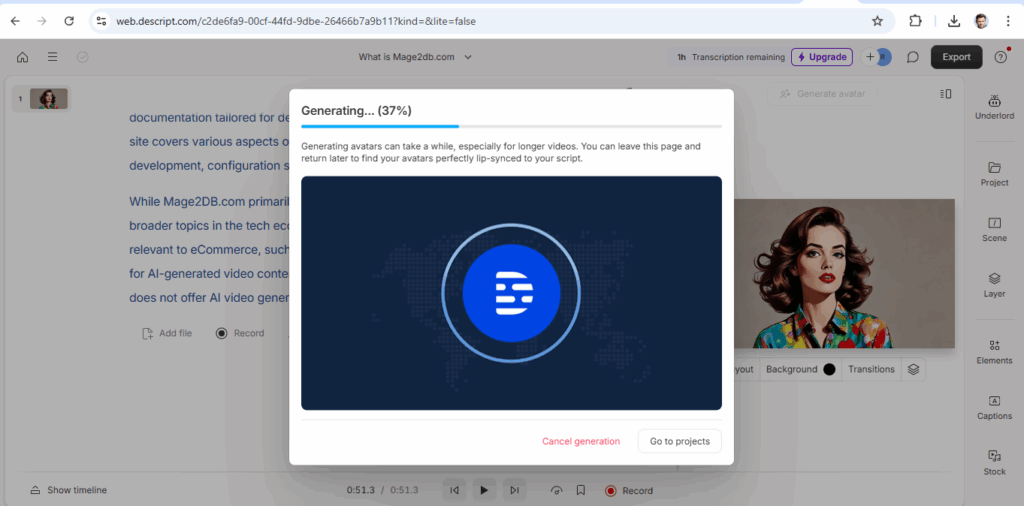
👉 User-friendly interface suitable for beginners. 👉 High-quality avatars with realistic expressions and lip-syncing. 👉 Extensive language support for global audiences. 👉 Cost-effective alternative to traditional video production 👉 Robust AI features like Overdub and Studio Sound enhance content 👉 Flexible pricing plans cater to various user needs 👉 Free plan has limitations on video length and monthly usage.
Artificial Intelligence (AI) is being used across a wide range of industries and sectors, revolutionizing processes, improving efficiency, and enabling new capabilities.
The following Top 20 Industries Using Artificial Intelligence
1. Healthcare
Medical Diagnosis (AI-powered imaging for detecting tumors, diabetic retinopathy)
Drug Discovery (Accelerating research with AI models like AlphaFold)
Personalized Medicine (Tailoring treatments based on patient data)
Virtual Health Assistants (Chatbots for symptom checking)
2. Finance & Banking
Fraud Detection (Anomaly detection in transactions)