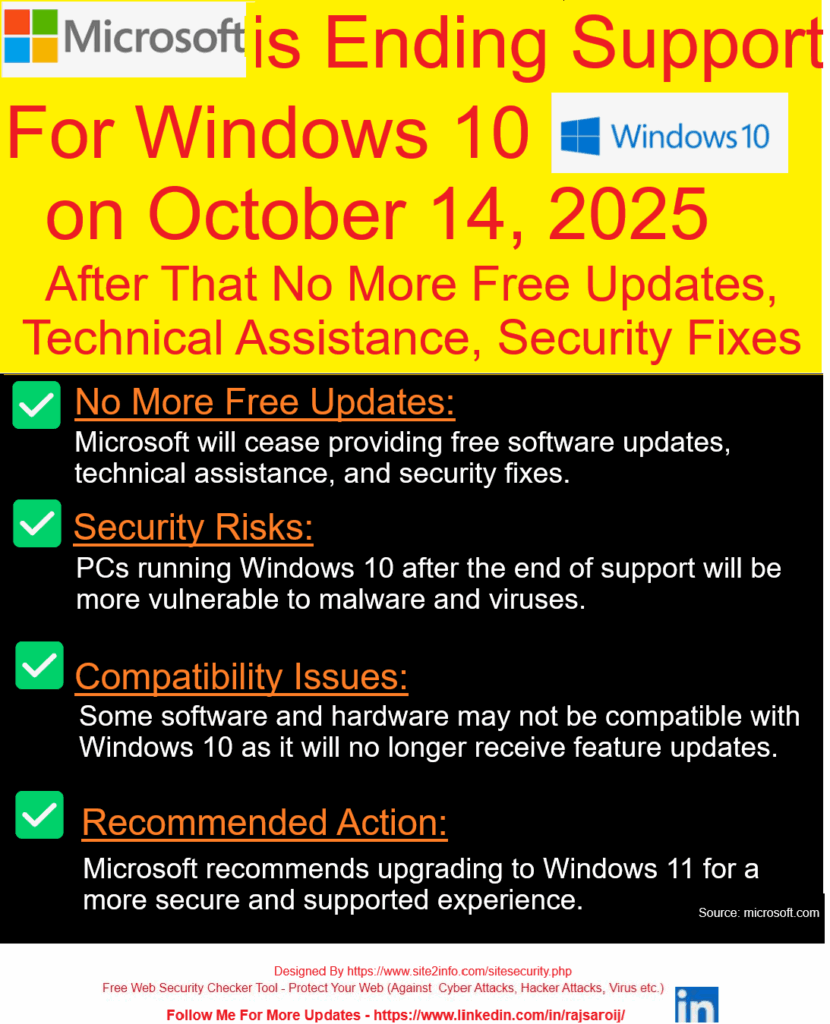
Microsoft has officially announced that it will end support for Windows 10 on October 14, 2025. After this date, Windows 10 users will no longer receive free security patches, technical support, or feature updates, follow below steps.
Donate
Other Amount
Your Email Address:
Windows 10 won’t stop working after October 14, 2025 — but staying on it is like driving a car with no airbags, no insurance, and no road support.
Step [1]: What Does “End of Support” Mean?
Microsoft will stop delivering:
Security updates (no protection against new threats)
Technical assistance (no support via Microsoft help channels)
Feature or bug fixes (no future improvements)
Windows 10 will still work, but it won’t be safe or supported.
Step [2]: Why Is Microsoft Ending Support?
Every Windows version has a lifecycle. Windows 10 was released in July 2015 — and like its predecessors, it gets around 10 years of official support. Now, Microsoft is shifting focus to Windows 11 and future OS versions.
Step [3]: What Are the Risks After October 2025?
Higher vulnerability to viruses, ransomware, and malware
Incompatibility with new apps or hardware
No official support in case of crashes or technical issues
Using an outdated OS can pose serious cybersecurity risks, especially for businesses.
Step [4]: What Should You Do Next?
Option A: Upgrade to Windows 11 If your device meets the requirements (TPM 2.0, Secure Boot, etc.), you can upgrade to Windows 11 for free.
Option B: Replace Older Devices If your current PC doesn’t support Windows 11, consider upgrading your hardware before the deadline.
Option C: Explore Paid Support (for Enterprises) Microsoft may offer extended support at a cost, but this is usually for large organizations — not individual users.
Step [5]: Start Preparing Now
Back up your files
Check device compatibility
Plan your upgrade path
Train teams on the new OS if you’re a business
The earlier you prepare, the smoother your transition will be.
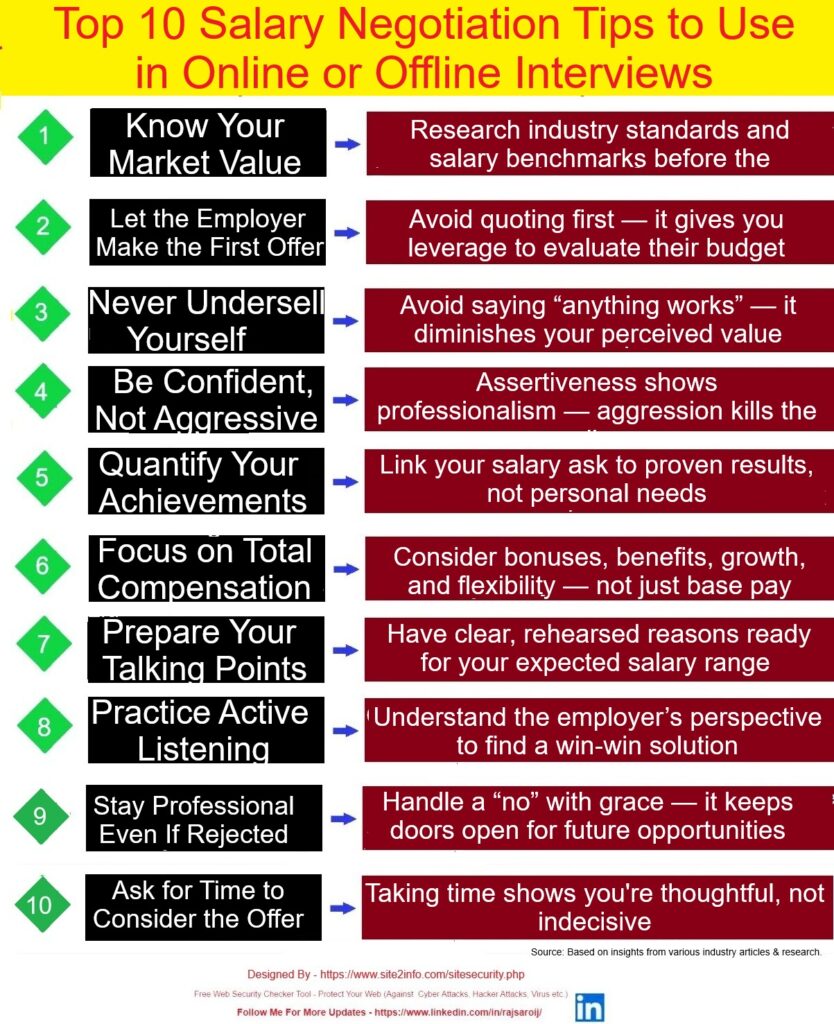
Top 10 Salary Negotiation Tips (Online & Offline Interviews)
Salary negotiation isn’t about being difficult — it’s about aligning your value with the right opportunity. Preparation, professionalism, and confidence are your greatest tools.
Salary negotiation isn’t awkward — it’s essential. Whether you’re interviewing virtually or in person, here are 10 powerful tips to help you secure the pay you deserve:
Step [1] – Know Your Market Value Before entering any negotiation, research industry benchmarks for your role, experience level, and location. Tools like Glassdoor, Payscale, or LinkedIn Salary can give you realistic expectations — empowering you to negotiate from a position of knowledge.
Step [2] –Let the Employer Go First Avoid being the first to mention numbers. Let the employer share their offer first — it sets the starting point and gives you leverage to respond thoughtfully based on their expectations.
Step [3] –Don’t Undersell Yourself Phrases like “I’m open to anything” or “Whatever works for you” weaken your perceived value. Be prepared with a confident salary range based on your market research and experience.
Step [4] –Be Confident, Not Pushy Confidence shows that you know your worth. However, balance it with professionalism — being aggressive or entitled can create discomfort and harm your chances.
Step [5] –Quantify Your Achievements Support your salary request with data and real outcomes — like “I increased revenue by 20%” or “Led a project that saved the company $30,000.” Numbers speak louder than opinions.
Step [6] –Consider Total Compensation Salary is just one part of the package. Take into account benefits like health insurance, paid time off, bonuses, remote work, and equity — all of which contribute to the true value of an offer.
Step [7] –Prepare Your Talking Points Rehearse how you’ll communicate your expectations and value. Have clear reasoning ready so you can respond with confidence when the salary question comes up.
Step [8] –Listen Actively Good negotiators don’t just talk — they listen. Pay attention to what the employer is offering and why. This helps you respond strategically, rather than react emotionally.
Step [9] –Stay Professional if Rejected If the employer declines your counteroffer, don’t burn bridges. Stay gracious and open — you might receive a revised offer or be considered for future opportunities.
Step [10] –Ask for Time to Decide Don’t rush your decision. Request 24–48 hours to review the offer in full. This shows maturity and ensures you’re making a well-informed choice.
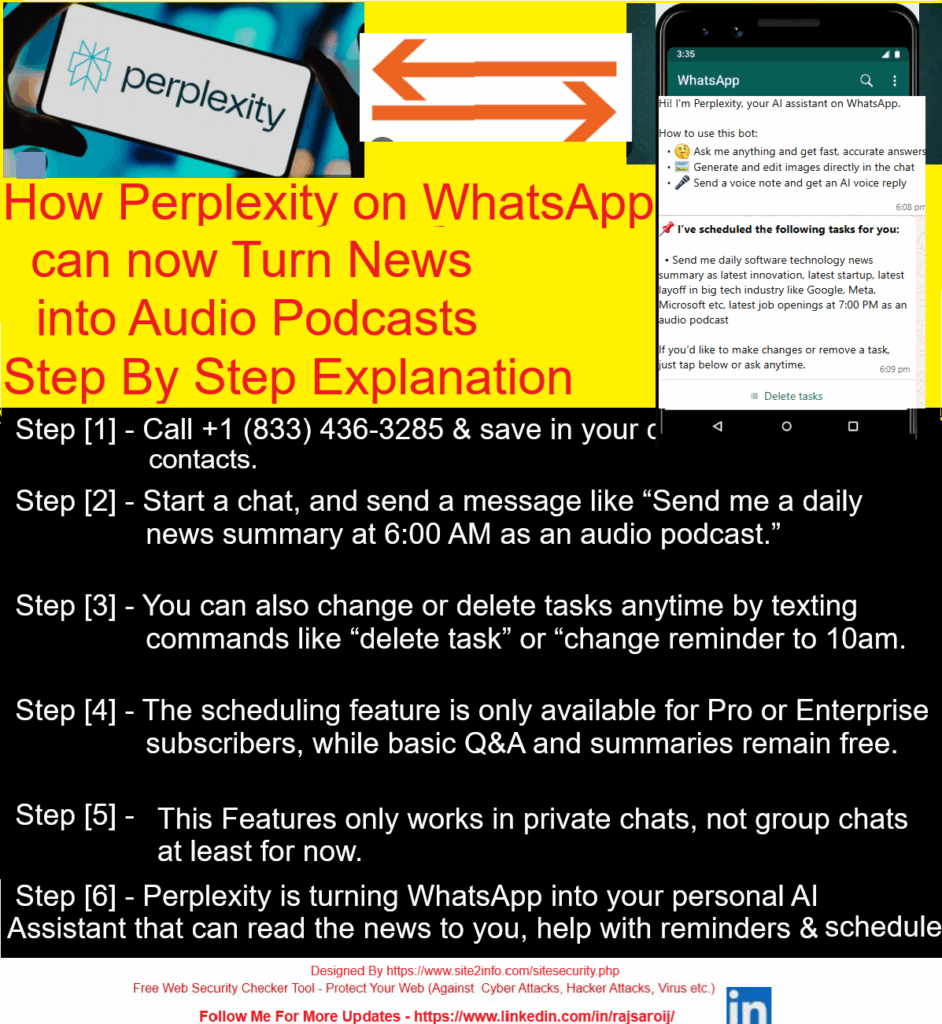
Use the following steps to convert news summaries into audio podcasts through Perplexity on WhatsApp
Step [1] – Start a Chat Visit 👉 perplexity.ai/whatsapp Or message on WhatsApp: +1 (833) 436-3285
Step [2] – Step 2: Ask Any News Topic Just type something like: “Send & Summarize me daily software technology news summary as latest innovation, latest startup, latest layoff in big tech industry like Google, Meta, Microsoft etc, latest job openings at 7:00 PM as an audio podcast” “Today’s top tech news?”
Step [4]– Get a Text Summary Instantly Perplexity replies with a crisp, sourced summary in seconds.
1. AI and machine learning are everywhere—over 80% of software teams now use tools like GitHub Copilot. 2. ‘Vibe coding’ lets anyone create apps just by describing what they want in plain language. 3. Quantum computing is booming, with Microsoft, IBM, and Google making big breakthroughs.
Step [5] – Tap 🎧 Listen Right under the reply, tap the 🎧 icon. Boom — you get a voice note-style podcast, summarizing the news.
🧠 Learn while walking. 📱 Listen on the go. ⌛ Save time daily.
🔄 Bonus: You can even ask it to “explain more,” “translate,” or “simplify” — and get that version in audio too!
Office politics are often unavoidable, and in many cases, necessary to succeed in complex team environments. Knowing how to manage relationships, build alliances, and position yourself professionally can have as much impact as your job performance.
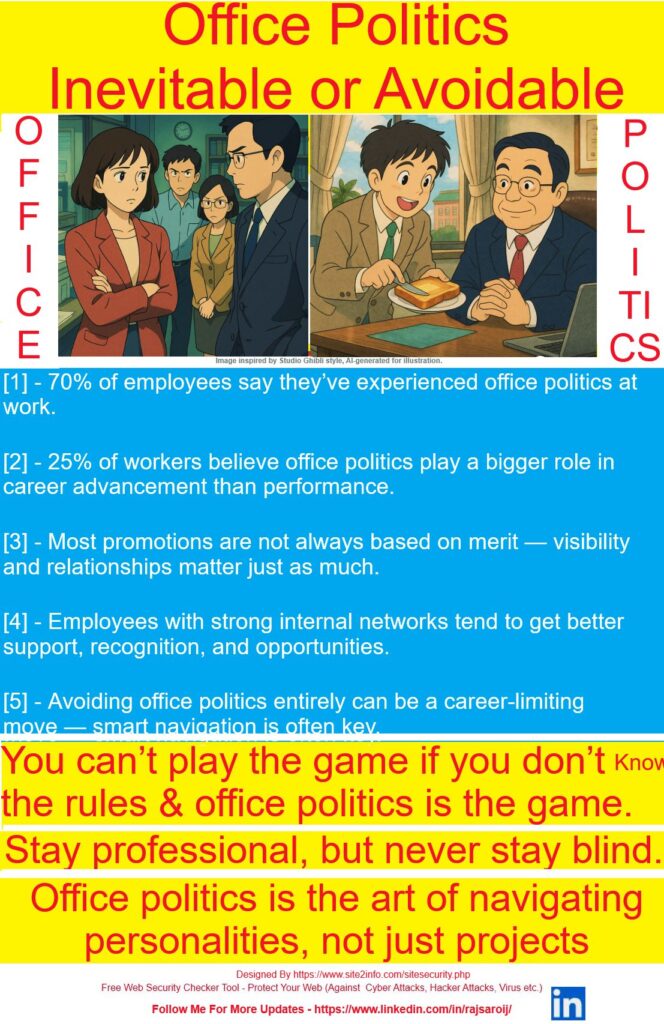
Office Politics: Inevitable or Avoidable?
Office politics often gets a bad reputation — but the truth is, it’s not always toxic. Sometimes, it’s simply the natural result of human relationships, influence, and informal dynamics within the workplace.
Understanding it doesn’t mean playing dirty — it means navigating with awareness, strategy, and emotional intelligence.
Interesting Facts About Office Politics
✅ 70% of employees say they’ve experienced office politics at work ✅ 1 in 4 workers believe office politics has more impact on promotions than performance ✅ Promotions often hinge on visibility and relationships, not just merit ✅ Employees with strong internal networks get more recognition, support, and growth opportunities ✅ Avoiding politics entirely can actually limit career advancement
You don’t have to play dirty — but you do have to play smart. Office politics isn’t about manipulation — it’s about connection, visibility, and strategic awareness.
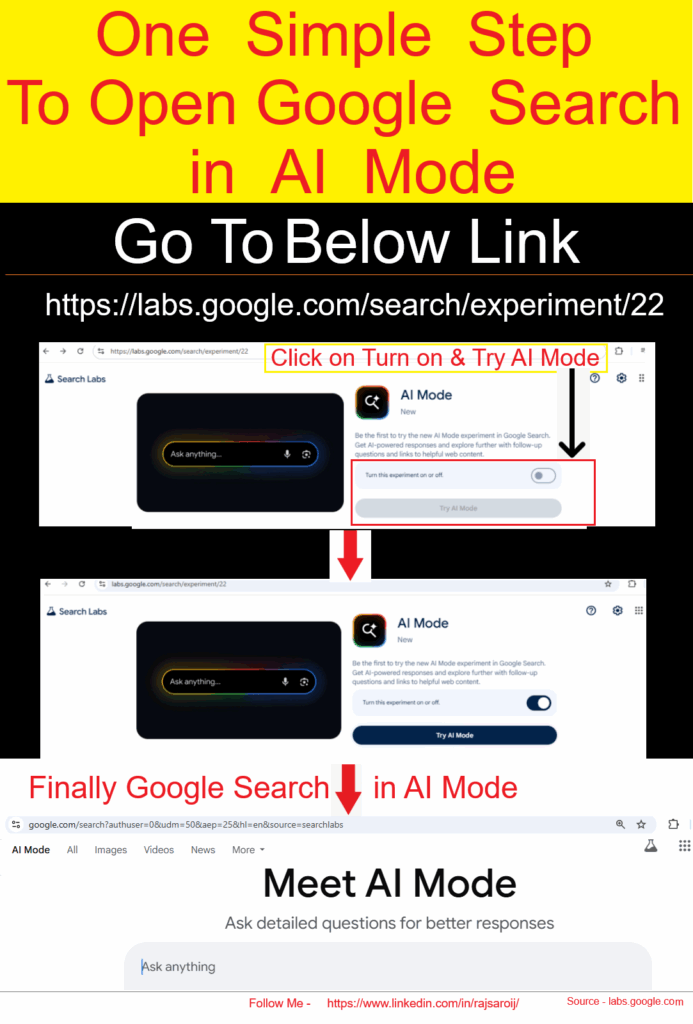
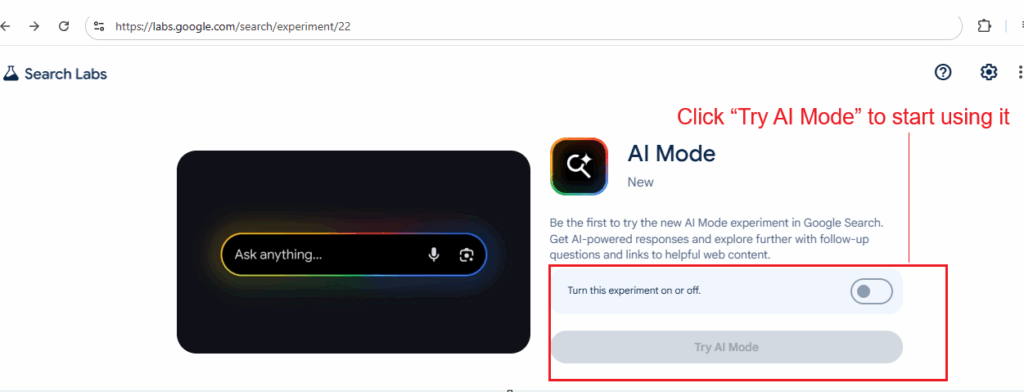
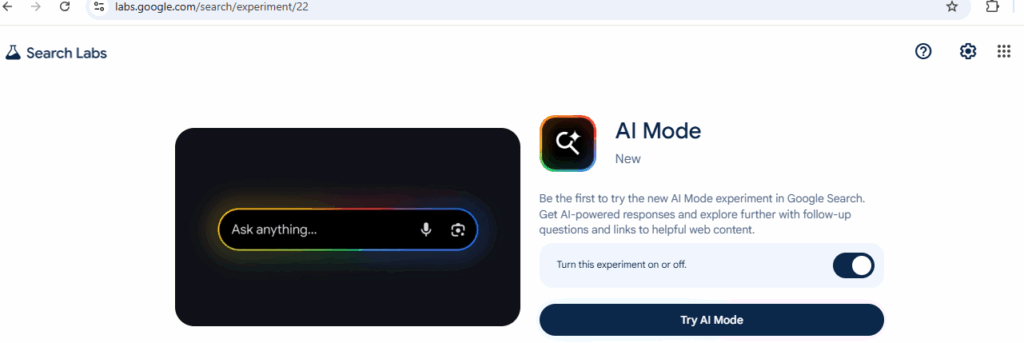
The following steps to open Google Search in AI Mode
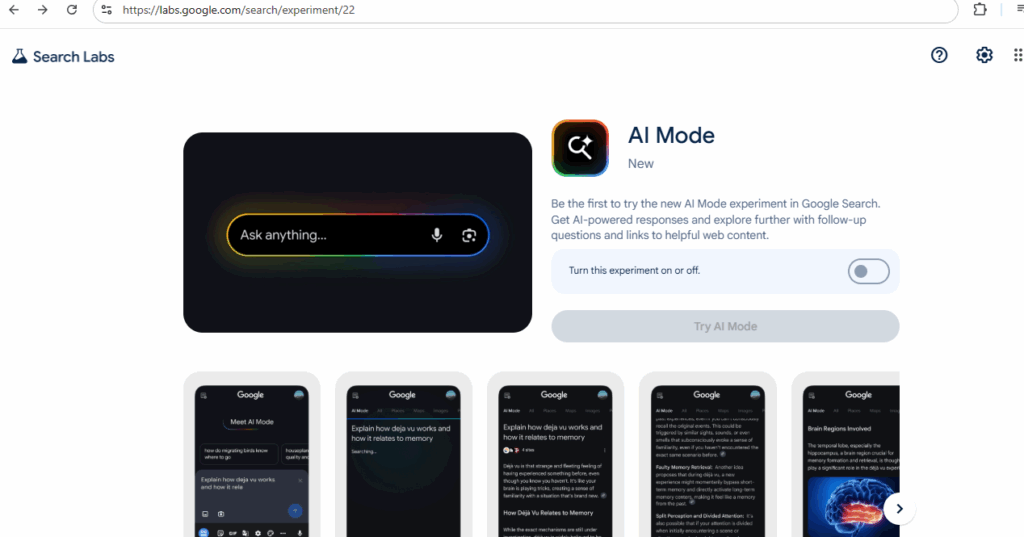
Step [1] – Go to labs.google.com
Step [2] – Look for “AI Mode” and switch it ON
Go To https://labs.google.com/search/experiment/22
Step [3] – Click “Try AI Mode” to start using it
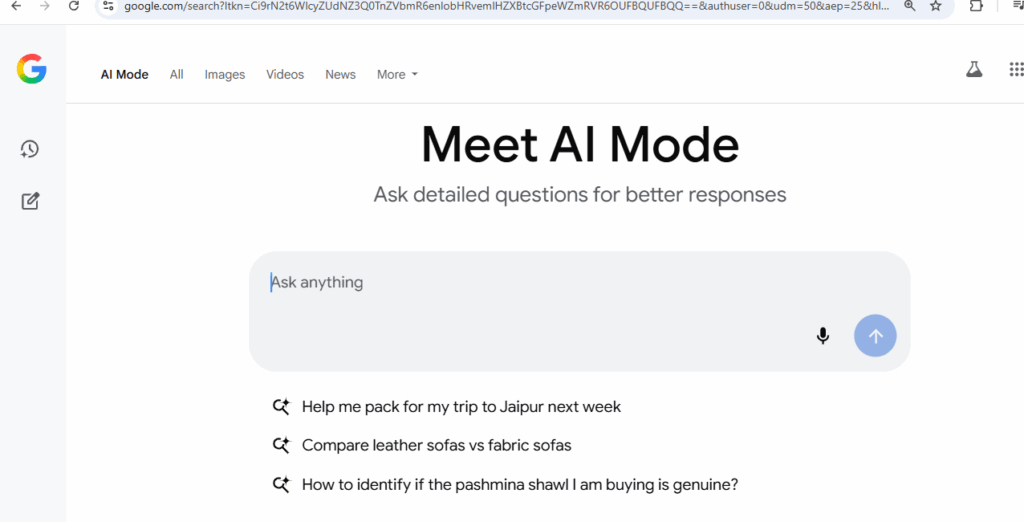
Once Done –
Step [4] – Or just search something on Google and tap the AI Mode tab at the top
Google’s AI Mode makes searching easier, smarter, and faster — whether you’re planning meals, learning something new, or exploring hobbies. It’s now available to all users in India who use English on their device.
Step [5] – Ask Using Voice or Photos
You don’t always have to type. Just:
Upload a photo for visual searches (like spices, clothes, books, etc.)
Tap the microphone to ask your question
Step [6] – How Does Google AI Mode Work?
Google uses a “query fan-out technique” — this means the AI breaks your big question into smaller ones, searches them all together, and gives you one useful, combined answer. It also uses tools like:
Knowledge Graph (for facts)
Shopping search (for product suggestions)
Lens support (for image-based questions)
So if you take a photo of a spice and ask,
“What is this spice and how can I use it in cooking?”
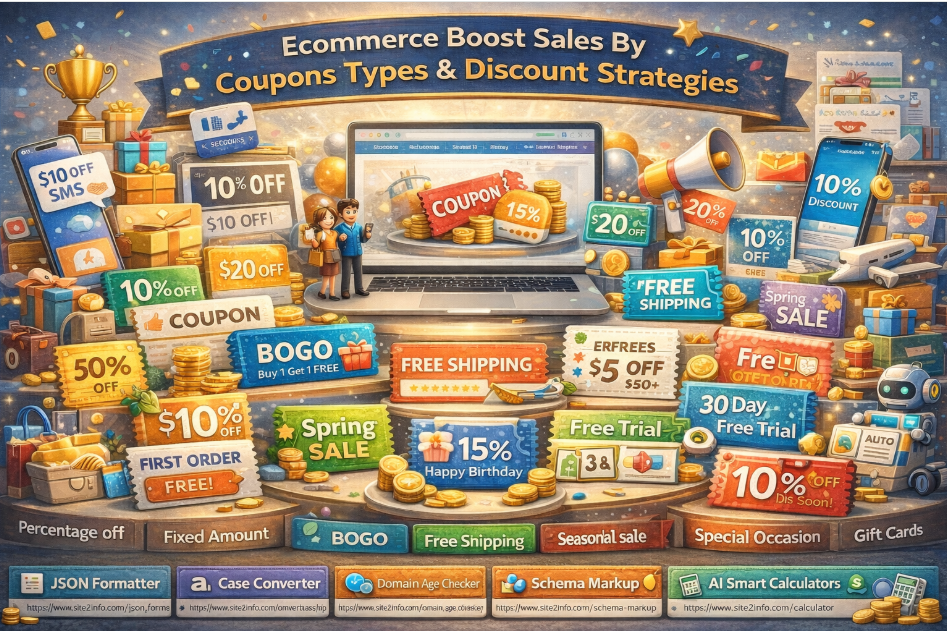
Ecommerce Boost Sales by Coupon Types & Discount Strategies
In today’s competitive digital commerce landscape, discounts and coupons are not just offers — they are strategic growth tools. When implemented correctly, coupon strategies can significantly increase sales, conversions, average order value (AOV), and customer retention.
Below are the most effective eCommerce coupon types and discount strategies that businesses use to boost sales and customer engagement.
1️⃣ Percentage-Off Discounts
Example: 10% OFF, 25% OFF
Percentage-based discounts are one of the most popular and easy-to-understand offers for customers.
Best used for:
Storewide promotions
Seasonal sales
Flash deals
Benefits:
Simple and attractive
Works well across all price ranges
Encourages impulse purchases
2️⃣ Fixed-Amount Discounts
Example: $10 OFF, $50 OFF
Fixed discounts offer a clear and direct value, especially effective for higher-priced products.
Best used for:
High-value carts
Minimum purchase thresholds
Benefits:
Perceived as high value
Controls discount cost better than percentages
3️⃣ Buy One Get One (BOGO)
Example: Buy 1 Get 1 Free / Buy 1 Get 50% Off
BOGO deals are extremely effective in increasing cart size and clearing inventory.
Best used for:
Overstocked items
Fast-moving consumer goods
Benefits:
Boosts order volume
Encourages customers to buy more
4️⃣ Free Shipping
Shipping costs are a top reason for cart abandonment.
Best used for:
Minimum cart value offers
First-time purchases
Benefits:
Reduces checkout friction
Increases conversion rates significantly
5️⃣ Seasonal & Festive Sales
Examples: Black Friday, Diwali Sale, Christmas Sale
Seasonal discounts align with customer buying psychology during festivals and holidays.
Benefits:
High traffic and intent
Strong emotional connection
Predictable sales spikes
6️⃣ Cart Deals (Cart Value Discounts)
Example: Get $20 OFF on orders above $200
Benefits:
Increases Average Order Value (AOV)
Encourages customers to add more items
7️⃣ First-Time Buyer Discounts
Example: 10% OFF on your first order
Benefits:
Reduces hesitation for new users
Improves first conversion rate
8️⃣ Loyalty Points & Rewards
Reward returning customers with points redeemable for discounts or free products.
Benefits:
Improves customer retention
Builds long-term brand loyalty
9️⃣ Referral Coupons
Offer rewards to both the referrer and the new customer.
Benefits:
Low-cost customer acquisition
Builds trust through word-of-mouth
🔟 Special Occasion Discounts
Examples: Birthday offers, anniversary discounts
Benefits:
Personalized customer experience
Strengthens emotional connection
1️⃣1️⃣ Gift Cards
Gift cards act as prepaid revenue and future conversion drivers.
Benefits:
Guaranteed upfront revenue
Encourages repeat visits
1️⃣2️⃣ Free Trials
Allow customers to try products or services before committing.
Benefits:
Reduces purchase risk
Builds confidence in your product
1️⃣3️⃣ Membership Discounts
Exclusive discounts for registered or paid members.
Benefits:
Encourages account creation
Builds a premium customer base
1️⃣4️⃣ Affiliate Coupons
Offer special coupons through affiliate partners.
Benefits:
Performance-based marketing
Expands reach with minimal risk
1️⃣5️⃣ Exit-Intent Offers
Display offers when a user is about to leave the site.
Benefits:
Reduces cart abandonment
Captures lost conversions
1️⃣6️⃣ Retargeted Promotions
Show personalized offers to returning visitors.
Benefits:
Higher relevance
Better conversion rates
1️⃣7️⃣ SMS Coupons
Send coupons directly to customers via text message.
Benefits:
High open rates
Instant engagement
1️⃣8️⃣ Automated Coupons
Coupons triggered by actions like signup, inactivity, or abandoned carts.
Benefits:
Scalable and efficient
Reduces manual effort
1️⃣9️⃣ Quantity Discounts
Example: Buy 5 items and get 10% OFF
Benefits:
Encourages bulk purchases
Ideal for B2B and wholesale
2️⃣0️⃣ Payment Method-Based Coupons
Offer discounts for specific payment methods (UPI, Wallets, Cards).
Benefits:
Reduces transaction costs
Encourages preferred payment channels
2️⃣1️⃣ Location-Based Coupons
Target offers based on customer geography.
Benefits:
Localized marketing
Region-specific promotions
2️⃣2️⃣ Scheduled Coupons
Coupons active only during specific dates or time windows.
To maximize impressions and attract more users to your LinkedIn post, you need to combine content quality with smart engagement strategies and timing. Here’s a step-by-step guide:
✅ 1. Write Strong, Relevant Content
Hook in the first 2 lines: Only the first 3 lines are visible before “…see more.” Make it compelling.
Value-driven: Share insights, quick tips, stats, stories, or lessons learned.
Originality wins: Avoid generic content. Personal experience, case studies, or unique opinions work best.
1 branded or community-based (#YourCompany, #GrowthHackers)
✅ 3. Use Engaging Formats
Text-only posts with line breaks = better readability
Carousel/Document posts (PDFs) = high engagement
Short native videos (with captions) = strong visual pull
Polls = high reach due to engagement algorithm
Images with real people (you or your team) = more relatable
✅ 4. Post Timing
Best time to post:
Weekdays: Tuesday–Thursday
Time: Between 8 AM–11 AM and 4 PM–6 PM (local audience time)
✅ 5. Engage Immediately After Posting
Reply to every comment within 60 minutes (LinkedIn’s “golden hour”).
Tag people relevant to the topic — but don’t over-tag.
Ask a question at the end of your post to invite comments.
✅ 6. Build Relationships
Comment thoughtfully on others’ posts before and after you post.
Be active with your network consistently (likes + value-adding comments = visibility).
✅ 7. Optimize Your Profile
People who see your post often click your profile.
Make sure your headline, photo, and banner clearly communicate who you are and what you do.
✅ 8. Avoid These Mistakes
Don’t include external links in the post. If needed, put links in the first comment.
Don’t use too many hashtags (3–5 max).
Don’t use “engagement bait” like “Comment ‘Yes’ if you agree” – it may be flagged.
Bonus: Use Emojis, Bullets, and Formatting
Break content with emojis (👍 💡 🚀) and short paragraphs to make it skimmable.
Example Post Structure:
pgsqlCopyEdit🔥 The #1 reason most professionals fail to grow on LinkedIn?

They post for themselves — not for their audience.

Here’s how to flip the script 👇

✅ Share lessons, not just wins
✅ Ask questions that spark real conversations
✅ Be consistent — even when the likes don’t come

What’s worked best for you on LinkedIn?

Let’s learn together. Drop your tips 👇

#LinkedInGrowth #PersonalBranding #SocialSelling #CareerTips
Definition of White-collar jobs: It refer to professional, managerial, or administrative work typically performed in an office or remote setting. These jobs usually require mental skills, education, and problem-solving abilities, rather than manual labor.
Example: Common White-Collar Job
Software developers
Accountants and financial analysts
Marketing managers
Lawyers and legal consultants
Teachers, professors, researchers
HR professionals
IT support and system administrators
Data analysts
Are White-Collar Jobs Affected by AI?
Yes, AI is transforming many white-collar roles.
How AI Is Impacting White-Collar Jobs:
[1] – Automation of Repetitive Tasks
Tools like ChatGPT, Copilot, and automation bots can draft emails, summarize documents, and even generate reports.
[2] – Data Analysis & Decision-Making
AI helps in faster and smarter data interpretation, replacing manual data crunching.
[3] – Customer Support & Communication
AI chatbots and voice assistants are reducing the need for human support agents.
[4] – Coding & Software Development
AI-assisted coding is speeding up development work and even writing code from prompts.
[5] – Creative Fields
Designers, content creators, and marketers are seeing AI tools assist or sometimes replace parts of their workflows.