Algolia is an American company that provides fast web search results through Software-as-a-Service (SaaS) model, It is Hosted based search engine accessible via an API powering computer grade search for websites / app, Using Algolia, Users feel personalized site search &s a fast and reliable search experience.
The following below Algolia Search Features
[1] – Search as a Service [SAAS]]
[2] – API Integrate with Real Time Search
[3] – Auto Complete / Auto Suggest
[4] – Accurate Results
[5] – Full Text Search
[6] – AI Based Search
[7] – Instant Search Result
[8] – Find Answer Faster
[9] – Full Text Search Result
[10] – Globally 70 Data Center
[11] – Highly Optimized & Consumer Grade Search
[12] – Fast Response Time & Relevant Results
Algolia for Magento 2.x available the following below plans
[1] Free Plans ::Only limited features available [2] Paid plans ::All features available
The following below steps to integrate Algolia with Magento 2.x
Step [1] – Run the below composer require command
Path=Magento 2 Root Directory
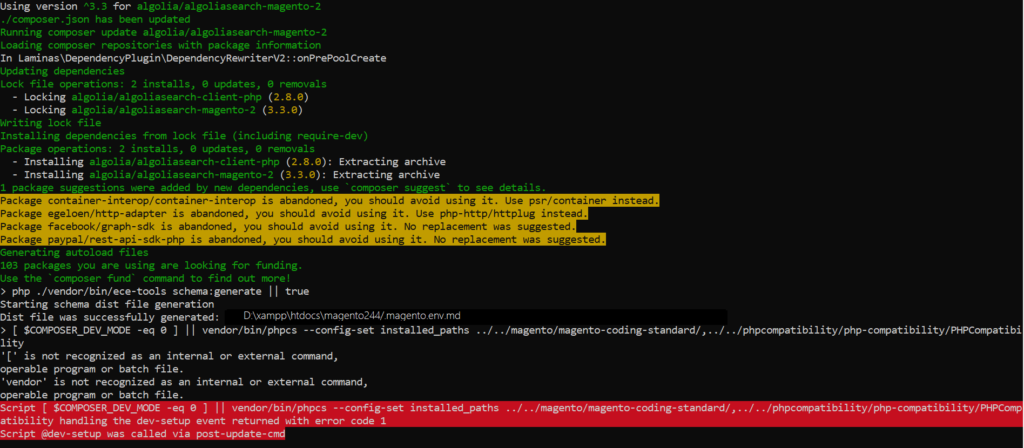
composer require algolia/algoliasearch-magento-2
Step [2] – Run below command to enable AlgoliaSearch
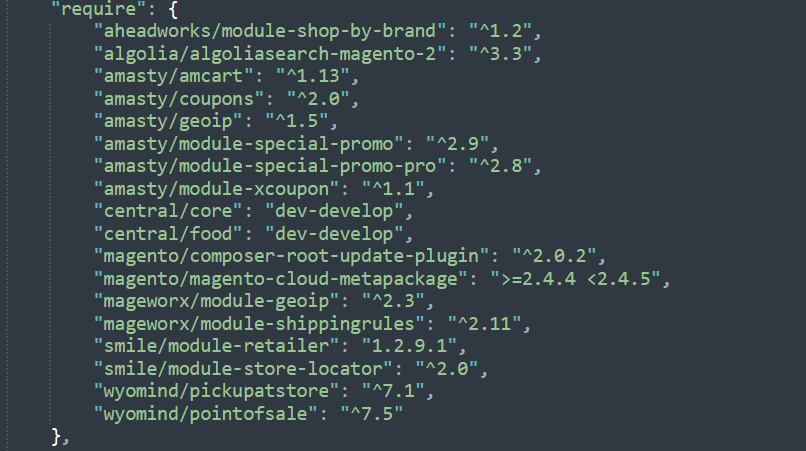
Step [3] – Check composer.json on Magento 2.x Directory
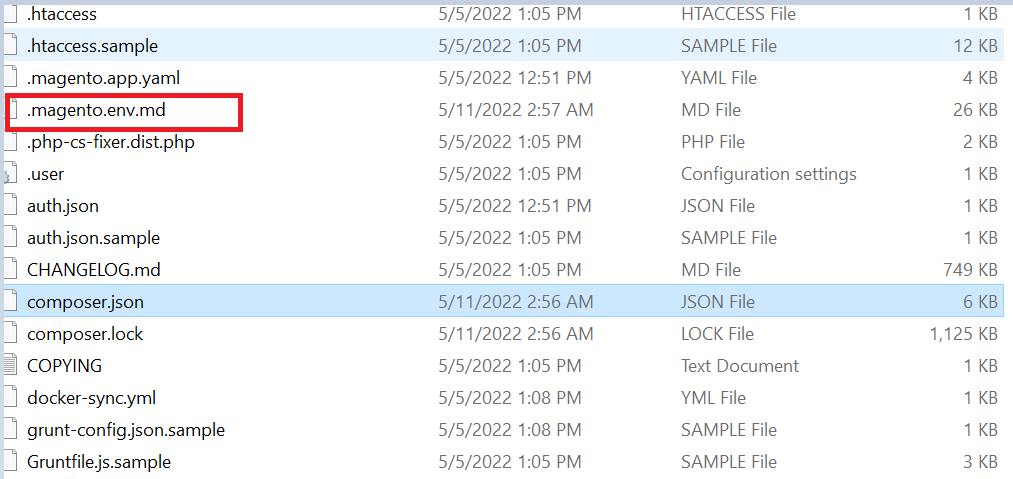
Step [4] – Check below file on Magento 2.x Directory
.magento.env.md
Step [5]– Magento 2.x Admin settings for Algolia
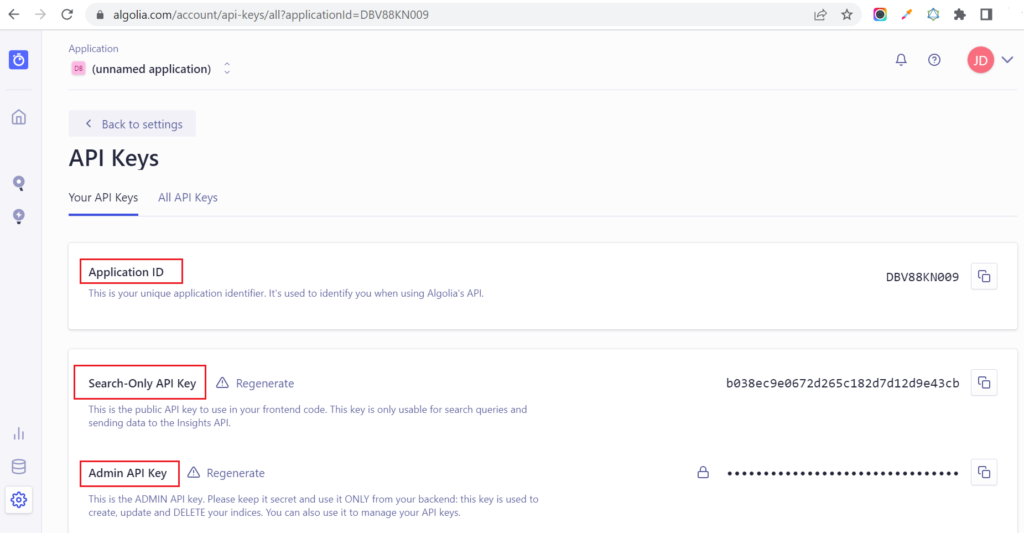
To configure the Magento 2.x admin Algolia configuration, need the following Algolia credentials:
Application ID Search-only API key Admin API key
You can find these credentials on the Algolia Dashboard, on the API Keys page from the menu.
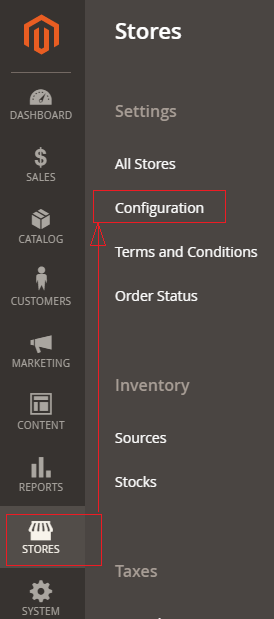
Step [6]– Go To STORES > Configuration, redirects on configuration.
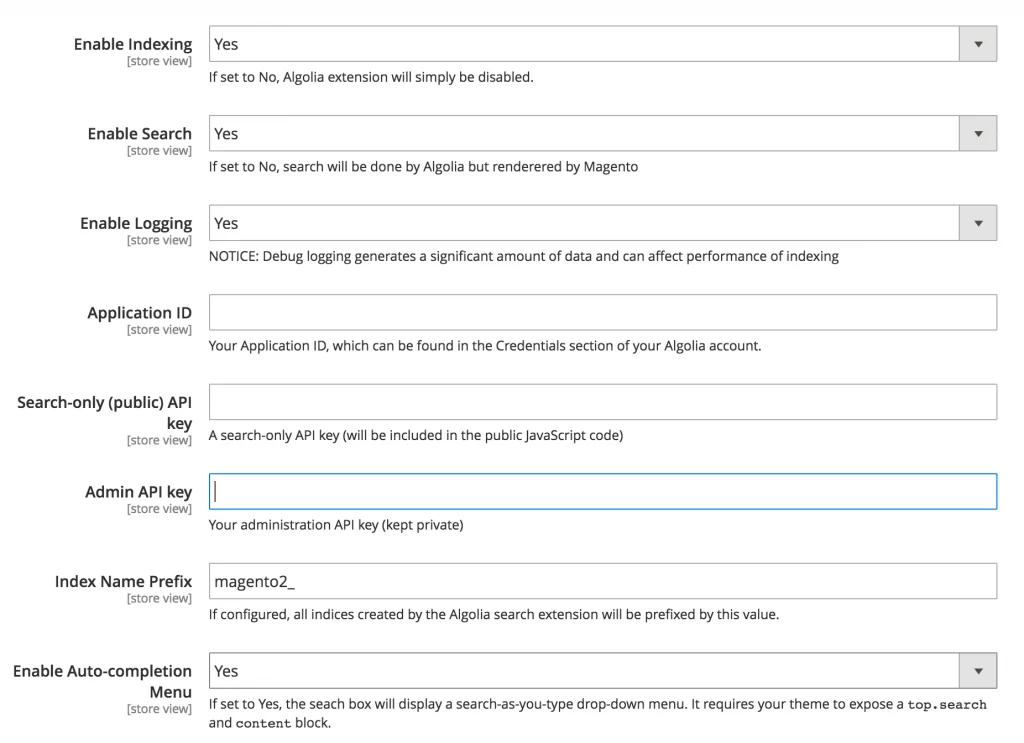
Step [7] – Go To Left Side Panel Algolia > Search, It redirects below Algolia Search Panel.
Fill Application ID, Search-only API key, Admin API key from previous Step [5]
Step [8] – Once, Magento 2.x Aloglia Admin Configuration has been done, send the data in your Magento 2.x installation to Algolia using the indexing process.
For Algolia Indexing Process, run below CLI Command
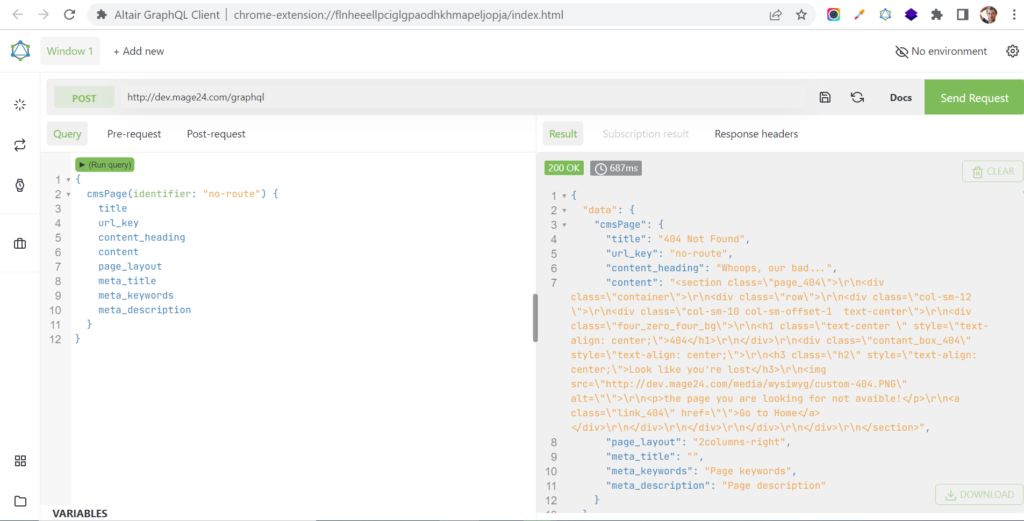
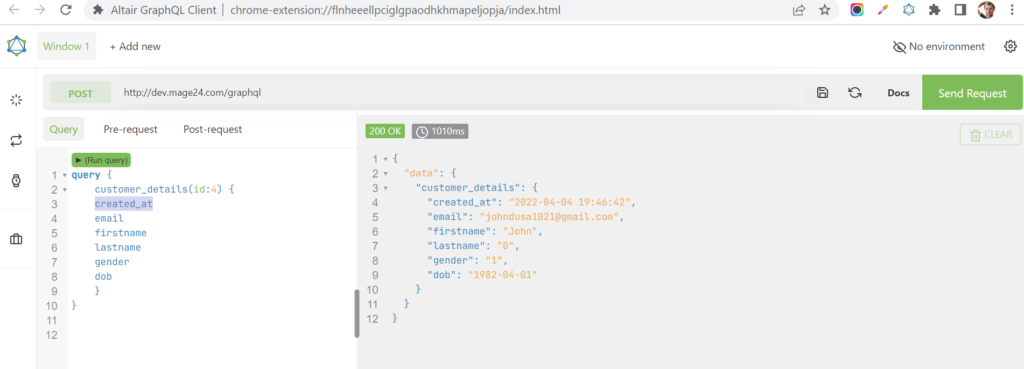
We are going to explain, Custom GraphQL Query Module to fetch the Customer’s Data in Magento 2.x to retrieve basic information of the customer entity as below
email
firstname
lastname
gender
dob
created_at
There are following below steps need to follow.
Customer GraphQL Query Module by using custom module
Here, we are considering as Namespace / ModuleName = Mage2db / CustomerGraphQl
Step [1]– Create registration.php file under your module [ Namespace / ModuleName ]
#Custom Module Customer GraphQL
type Query {

    customer_details(

    id: Int! @doc(description: "Specify The ID of The Customer.")

    ): CustomerData @resolver( class: "Mage2db\\CustomerGraphQl\\Model\\Resolver\\Customerlist") @doc(description: "Get list of Customer Data for the given customer id.")

}

type CustomerData {
        firstname: String
	lastname: String
	email: String
	gender: String
	dob: String
        city: String
	created_at: String
}
id: Int @doc(description: “Id of the Customer”) map to Stored Customers Listing id as Int type
Step [4] – Need to create Customerlist.php file from defined resolver from above schema.
CustomerData @resolver( class: “Mage2db\CustomerGraphQl\Model\Resolver\Customerlist”) @doc(description: “Get list of Customer Data for the given Customer ID.”)
Add below content in this file.
<?php
/**
 * @author       John
 * @email        johndusa1021@gmail.com
 * @copyright    Copyright (c) 2022 (https://mage2db.com)
 * @package      CustomerGraphQl
 */
namespace Mage2db\CustomerGraphQl\Model\Resolver;

use Magento\Framework\GraphQl\Config\Element\Field;
use Magento\Framework\GraphQl\Exception\GraphQlInputException;
use Magento\Framework\GraphQl\Query\ResolverInterface;
use Magento\Framework\GraphQl\Schema\Type\ResolveInfo;
use Magento\Framework\Exception\NoSuchEntityException;
use Magento\Framework\GraphQl\Exception\GraphQlNoSuchEntityException;
use Magento\Store\Model\StoreManagerInterface;

class Customerlist implements ResolverInterface
{

        protected $_customerSession;
	protected $_customerFactory;
	protected $_addressFactory;
	protected $storeManager;

     /**
     * @param Field $field
     * @param \Magento\Framework\GraphQl\Query\Resolver\ContextInterface $context
     * @param ResolveInfo $info
     * @param array|null $value
     * @param array|null $args
     * @return array|\Magento\Framework\GraphQl\Query\Resolver\Value|mixed
     * @throws GraphQlInputException
     */

	 public function __construct(

     \Magento\Customer\Model\SessionFactory $customerSession,
     \Magento\Customer\Model\CustomerFactory $customerFactory,
     \Magento\Customer\Model\AddressFactory $addressFactory,
     \Magento\Framework\Url $url,
     StoreManagerInterface $storeManager
     )
     {
	   $this->_customerSession = $customerSession->create();
           $this->_customerFactory = $customerFactory;
           $this->_addressFactory  = $addressFactory;
           $this->urlHelper = $url;
	   $this->storeManager = $storeManager;

      }

    public function resolve(
        Field $field,
        $context,
        ResolveInfo $info,
        array $value = null,
        array $args = null)
    {
         $currentStoreId = $this->storeManager->getStore()->getId();

         $Customer_Collection = $this->_customerFactory->create()->load($args['id']);

		 return $Customer_Collection->getData();
    }
}
As per above script, resolve() method having script which is responsible for getting Customer GraphQl Data.
Step [5] – Finally your Customer GraphQl Query Module has been created
Run the following below commands at your Magento 2 root directory
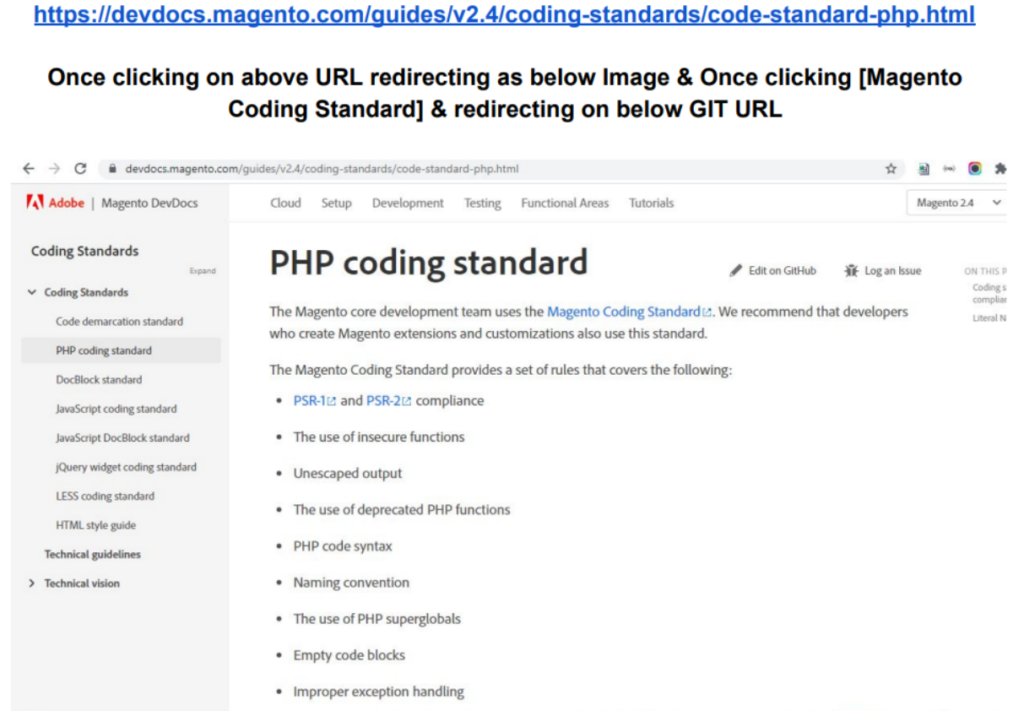
Coding Standard is a set of rules / regulations to specify Magento 2.xCoding Standard, every developer / designer must follow while a participating in the Magento 2.x Project Development / Designing.
Magento 2.x Coding Standard design Application’s Security, Stability, Maintainability and Extensibility (extend or modify existing behavior)
The following below steps need to follow.
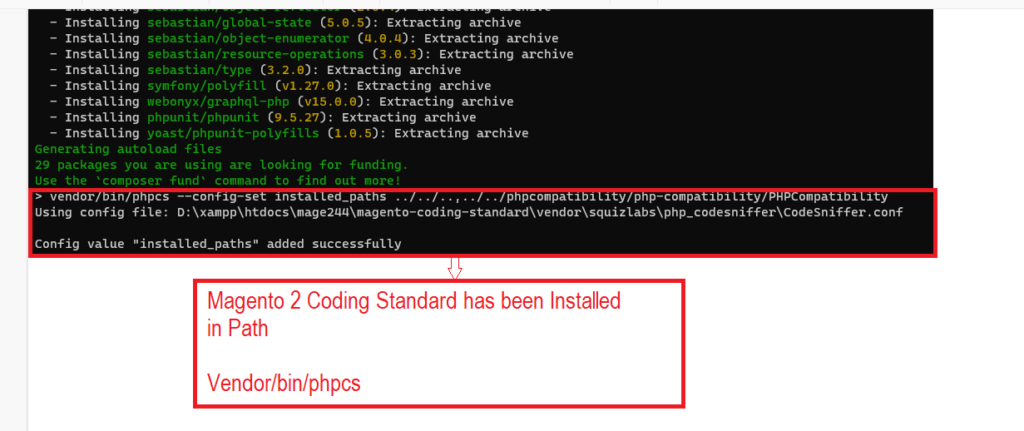
Step [1] – Go to Magento 2 Root Directory & run below command
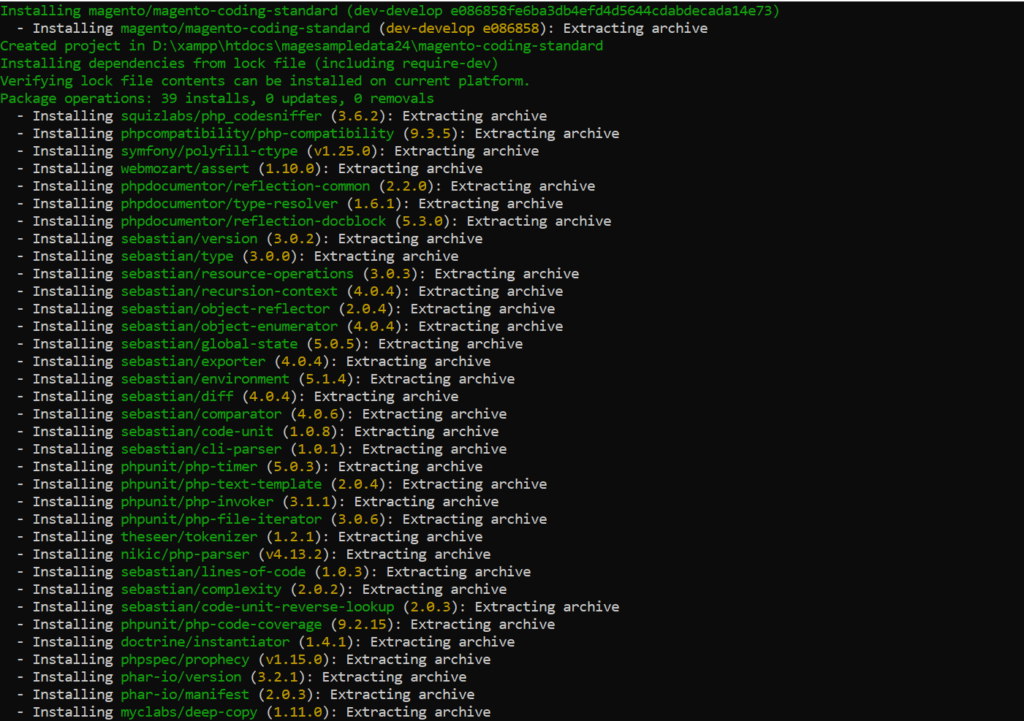
Step [4] – Verify Installation Command should return the list of installed coding standards . go inside magento-coding-standard
cd magento-coding-standard
Step [4.1] – Once go inside magento-coding-standard, Run below command
cd vendor\bin
phpcs -i
The installed coding standards are MySource, PEAR, PSR1, PSR12, PSR2, Squiz, Zend, Magento2, Magento2Framework and PHPCompatibility
Finally Magento 2.x Coding Standard has been installed successfully.
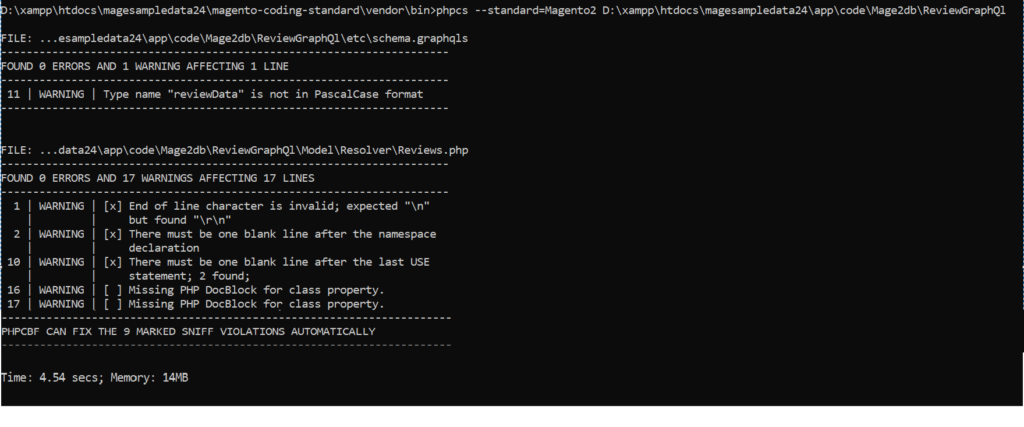
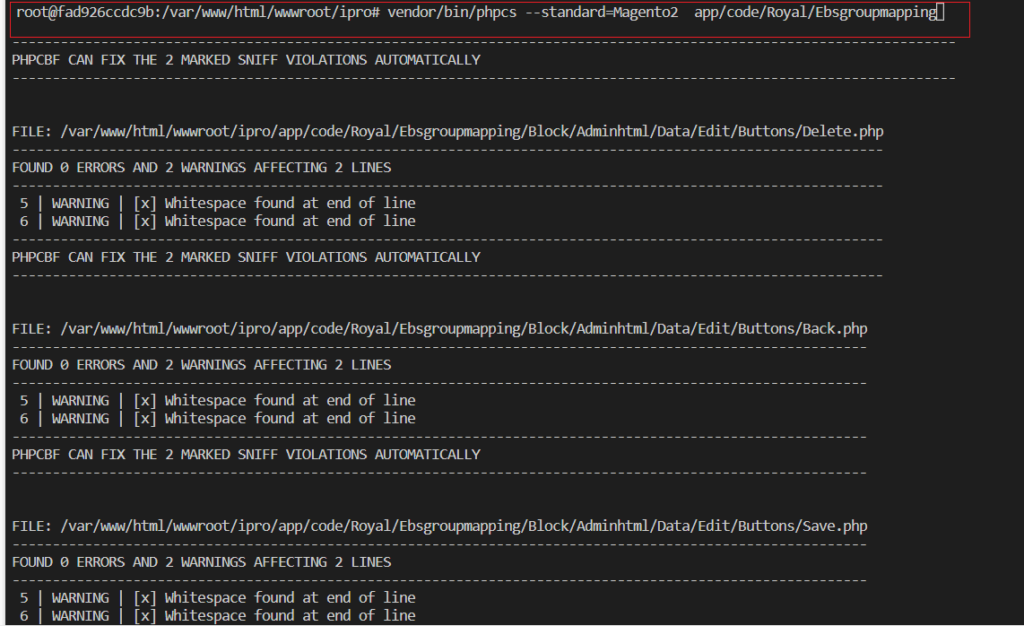
Step [5] – Run Below command to check either Installed Magento 2 Coding Standard proper working or not
phpcs --standard=Magento2 D:/xampp/htdocs/VendorName/ModuleName or Particular File Path
Once running phpcs command Solution as PHPCBF CAN FIX THE 1 MARKED SNIFF VIOLATIONS AUTOMATICALLY Everytime once running phpcs after that need to run below command always vendor/bin/phpcbf –standard=Magento2 D:/xampp/htdocs/HNI/yourcustomModule or particular file Once running above command, minor issue (Line indented Issue, Space Issue, Whitespace Issue, End of Line Issue etc) auto resolved Again need to run below command & resolve issue according instruction vendor/bin/phpcs –standard=Magento2 D:/xampp/htdocs/HNI/yourcustomModule or particular file
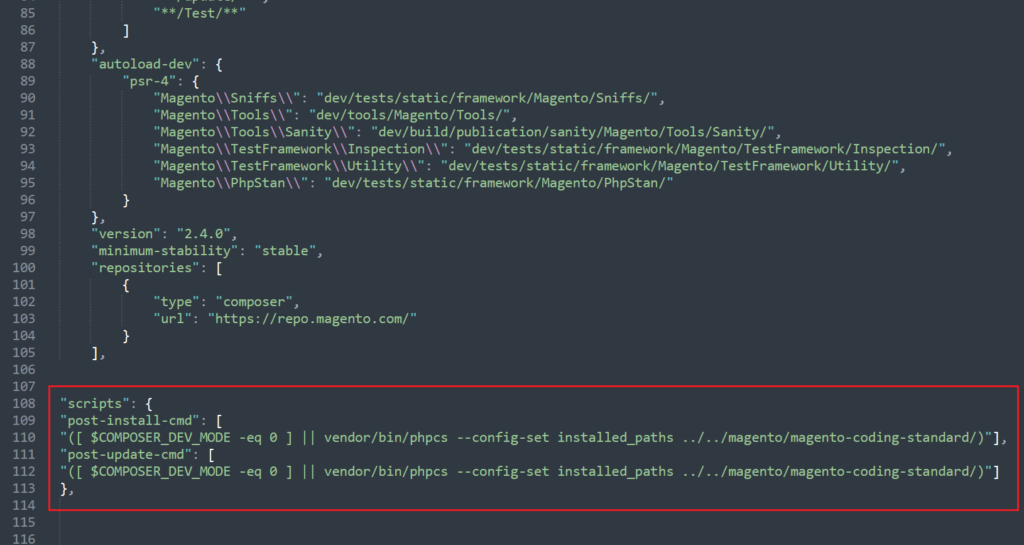
In Magento 2.4.x or Adobe Commerce 2.4.x — Magento 2.x Coding Standard already inbuilt just need to run CLI command as below
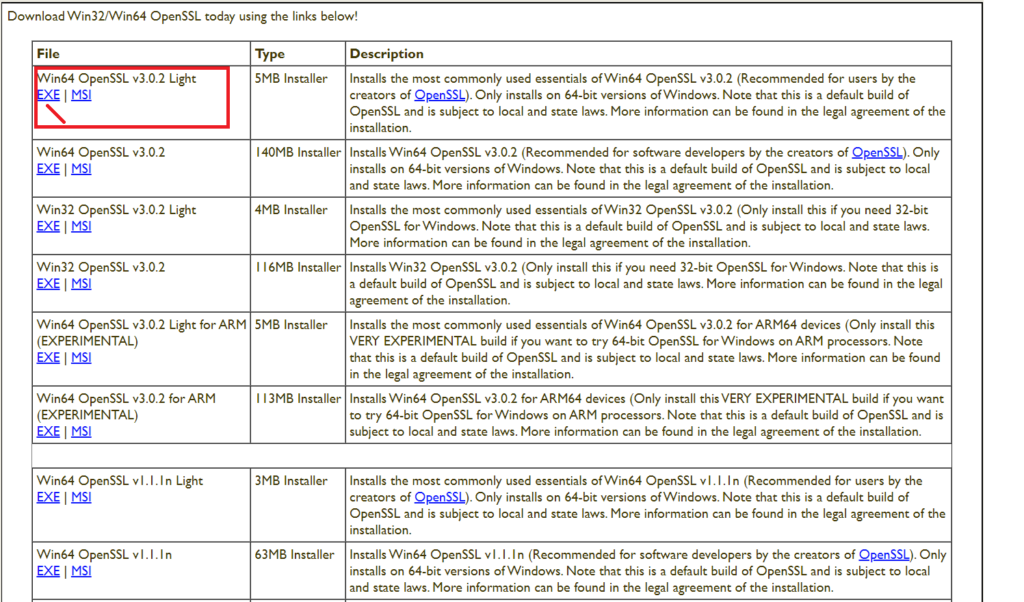
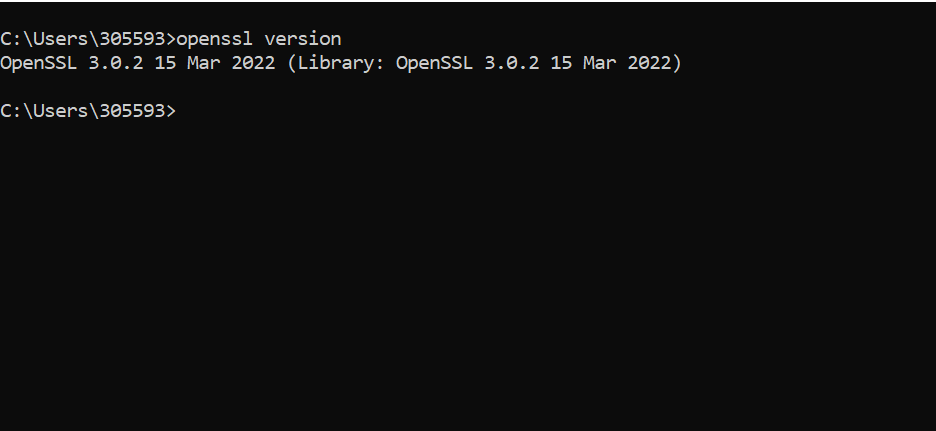
OpenSSL is an open-source command line tool which is used to generate Private Keys, create CSRs, implementation of the Secure Sockets Layer (SSL) and Transport Layer Security (TLS) protocols and identify certificate information.
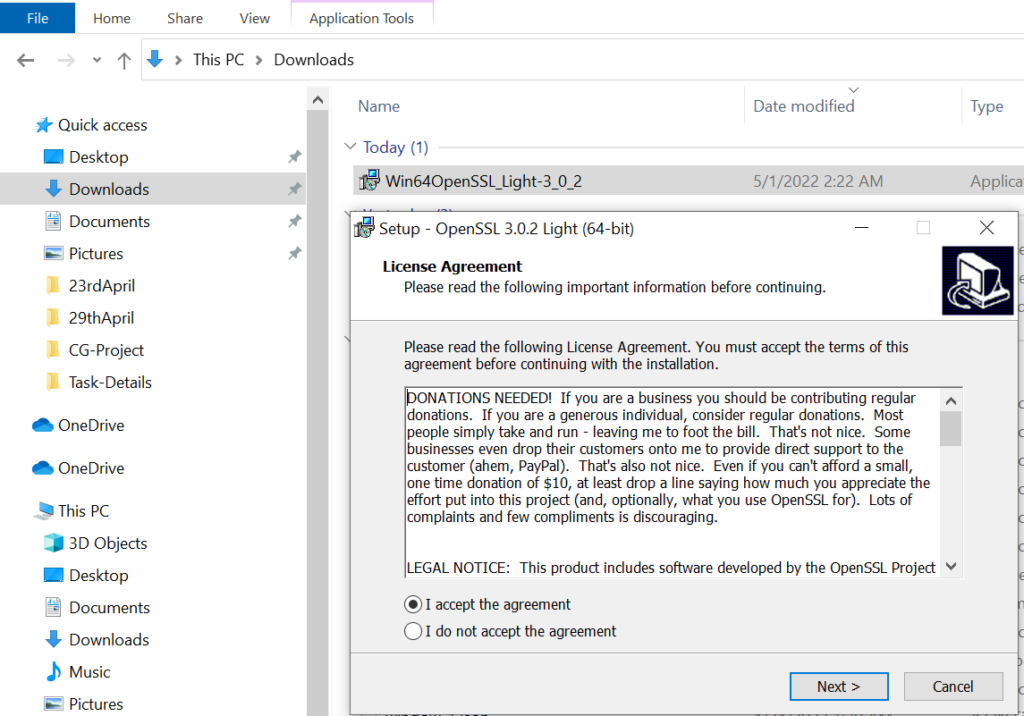
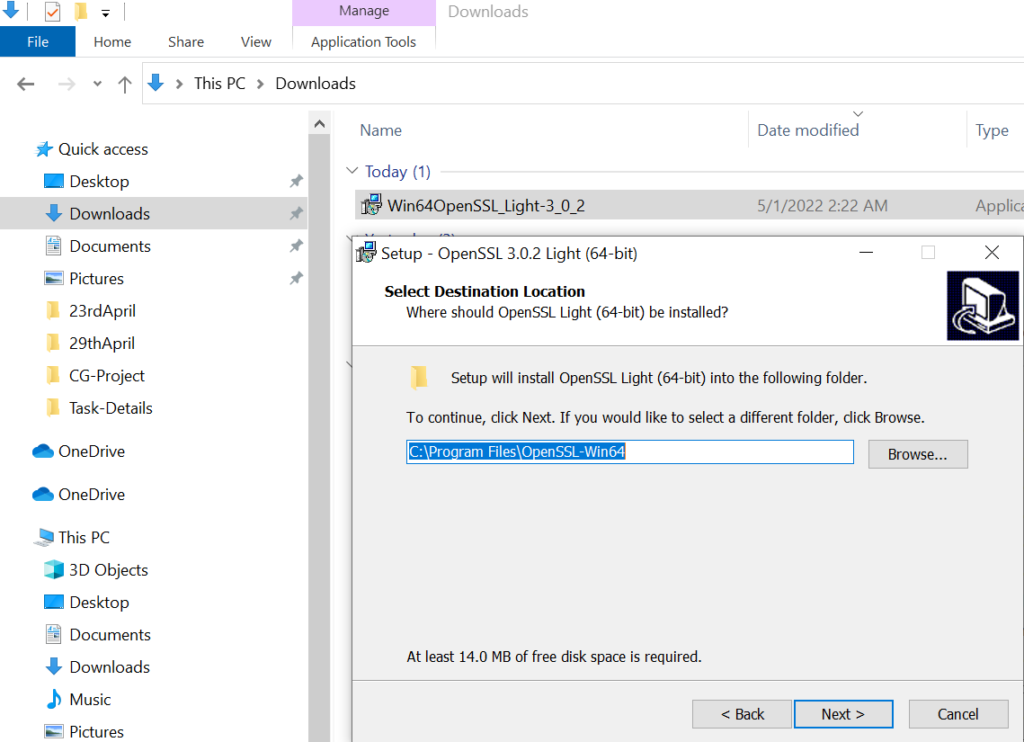
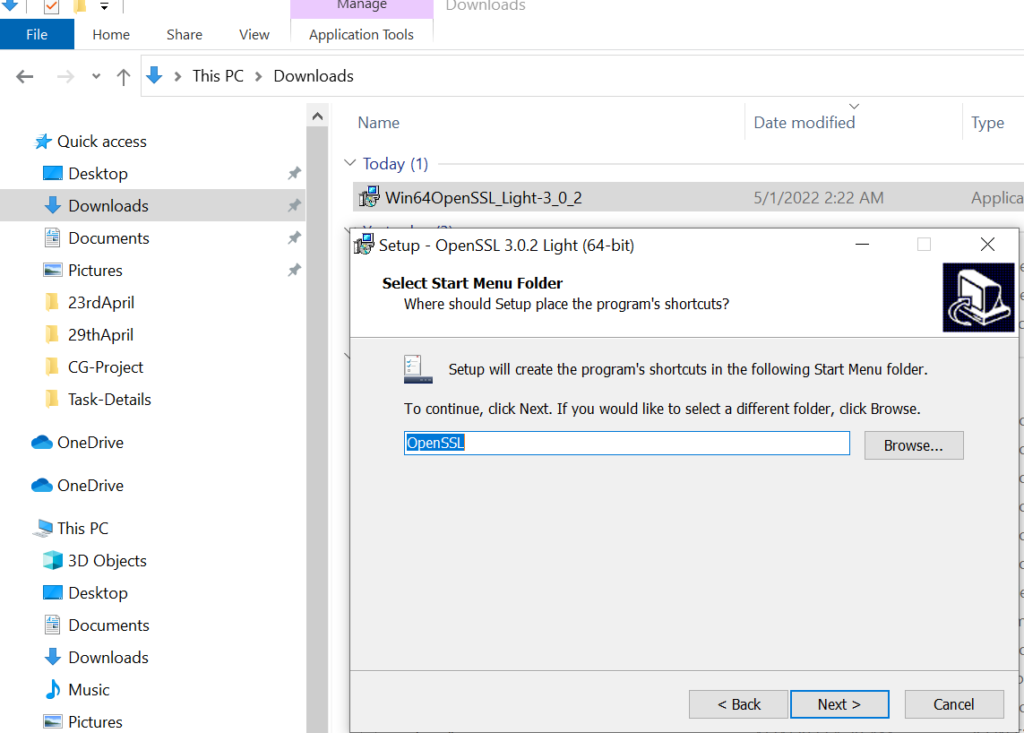
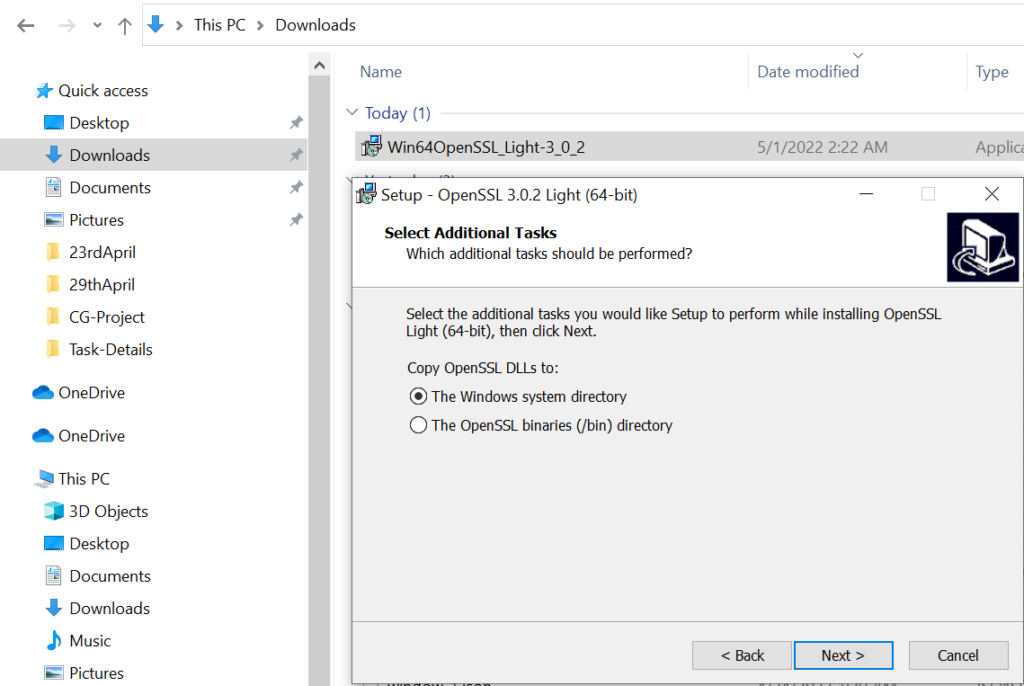
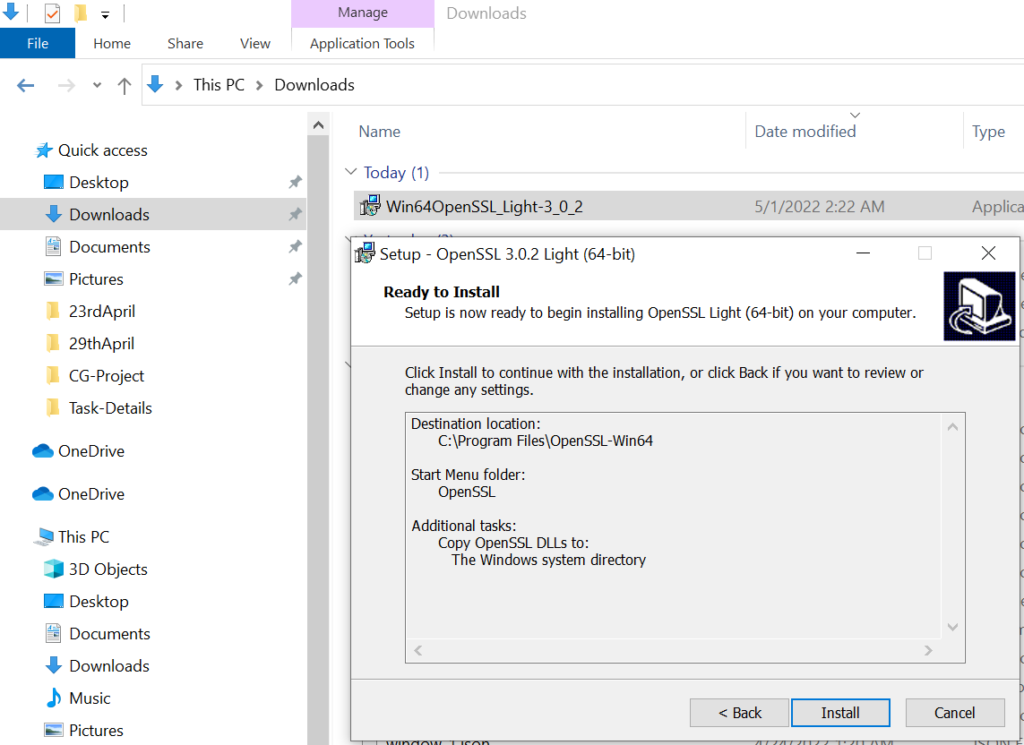
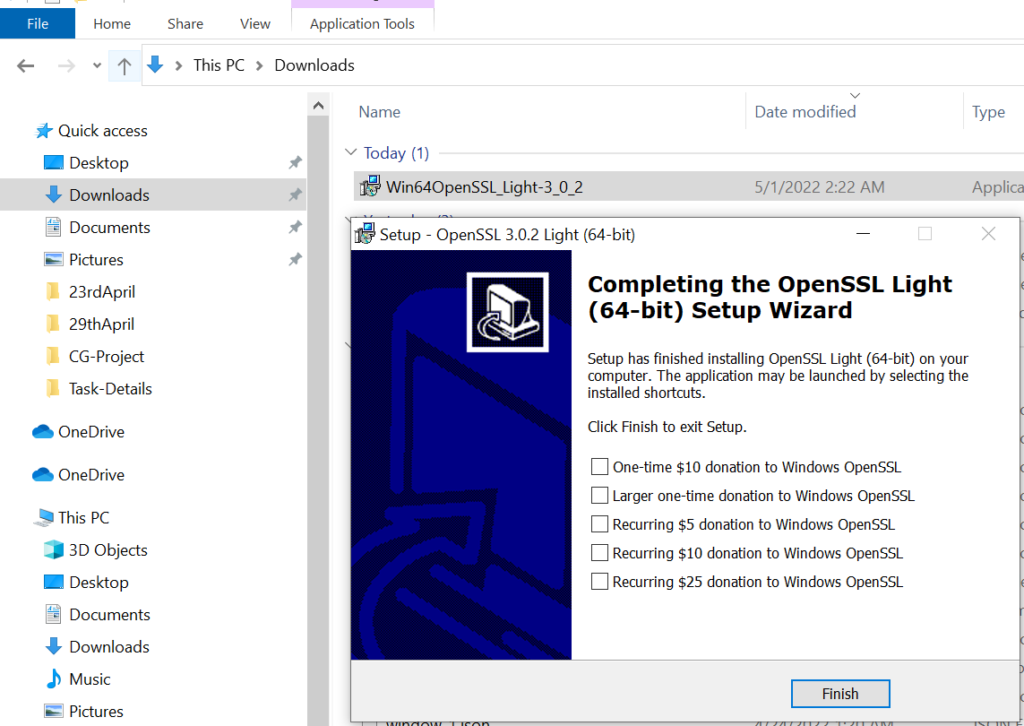
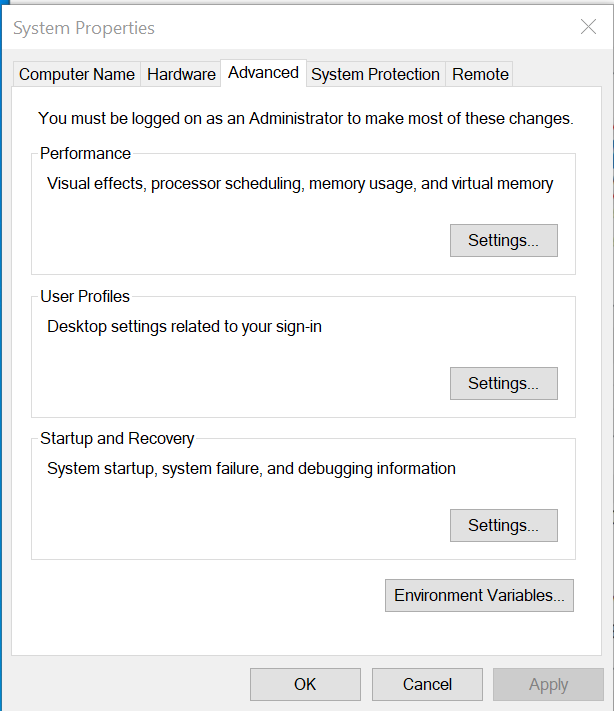
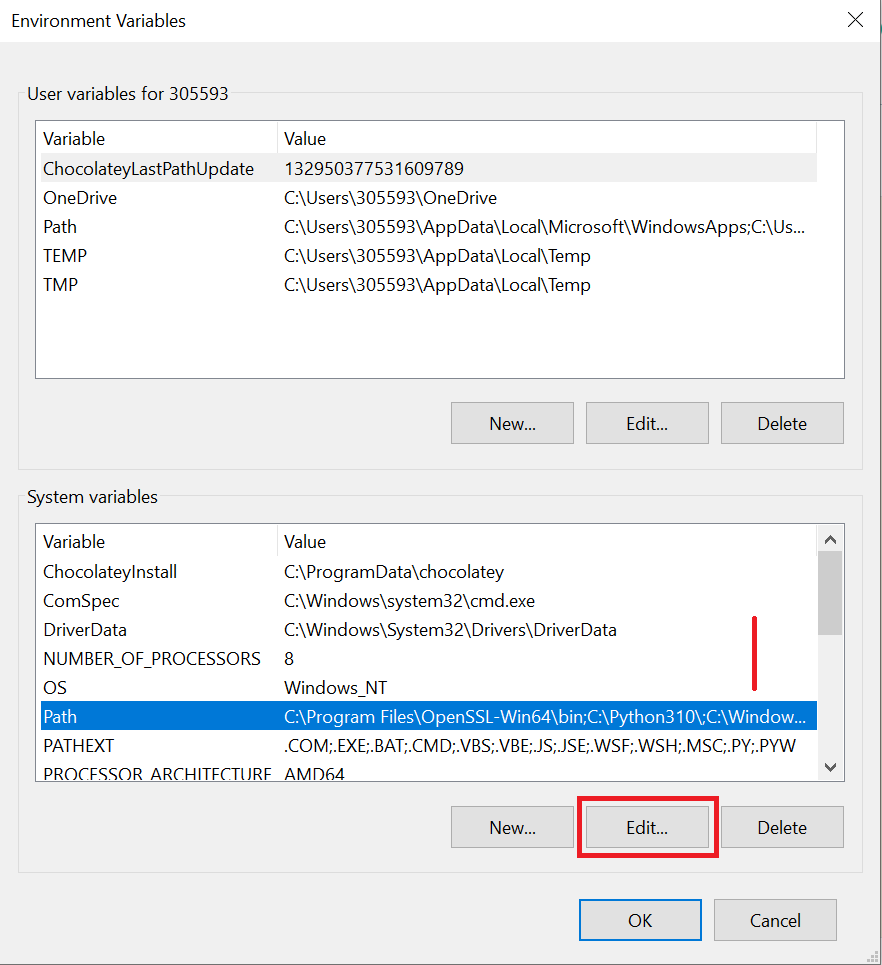
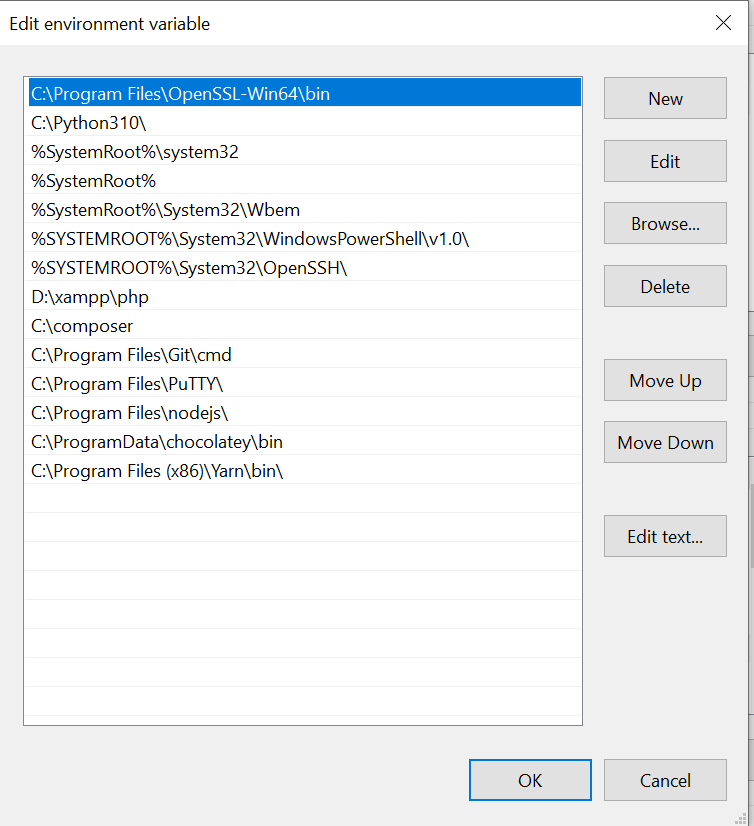
The following below steps need to follow to install OpenSSL in Windows 10