How To Upgrade Magento 2.3 To Magento 2.4 community-edition

There are following below steps need to follow to Upgrade Magento version 2.3 To Magento version 2.4

[1] – Take Project files & database backup

[2] – Install PHP 7.4, Mysql 5.7, Magento 2.4 also supports Mysql 8.0

[3] – Insall Elasticsearch 7.10

Check Elasticsearch working fine or not by command

curl -XGET 'http://localhost:9200'

[4] – Put site into maintenance mode by below command at Magento 2.3 root

php bin/magento maintenance:enable

[5] – Take a backup of the composer.json by below command at Magento 2.3 root path

cp composer.json composer.json.bak

[6] – Install the Composer update plugin by below command at Magento 2.3 root path

composer require magento/composer-root-update-plugin=~1.0 --no-update
composer update

[7] – Update composer.json file with latest version. In our case, it is Magento Version 2.4.0

by below command at Magento 2.3 root path

composer require magento/product-community-edition=2.4.0 --no-update

This command will take some time & actually download all the required
packages and upgrade your Magento version from 2.3.x to 2.4.0

composer update

[8] – Finally run below command at Magento 2.3 root path

php bin/magento cache:clean
rm -rf var/cache/*
rm -rf var/page_cache/*
rm -rf generated/code/*
php bin/magento setup:upgrade
php bin/magento setup:di:compile
php bin/magento setup:static-content:deploy -f

[9] – Disable maintenance mode run below command at Magento 2.3 root path

php bin/magento maintenance:disable

Remove update directory from your root folder as no need update
directory

[10] – Finally, Magento 2.3 has been successfully upgraded into Magento 2.4

Run upgraded Magento 2.4 Frontend as well as Backend

Other important Magento 2.4.x issue as below

Magento 2.3 To Magento 2.4.5 Comptibility For PHP, MYSQL, Composer, Apache etc


Magento 2.4.3-p1 Installation Steps


Magento 2.4.3 Installation Steps


Magento 2.4.3 Features


Magento 2.4.3 – p1 Features


Magento 2.4 Two Factor Authentication


Magento 2.4.1 Features


Magento 2.4 Features


Magento 2.4 Installation


Magento 2.2, Magento 2.3, Magento2.4 Installation Issue on Windows 10, XAMPP


Magento 2 Installation at 51% Error: (Wrong file in Gd2.php:64) Module ‘Magento_Theme’

Magento 2.x Public & Private Key

When try to install Magento 2 Install, by using composer for the first time, asking to enter a username and password, these are defined as below

“The repo.magento.com repository is where Magento 2 and third-party Composer packages are stored and requires authentication. Use your Magento Marketplace account to generate a pair of 32-character authentication keys ( Public Key & Private Key) to access the repository.”

Username = Public Key
Password = Private Key

There are following below steps need to follow

[1] – Create an account at below Magento Create Account Link

https://account.magento.com/customer/account/create/

[2] – Once you got email, Validate your e-mail address

[3] – Login at below Magento Login Link

https://account.magento.com/customer/account/login

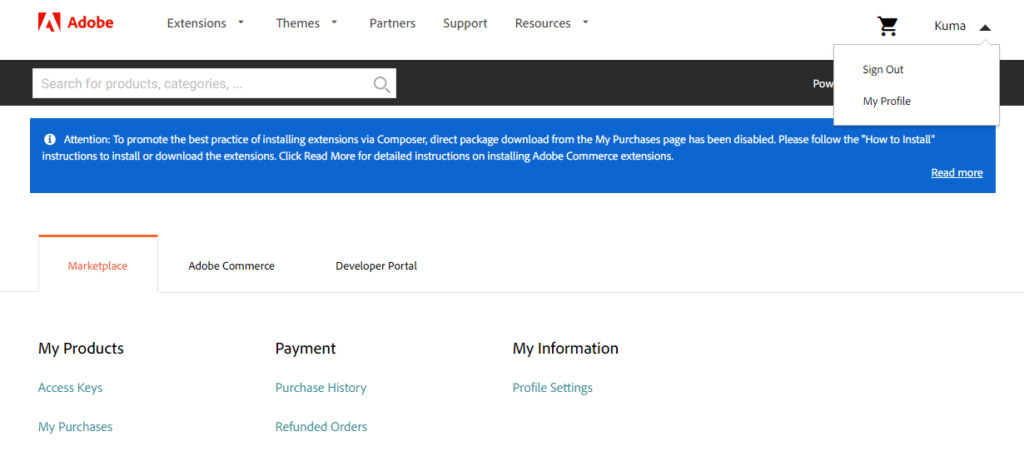
[4] – Click your account name in the top-right corner of the page and select My Profile.

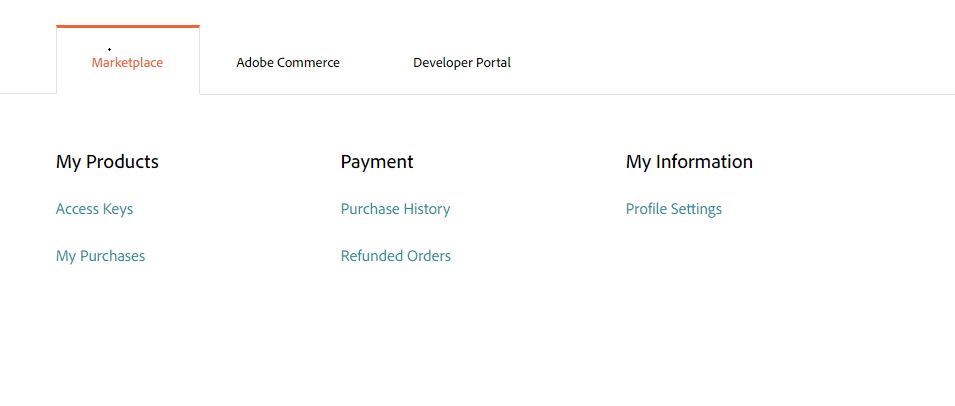
[5] – Click on the Access Keys Link in the Marketplace tab as below

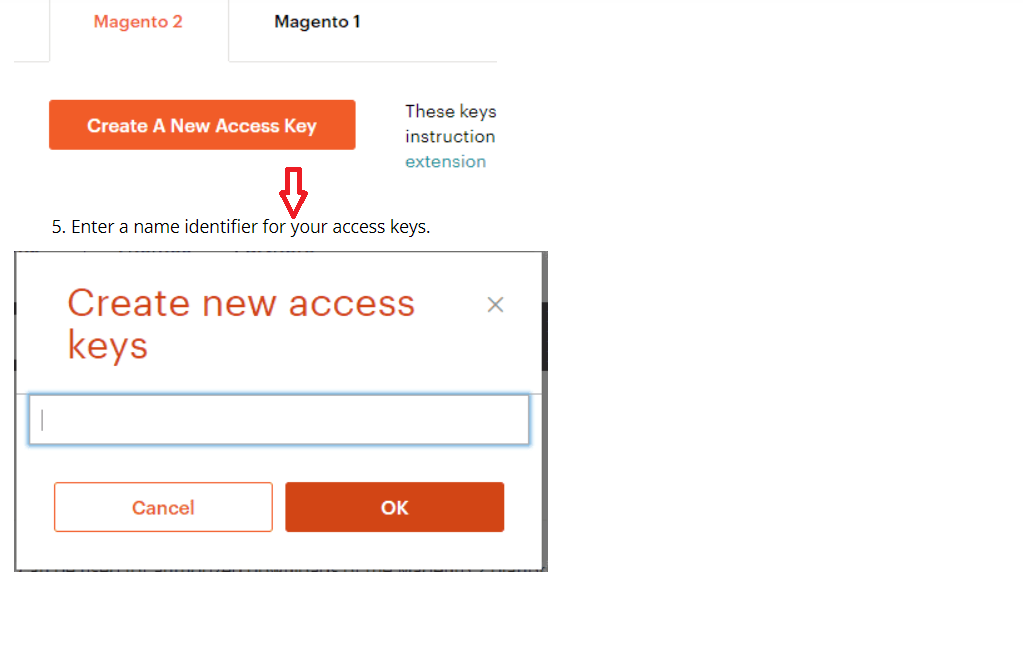
[6] – Click Create a New Access Key button, Enter a specific name for the keys (as Engineer or Designer or Developer or Manager etc.) and click OK

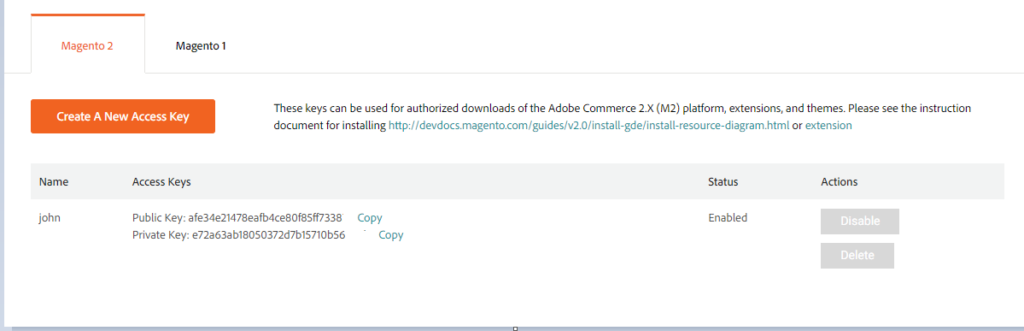
[7] – Once Clicked a Create a New Access Key button , This generates Access Keys as Public and a Private key as below

[4.1] – Public key = Username

[4.2] – Private key = Password

“Length 32-character authentication keys

Which Magento 2.x Database Table Store Static Blocks & Its Details

There are following below 2 Tables, where Static Blocks & Its Details store.

[1] – cms_block
[2] – cms_block_store

Magento 2 All Database Tables [500 & more Tables]


Which Magento 2 database table store customer’s Email Data


Which Magento 2 Database Table Store Customer Newsletter Data


Which Magento 2 database table store customer’s shipping and billing address


How To Remove Sales Order Data & Customer Data in Magento 2


Which Magento 2 Database Tables Store Customer Rating


Which Magento 2 Database Tables Store Customer Review


Which Magento 2 Database Tables Store Customer Wishlist Products


Which Magento 2 Database Table Store Patches


Which Magento 2 Database Table Store Patches


Which Magento 2 Database Table Store Static Blocks & Its Details


Which Magento 2 Database Table Store CMS Pages & Its Details


Which Magento 2 Database Tables Having All URLs Storage


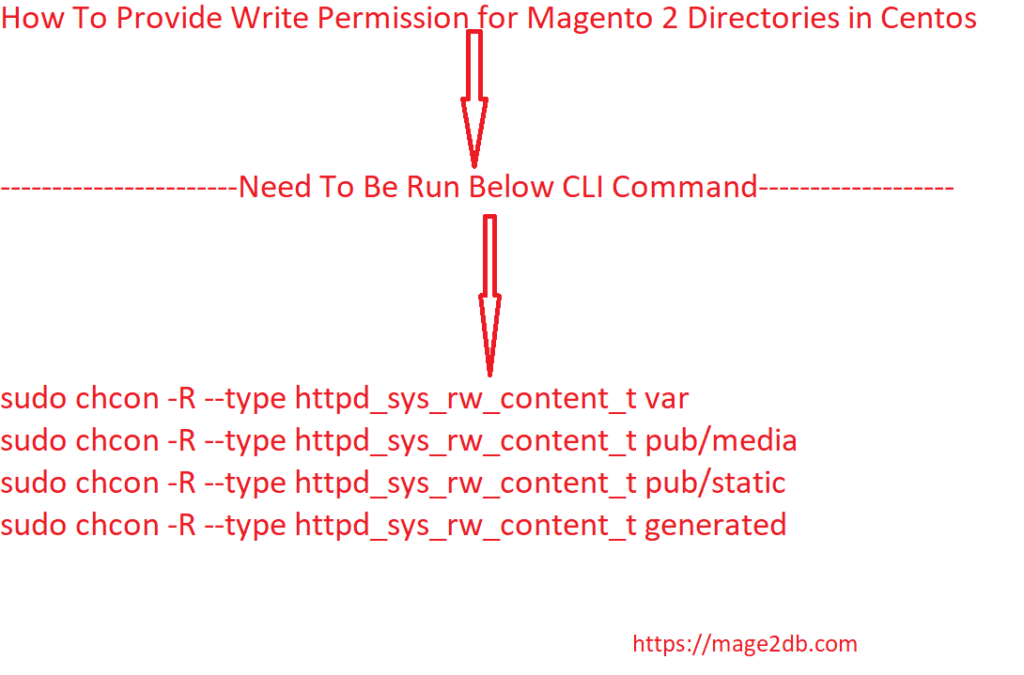
How To Provide Write Permission for Magento 2.x Directories in Centos

Centos always restricting to write directories, that’s why to provide correct Write Permission for Magento 2 Directories.

Need to run below command at Magento 2 Root in Centos

sudo chcon -R --type httpd_sys_rw_content_t var
sudo chcon -R --type httpd_sys_rw_content_t pub/media
sudo chcon -R --type httpd_sys_rw_content_t pub/static
sudo chcon -R --type httpd_sys_rw_content_t generated

How To Set Magento 2.x Directory and Files Permission

There are following below command need to run on the root of Magento 2 to set correct directory and files permission

[1] Set all directory permission to 775

find . -type d -exec chmod 775 {} \;

[2] Set all files permission to 664

find . -type f -exec chmod 664 {} \;

[3] Set 777 Specific Directory & Files Permission

sudo chmod 777 app/etc
sudo chmod 644 app/etc/*.xml
find var -type d -exec chmod 777 {} \;
find pub/media -type d -exec chmod 777 {} \;
find pub/static -type d -exec chmod 777 {} \;
sudo chmod -R 777 generated
sudo chmod u+x bin/magento

Which Magento 2.x Database Table Store CMS Pages & Its Details

There are following below 2 Tables, where CMS Pages & Its Details store.

  1. cms_page
  2. cms_page_store

Magento 2 All Database Tables [500 & more Tables]


Which Magento 2 database table store customer’s Email Data


Which Magento 2 Database Table Store Customer Newsletter Data


Which Magento 2 database table store customer’s shipping and billing address


How To Remove Sales Order Data & Customer Data in Magento 2


Which Magento 2 Database Tables Store Customer Rating


Which Magento 2 Database Tables Store Customer Review


Which Magento 2 Database Tables Store Customer Wishlist Products


Which Magento 2 Database Table Store Patches


Which Magento 2 Database Table Store Patches


Which Magento 2 Database Table Store Static Blocks & Its Details


Which Magento 2 Database Table Store CMS Pages & Its Details


Which Magento 2 Database Tables Having All URLs Storage


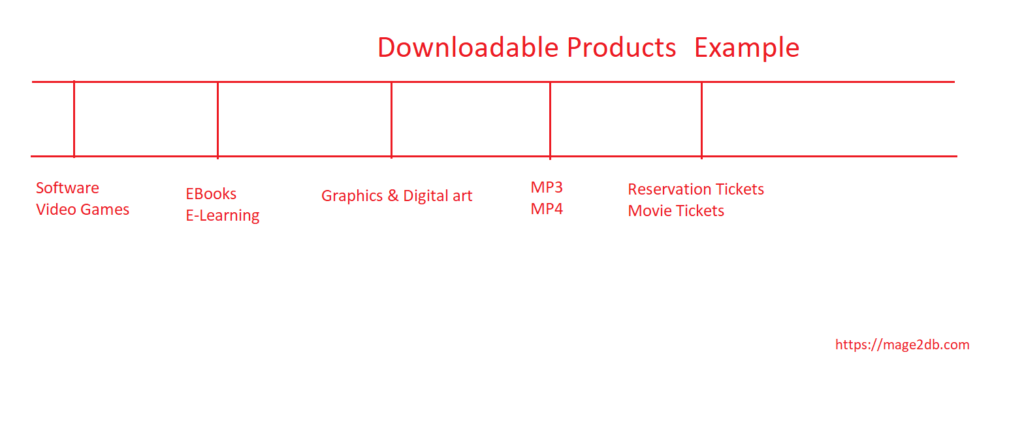
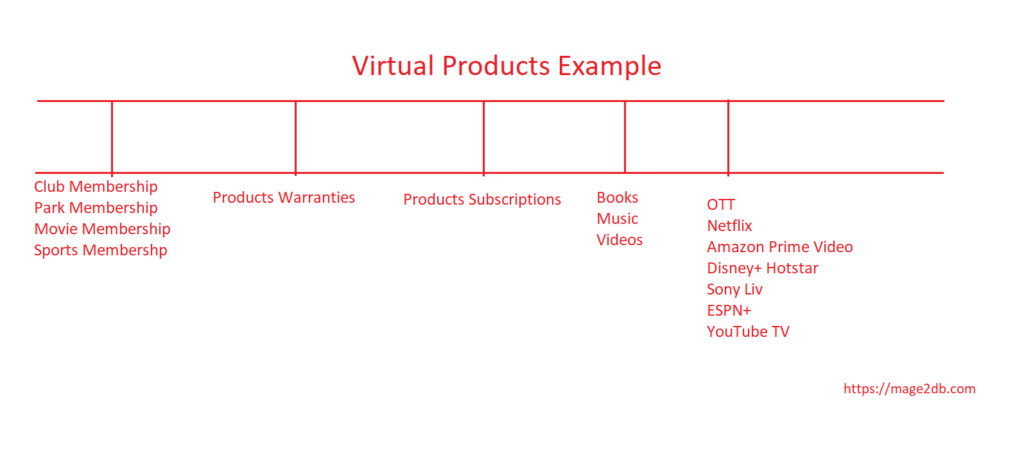
Difference Between Virtual and Downloadable Products

Downloadable Products have downloadable counterpart. There are multiple products as Software,eBooks, E-Learning, Fonts, Courses, Graphics & digital art, Video Game, MP3, MP4, Tickets etc. Downloadable product does not allow selecting a shipping method at checkout, simply because shipping is not needed and client receives purchased entity right away.

Virtual Products do not have physical or digital Entries(Component). There are multiple products as non-tangible items such as memberships, services, warranties, or subscriptions and digital downloads of books, music, videos, OTT (Netflix, Amazon Prime Video) etc.. These products cannot be shipped or downloaded from the link. This is a great way to sell services or intellectual products such as warranties, subscription or updates.

Magento 2 Product Types

How To Create Admin Credentials by Command in Magento 2.x

There are following below command need to run ro create Admin username & Password

php bin/magento admin:user:create --admin-user=demo --admin-password=demo123$% --admin-email=johndusa@gmail.com --admin-firstname=John --admin-lastname=Donald

Note:: Your password must include both numeric and alphabetic characters

If not included password as both numeric and alphabetic characters Error as below

“It shows an error: Your password must include both numeric and alphabetic characters. The password should be more complex.”

once successfully command run, created a new admin account. The system returns this message:

Created Magento administrator user named demo

Each part of CLI command explained here as below

admin-user=demo [Admin User Name]

admin-password=demo123$% [ Admin Password ]

admin-email=johndusa@gmail.com [ [ Admin Email ]

admin-firstname=John

admin-lastname=Donald

How To Remove Version Number From File Paths in Magento 2.x

There are following three ways to remove version number from Magento 2 URL.

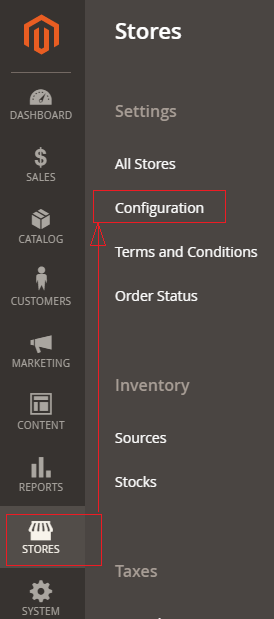
[1] – Magento 2 Admin

[1.1] – Go to STORES > Configuration, redirects Configuration section.

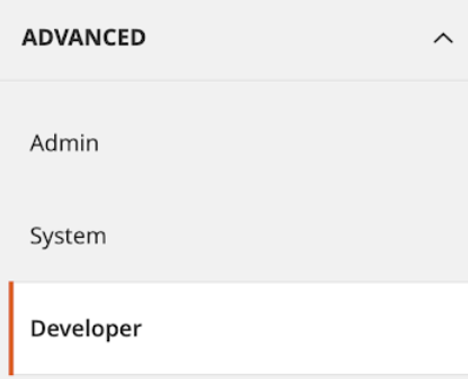
[1.2] – Left panel, Advanced > Developer

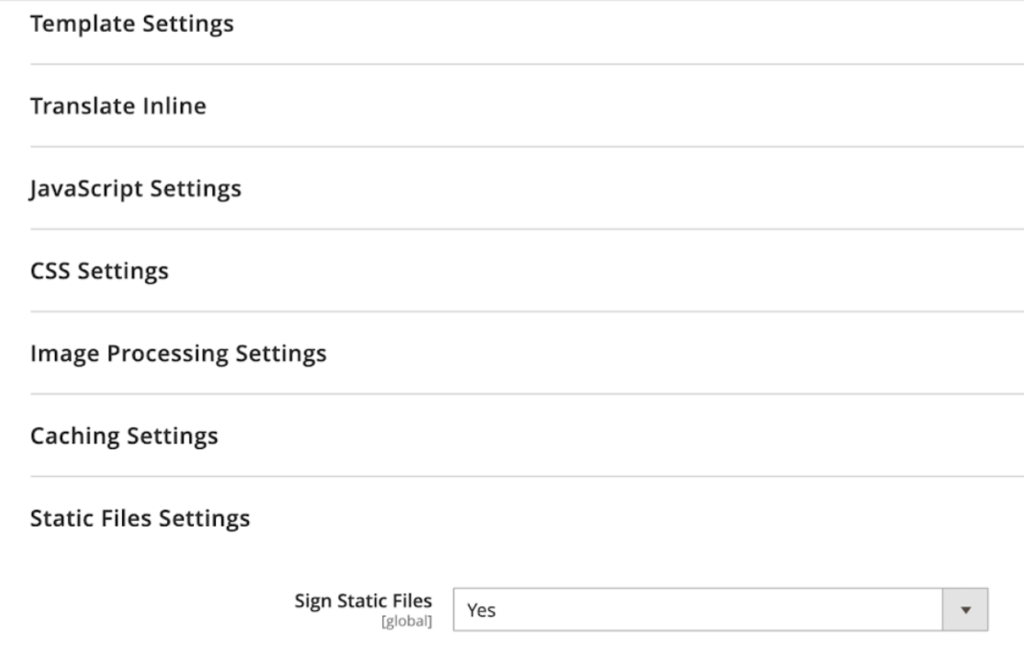
[1.3] – Right side panel, Expand Static Files Settings

[1.4] – By default It is Yes, Set “No” to Sign Static Files

[2] – CLI Command

To check the status of static content sign, run below command


php bin/magento config:show dev/static/sign

By default It is enabled, above CLI command Result as 1

Run below command to disbale status of static content sign


php bin/magento config:set dev/static/sign <value>

Here <value> =1 Enable, <value>=0 Disable


php bin/magento cache:flush

[3] – SQL Query

insert into core_config_data (config_id, scope, scope_id, path, value) values (null, 'default', 0, 'dev/static/sign', 0);

After that run below command

php bin/magento indexer:reindex
php bin/magento cache:flush

Finally version number will be removed from file paths as JS path, css Path etc.

Difference Between Magento 2.x & Shopify

There are following below Difference Between Magento 2 & Shopify

Magento 2Shopify
FounderThe founders are Roy Rubin and Yoav Kutner under Varien Inc.The founders are Tobias Lutke, Daniel Weinland, and Scott Lake
HeadquartersSan Jose, CAOttawa, Canada
Released YearMagento 1 was released in 2007 and then followed by the launch of Magento 2 in 2015. In June 2018, Magento was acquired by Adobe for $1.68 billion.Shopify is a Canadian SaaS(Software as a Service) eCommerce platform that was founded in 2004.
Language PHPRuby
Versions[1] Magento 2 Community Edition
[2] Magento 2 Enterprise Edition[Paid] (Adobe Commerce Enterprise Edition[Paid])
[3] Magento 2 Enterprise Cloud Edition[Paid] ( Adobe Commerce Cloud Edition [Paid])
[1] Shopify
[2] Shopify Plus
No. of Live Sites250,000+500,000+
Where Used For Enterprise or Large-scale businesses For Medium or Small-scale businesses
Server NeedRequired Dedicated or Cloud ServerSelf Dedicated or Cloud Server
B2BFeatures included in Commerce edition: B2B Quote, Quick OrderLack Quick ordering & Quote system
Security[a] Magento Security Scan
[b] Security extensions
[c] PCI Compliant
[a] Fraud analysis
[b] SSL Certificates are available for every Shopify sites
[c] PCI Compliant
[d] GDPR Compliant
Multiple languagesSupports Multiple languages with Inbuilt multi
language features
Need to install third party multi language extension