Both Plugins and Preferences are used to override the classes. However, Plugins are preferable than Preferences since plugins do not override the class logically instead it hooks our logic into the available classes. Finally, to modify or extend any existing business logic, it is better to use the plugins.
Preference is used for overriding class & Plugin is used for adding functionality before, after and around methods by using function call or set of code.
“Always prefer Plugin over Preference , while overriding or modify class”
module.xml file is a module’s naming configuration file, that is used to define module name, It is required to place this file into the below file path of module or custom module directory
The schema_version is no longer required since releasing Magento 2.3.3
There are following steps defined as follows:
module name declaration (moduleName) format : name=”Namespace_Modulename”
module’s version (setupVersion) format:
setup_version=”3.4.1″
There are three things in setup_module database table having three column
module : store module name as Namespace_Modulename
schema_version & data_version : The setup_version which is module version, this identify both things schema version data version as schema_version=3.4.1 & data_version=3.4.1
Module Naming convention format as follows:
Module Name: attribute can contain only [A-Za-z0-9_]
Setup Version: attribute can contain only [0-9.]
The xmlns attribute provides a location to the XMLSchema instance and the xsi:noNamespaceSchemaLocation attribute provides a path to an XSD (XML Schema Definition) file of a Magento 2 framework.
There are following below steps need to follow to remove Magento 2 core module, add following below code in composer.json & write name of modules you want to remove inside replace
There are following below link need to click to know Magento 2 All 500 & more Tables, where each Magento 2 Table Briefly Explanation has been explained
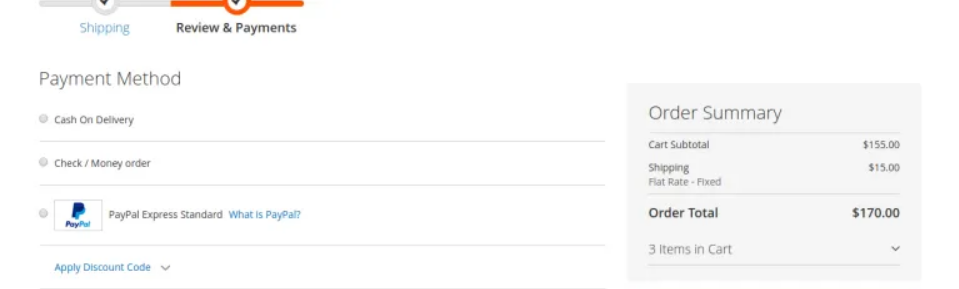
During Order Review of Order Summary Page before Place An Order, There are following below things are being displayed as Sequence below
Subtotal
Discount
Shipping rate
Tax
Fixed product tax
Grand total
The detailed view Order Summary helps customers understand how the store is charged. This provides transparency of the store, increasing the trust of the customers.
Need to adjustments & Position of above fields, each field having own position, to do this Store Owner(Admin) required Sort Order settings There are following below steps need to follow.
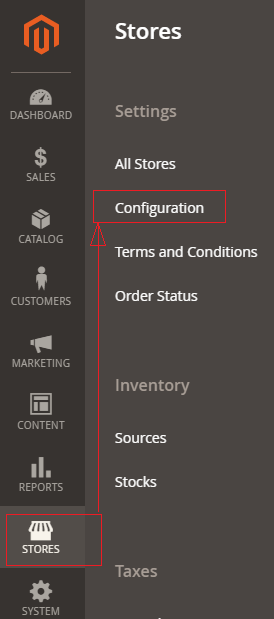
[1]- Go To STORES > Configuration, redirects on configuration.
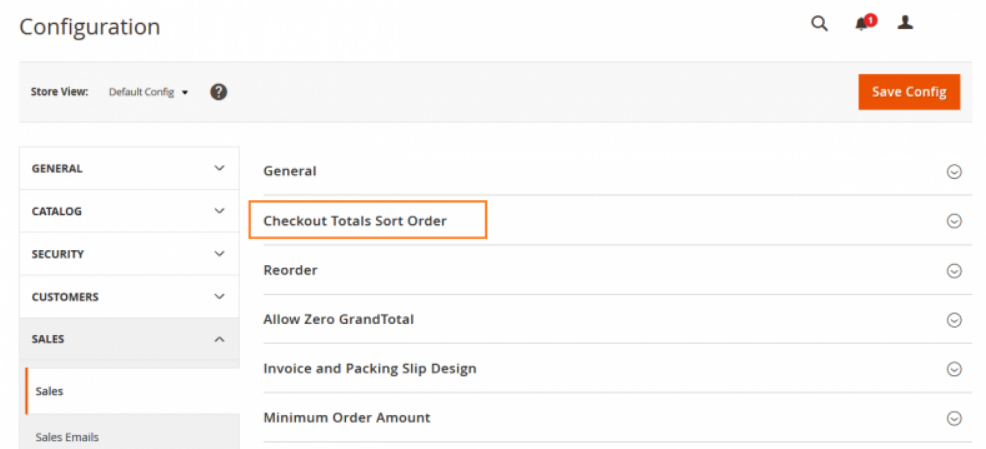
[2]- In left panel, expand the Sales section and choose Sales underneath.
[3]- Once redirection on [Right Panel] Checkout Totals Sort Order section.
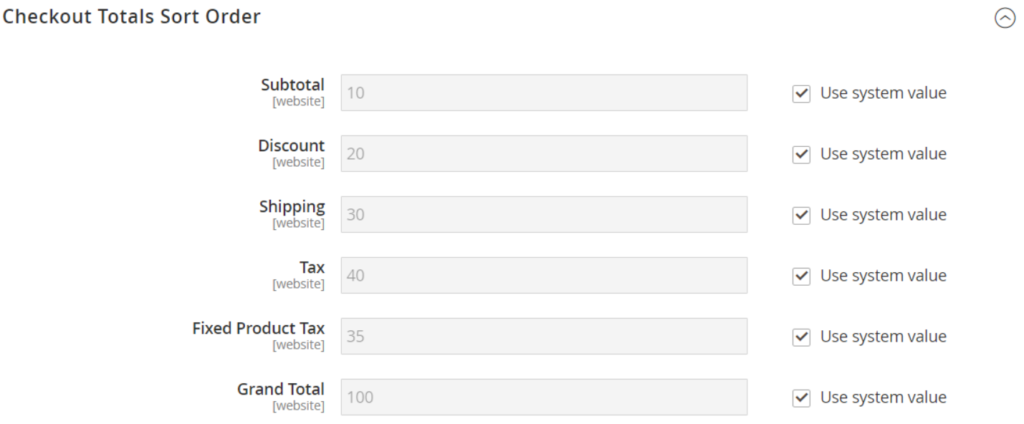
[4]- Once clicked / expanded Checkout Totals Sort Order section [Right Panel]
[5]- Change the number assigned to each item to determine its Order Position, in Order Summary Page.
Customer Address is EAV Entity, There are following below 6 Customer Address Entity Tables, where customer’s shipping & billing address details are stored.