Magento 2.x Create SEO Friendly URL

There are two methods to create SEO Friendly URL

Step-1: By Using Database SQL Query

select* from core_config_data where path = "web/seo/use_rewrites"
update core_config_data set value=1 where path like "web/seo/use_rewrites";

Step-2: By Using Magento 2 Admin

  • Go To Admin Panel
  • Stores > Settings > Configurations
  • In the left panel, under General, select Web
  • Open the Search Engine Optimization section
  • Finally Select Yes From Drop Down

Magento 2.x Remove Version From URL

There are two methods to remove version from URL
Step-1: By Using Database SQL Query, need to insert in core_config_data

insert into core_config_data (config_id, scope, scope_id, path, value) values (null, 'default', 0, 'dev/static/sign', 0);

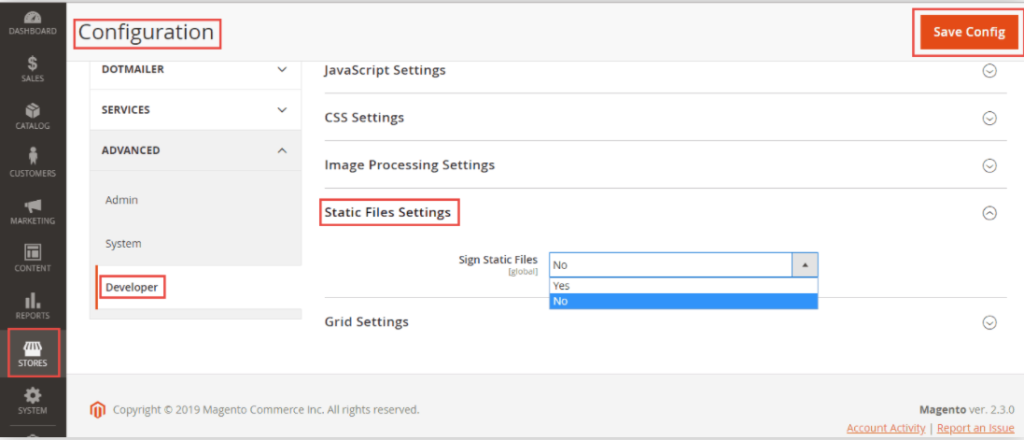
Step-2: By Using Magento 2 Admin

  • Login to admin panel
  • Go to Stores > Configuration
  • Under Advanced, select Developer
  • Expand Static Files Settings
  • Set “No” to Sign Static Files

Magento 2.4 Features

  • Support PHP Latest Version 7.4
  • Support Elastic Search Latest Version 7.x
  • Support MYSQL Latest Version 8.0
  • Support Maria DB Latest Version 10.4
  • Catalog Search Engine Elastic Search
  • Mysql Catalog Search Engine has been deprecated
  • Payment Module Braintree has been removed
  • Support PWA Studio Latest Version 6.0
  • Support Apache Latest Version 2.4.43 & NGINX Latest Version 1.19.1
  • Support latest Page Builder 1.4.0
  • The Zend Framework has been deprecated and migration to Laminas project
  • Removed the integration of the Authorize.Net, eWay, CyberSource, and Worldpay payment methods.
  • Advance MSI Features
  • Security feature Two-factor authentication (2FA) enabled by default in Magento admin
  • Support Advance GraphQL Feature
  • Enhanced Adobe Stock Integration v2.0

Other important Magento 2.4.x issue as below

Magento 2.3 To Magento 2.4.5 Comptibility For PHP, MYSQL, Composer, Apache etc


Magento 2.4.4 Features


Magento 2.4.4 Installation Steps


Magento 2.4.3-p1 Installation Steps


Magento 2.4.3 Installation Steps


Magento 2.4.3 Features


Magento 2.4.3 – p1 Features


Magento 2.4 Two Factor Authentication


Magento 2.4.1 Features


Magento 2.4 Features


Magento 2.4 Installation


Magento 2.2, Magento 2.3, Magento2.4 Installation Issue on Windows 10, XAMPP


Magento 2 Installation at 51% Error: (Wrong file in Gd2.php:64) Module ‘Magento_Theme’

Magento 2.x Activate Flat Catalog [Category & Product]

For Speed Optimization, need to enable Flat Catalog

There are following below Admin steps.

  • Go To Admin
  • On the Admin Panel
  • Stores > Settings > Configurations
  • On the left panel, under Catalog, select Catalog
  • Open the Storefront section
    • Choose Yes in the Use Flat Catalog Category field.
    • Choose Yes in the Use Flat Catalog Product field.

How to Enable Flat Catalog Flat Catalog Configuration

Magento 2.x RMA (Return Merchandise Authorization)

Magento 2 RMA (Return Merchandise Authorization) allows non-login customers to return items, the customers who do not have accounts or registered users but have placed the orders , Now, they want to return their purchased items, now able to send RMA requests (to require for returning/replacing purchased items) easily.

Magento 2.4 Installation

There are following below Magento 2.4.X server requirements:

  • Support PHP Latest Version 7.4
  • Support Elastic Search Latest Version 7.6 & above
  • Support MYSQL Latest Version 8.0
  • Support Maria DB Latest Version 10.4
  • Support RabbitMQ Version 3.8
  • Support Radis Version 5.0
  • Support Varnish Version 6.0
  • Support Apache Version 2.4
  • Support Nginx Version 1.8

Step[1]Download Magento 2.4 Community or Enterprise Edition

Download Magento 2.4 Community or Enterprise Edition & keep inside Directory magento24sample

composer create-project –repository-url=https://repo.magento.com/ magento/project-community-edition 2.4.x

Step[2] Magento 2.4 Instllation Command

Run the following below command to Magento 2.4

php bin/magento setup:install --base-url="http://127.0.0.1/magento24sample/" --db-host="localhost" --db-name="magesampledata24" --db-user="root" --admin-firstname="admin" --admin-lastname="admin" --admin-email="admin@admin.com" --admin-user="admin" --admin-password="admin123" --language="en_US" --currency="INR" --timezone="America/Chicago" --use-rewrites="1" --backend-frontname="admin"

--------------------------------------------------------------------

Above Command Need to Install Magento 2.4 having following below data

[1] base-url=http://127.0.0.1/magento24sample/
[2] db-host="localhost"
[3] db-name::" magesampledata24"
[4] db-user:: "root"
[5] admin-firstname="admin"
[6] admin-lastname="admin"
[7] admin-email="admin@admin.com"
[8] admin-user="admin"
[9] admin-password="admin123"
[10] language="en_US"
[11] currency="USD"
[12] timezone="America/Chicago"
[13] use-rewrties="1"
[14] backend-frontname="admin"

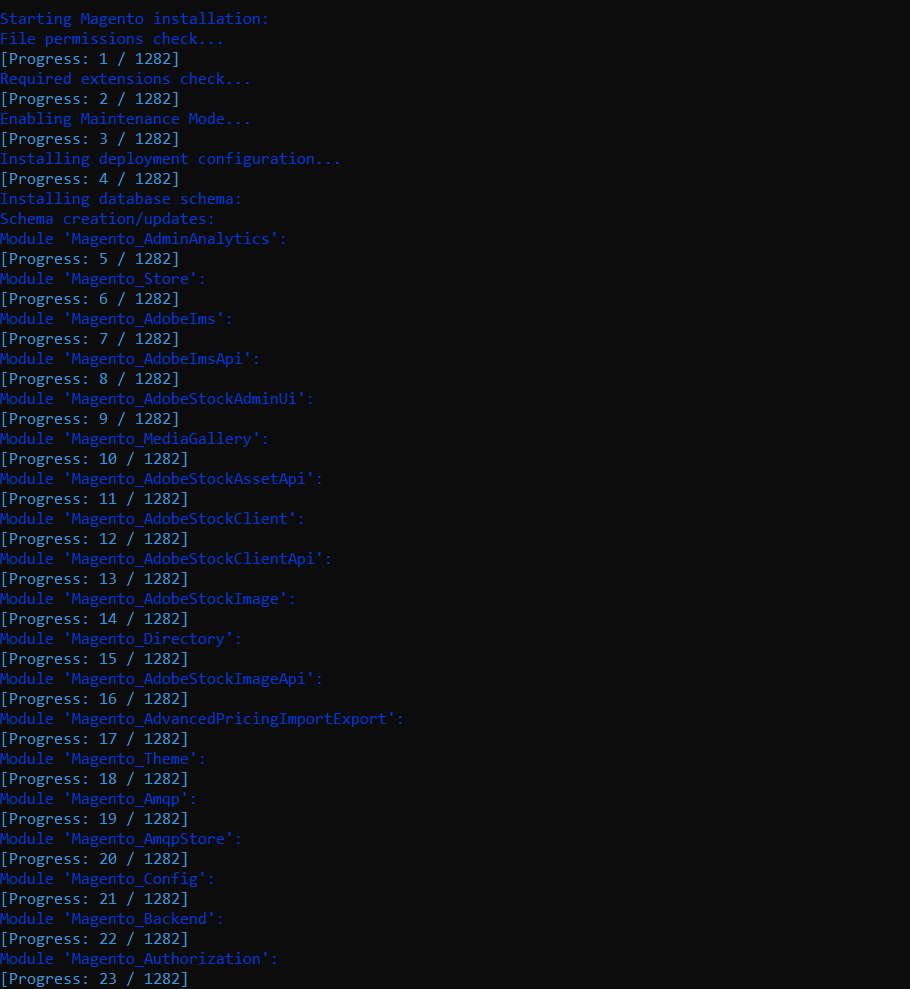
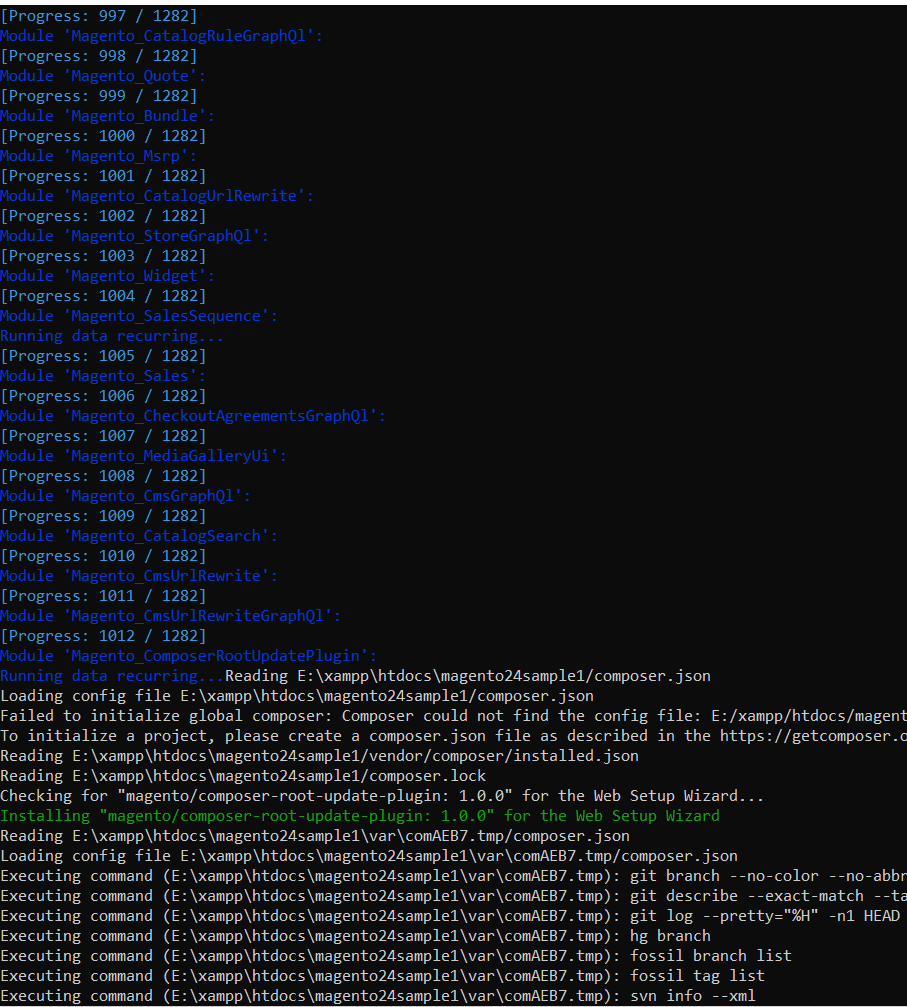
Step [3]Magento 2.4 Installation Process Showing

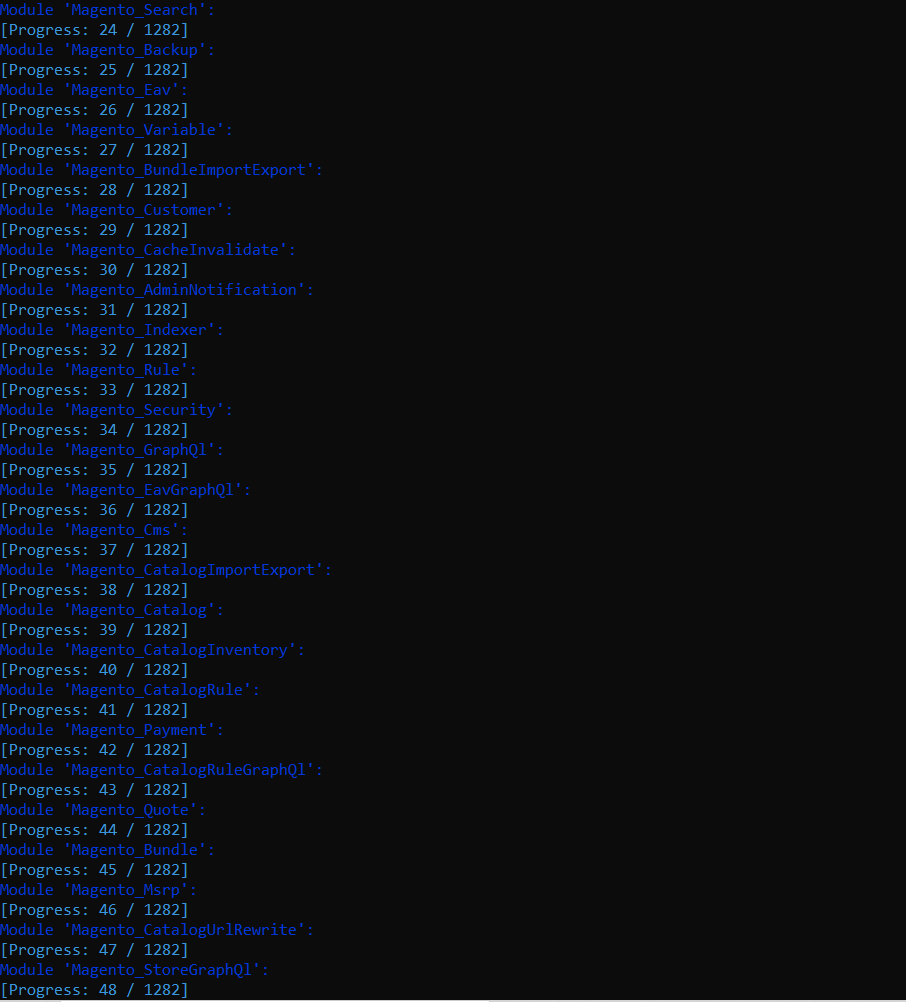
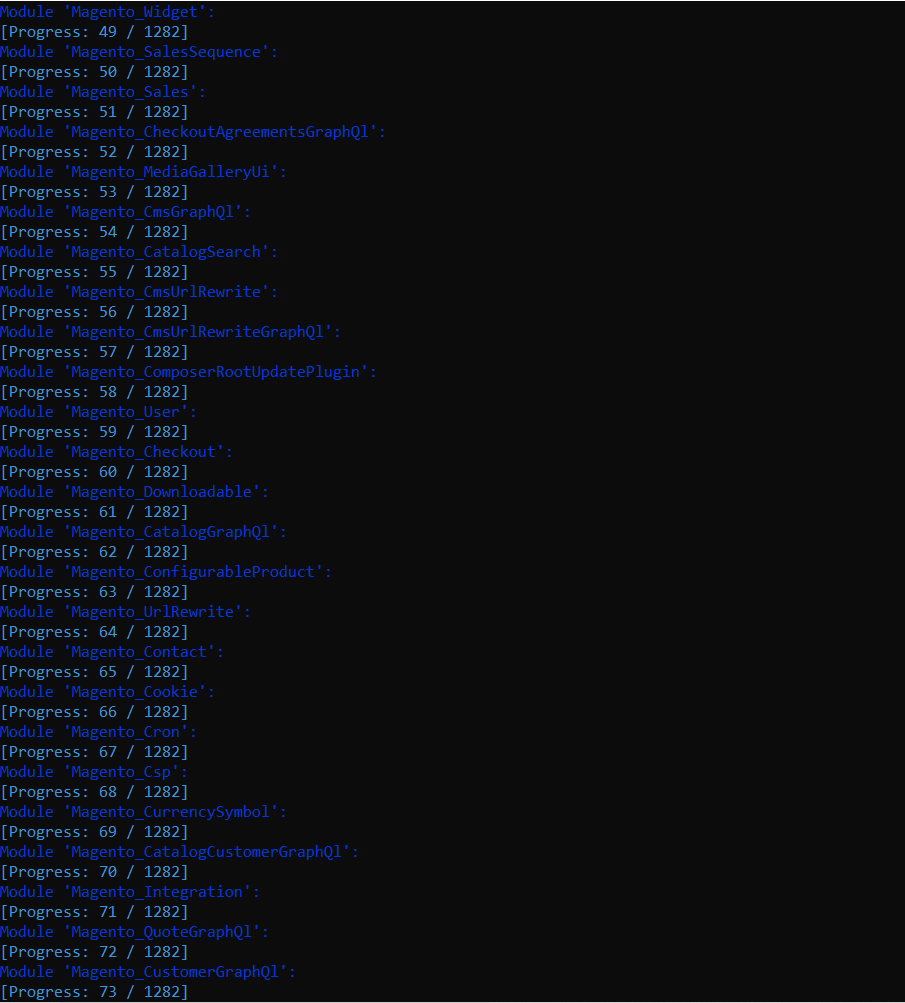
Similarly, way as above will be displayed other running steps

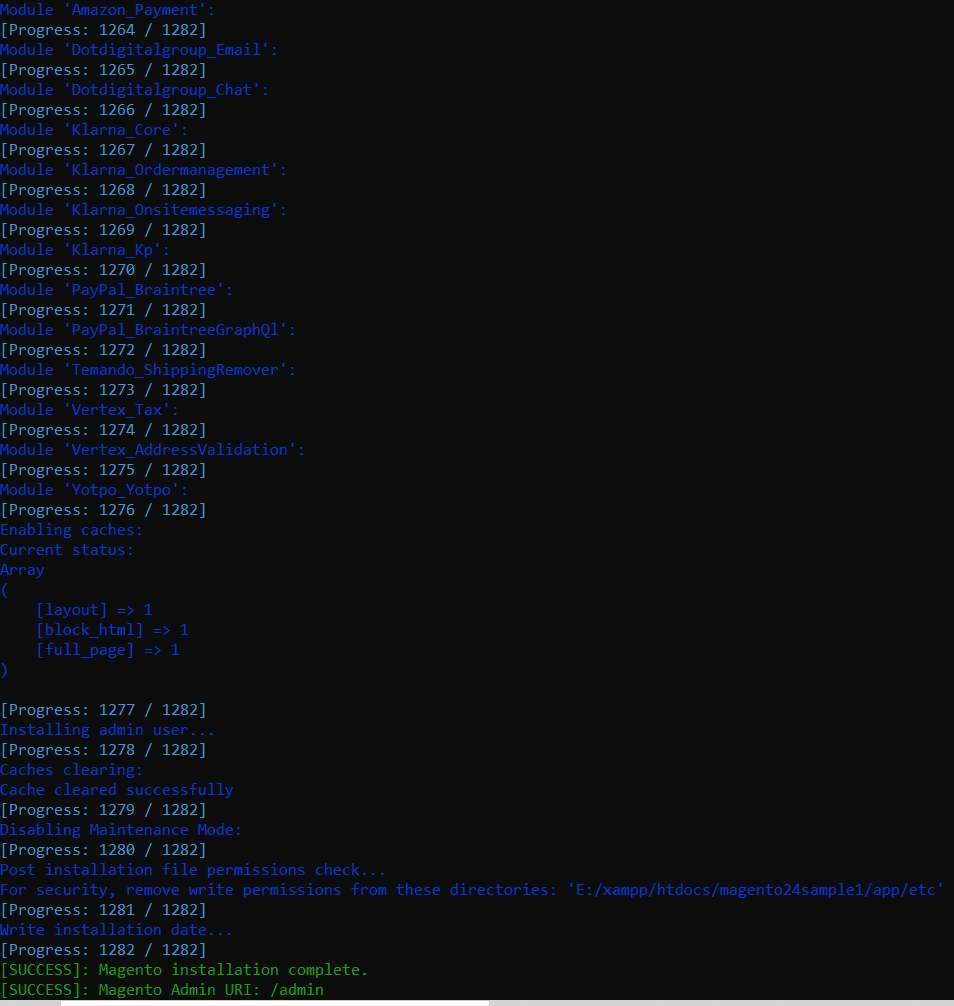
Finally last two running steps

If Message displaying as below, indicates, Magento 2 Installation has been successfully installed.

[SUCCESS]: Magento installation complete.
[SUCCESS]: Magento Admin URI: /admin

Run below CLI Command

php bin/magento deploy:mode:set developer
php bin/magento setup:upgrade
php bin/magento setup:static-content:deploy -f
php bin/magento indexer:reindex
php bin/magento cache:clean
php bin/magento cache:flush

Now run, Magento 2 Frontend URL as well as Admin URL

http://127.0.0.1/magento24sample/
http://127.0.0.1/magento24sample/admin 
& admin credentials admin / admin123 

During Installation,

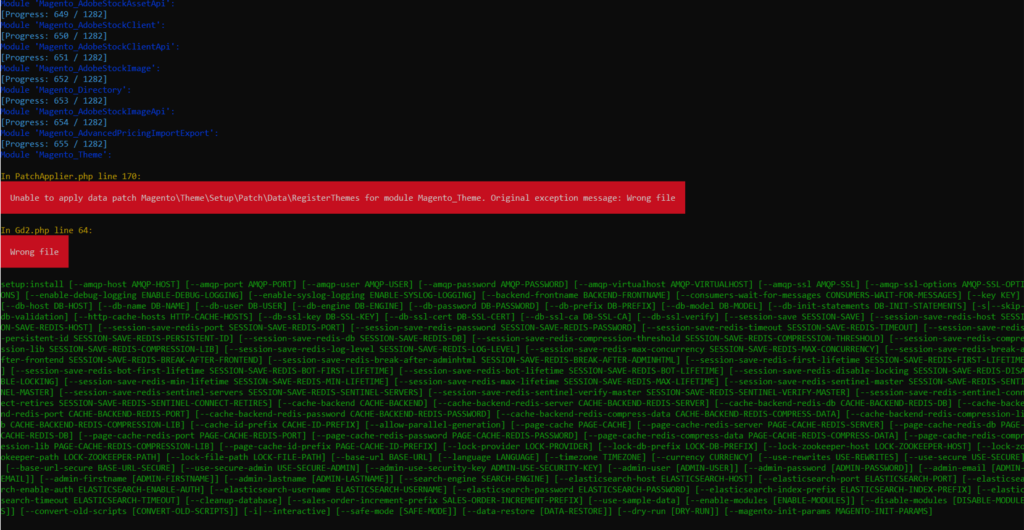
When installing Magento 2.4 & getting below error

In PatchApplier.php line 170:

Unable to apply data patch Magento\Theme\Setup\Patch\Data\RegisterThemes for module Magento_Theme. Original exception message: Wrong file

In Gd2.php line 64:

Wrong file

Error format as below

Solution: Find validateURLScheme function in vendor\magento\framework\Image\Adapter\Gd2.php file. at line 96. Replace function with this: !file_exists($filename)

Replace existing validateURLScheme function with modified validateURLScheme function as per below code

private function validateURLScheme(string $filename) : bool
  {
      $allowed_schemes = ['ftp', 'ftps', 'http', 'https'];
      $url = parse_url($filename);
      if ($url && isset($url['scheme']) && !in_array($url['scheme'], $allowed_schemes) && !file_exists($filename)) {
          return false;
      }

      return true;
  }

Finally, Magento 2.4 or 2.4.x Installation will be completed 100% after above changes

Other important Magento 2.4.x issue as below

Magento 2.3 To Magento 2.4.5 Comptibility For PHP, MYSQL, Composer, Apache etc


Magento 2.4.3-p1 Installation Steps


Magento 2.4.3 Installation Steps


Magento 2.4.3 Features


Magento 2.4.3 – p1 Features


Magento 2.4 Two Factor Authentication


Magento 2.4.1 Features


Magento 2.4 Features


Magento 2.4 Installation


Magento 2.2, Magento 2.3, Magento2.4 Installation Issue on Windows 10, XAMPP


Magento 2 Installation at 51% Error: (Wrong file in Gd2.php:64) Module ‘Magento_Theme’

Magento 2.x Redis Install & Configure

Redis Centos 7 Installation & Configure by below command

sudo yum install redis -y

sudo systemctl start redis.service

sudo systemctl enable redis

sudo systemctl status redis.service

Redis Ubuntu Installation & Configure by below command

sudo apt-get install redis

sudo systemctl start redis.service

sudo systemctl enable redis

sudo systemctl status redis.service

Once Redis installation done, need to configure in Magento 2
Redis Magento 2 Configure by below methods

There are two ways to include Redis code inside env.php

Step-1: By using CLI Command

php bin/magento setup:config:set –session-save=redis –session-save-redis-host=127.0.0.1 –session-save-redis-log-level=4 –session-save-redis-db=2

php bin/magento setup:config:set –cache-backend=redis –cache-backend-redis-server=127.0.0.1 –cache-backend-redis-db=0

Step-2: By using direct put code in env.php
Download below file & copy redis code in env.php file

https://mage2db.com/Redis_Cache_Code_In_ENVdotphp.pdf

As Redis working fine, need to run below following command redis monitor,  session storage value, redis flush cache

[1] redis-cli  redirects in Host with Port as below

Here also checking as cache store value properly as well as get properly as below.

ubuntu@ip-172-31-43-109:/var/www/html/magento234$ redis-cli

127.0.0.1:6379> set test “Hello”

OK

[1.1] 127.0.0.1:6379>

[1.2] 127.0.0.1:6379> set test “Hello”

OK

127.0.0.1:6379> get test 

“Hello”

[1.3] 127.0.0.1:6379> exit

[1.4] Restart Redis

    sudo systemctl restart redis-server

[2] Type command redis-cli monitor 

and refresh your front website or press F5, you will see an output on your screen.

It Means, Magento 2 Redis working fine , if display like after command

[3] Type redis-cli ping

and you’ll get a reply PONG which means everything is looking good.

[4] Type php -m | grep redis 

by which you’ll see redis in reply, which confirms that the PHP Redis Extension is ready to go.

[5]  Type redis-cli FLUSHALL 

if you need to clear Redis cache, simply type redis-cli FLUSHALL and an OK reply will confirm that your cache has been cleared successfully.

[6] To check Redis Version  Type   redis-server -v

[7] Default Port used by Redis 6379

[8] Other Important Redis command as below

redis-cli info–Complete info about the redis-instance
redis-cli info server–Server Information, cersions, configs, binary
redis-cli info clients–Connected clients
redis-cli info memory–Statistics about memory usage and limits
redis-cli info persistence–Info about RDB and AOF
redis-cli info stats–Connection, network, keyspace statistics
redis-cli info replication–Replication settings and status

Elasticsearch 7.x cluster_block_exception & disk usage exceeded Issue

if Elasticsearch 7.x having following below error cluster_block_exception & disk usage exceeded Issue

{“error”:{“root_cause”:[{“type”:”cluster_block_exception”,”reason”:”index [magento2_product_1_v79] blocked by: [TOO_MANY_REQUESTS/12/disk usage exceeded flood-stage watermark, index has read-only-allow-delete block];”}],”type”:”cluster_block_exception”,”reason”:”index [magento2_product_1_v79] blocked by: [TOO_MANY_REQUESTS/12/disk usage exceeded flood-stage watermark, index has read-only-allow-delete block];”},”status”:429}

Solution: once run below step-1 & 2 command, issue will be resolved

Step-1: Need to be run below curl command & issue will be resolved

curl -XPUT -H "Content-Type: application/json" http://localhost:9200/_cluster/settings -d '{ "transient": { "cluster.routing.allocation.disk.threshold_enabled": false } }'

Step-2: Need to be run below curl command & issue will be resolved

curl -XPUT -H "Content-Type: application/json" http://localhost:9200/_all/_settings -d '{"index.blocks.read_only_allow_delete": null}'

Magento 2.4 with Elasticsearch 7.x