The following below steps need to follow to Check Customers Online in Magento 2.x / Adobe Commerce 2.x
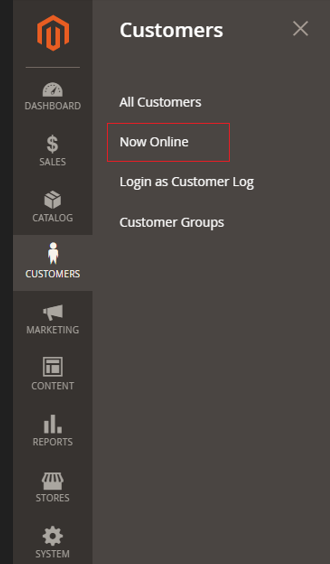
Step [1] – Go To Left Panel Customers > Customers > Now Online
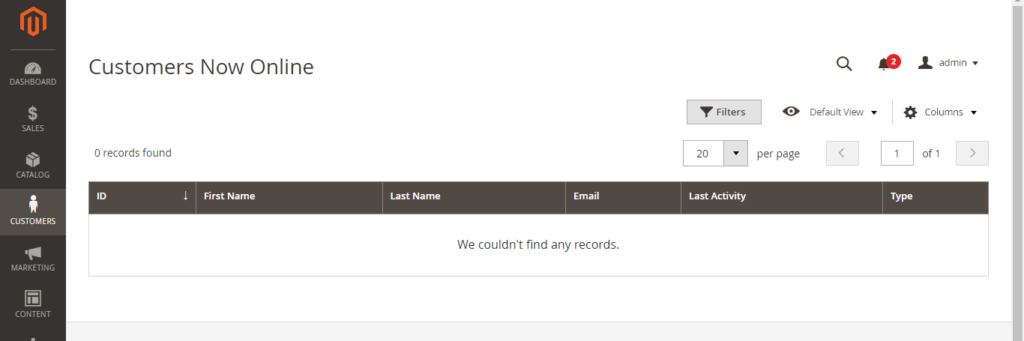
Step [2] – Once Clicked on Customers redirects on Customers Now Online Page
Step [3] – Finally, you can check Total Number of Customers Online
The following below steps need to follow to get store Currency By Using GraphQL in Magento 2.x / Adobe Commerce 2.x
Step [1] – Recommendation to use below Currency syntax
Here Using Postman
Syntax –
{currency {Currency}Step [2] – Put below Request
query {
    currency {
        base_currency_code
        base_currency_symbol
        default_display_currency_code
        default_display_currency_symbol
        available_currency_codes
        exchange_rates {
            currency_to
            rate
        }
    }
}
Continue reading “How To Get Currency By Using GraphQL in Magento 2.x / Adobe Commerce 2.x”
Once Magento 2.x / Adobe Commerce Site / Store running, suddenly require to change any Product’s Price, Product’s Inventory, Product’s Attributes, Product’s Images etc. these changes immediate effected on store front once Index Management / Indexer set to be Update By Schedule
Go To Admin
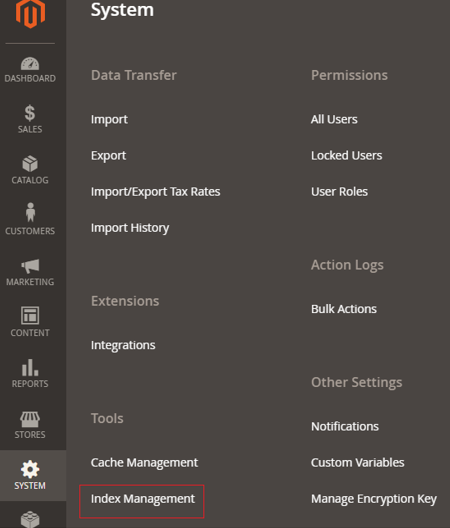
Step [1] – Click on Left Side Menu System
Step [2] – System -> Tools -> Index Management
Continue reading “Why Need To Configure Indexer From Update By Schedule Instead of Update On Save in Magento 2.x / Adobe Commerce 2.x”
The following below steps need to follow to get logged-in Customer Details By Using GraphQL in Magento 2.x / Adobe Commerce 2.x
Step [1] – Recommendation to use below customer customer syntax
Here Using Postman
Syntax –
{customer: {Customer}} Continue reading “How To Get Logged-in Customer Details By Using GraphQL in Magento 2.x / Adobe Commerce 2.x”
The following below steps need to follow to get Customer Token or generateCustomerToken mutation By using GraphQL in Magento 2.x / Adobe Commerce 2.x
Here Using PostMan
Step [1] – Recommendation to use below customer tokens in the header of your GraphQL call
Syntax –
mutation {
  generateCustomerToken(
    email: "Enter Customer Email"
    password: "Enter Customer Password"
  ) {
    token
  }
}
Continue reading “How To Get Customer Token or generateCustomerToken mutation By Using GraphQL in Magento 2.x / Adobe Commerce 2.x”
The following below steps need to follow to overriding Shopping Cart default.phtml by using custom Plugin in Magento 2.x / Adobe Commerce 2.x
Here we are overriding below shopping cart default.phtml
vendor/magento/module-checkout/view/frontend/templates/cart/item/default.phtml Continue reading “How To Override Shopping Cart default.phtml by using custom Plugin in Magento 2.x / Adobe Commerce 2.x”
The following below steps need to follow to include products in CMS Pages in Magento 2.x / Adobe Commerce.
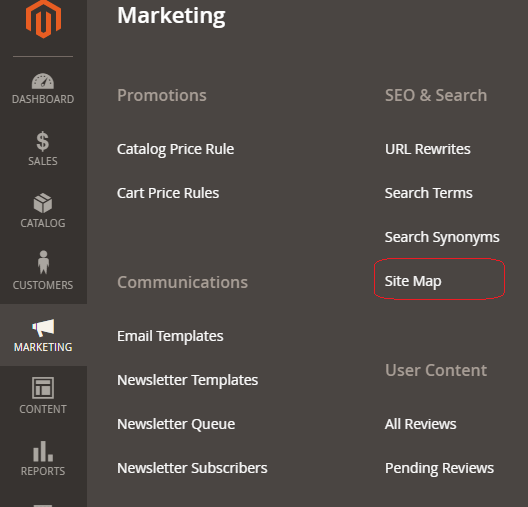
Step [1] – Go To Left Panel Marketing > SEO & Search > SiteMap
Continue reading “How To Create Sitemap XML File in Magento 2.x / Adobe Commerce 2.x”
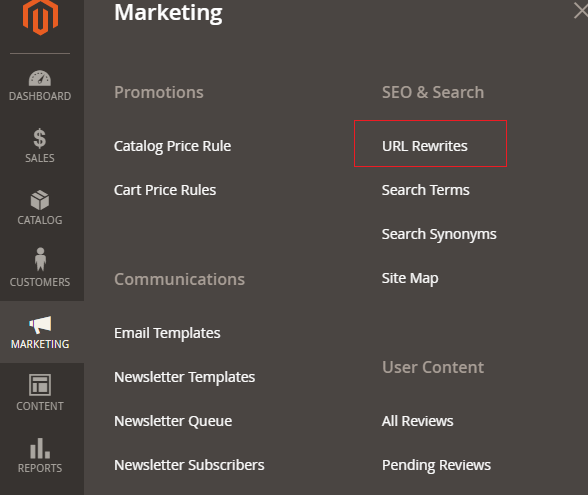
The following below steps need to follow to check URL Rewrites in Magento 2.x / Adobe Commerce.
Step [1] – Go To Left Panel Marketing > SEO & Search > URL Rewrites , redirects on Page listing page .
Continue reading “How To Check URL Rewrites & add custom URL in Magento 2.x / Adobe Commerce 2.x”
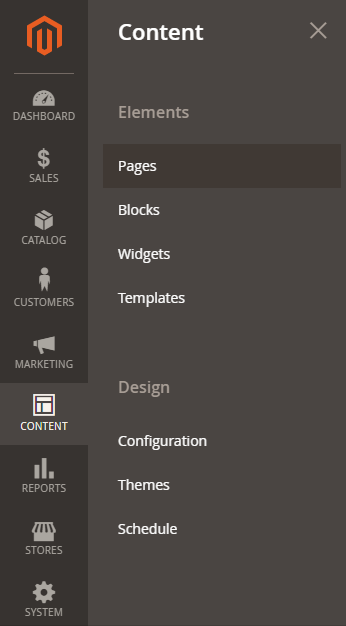
The following below steps need to follow to include products in CMS Pages in Magento 2.x / Adobe Commerce.
Step [1] – Go To Left Panel Content > Pages , redirects on Page listing page .
Continue reading “How To Include Products in CMS Pages Magento 2.x / Adobe Commerce 2.x”