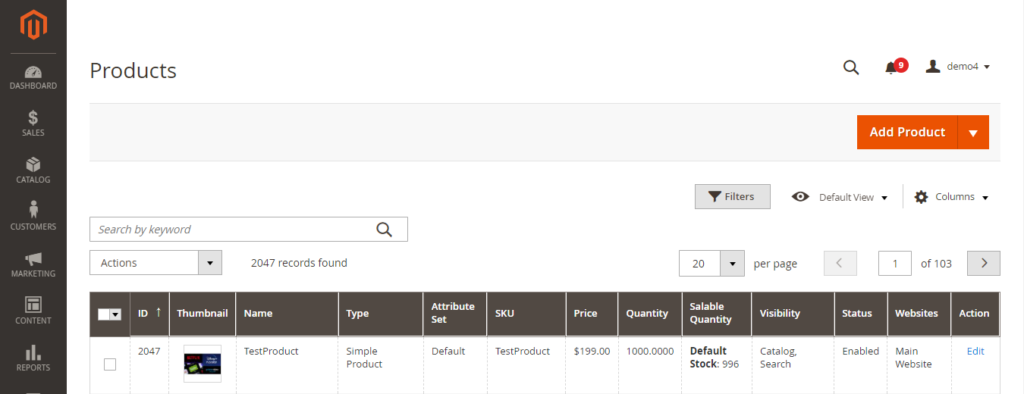
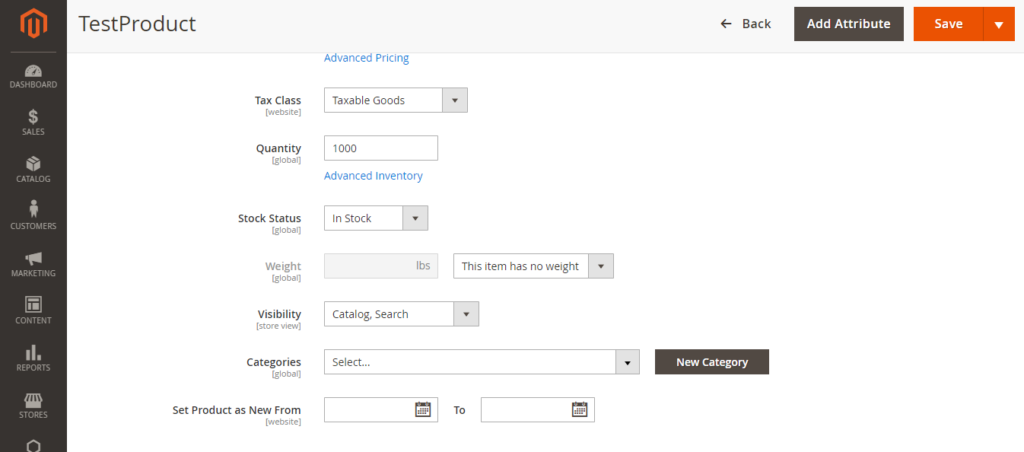
Catalog–Products: select Simple Products, which you want to converts into Virtual products.
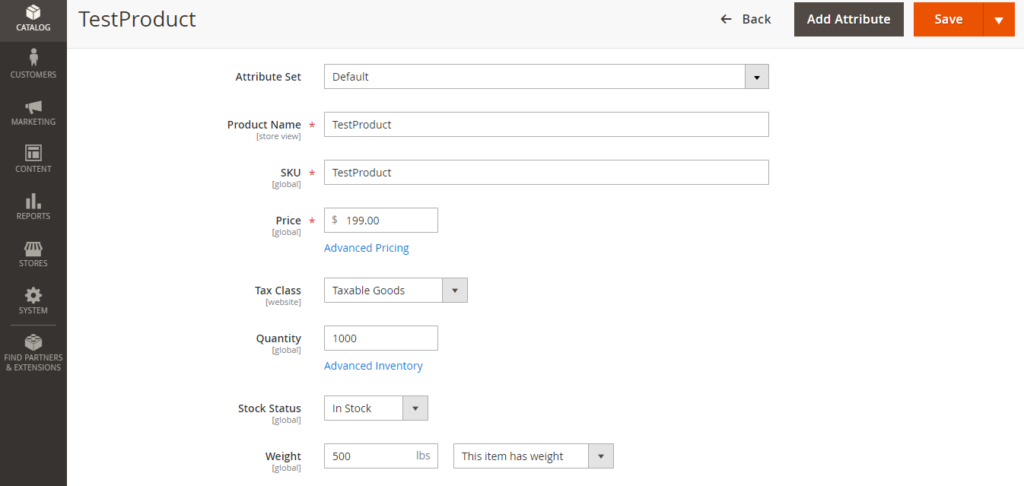
Click on Edit
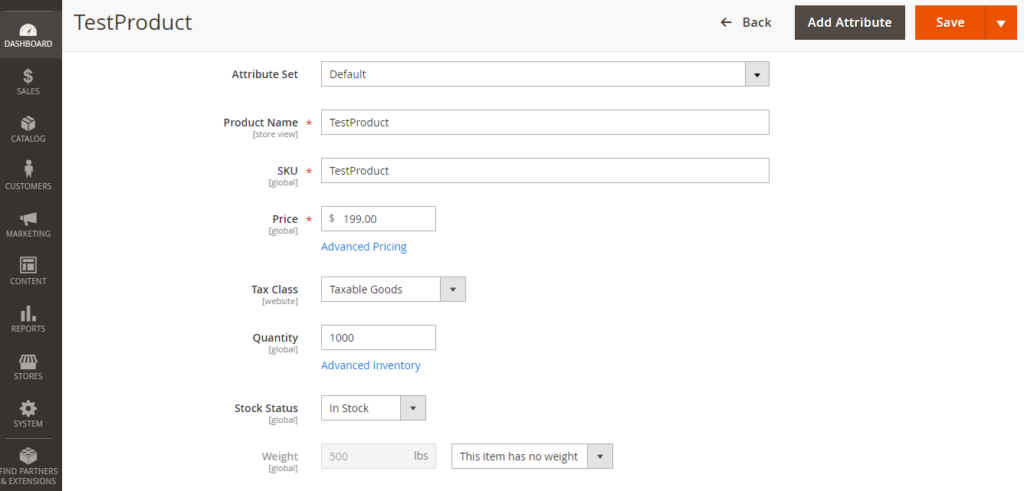
Go To Weight: “The item has weight” for Simple Product already mentioned.
To Converts into Virtual Product, “select Item has no weight”
Step-2: By Using Database SQL Query
update catalog_product_entity
set type_id = 'virtual'
where type_id = 'simple'

Note: Be careful, this query will be converted all Simple Products To Virtual Products
Note: If user wants to convert specific Simple Products To Virtual Products, below query need to run

update catalog_product_entity
set type_id = 'virtual'
where type_id = 'simple' and sku in ('BSX55MOLCG','BSX55MOLCLW','BSX55MOLCMW','BSX55MOLWWH')
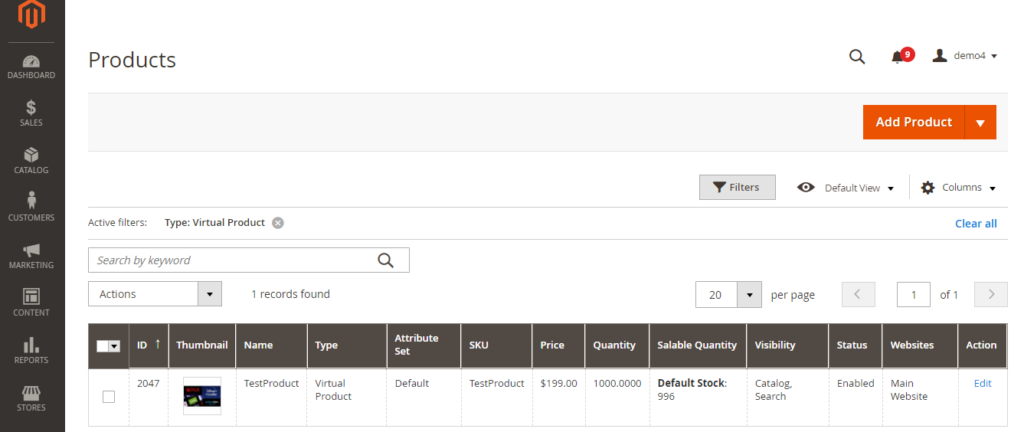
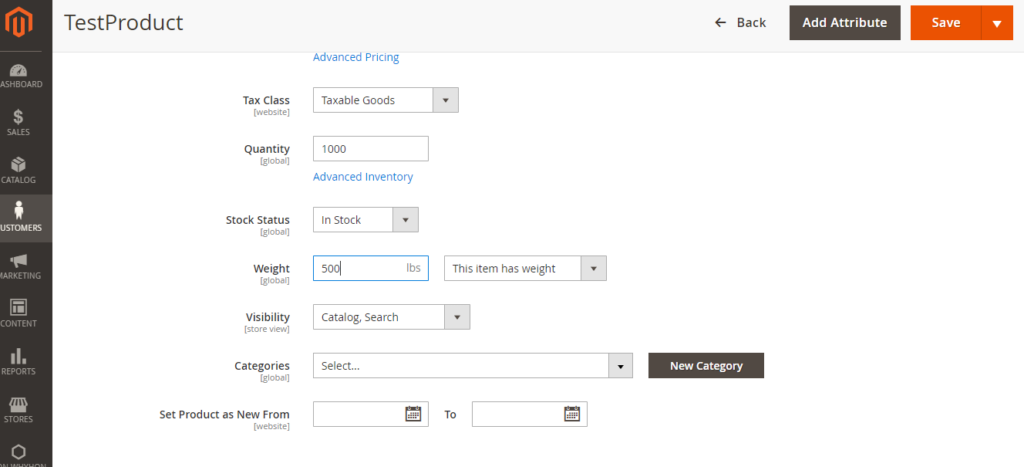
Catalog–Products: select Virtual Products, which you want to converts into simple products.
Click on Edit
Go To Weight: “The item has no weight” for Virtual Product already mentioned.
To Converts into Simple Product, select Item has weight & put weight value.
Finally Click on Save button & Virtual Product will be converted into Simple Product.
Step-2: By Using Database SQL Query
update catalog_product_entity
set type_id = 'simple'
where type_id = 'virtual'

Note: Be careful, this query will be converted all Simple Products To Virtual Products
Note: If user wants to convert specific Simple Products To Virtual Products, below query need to run

update catalog_product_entity
set type_id = 'simple'
where type_id = 'virtual' and sku in ('BSX55MOLCG','BSX55MOLCLW','BSX55MOLCMW','BSX55MOLWWH')
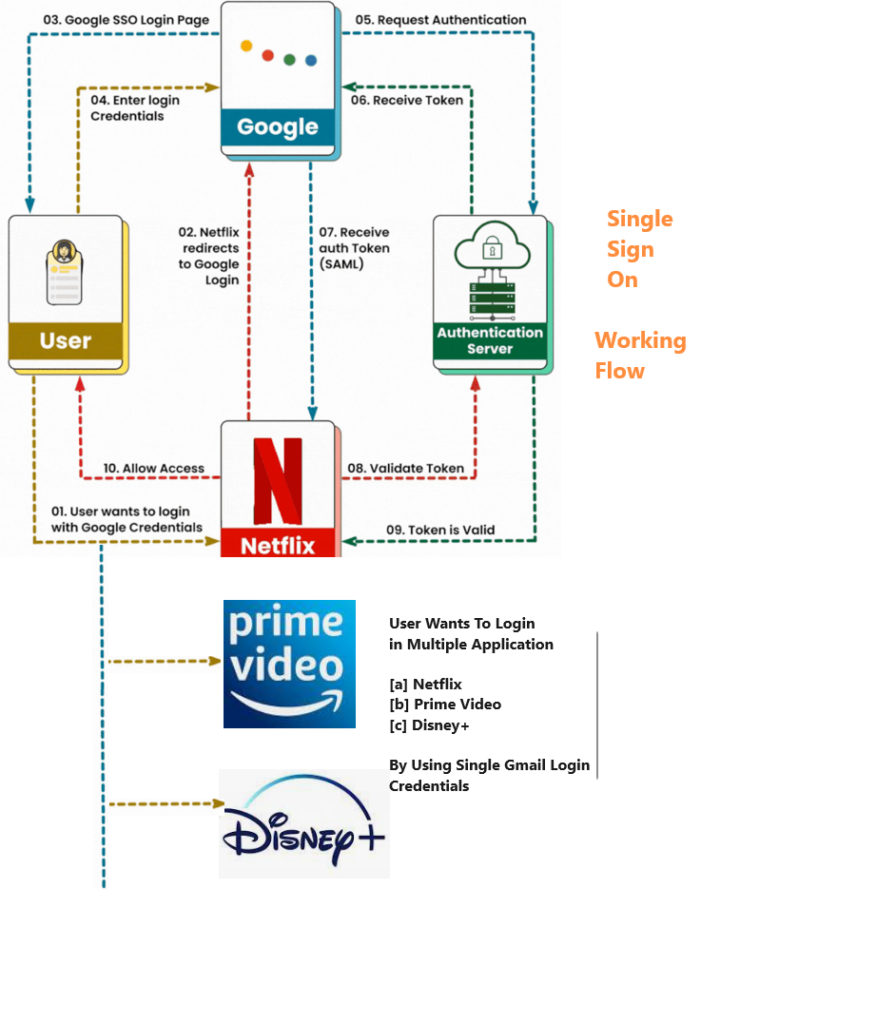
Single Sign-on (SSO):: It is an authentication process that allow users to access multiple applications with same login credentials of Magento 2. Using this user can enter the login credentials in the third-party application and be logged in to Magento 2 store simultaneously.
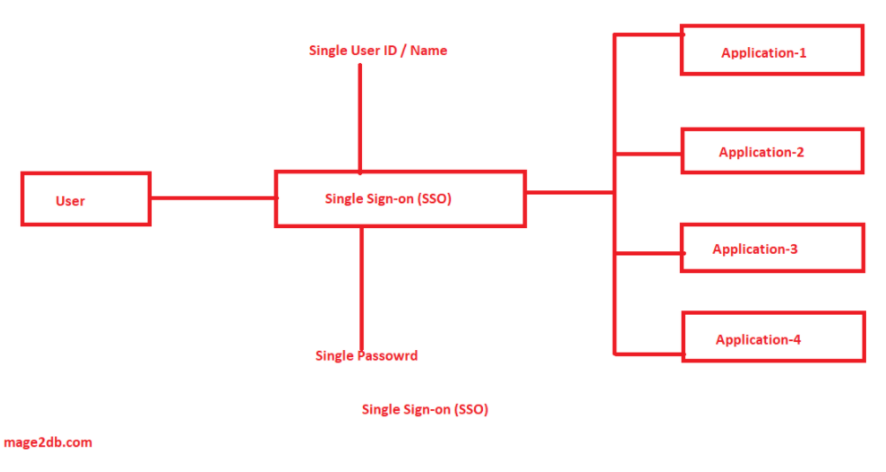
“Single sign-on is an authentication method that allows a user to log in with a single ID and password to multiples applications simultaneously”
“Single Credential that enables users to log in to multiple applications and websites”
This allows faster access to applications. The customers can use their existing credentials for logging into various third-party applications such as UVdesk, The user can use one set of credentials for various platforms and won’t have to remember multiple passwords for each login.
Magento 2 using multiple stores, blog etc., by using single User ID / Password, user can enable to login multiple Magento 2 stores & blog
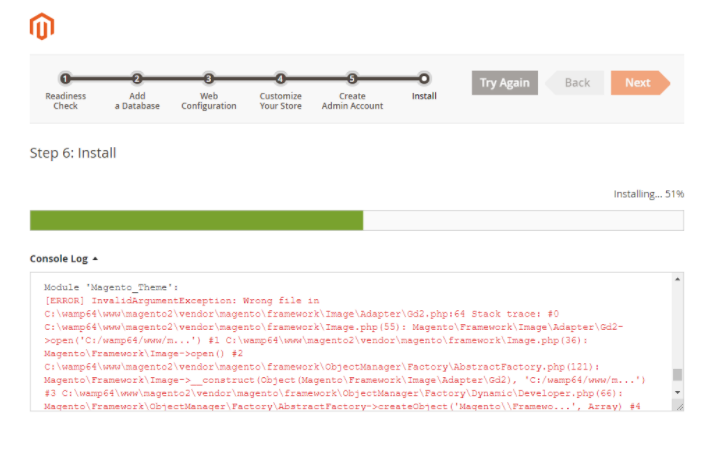
Find validateURLScheme function in vendor\magento\framework\Image\Adapter\Gd2.php file. at line 96. Replace function with this: !file_exists($filename)
Replace existing validateURLScheme function with modified validateURLScheme function as per below code
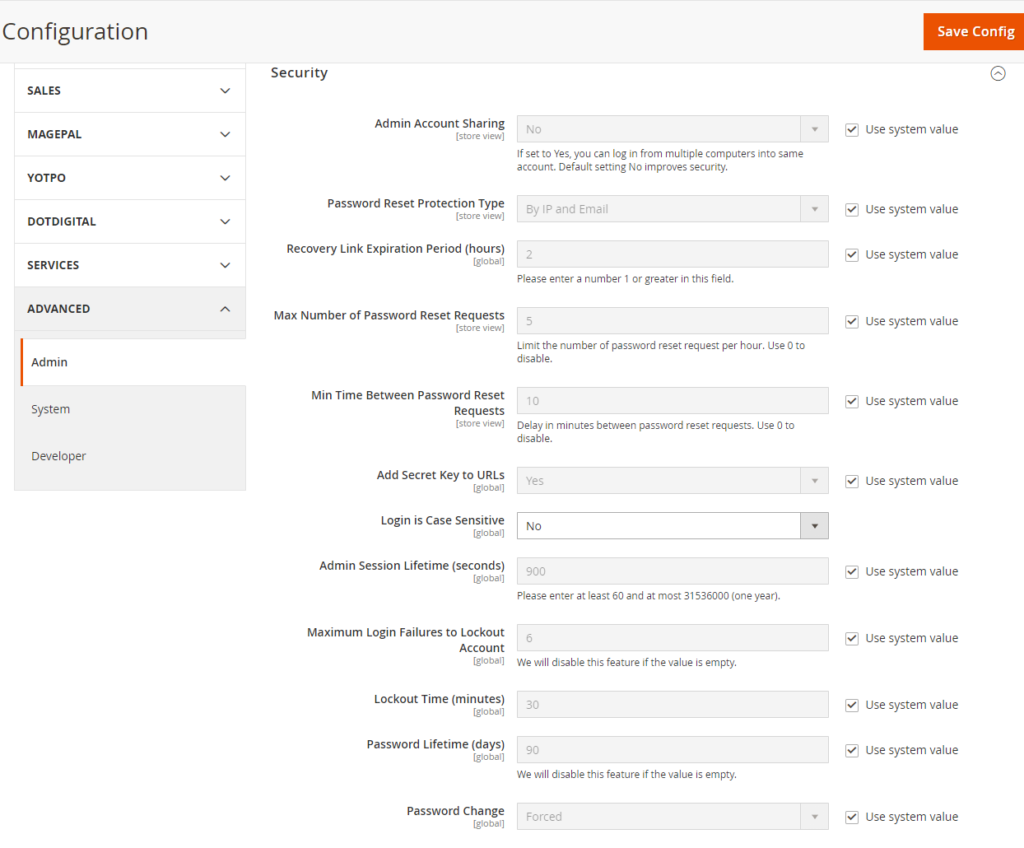
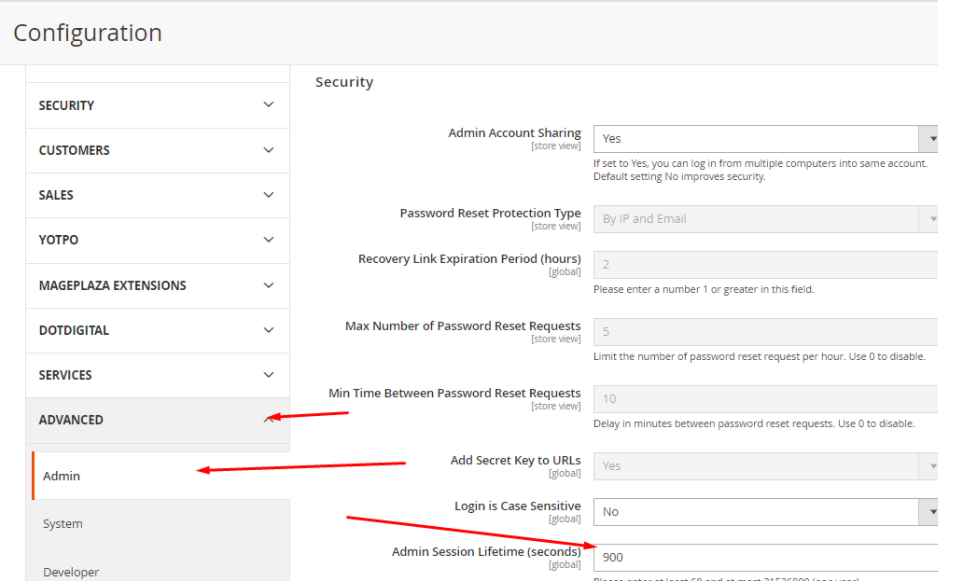
Navigate to Admin Panel > Stores > Configuration > Advanced > Admin and click on Security section
There are following below steps , make admin security more secure
Admin Account Sharing: Default setting No, If set to Yes, you can log in from multiple computers into same account, that’s why Default setting No improves more Security.
Password Reset Protection Type: By default By IP and Email, if Admin want to modify by IP or Email, select value IP or Email from drop down
Recovery Link Expiration Period (hours): By default 2 Hour, the link the Admin has got in his email to reset/modify password, in case forget password, recommended always put more than 1 value.
Max Number of Password Reset Requests: By default 5, allow only 5 times per hour to reset the password. If Admin want to get rid of this limit he can change the default 5 value to 0
Min Time Between Password Reset Requests: By default 10, password reset request per hour to 5 by default and Minimum delay between password reset request is 10 Minutes by default, If Admin want to get rid of this limit he can change the default 5 value to other
Add Secret Key to URLs: By default Yes, Due Headers Security, Cross-site scripting (XSS), Cross-site request forgery(CSRF) Strict-Transport-Security(STS), Content-Security-Policy(CST),it is highly recommended never select No from drop down.
Login is Case Sensitive: By default Case Sensitive No, If Admin want to get rid of this limit he can select Yes from drop down.
Admin Session Lifetime (seconds):By default, the admin session lifetime in Magento 2 is set to 900 seconds (15 minutes), If Admin want to get rid of this limit he can change his own time duration in seconds. In Production not recommended more than 900 seconds (15 minutes).
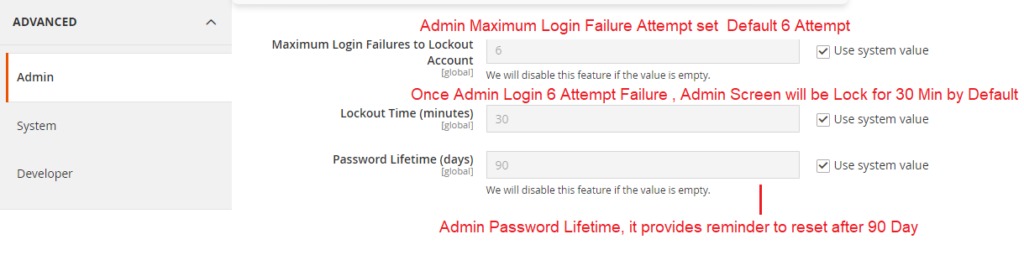
Password Reset Protection TypeBy default 6 attempts, after 6 attempts Admin account will be locked, enter the number of times a user can try to log in to the Admin before the account is locked, Leave the field empty for unlimited login attempts.
Lockout Time (minutes): By default 30 minute , every 30 minute, screen will be Lockout & need to ReLogin in Admin.
Password Lifetime (days): By default 90 days, every 90 days need to change password. If Admin want to get rid of this limit he can change more than 90 days, put more than 90 days value, if empty this, Password Lifetime will be disabled & never ask to change password, Password Lifetime value empty never recommended on production.
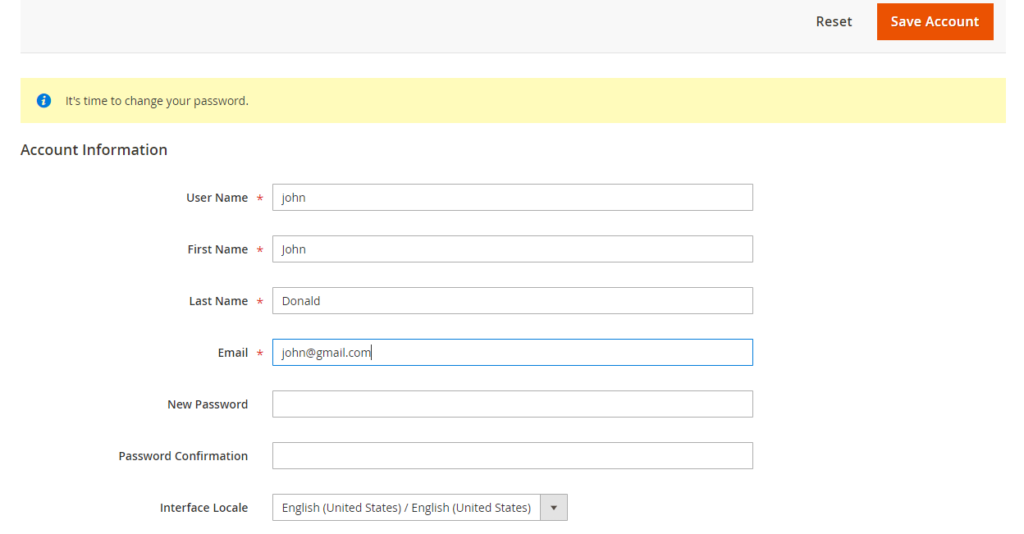
Password Change: By Default Forced & recommends password change every 90 days, as mentioned password lifetime(90), If number of days for “Password Lifetime”, and set the dropdown value of “Password Change” to “Recommended“, it won’t be mandatory to change the password. However, if the dropdown value is set to “Forced“, the admin panel will be accessed only after the password change.