Is Shopify Free or Paid & All Shopify Edition Plan


Step [1] – To Check Node.js Installed & Its version

The npm stands for Node Package Manager and it is the default package manager for Node.js
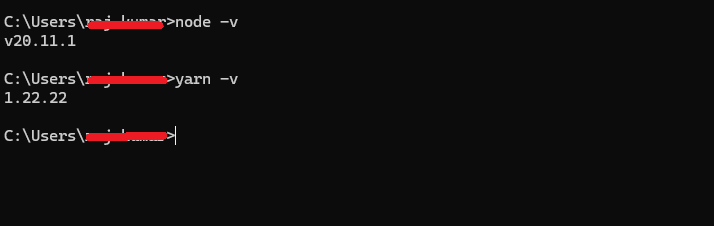
To check NodeJS is installed or not by running the following command
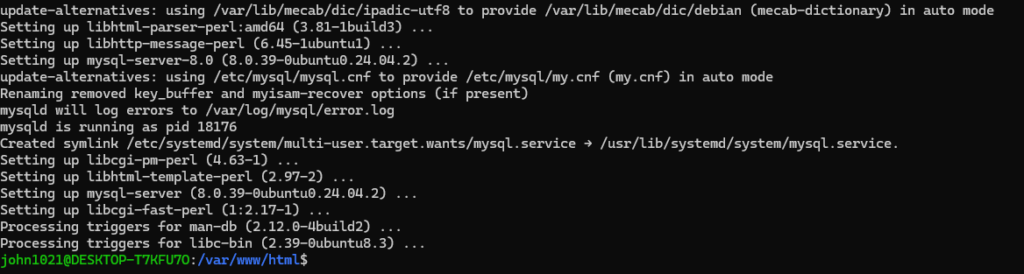
node -v
The npx stands for Node Package Execute and it comes with the npm
To check npx is installed or not by running the following command
npx -v
If NodeJS not installed,
Step [2] – Run Command
npx create-react-app myapp
Here myapp project name


Step [3] – Run Below Command
npm start
Once command run successfully run, below message displaying

As we are working on Local Machine, while going deploy on Production need to be run Production Command npm run build
Note that the development build is not optimized.
To create a production build, use npm run build.
Step [4] – Run below URL in Browser
http://localhost:3000

Step [5] – ReactJs Folder Structure


Finally we have the following below set of CLI Command
node -v
npx -v
npx create-react-app myapp
npm start
http://localhost:3000
Step [6] – Install Required Contentful Packages
To interact with Contentful, we need to install the Contentful JavaScript SDK. Install it by running
npm install contentful

The following things ( Organization, Space, Content Model, Content Type ) below defined briefly
Organization:: An Organization is the first-level entity in Contentful and is typically associated with a company, team, or business
Example: If your business is a large corporation, the organization would represent the entire company, and you could have separate spaces for different departments or projects.
Space:: A Space is a self-contained area within an organization where content is created, managed, and published
Organization -> Space
Example: You might have one space for a corporate website, another for a mobile app, and a third for a product blog. Each of these spaces would have its own content and settings but belong to the same organization.
Content Model:: A Content Model defines the structure of content within a space. It outlines how content types are connected and what fields they contain, It consists of different content types, each representing a specific kind of content, and the fields
Organization -> Space -> Content Model
Example: In a content model for a blog, you might define content types for “Blog Post,” “Author,” and “Category,” with specific fields (such as title, body text, image, etc.) for each content type.
Content Type:: Content types are components of the content model and define which data type can be entered. It defines the fields and structure of a specific type of content
Organization -> Space -> Content Model -> Content Type
Example: For a blog site, you might have the following content types:
Blog Post: Fields could include title, body, author, publish date, and featured image.
Author: Fields could include name, bio, and profile picture.
Category: Fields could include category name and description.
How Organization, Space, Content Model, Content Type Interrelated
Organization contains Spaces, and within each space, you define your Content Models.
A Content Model is made up of multiple Content Types.
Each Content Type defines the structure for individual content entries (like a blog post, author, or product).

What Are Milestones in Software Projects?
Milestones in software projects are significant points or events in the project timeline that mark the completion of major phases, deliverables, or decision points. They are used to track progress, assess project health, and provide checkpoints for stakeholders to evaluate whether the project is on track. Milestones are not tasks or activities themselves, but rather indicators that a set of related tasks has been completed.
Characteristics of Milestones:
Significant Events: Represent critical points in the project, such as the completion of a key deliverable, the start or end of a phase, or a major decision point.
Non-Duration: Unlike tasks, milestones do not have a duration; they simply mark the completion of an event.
Measurable: Milestones are often tied to specific, measurable outcomes (e.g., “Prototype completed” or “Beta version released”).
Critical for Stakeholder Communication: Serve as communication points with stakeholders to review progress and make decisions.
Common Examples of Milestones in Software Projects:
Project Kickoff: The official start of the project.
Project Requirements Completed: All project requirements have been gathered and approved.
Project Plan & Design Approval: Completion and approval of the software design.
Project Resource Allocation: Allocation of resources like team members, tools, and budget.
Project Development Milestones: Completion of major development phases (e.g., “Module A completed,” “Feature X implemented”).
Testing Phase Start/End: Beginning or completion of the testing phase, including unit testing, integration testing, and user acceptance testing (UAT).
Unit Testing: Completion of unit tests for individual components.
Integration Testing: Completion of tests to ensure different components work together.
User Acceptance Testing (UAT): When the end-users test the software to ensure it meets their needs.
Beta Release: The release of a beta version of the software for external testing or limited customer use.
Go-Live: The official launch of the software.
Project Closure: The formal conclusion of the project, including final documentation and retrospective.
How to Set Milestones in Software Projects
Define Project Scope and Objectives: Start by clearly understanding the project’s goals, deliverables, and overall scope. Milestones should align with these objectives and represent critical achievements necessary to complete the project.
Break Down the Project into Phases: Divide the project into logical phases or stages (e.g., planning, design, development, testing, deployment). Identify key deliverables or outputs for each phase.
Identify Key Deliverables: For each phase, identify the major deliverables that must be completed. These deliverables often serve as natural milestones.
Set Milestones for Critical Decision Points: Identify points in the project where significant decisions must be made (e.g., design approval, go/no-go decision). Set milestones at these decision points.
Consult with Stakeholders: Engage with stakeholders (e.g., project sponsors, team members, clients) to ensure that the milestones reflect their expectations and are aligned with business objectives.
Ensure Milestones Are SMART:
Specific: Clearly define what the milestone represents.
Measurable: Ensure that you can objectively verify when the milestone has been achieved.
Achievable: Set realistic milestones that the team can reach.
Relevant: Milestones should be directly related to the project’s goals.
Time-bound: Assign a target date for each milestone.
Integrate Milestones into the Project Plan: Incorporate the milestones into the project timeline using project management tools like Gantt charts, which visually represent when each milestone is expected to occur.
Communicate Milestones to the Team: Ensure that the project team understands the significance of each milestone and what is required to achieve it.
Monitor and Adjust Milestones as Needed: Regularly track progress against milestones during project reviews. If project conditions change, adjust milestones accordingly to keep the project on track.
Celebrate Milestone Achievements: Recognize and celebrate when milestones are reached. This boosts team morale and provides a sense of accomplishment.
Tools for Tracking Milestones: Gantt Charts: Visualize project timelines and milestones.
Project Management Software: Tools like Jira, Trello, Asana, or Microsoft Project allow you to set, track, and update milestones.
Calendar Integration: Sync milestones with calendar tools to remind the team of upcoming key dates.
Importance of Milestones:
Progress Tracking: Helps in assessing whether the project is on schedule.
Risk Management: Early identification of delays or issues if milestones are not met.
Stakeholder Communication: Provides clear points to report progress to stakeholders.
Team Motivation: Milestones can serve as motivational goals for the project team.
Setting and tracking milestones effectively ensures that a software project remains aligned with its goals and timelines, helping to manage risk and maintain stakeholder confidence.
The following below between Microservices Architecture & Monolithic Architecture of Software
| Topic | Monolithic Architecture | Microservices Architecture |
| Services | Monolithic architecture involves typical applications deployed as tightly coupled services | Microservices architecture involves Complex big applications deployed independently as loosely coupled services |
| Complexity | Simpler in the early stages but can become highly complex and unwieldy as the application grows, all developers responsible for single code base, if any modification required, entire application need to be deployed. | Designed for complex big project & distributed into multiple smaller application to do ease of coding & independently deployment(each single or smaller application). |
| Use Cases | Best suited for small to medium-sized applications with relatively simple business logic. It is for startups and projects in early stages where speed of development is critical, and the team is small. | Best suited for large, complex applications that require high scalability, frequent updates, and a distributed team structure. Commonly used by large enterprises and companies with complex business needs, like Amazon, Netflix, and Uber. |
| Testing | Testing can be more straightforward since everything is in one place. However, as the application grows, the complexity of testing increases, particularly with integration and end-to-end tests. | Testing is more complex as each service must be tested independently, as well as in integration with other services. Tools and strategies like contract testing, consumer-driven contracts, and test automation are often required. |
Performance | Performance can be optimized more easily within a monolithic architecture because there’s no need for network communication between components. | Performance can be optimized more easily within a microservices architecture, the advantage of scaling individual components, the need for network communication between services can introduce latency and overhead. Optimizing performance requires careful design to manage inter-service communication efficiently. |
| Maintenance and Updates | Maintenance can become more challenging as the application grows. Updates, especially those involving major changes, can be risky because they affect the entire system | Maintenance is generally easier since individual services can be updated, replaced, or rewritten without affecting the entire system. However, maintaining multiple services can also introduce its own complexity, especially in managing service dependencies. |
| Fault Isolation | A failure in one part of the application can potentially bring down the entire system. Since everything is interconnected, debugging and resolving issues can be more complex and riskier. | Failures are often isolated to individual services, minimizing the impact on the entire system. For example, if the payment service fails, it doesn’t necessarily bring down the order management service. |

bin/magento cache:enable/disable/clean/flush commands.CustomerInterface, OrderInterface).CustomerRepositoryInterface, ProductRepositoryInterface).app/code/VendorName/ModuleNameregistration.php file to register the module with Magento.module.xml file in etc folder to define module details.composer.json to manage dependencies.etc (e.g., routes, events, di.xml).bin/magento setup:upgrade to install the module.bin/magento setup:install, bin/magento config:set.bin/magento cache:clean, bin/magento cache:flush.bin/magento module:enable, bin/magento module:disable.bin/magento indexer:reindex.bin/magento setup:upgrade, bin/magento deploy:mode:set.Stores > Configuration > Advanced > System > Full Page Cache.<block>: Defines a block of content.<container>: Defines a container that can hold blocks.<referenceBlock> and <referenceContainer>: Modify existing blocks/containers.<remove>: Removes blocks or containers.default.xml, catalog_product_view.xml, etc.The following below list of difference between Shopify and Shopify Plus?
| S.No. | Topic | Shopify | Shopify Plus |
| 1 | Target Audience | Ideal for small to medium-sized businesses or entrepreneurs who need a robust platform to build and manage an online store. | Designed for large enterprises or businesses experiencing rapid growth, requiring more advanced features, scalability, and customization. |
| 2 | Pricing | Pricing plans range from around $39 to $399 per month, depending on the features and support needed. | Pricing starts at around $2,000 per month, but it can vary based on specific business needs, customization, and transaction volume. |
| 3 | Features | Shopify: [a] -Standard features for setting up an online store. [b] -Basic customization options. [c] -Standard checkout experience. [d] -Access to the Shopify App Store for additional functionalities. [d] -Basic reporting and analytics | Shopify Plus: [a] -Advanced customization options, including access to the underlying code and APIs for deeper integration. [b] -Exclusive features like Shopify Scripts, which allow custom discount logic and checkout experiences. Shopify Flow for automating tasks and workflows. [c] -Dedicated IP address and SSL certificate. Unlimited staff accounts. [d] -Enhanced reporting and analytics tools. Priority support and a dedicated account manager. [e] -Multi-currency and internationalization options for global selling. [f]- Enhanced scalability to handle high volumes of traffic and transactions. |
| 4 | Support | Access to 24/7 customer support via chat, email, and phone. | Priority support with a dedicated Merchant Success Manager, who provides strategic advice, custom solutions, and support. |
| 5 | Scalability | Suitable for growing businesses, but with limitations as businesses reach a certain size or complexity. | Built for large-scale operations, capable of handling high traffic and transaction volumes, and offering the ability to expand into new markets quickly. |
| 6 | Customization and Integration | Customization is possible but more limited compared to Shopify Plus. Most users rely on pre-built themes and apps. | Offers deeper customization through access to the Shopify Plus Partner Program, which includes agencies and developers specialized in creating custom solutions. It also provides more advanced API access for integrations. |
| 7 | Checkout Process | Standard checkout process with some limitations on customization. | Fully customizable checkout, allowing businesses to create a unique and branded checkout experience. |
| 8 | App Integrations | Access to the Shopify App Store, but some enterprise-level apps may not be available or fully supported. | Access to advanced apps and integrations, including some that are exclusive to Shopify Plus users. |
| 9 | |||
| 10 |

TDD (Test-Driven Development), BDD (Behavior-Driven Development), and ATDD (Acceptance Test-Driven Development) are all software development practices focused on improving code quality and ensuring that the software meets its requirements.

Goal: TDD aims to ensure that the code meets the developer’s expectations for functionality. It helps in creating a robust, well-structured, and bug-free codebase.
Goal: BDD bridges the communication gap between technical and non-technical team members, ensuring that the software behaves as expected from a user’s perspective.
Goal: ATDD ensures that the software meets the business requirements and provides value to the stakeholders by focusing on fulfilling the acceptance criteria for each user story.
| Aspect | TDD | BDD | ATDD |
|---|---|---|---|
| Focus | Code functionality | System behavior | Meeting acceptance criteria |
| Tests | Unit tests | Behavior/Integration tests | Acceptance tests |
| Audience | Developers | Developers, testers, stakeholders | Developers, testers, stakeholders |
| Language | Code-centric | Natural language (Given, When, Then) | Natural language or formal criteria |
| Goal | Ensure code works as intended | Ensure system behaves as expected | Ensure requirements are met |
Each practice has its strengths, and they can be combined or used in different contexts depending on the team’s goals and the nature of the project.
The day-to-day activities of an Ecommerce Architect involve a mix of technical, strategic, and collaborative tasks aimed at ensuring the smooth operation and continuous improvement of the ecommerce platform.