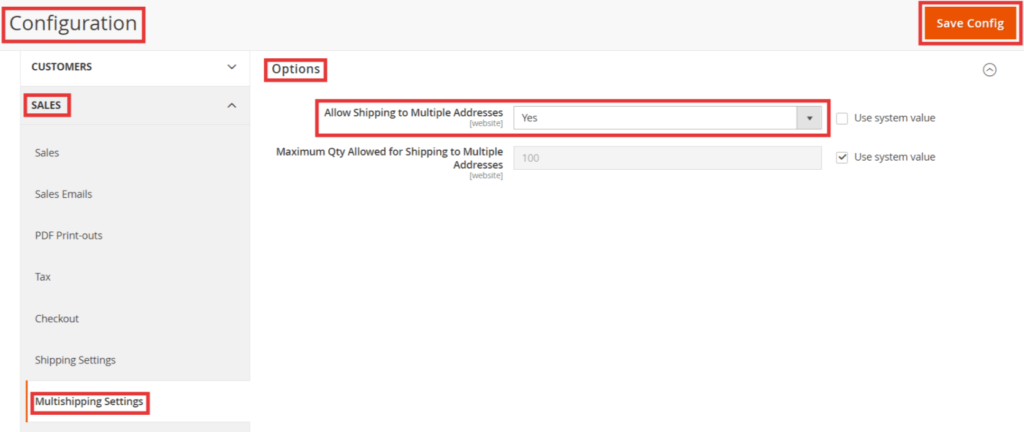
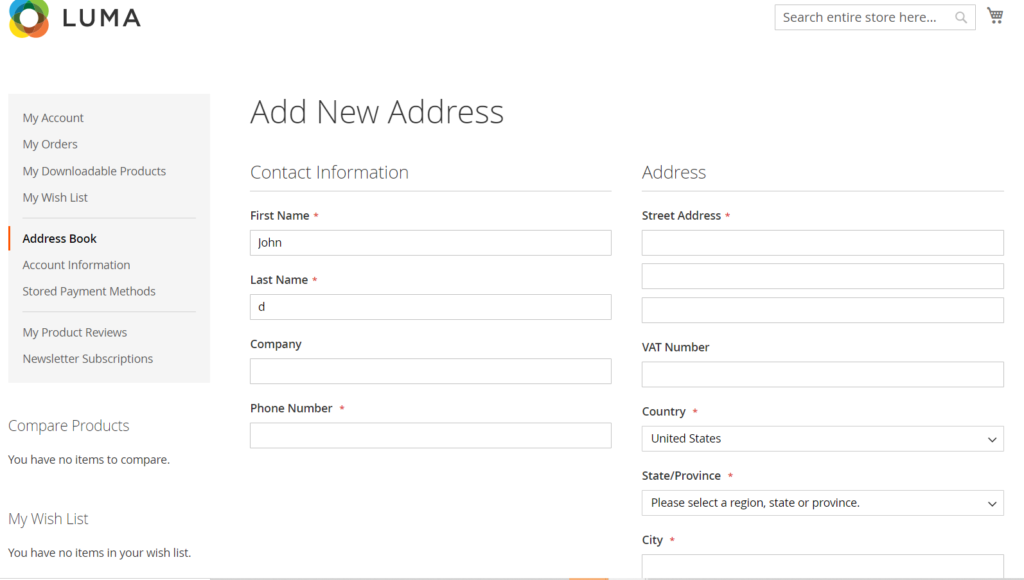
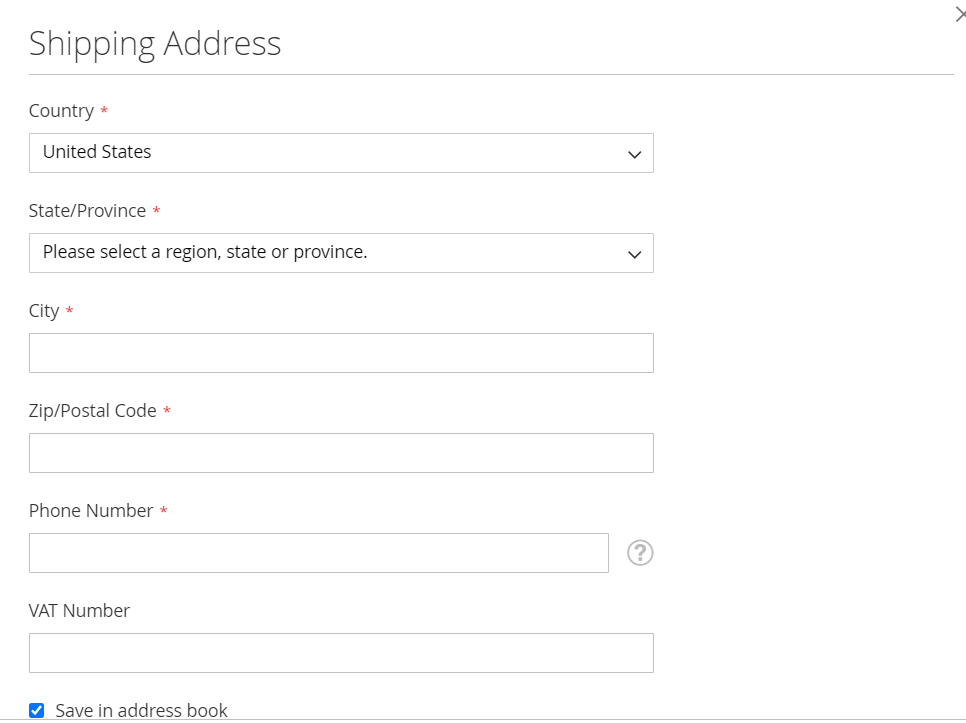
Shipping Address is used to ship products at customer’s address, Magento 2 allow Multiple Shipping Addresses to ship multiple address during checkout process.
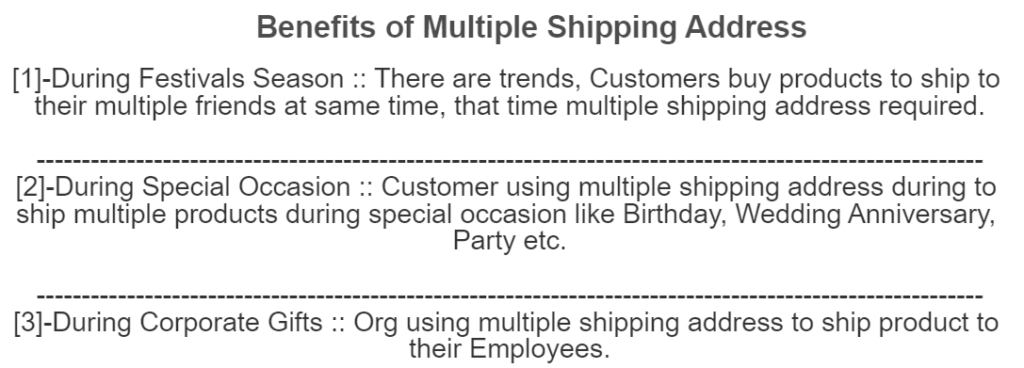
The following below Benefits of Multiple Shipping Address in Magento 2
During Festivals Season :: There are trends, Customers buy products to ship to their multiple friends at same time, that time multiple shipping address required.
During Special Occasion :: Customer using multiple shipping address during to ship multiple products during special occasion like Birthday, Wedding Anniversary, Party etc.
During Corporate Gifts :: Org using multiple shipping address to ship product to their Employees.
This is a common error while upgrading Magento 2.x To Magento 2.4.3
Deprecated Functionality: Class Laminas\Hydrator\Reflection is deprecated, please use Laminas\Hydrator\ReflectionHydrator instead in /pathToMagento/web/vendor/laminas/laminas-hydrator/src/Reflection.php on line 17
The following below solution
Solution [1] – After Upgrade Magento 2.x To Magento 2.4.3
Once you successfully upgraded Magento 2.x To Magento 2.4.3 and issue occurs as above-mentioned.
The laminas class might be used in some of the extensions, need to update the specific code of these extensions.
Using below command we can find which extensions, using laminas class.
grep -r 'class to search' app/
Solution [2] – Before Upgrade Magento 2.x To Magento 2.4.3
Copy below code from Magento 2.4.3 & Paste in Magento 2.x
Magento 2 Origin Shipping Setting need to calculate the shipping costs for the shipments made from your store as well as calculate product tax cost.
The following below admin settings need to follow.
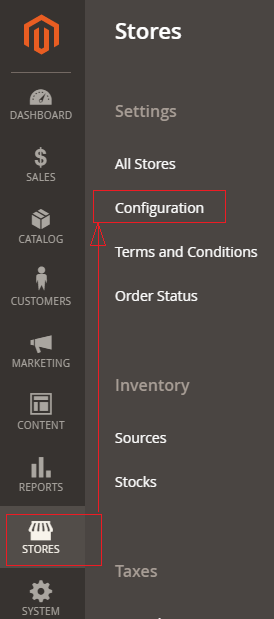
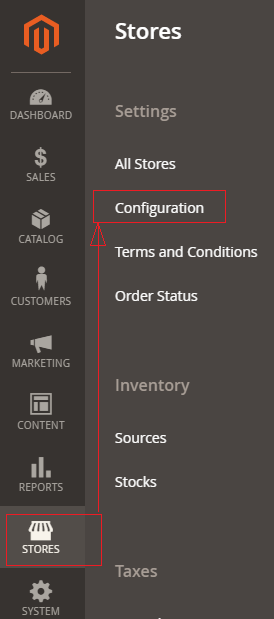
Step [1] – Go STORES > Configuration, redirects Configuration section.
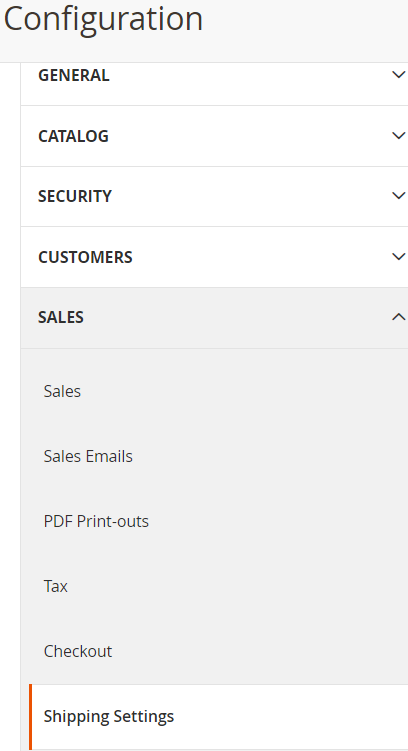
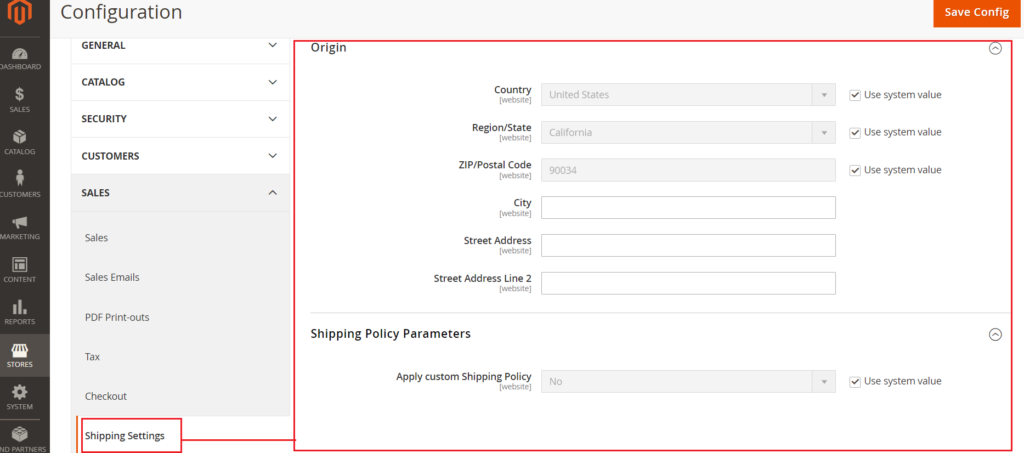
Step [2] – Left panel, choose SALES > Shipping Settings.
Step [3] – Right panel, Expand the
Origin section
&
Shipping Policy Parameters section
Step [4] – Origin section having the following below fields.
Before filling any input field, need to uncheck Use System Value
Country :By default, United States, fill as per Store Origin need. Region/State : By default California, fill as per Store Origin need. ZIP/Postal Code : By default 90034, fill as per Store Origin need. City : fill City as per Store Origin need. Street Address : fill Street Address as per Store Origin need. Street Address Line 2 : fill Street Address Line 2 as per Store Origin need.
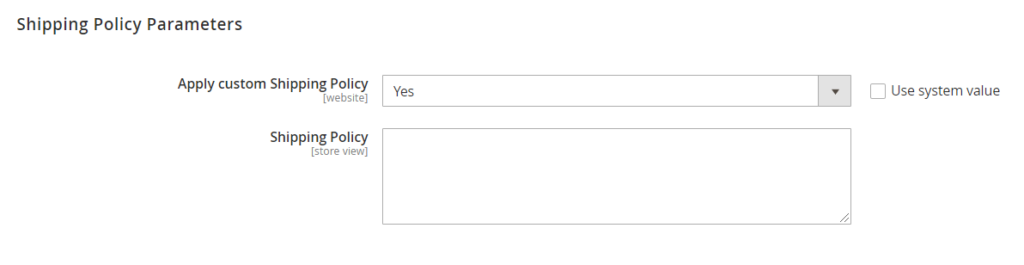
Shipping Policy Parameterssection having Apply custom Shipping Policy, By default No selected
Once Yes selected , new input field Shipping Policy displaying to fill shipping policy content as per StoreShipping Policy need
Click on Save Config button & run CLI command Flush
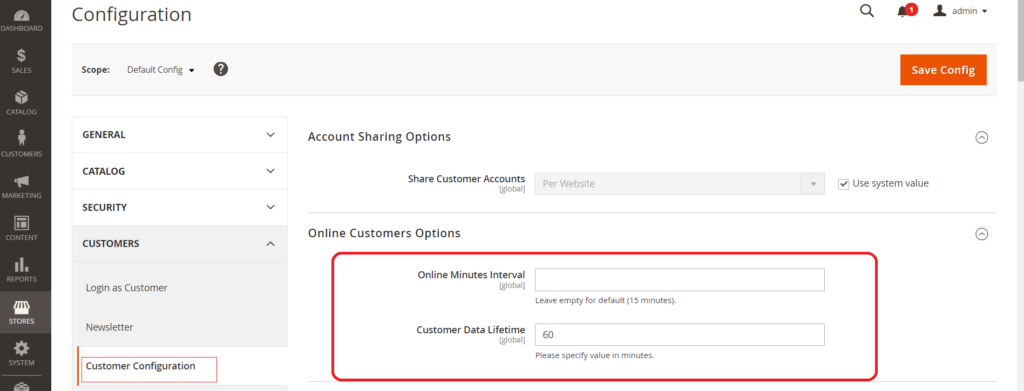
There are two options Online Minutes Interval & Customer Data Lifetime inside Online Customers Options.
The following below steps need to follow.
Step [1] – Go STORES > Configuration, redirects Configuration section.
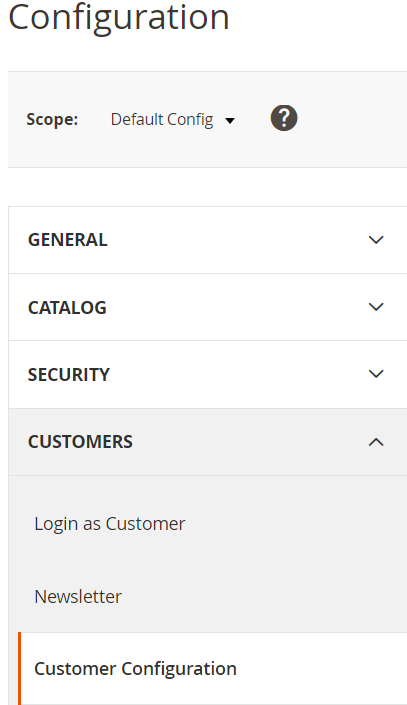
Step [2] – Left panel, choose CUSTOMERS > Customer Configuration.
Step [3] – Right panel, Expand the Online Customers Options section.
Step [4] – Two options as below
Online Minutes Interval: Enter the number of minutes allowed for a Customer’s Session time on the site. 15 minutes default time, if you leave this field blank, it is considered as 15 minutes.
Customer Data Lifetime: Enter the number of minutes before unsaved customer’s data. 15 minutes default time.
Step [5] – Click on Save Config button & run CLI command Flush
Finally, Online Minutes Interval (Customer Session time period in minute) & Customer Data Lifetime (in minute) has been set.
<?php
namespace  Mage2db\John\Helper;
use Magento\Store\Model\StoreManagerInterface;

class Data extends \Magento\Framework\App\Helper\AbstractHelper
{
	protected $storeManager;

	/**
     * @param \Magento\Framework\App\Helper\Context $context
     */
	public function __construct
	(
   \Magento\Framework\App\Helper\Context $context,   StoreManagerInterface $storeManager
	)
	{
	    $this->storeManager = $storeManager;
		parent::__construct($context);
	}

	public function getStoreManagerData()
    {
          //return $storeUrl = $this->storeManager->getStore()->getBaseUrl();
         // get Store Url without index.php
        return $storeUrl = $this->storeManager->getStore()->getBaseUrl(\Magento\Framework\UrlInterface::URL_TYPE_WEB);
           // get Link Url of store
          // $storeLinkUrl = $this->storeManager->getStore()->getBaseUrl(\Magento\Framework\UrlInterface::URL_TYPE_DIRECT_LINK);
         // get media Base Url
        //  $storeMediaUrl = $this->storeManager->getStore()->getBaseUrl(\Magento\Framework\UrlInterface::URL_TYPE_MEDIA);
      // get Static content Url
      // $storeStaticUrl = $this->storeManager->getStore()->getBaseUrl(\Magento\Framework\UrlInterface::URL_TYPE_STATIC);
    }
}
Step [6] – Create Block under your module.
Add below content in this file.
app/code/Mage2db/John/Block/Index/Index.php
<?php
namespace  Mage2db\John\Helper;
use Magento\Store\Model\StoreManagerInterface;

class Data extends \Magento\Framework\App\Helper\AbstractHelper
{
	protected $storeManager;

	/**
     * @param \Magento\Framework\App\Helper\Context $context
     */
	public function __construct
	(
	 \Magento\Framework\App\Helper\Context $context, StoreManagerInterface $storeManager
	)
	{
	    $this->storeManager = $storeManager;
		parent::__construct($context);
	}

	public function getStoreManagerData()
    {
          //return $storeUrl = $this->storeManager->getStore()->getBaseUrl();
         // get Store Url without index.php
        return $storeUrl = $this->storeManager->getStore()->getBaseUrl(\Magento\Framework\UrlInterface::URL_TYPE_WEB);
           // get Link Url of store
          // $storeLinkUrl = $this->storeManager->getStore()->getBaseUrl(\Magento\Framework\UrlInterface::URL_TYPE_DIRECT_LINK);
         // get media Base Url
        //  $storeMediaUrl = $this->storeManager->getStore()->getBaseUrl(\Magento\Framework\UrlInterface::URL_TYPE_MEDIA);
      // get Static content Url
      // $storeStaticUrl = $this->storeManager->getStore()->getBaseUrl(\Magento\Framework\UrlInterface::URL_TYPE_STATIC);
    }

}
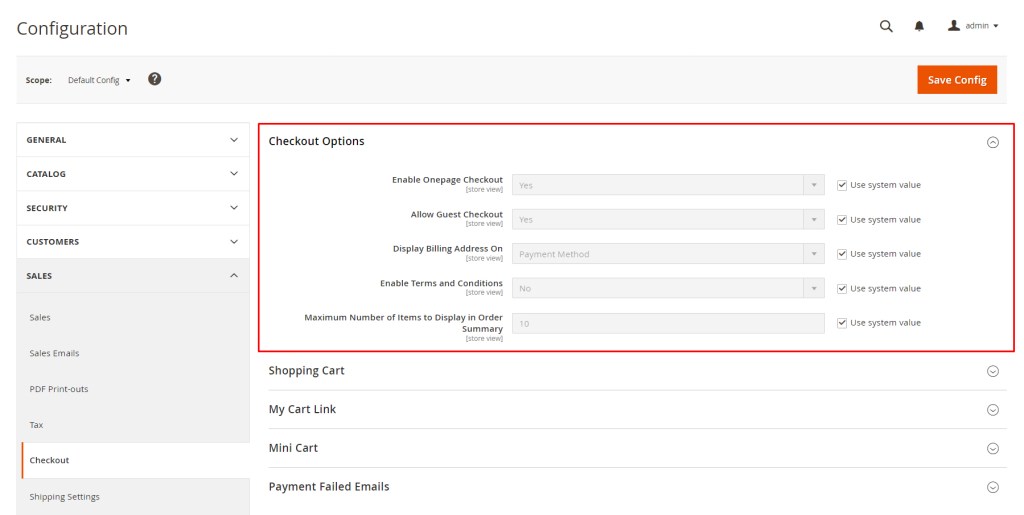
Magento 2 One-Page Checkout, all required checkout information will be put on a single page. When On-Page Checkout is enabled, the entire checkout process takes place on a single page. Each section of the checkout information is expanded as needed Accordingly, Shoppers won’t be directed to another page to complete their checkout process, It is much more time-saving than the normal checkout process.
On-Page Checkout is enabled by default, if the Store Owner wants to integrate another third party checkout extension, it is necessary to disable One-Page Checkout.
There are following below Admin setting required to disable One-Page Checkout
Step [1] – Go STORES > Configuration, redirects Configuration section.
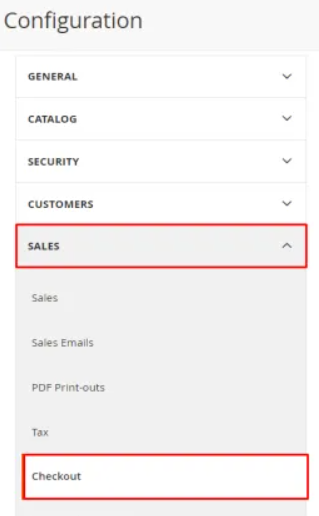
Step [2] – Click on Left Panel Sales>Checkout
Step [3] – Once Right Panel (Checkout Options) expanded
Step [4] – Set Enable On-Page Checkout to No, after unchecked Use system value
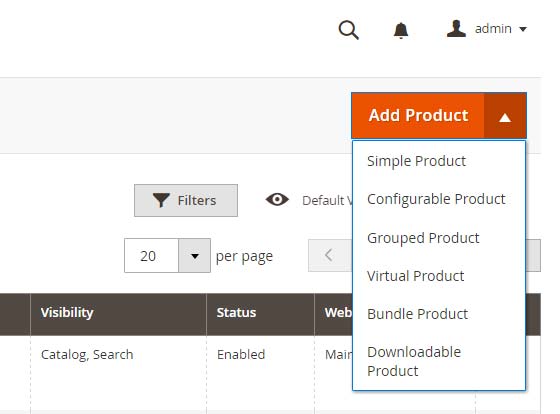
The Simple Product is a physical item, most popular product type of a store, this product do not have attribute (selectable variations) as size, color, weight etc. This product has a single SKU (Stock Keeping Unit)
[2] – Configurable Product ::
The configurable product is a combination of simple products, each simple product has its own attribute (size, color, weight etc) & SKU as well as own stock Inventory.
Example ::
Why Need Configurable Product
customers browse products in any store & getting multiple similar products, they will get annoyed & negatively rankings effect on search engine (Google, Yahoo, Bing etc.), that is why need to create configurable product.
Here Total products variations =12, if not creating configurable product, need to show 12 products on store, its not good presentation of products.
Total Simple Products Variations is 12 = One Configurable Product
[3] – Grouped Product ::
Grouped Product is a combination of multiple single(standalone) product, each product characteristics or are related to each other and presented on one page.
These single(standalone) product as Simple Product or Virtual Product or Downloadable Product etc.
These single(standalone) products are often related to each other and grouped by theme, season, or business purpose.
Each single product from Grouped Product can be purchased separately or group.
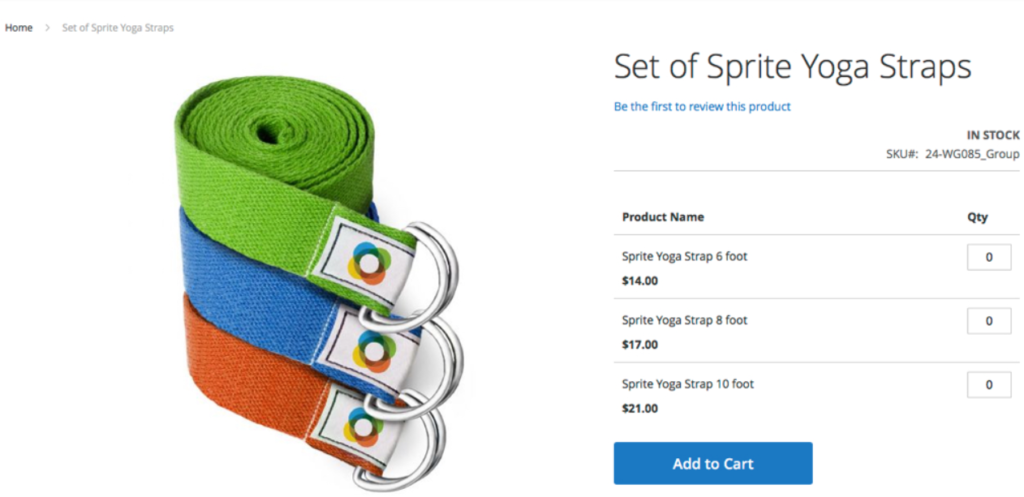
Example::
Customer can purchase grouped product Set of Sprite Yoga Traps
There are three set of Sprite Yoga Traps with various foot & prices
Customers can purchase any set of Sprite Yoga Traps as their need
[a] Sprite Yoga Traps 6 foot – 14.00 US$
[b] Sprite Yoga Traps 8 foot – 17.00 US$
[c] Sprite Yoga Traps 10 foot – 21.00 US$
Why Need Grouped Product
Customers can shop all their needed products at once instead of visiting separate product detail pages for shopping, This improve customers satisfaction and keep confident coming back to your store as well as Store business growth, That is why need to create Grouped Product
[4] – Bundle Product ::
Bundle Product is combination of various Simple products or Virtual Product and can be customized as per their need while shopping.
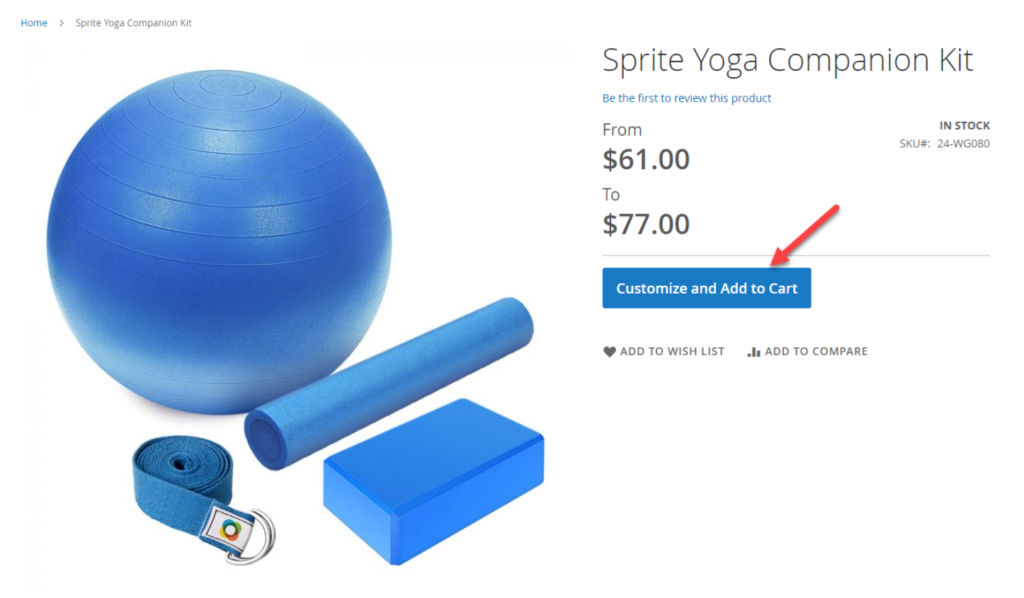
Magento 2, other product types have a button Add to cart in common, while in case bundle products have a different button named Customize and Add to Cart, This enables customers to customize the product using a list of options before adding to the cart.
Example ::
This bundled product Customize Spite Yoga Companion Kit appears with four individual items as
Sprite Stasis Ball
Sprite Foam Yoga Brick
Sprite Yoga Strap
Sprite Foam Roller.
Each product has several options for customers to select (product variations)
[5] – Virtual Product ::
Virtual Product do not have physical or digital entries. There are multiple products as non-tangible items such as memberships, services, warranties, or subscriptions and digital downloads of books, music, videos, OTT (Netflix, Amazon Prime Video) etc.. These products cannot be shipped or downloaded from the link. This is a great way to sell services or intellectual products such as warranties, subscription or updates.
Example ::
[6] –Downloadable Products ::
Downloadable Product have downloadable counterpart. There are multiple products as Software, eBooks, E-Learning, Fonts, Courses, Graphics & digital art, Video Game, MP3, MP4, Tickets etc. Downloadable product does not allow selecting a shipping method at checkout, simply because shipping is not needed and client receives purchased entity right away.
Example ::
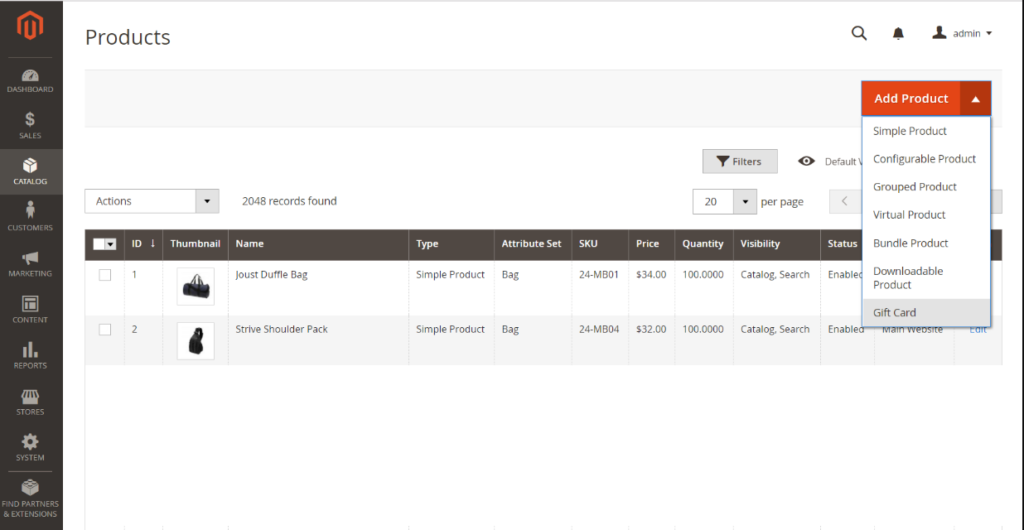
[7] Gift Card (Adobe Commerce):: Gift Card products are applicable by Adobe Commerce.
“A Gift Card is a form of payment that can be used to do shopping at online stores or physical stores.”
Adobe Commerce 2.x supports three Gift Card
Physical Gift Cards [Printed Gift Cards]:: [Printed Gift Cards] to be mailed(Posted) recipients street address or postal address or shipping address or physical mail not by Email ID Physical Gift Cards can be mass produced in advance and embossed with unique codes.
Virtual Gift Cards:: A Virtual Gift Card has “No Stock Quantity” and is always “In Stock Quantity”. It is always required recipients Email ID.
Combined Gift Card = It is combination of Physical Gift Card & Virtual Gift Card
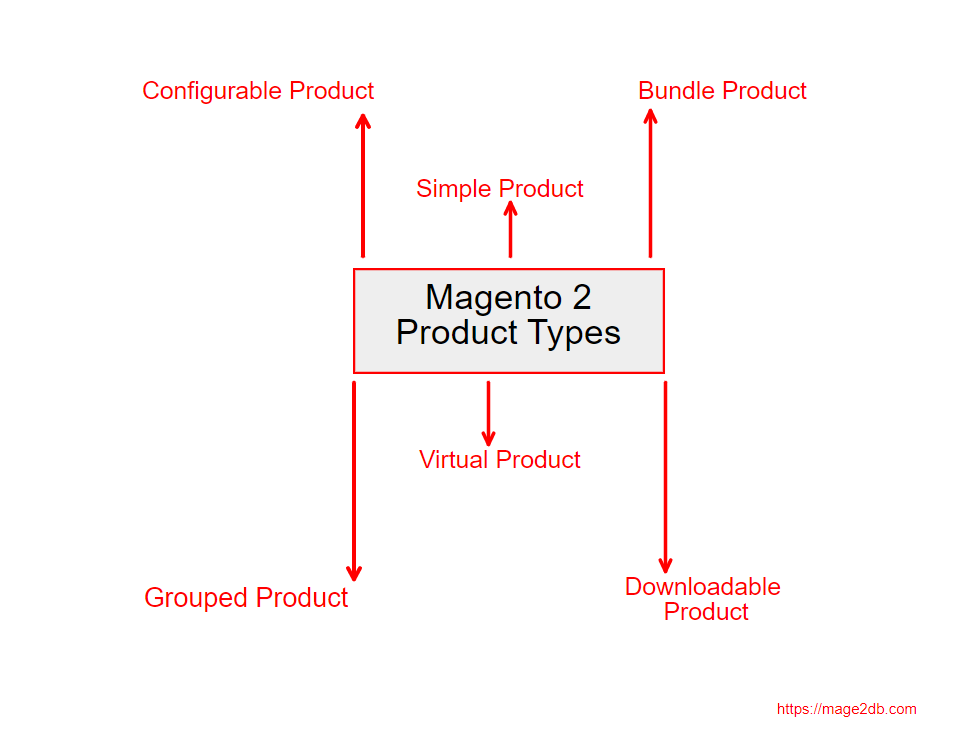
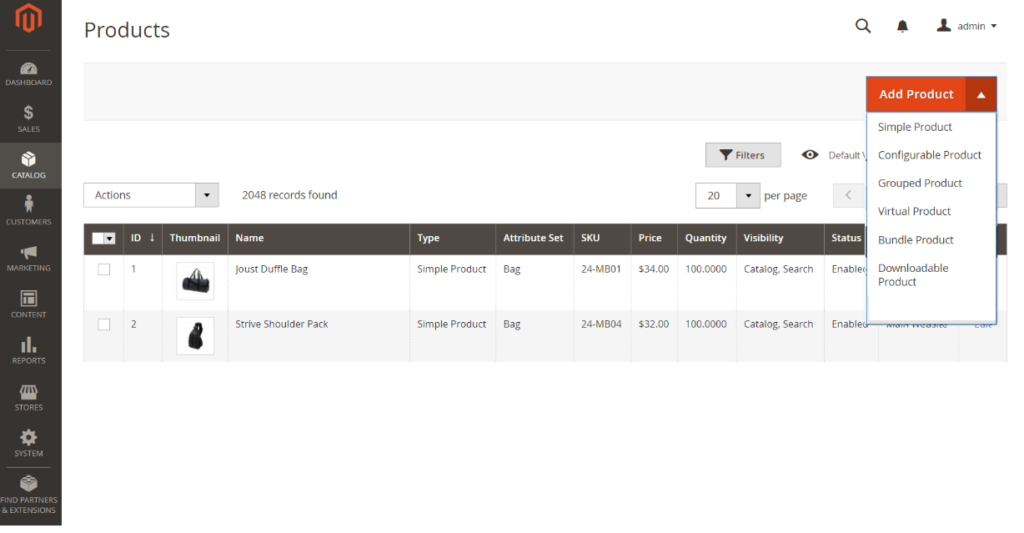
Adobe Commerce 2.x allow 7 Type Products including Gift Card Products