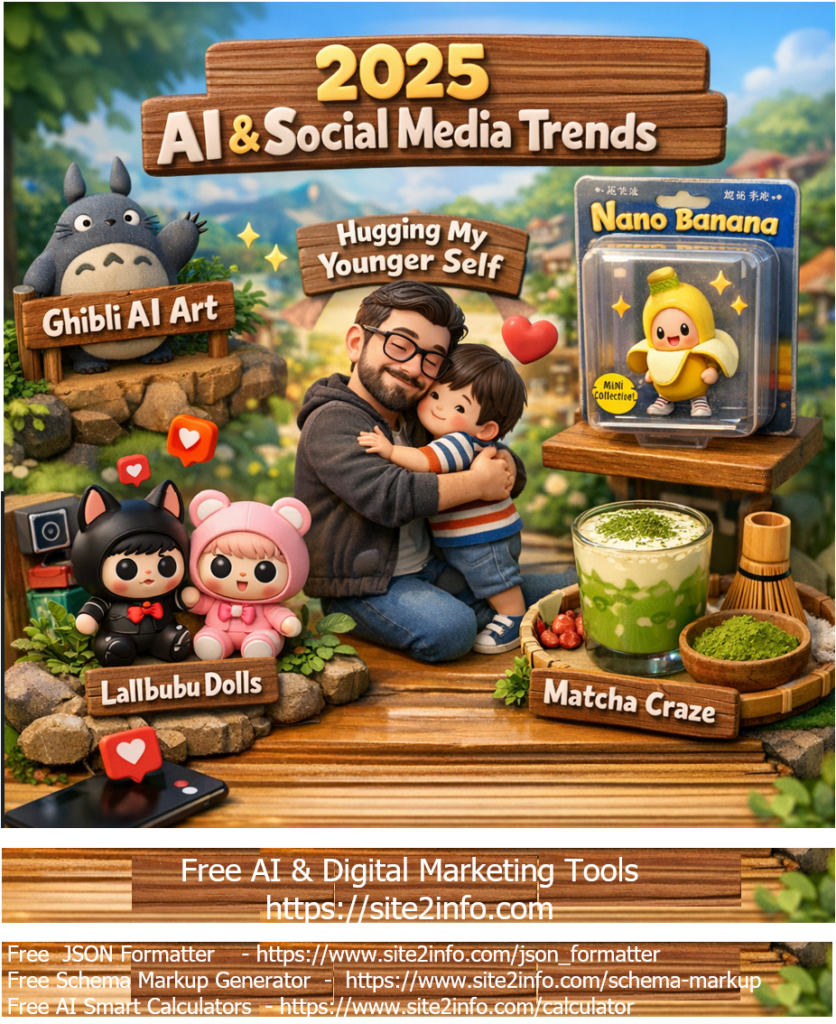
2025 AI & Social Media trend breakdown based on the biggest viral moments of the year as =
✅ Ghibli-Style AI Art
What it was: A massive creative trend where users used AI tools to generate images in a Studio Ghibli-inspired animation style — soft colors, whimsical scenery and character art. Why it trended: AI image generators like ChatGPT/GPT-4o made it easy to create beautiful, nostalgic art instantly, and people flooded social feeds with these stylised scenes.
✅Nano Banana (AI Figurine Trend)
What it was: A viral trend where AI (especially Google’s Gemini 2.5 Flash Image tool) turned simple photos into miniature, hyper-realistic 3D figurine images (often looking like collectible toys with realistic lighting/packaging). How people used it: Creators showcased themselves, pets and celebs as digital action figures — blending creativity with shareable visuals.
✅ “Hugging My Younger Self” – Gemini AI Nostalgia
What it was: Powered by Gemini AI, this trend let users generate photos where their present self appears hugging their childhood self. Why it mattered: Emotional, reflective content spread widely as people shared nostalgic memories and self-care messages, blending AI tech with personal storytelling.
✅ Lalbubu Dolls
What it was: A creepy-cute designer toy craze that exploded on social media — think wide eyes, big head, quirky expressions. How it blew up: Gen Z creators turned Lalbubu dolls into cultural symbols, styling them in fashion reels, lifestyle shots and aesthetic videos. Resale prices soared and celebrities even shared their own Lalbubu posts.
✅ Matcha Tea (Viral Lifestyle Trend)
What it was: Matcha shifted from just a wellness drink into a major social aesthetic food trend. Videos of bright green matcha, café pours, and home routines dominated short-form platforms. Why it resonated: Beyond taste, matcha became a symbol of “calm productivity” and self-care rituals — perfect for visually appealing IG reels and TikTok content.
In Agile and Scrum environments, conflict is not a failure—it’s a signal. Diverse perspectives, fast-paced delivery, and cross-functional collaboration naturally create disagreements. What matters is how those conflicts are handled.
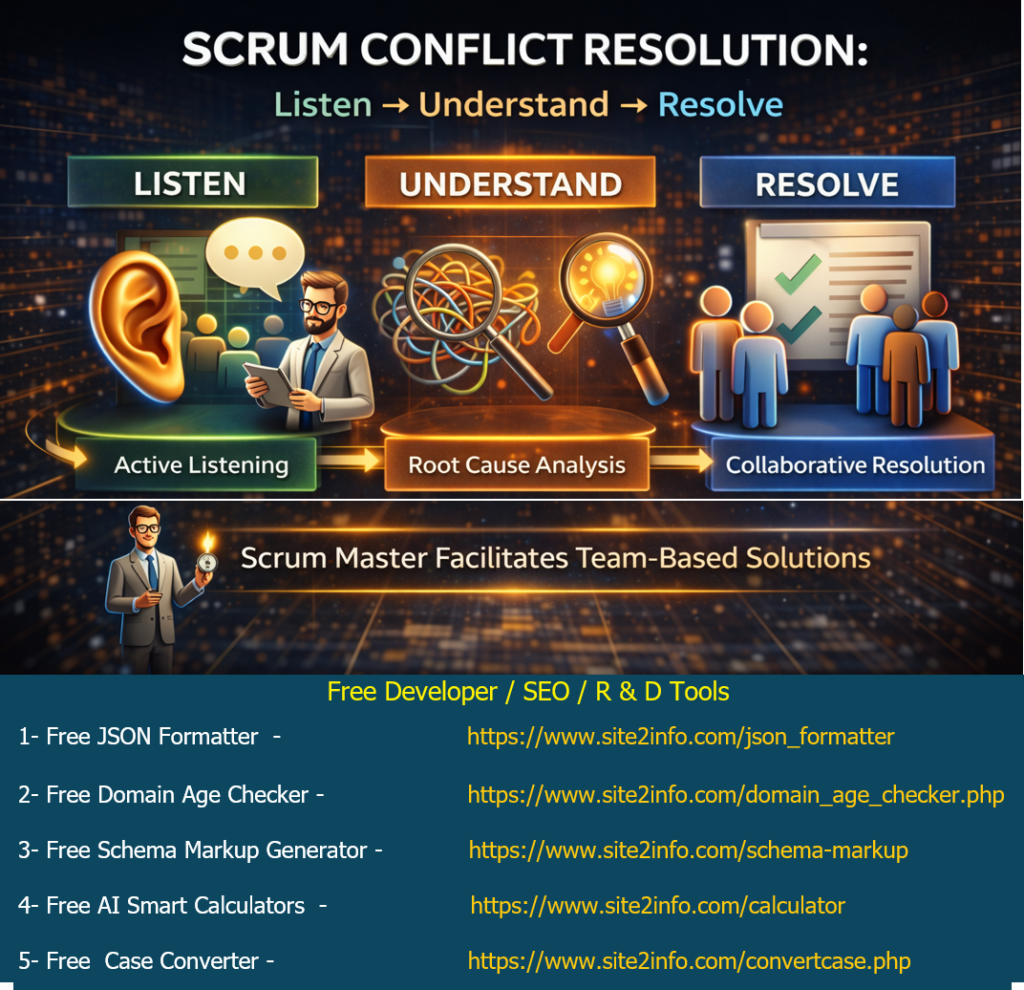
Scrum doesn’t prescribe a rigid conflict-resolution framework, but it strongly emphasizes servant leadership, transparency, and collaboration. A simple yet powerful approach that aligns well with Scrum values is:
Listen → Understand → Resolve
Why Conflict Happens in Scrum Teams
Common causes include:
Different interpretations of requirements
Priority or scope disagreements
Technical vs business trade-offs
Time pressure during sprints
Personality or communication gaps
Handled poorly, conflict slows delivery. Handled well, it strengthens trust and team maturity.
Step 1: Listen (Active Listening)
The first responsibility—often of the Scrum Master—is to create a safe space for dialogue.
✔ Listen without interrupting ✔ Acknowledge emotions as well as facts ✔ Avoid assumptions or early judgment
Scrum principle:Respect & openness
The goal is not to respond, but to understand.
Step 2: Understand (Root Cause Thinking)
Most conflicts are symptoms, not root problems.
Techniques to use:
5 Whys to identify the underlying issue
Clarify assumptions and expectations
Reframe the discussion around the Sprint Goal
✔ Is this a role clarity issue? ✔ A dependency problem? ✔ A priority misalignment?
Scrum principle:Focus on value and outcomes, not blame.
Step 3: Resolve (Collaborative Resolution)
Resolution in Scrum is not command-driven—it’s facilitated.
Effective practices:
Encourage team-led solutions
Timebox discussions to avoid over-analysis
Align decisions with the Sprint Goal and Product Vision
Seek consensus, not compromise
✔ The team owns the solution ✔ The Scrum Master guides the process
Scrum principle:Self-managing teams
Role of the Scrum Master in Conflict Resolution
The Scrum Master acts as a:
Facilitator, not a judge
Servant leader, not an enforcer
Coach, not a decision-maker
Their success is measured by:
Psychological safety
Team trust
Continuous improvement
One-Line Interview Answer
“In Scrum, I resolve conflicts through active listening, understanding the root cause, and facilitating a collaborative solution aligned with the sprint goal.”
Final Thought
Conflict in Scrum is inevitable—but unresolved conflict is optional.
By practicing Listen → Understand → Resolve, teams don’t just fix problems—they grow stronger, faster, and more resilient.
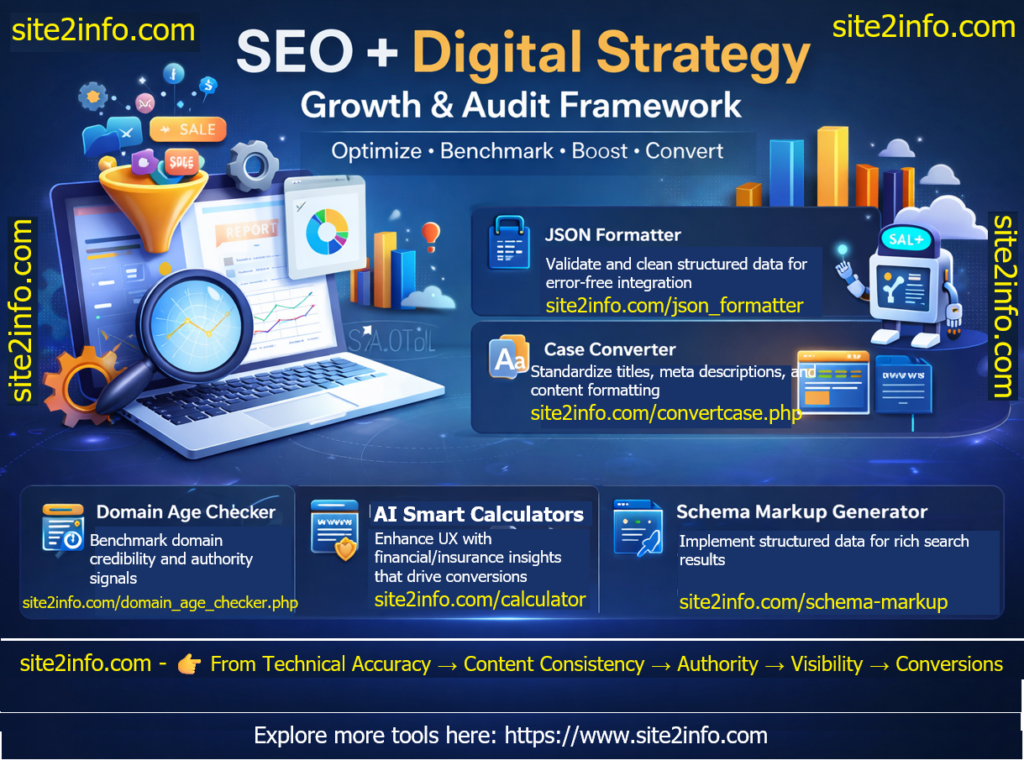
5 Steps to Smarter Digital Strategy, Complete SEO & Digital Growth Cycle
In today’s competitive digital landscape, success requires more than keywords and content—it demands a structured workflow that blends technical precision with strategic insight.
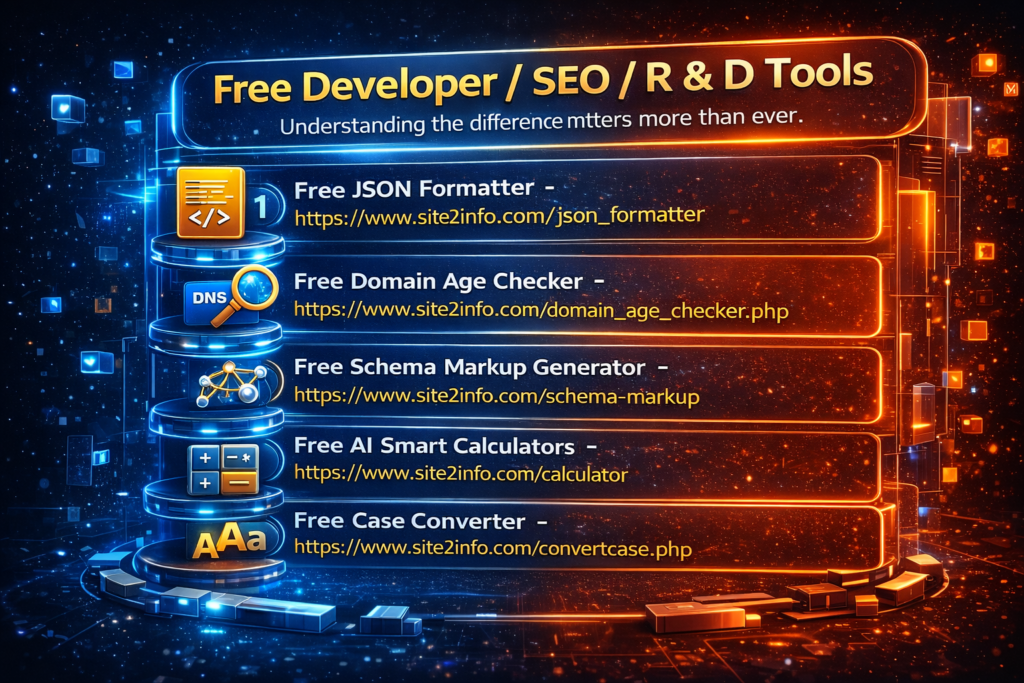
– Popular Tools from Site2Info
Exploring a set of versatile tools from Site2Info and mapped them into a 5‑phase SEO + digital strategy audit workflow:
JSON Formatter – Validate and clean structured data for error‑free integration.
JSON Formatter – Validate and clean structured data for error‑free integration.
Case Converter – Standardize titles, meta descriptions, and content formatting.
Domain Age Checker – Benchmark domain credibility and authority signals.
Schema Markup Generator – Implement structured data for rich search results.
AI Smart Calculators – Enhance UX with financial/insurance insights that drive
Why it matters:
Ensures technical accuracy
• Improves content consistency
• Strengthens trust signals
• Boosts visibility in SERPs
• Optimizes conversion pathways
By combining these tools into a clear workflow, businesses can move from technical validation → content optimization → authority benchmarking → visibility → conversion analysis—covering the full cycle of SEO and digital growth.
How are you structuring your SEO audits today? Let’s exchange strategies and insights.
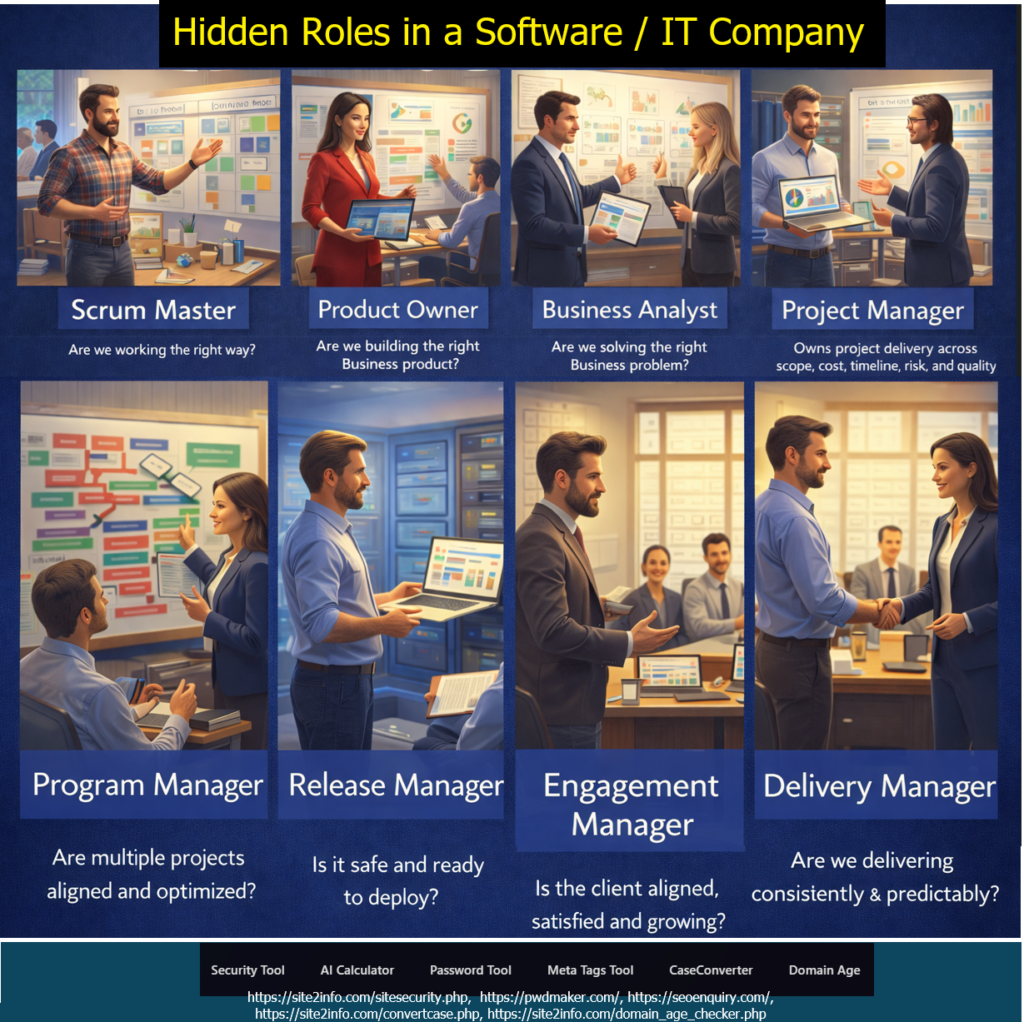
The Silent Force Behind Successful Digital Delivery
When people think of a software company, the first roles that come to mind are usually developers, testers, and designers. While these roles are essential, they represent only the visible layer of delivery.
Behind every successful software product is a network of leadership, analysis, governance, and execution roles that ensure clarity, alignment, predictability, and business value.
These are the hidden — yet critical — roles that make modern software delivery work.
Why These Roles Matter More Than Ever
Most software failures don’t happen due to poor coding. They happen because of:
Unclear requirements
Misaligned business goals
Weak stakeholder communication
Poor prioritization
Risky or rushed releases
Inconsistent delivery
Each of the roles below exists to prevent one or more of these failures.
1️⃣ Business Analyst (BA)
“Are we solving the right business problem?”
The Business Analyst ensures the team builds the right solution, not just a technically correct one.
Key Responsibilities:
Understands business goals and pain points
Translates business needs into clear requirements
Defines functional and non-functional requirements
Bridges business stakeholders and technical teams
Ensures requirements are testable and measurable
👉 Without a strong BA, teams risk building features that nobody truly needs.
2️⃣ Product Owner (PO)
“Are we building the right product?”
The Product Owner owns product value.
Key Responsibilities:
Defines and prioritizes the product backlog
Balances business value, user needs, and technical feasibility
Accepts or rejects completed work
Aligns product roadmap with business strategy
Maximizes ROI from the development effort
👉 The Product Owner ensures the team builds what matters most—at the right time.
3️⃣ Scrum Master
“Are we working the right way?”
The Scrum Master protects the process and team effectiveness.
Key Responsibilities:
Facilitates Scrum ceremonies
Removes impediments blocking the team
Coaches the team on Agile and Scrum principles
Promotes continuous improvement
Shields the team from unnecessary disruptions
👉 A great Scrum Master doesn’t manage people—they enable performance.
4️⃣ Project Manager (PM)
“Are we on track and under control?”
The Project Manager owns execution governance.
Key Responsibilities:
Manages scope, timeline, cost, risk, and quality
Tracks milestones and dependencies
Handles escalation and change management
Communicates project status to stakeholders
Ensures commitments are met
👉 Project Managers bring discipline, predictability, and control to delivery.
5️⃣ Engagement Manager
“Is the client aligned, satisfied, and growing?”
The Engagement Manager owns the client relationship.
Key Responsibilities:
Manages client expectations and trust
Acts as the primary escalation point
Aligns delivery outcomes with business goals
Identifies account growth opportunities
Ensures long-term partnership success
👉 Even a successful project can fail without strong engagement management.
6️⃣ Program Manager
“Are multiple projects aligned and optimized?”
Program Managers operate at a strategic level.
Key Responsibilities:
Coordinates multiple related projects
Manages cross-project dependencies and risks
Aligns initiatives with organizational strategy
Optimizes resources across teams
Provides consolidated executive reporting
👉 Program Managers ensure the big picture doesn’t break while teams focus on details.
7️⃣ Release Manager
“Is it safe and ready to deploy?”
The Release Manager ensures controlled, stable deployments.
Key Responsibilities:
Plans release calendars and go-live strategies
Coordinates across Dev, QA, Security, and Ops
Ensures compliance and rollback readiness
Manages release approvals
Minimizes production risk
👉 Release Managers protect business continuity and customer trust.
8️⃣ Delivery Manager
“Are we delivering consistently and predictably?”
The Delivery Manager owns delivery excellence.
Key Responsibilities:
Owns end-to-end delivery outcomes
Tracks delivery metrics and predictability
Manages team capacity and performance
Removes delivery bottlenecks
Ensures repeatable, scalable delivery
👉 Delivery Managers turn plans into results—again and again.
How These Roles Work Together
These roles are not redundant—they are complementary:
Business Analyst defines the right problem
Product Owner defines the right product
Scrum Master ensures the right way of working
Project Manager ensures control and predictability
Engagement Manager ensures client success
Program Manager ensures strategic alignment
Release Manager ensures safe deployment
Delivery Manager ensures consistent execution
Together, they create a high-maturity delivery organization.
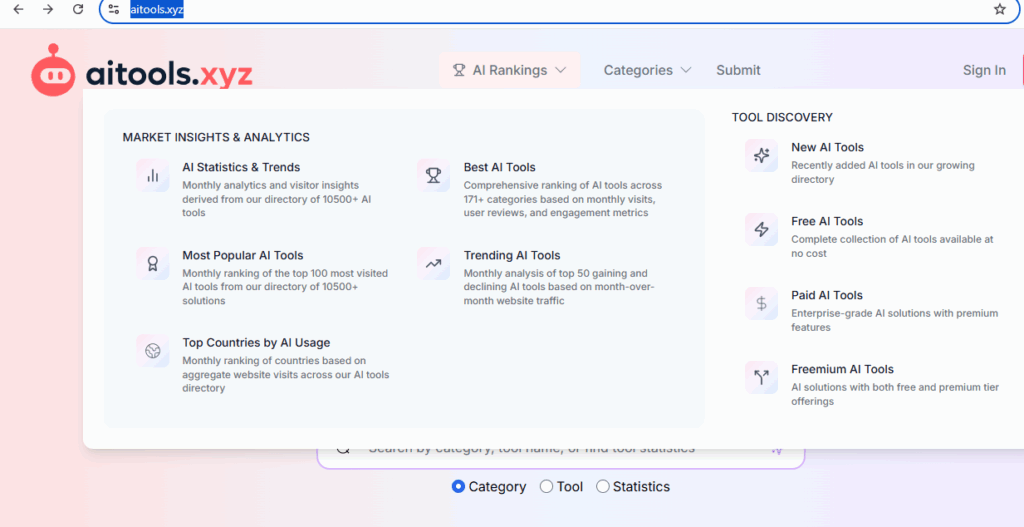
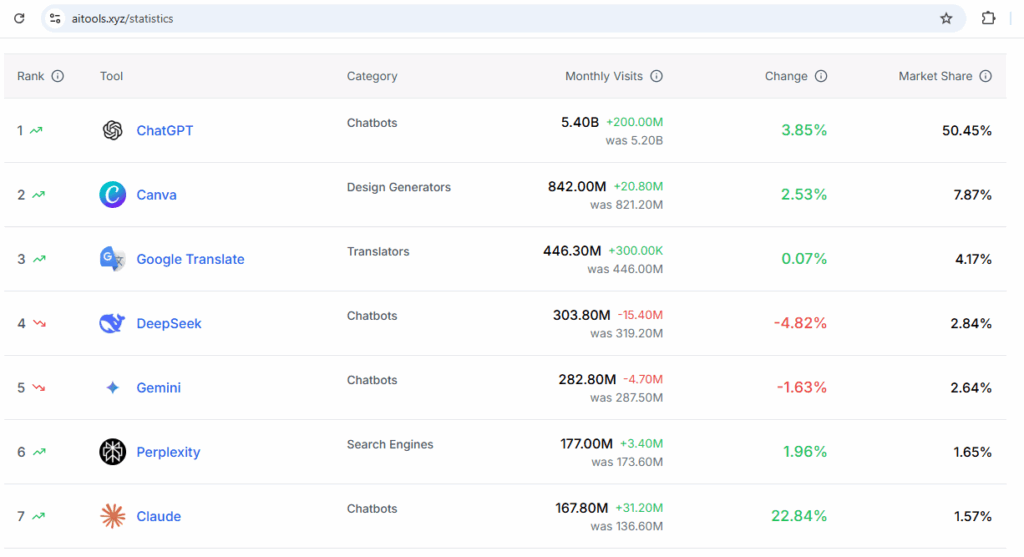
AItools.xyz :: The AI Tools Directory — Discover, Compare, and Choose the Best AI for Your Needs
AItools.xyz exists to help users discover, evaluate, and compare AI tools across categories like productivity, development, content creation, automation, and research. The platform serves as a centralized directory where individuals and businesses can explore emerging AI solutions, stay updated with new launches, and find the right tools based on features, pricing, and use cases.
HIPAA (Health Insurance Portability and Accountability Act) and FHIR (Fast Healthcare Interoperability Resources) are interconnected in the healthcare sector.
HIPAA sets the standards for protecting sensitive patient information, while FHIR facilitates the secure exchange of healthcare data through APIs. Together, they ensure that healthcare institutions can create and manage compliant systems that protect patient data while enabling interoperability. FHIR also includes security standards that help maintain HIPAA compliance during data sharing and integration
🛡️ What is HIPAA?
HIPAA (Health Insurance Portability and Accountability Act) is a U.S. federal law enacted in 1996 to protect sensitive patient health information.
Key Goals:
Ensure confidentiality, integrity, and availability of Protected Health Information (PHI)
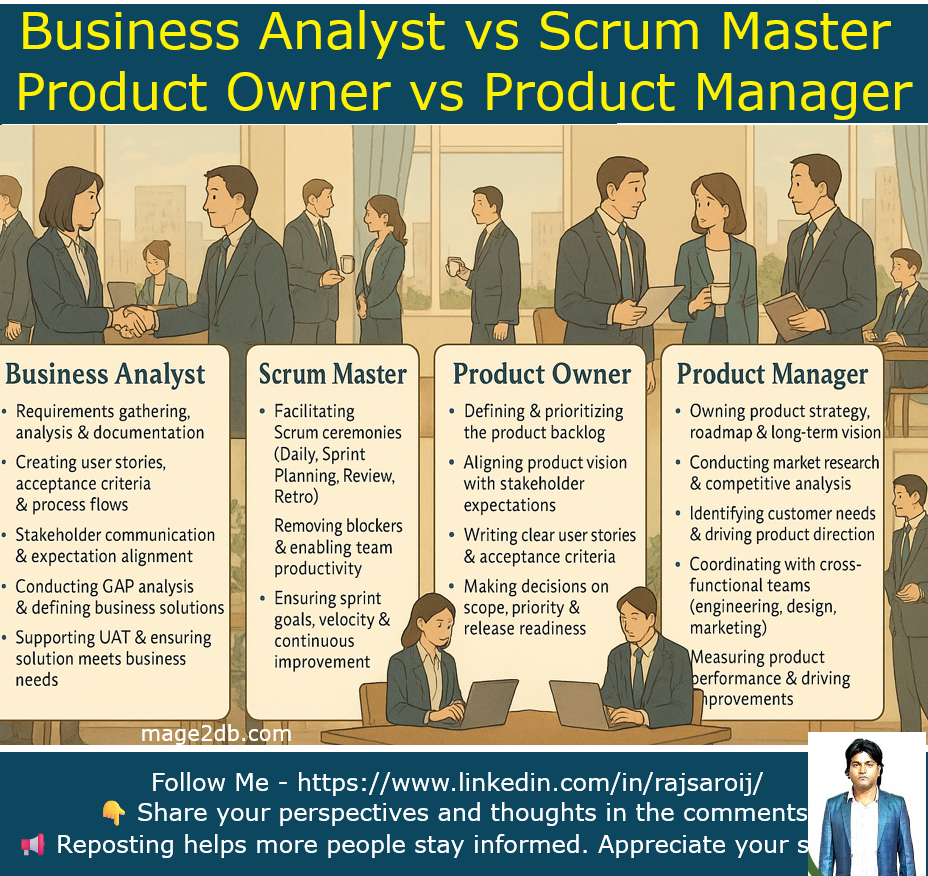
In today’s Agile-driven organizations, clarity of roles is not just important — it’s essential for delivery, collaboration, and stakeholder alignment. To make things simpler, I created a Ghibli-style professional banner highlighting the key roles & responsibilities of: 👤 Business Analyst: (Roles & Responsibilities )
Requirements gathering, analysis & documentation
Creating user stories, acceptance criteria & process flows
Stakeholder communication & expectation alignment
Conducting GAP analysis & defining business solutions
Supporting UAT & ensuring solution meets business needs
Each role plays a unique part in ensuring successful product delivery: 🔹 BA → Translates business needs into clear requirements 🔹 SM → Empowers the Agile team and removes blockers 🔹 PO → Owns the product backlog + sprint value 🔹 PM → Defines long-term product vision & strategy When these roles work together smoothly, teams deliver faster, better, and with more value.
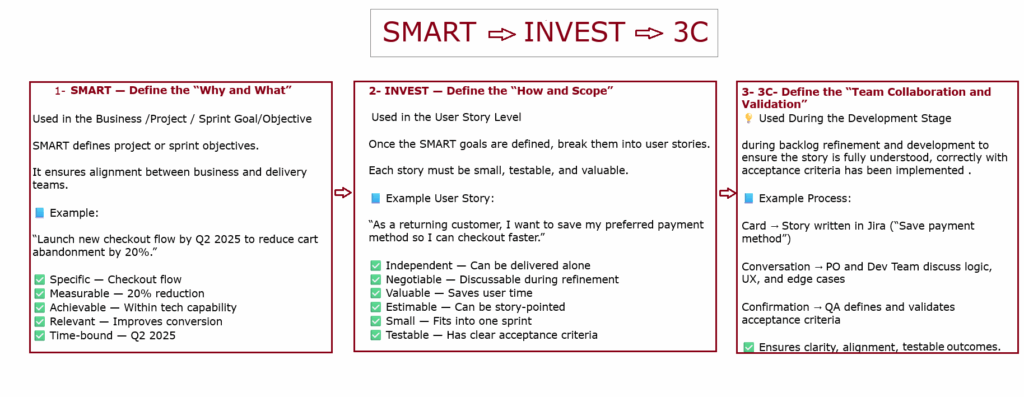
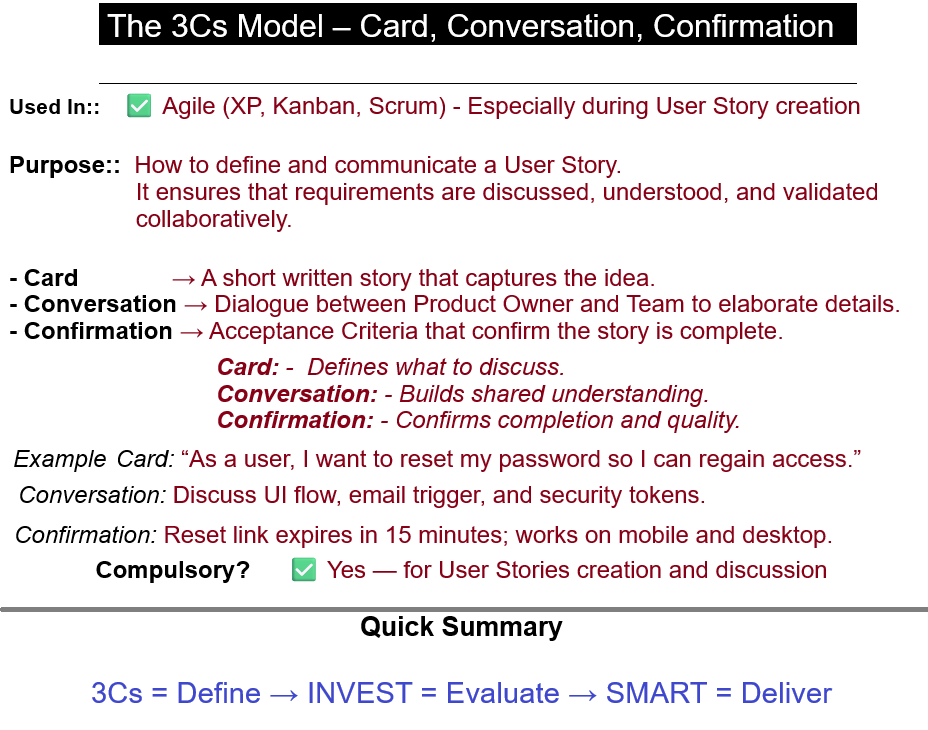
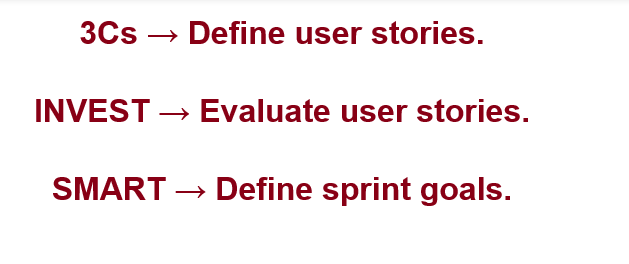
The 3Cs Model in Agile (Card, Conversation, Confirmation)
The 3Cs Model, introduced by Ron Jeffries (one of the Agile pioneers), defines how User Stories should be created and understood in Agile frameworks like Scrum. It ensures clarity, collaboration, and validation in requirement gathering.
– Card → A short written story that captures the idea → By Product Owner – Conversation → Dialogue between Product Owner and Team to elaborate details → By Product Owner & Development Team& (facilitated by Scrum Master) – Confirmation → Acceptance Criteria that confirm the story is complete → By Product Owner&QA Team
The Scrum Master facilitates the Conversation, usually during Backlog Refinement or Sprint Planning, ensuring effective communication, mutual understanding, and that the timebox is respected.
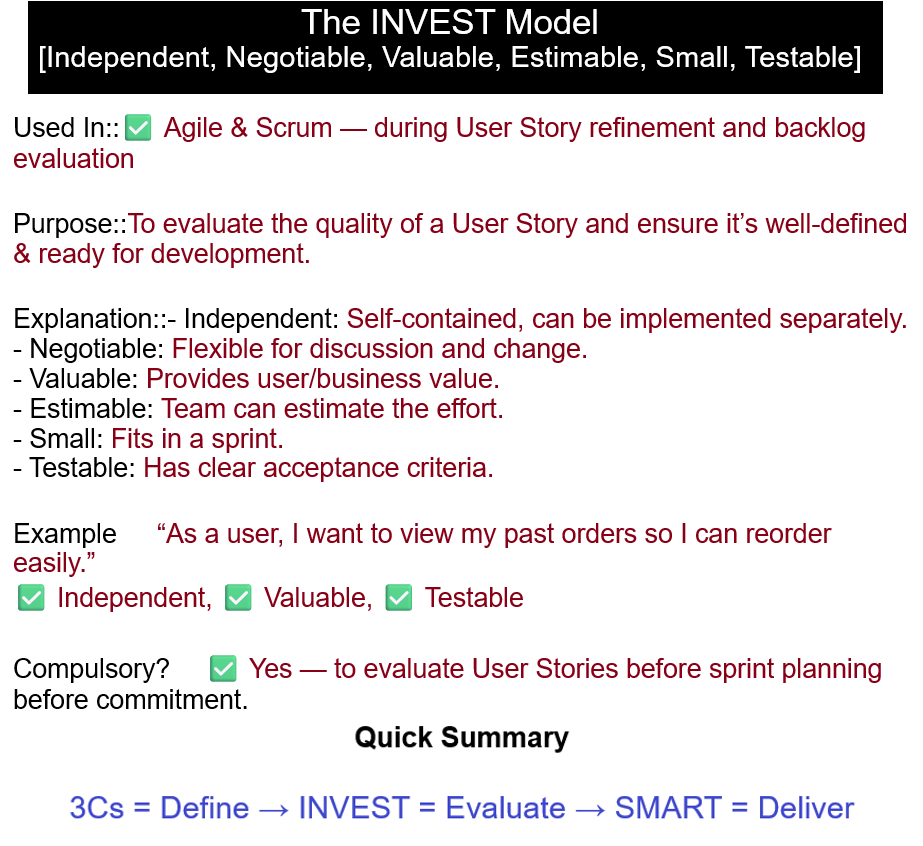
INVEST Model: ( (Define the “How and What”))
To evaluate the quality of a User Story and ensure it’s well-defined and ready for development.
– Independent: Self-contained, can be implemented separately. – Negotiable: Flexible for discussion and change. – Valuable: Provides user/business value. – Estimable: Team can estimate the effort. – Small: Fits in a sprint. – Testable: Has clear acceptance criteria.
The SMART Model: (Define the “Why and What”)
To make sure goals and deliverables are clear, measurable, and realistic within the sprint timeline.
– Specific: Clear and focused. – Measurable: Quantifiable results. – Achievable: Possible within sprint capacity. – Relevant: Aligns with business or product goals. – Time-bound: Achievable within the sprint.
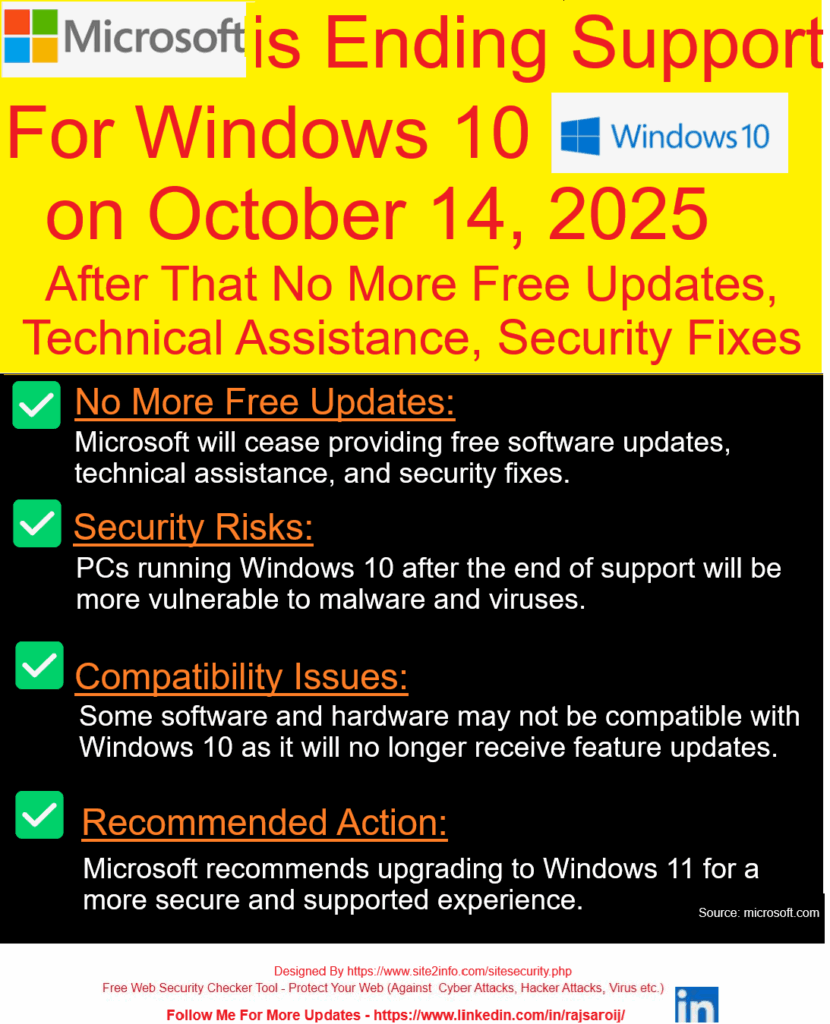
Microsoft has officially announced that it will end support for Windows 10 on October 14, 2025. After this date, Windows 10 users will no longer receive free security patches, technical support, or feature updates, follow below steps.
Donate
Other Amount
Your Email Address:
Windows 10 won’t stop working after October 14, 2025 — but staying on it is like driving a car with no airbags, no insurance, and no road support.
Step [1]: What Does “End of Support” Mean?
Microsoft will stop delivering:
Security updates (no protection against new threats)
Technical assistance (no support via Microsoft help channels)
Feature or bug fixes (no future improvements)
Windows 10 will still work, but it won’t be safe or supported.
Step [2]: Why Is Microsoft Ending Support?
Every Windows version has a lifecycle. Windows 10 was released in July 2015 — and like its predecessors, it gets around 10 years of official support. Now, Microsoft is shifting focus to Windows 11 and future OS versions.
Step [3]: What Are the Risks After October 2025?
Higher vulnerability to viruses, ransomware, and malware
Incompatibility with new apps or hardware
No official support in case of crashes or technical issues
Using an outdated OS can pose serious cybersecurity risks, especially for businesses.
Step [4]: What Should You Do Next?
Option A: Upgrade to Windows 11 If your device meets the requirements (TPM 2.0, Secure Boot, etc.), you can upgrade to Windows 11 for free.
Option B: Replace Older Devices If your current PC doesn’t support Windows 11, consider upgrading your hardware before the deadline.
Option C: Explore Paid Support (for Enterprises) Microsoft may offer extended support at a cost, but this is usually for large organizations — not individual users.
Step [5]: Start Preparing Now
Back up your files
Check device compatibility
Plan your upgrade path
Train teams on the new OS if you’re a business
The earlier you prepare, the smoother your transition will be.
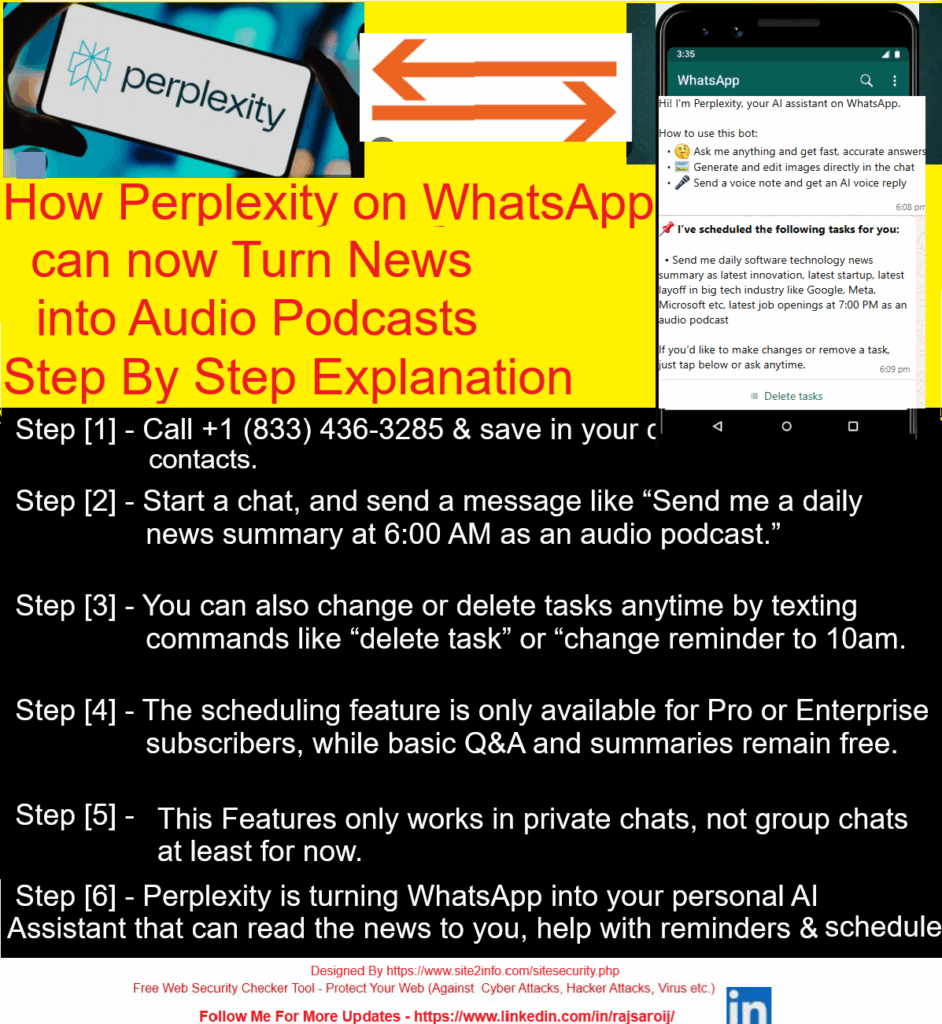
Use the following steps to convert news summaries into audio podcasts through Perplexity on WhatsApp
Step [1] – Start a Chat Visit 👉 perplexity.ai/whatsapp Or message on WhatsApp: +1 (833) 436-3285
Step [2] – Step 2: Ask Any News Topic Just type something like: “Send & Summarize me daily software technology news summary as latest innovation, latest startup, latest layoff in big tech industry like Google, Meta, Microsoft etc, latest job openings at 7:00 PM as an audio podcast” “Today’s top tech news?”
Step [4]– Get a Text Summary Instantly Perplexity replies with a crisp, sourced summary in seconds.
1. AI and machine learning are everywhere—over 80% of software teams now use tools like GitHub Copilot. 2. ‘Vibe coding’ lets anyone create apps just by describing what they want in plain language. 3. Quantum computing is booming, with Microsoft, IBM, and Google making big breakthroughs.
Step [5] – Tap 🎧 Listen Right under the reply, tap the 🎧 icon. Boom — you get a voice note-style podcast, summarizing the news.
🧠 Learn while walking. 📱 Listen on the go. ⌛ Save time daily.
🔄 Bonus: You can even ask it to “explain more,” “translate,” or “simplify” — and get that version in audio too!

 – Popular Tools from Site2Info
 JSON Formatter – Validate and clean structured data for error‑free integration.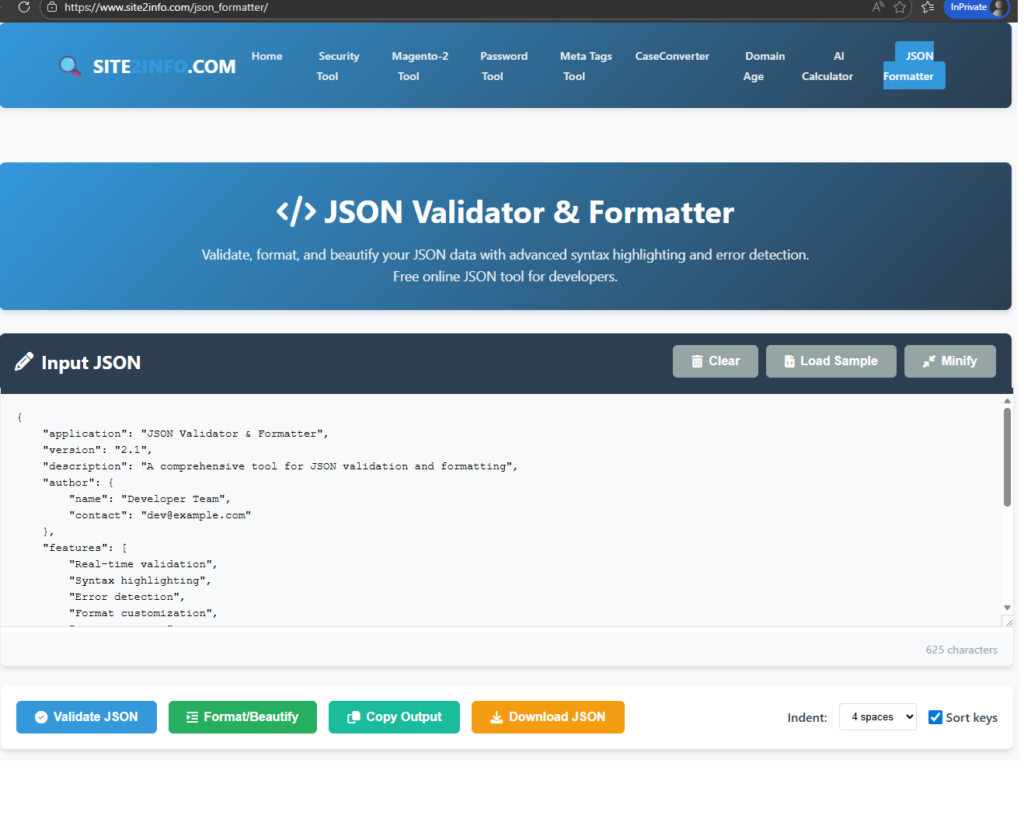
 Case Converter – Standardize titles, meta descriptions, and content formatting.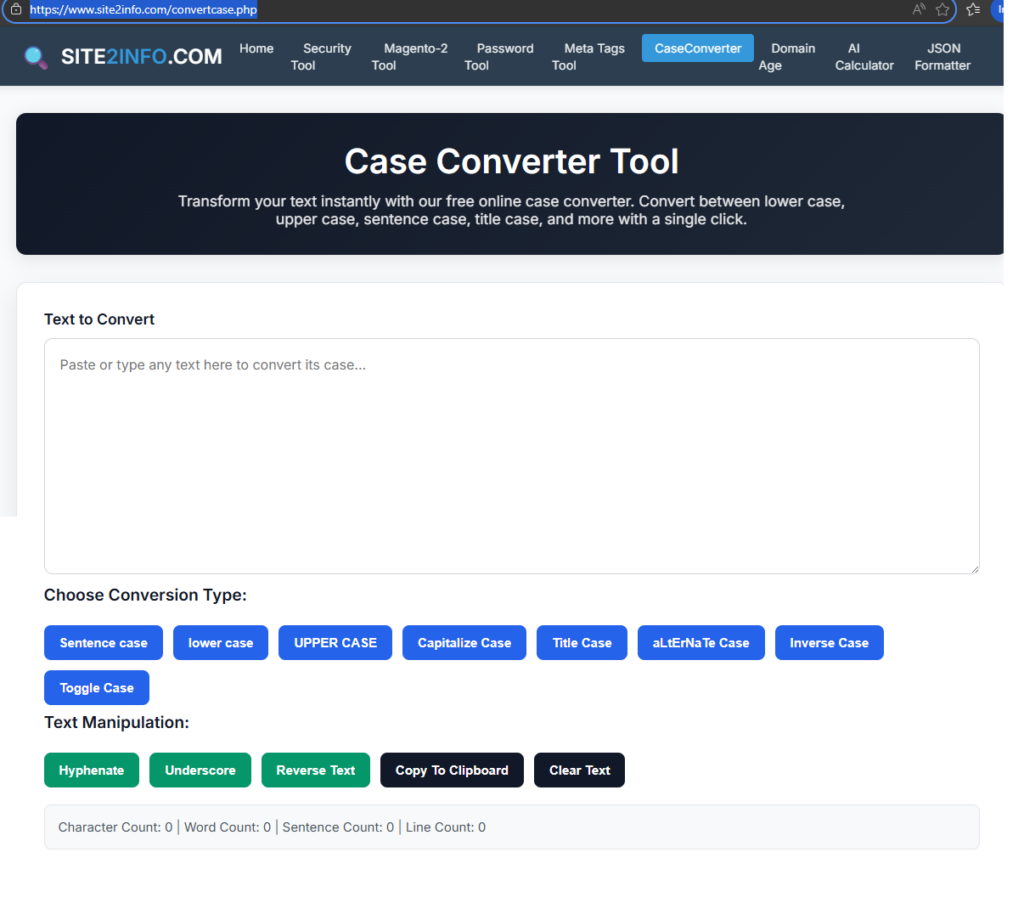
 Domain Age Checker – Benchmark domain credibility and authority signals.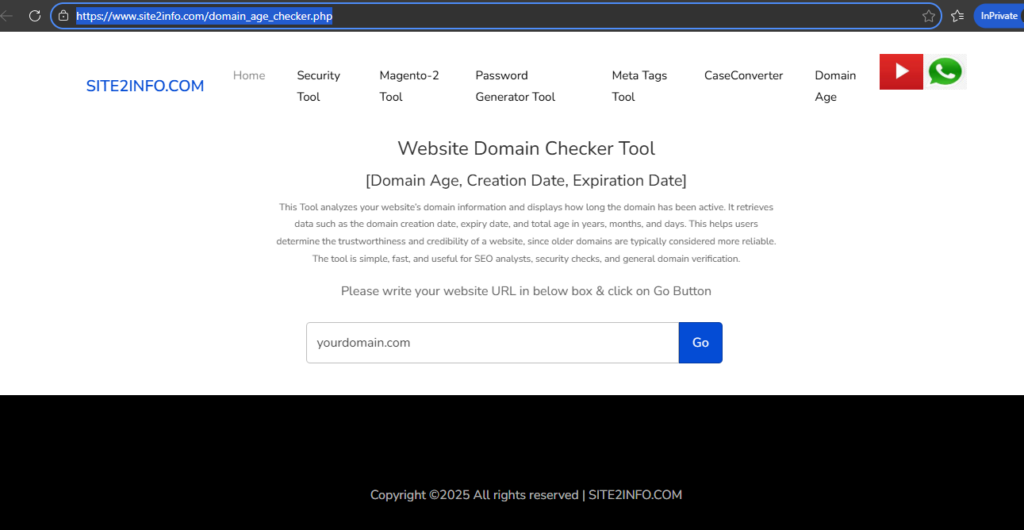
 Schema Markup Generator – Implement structured data for rich search results.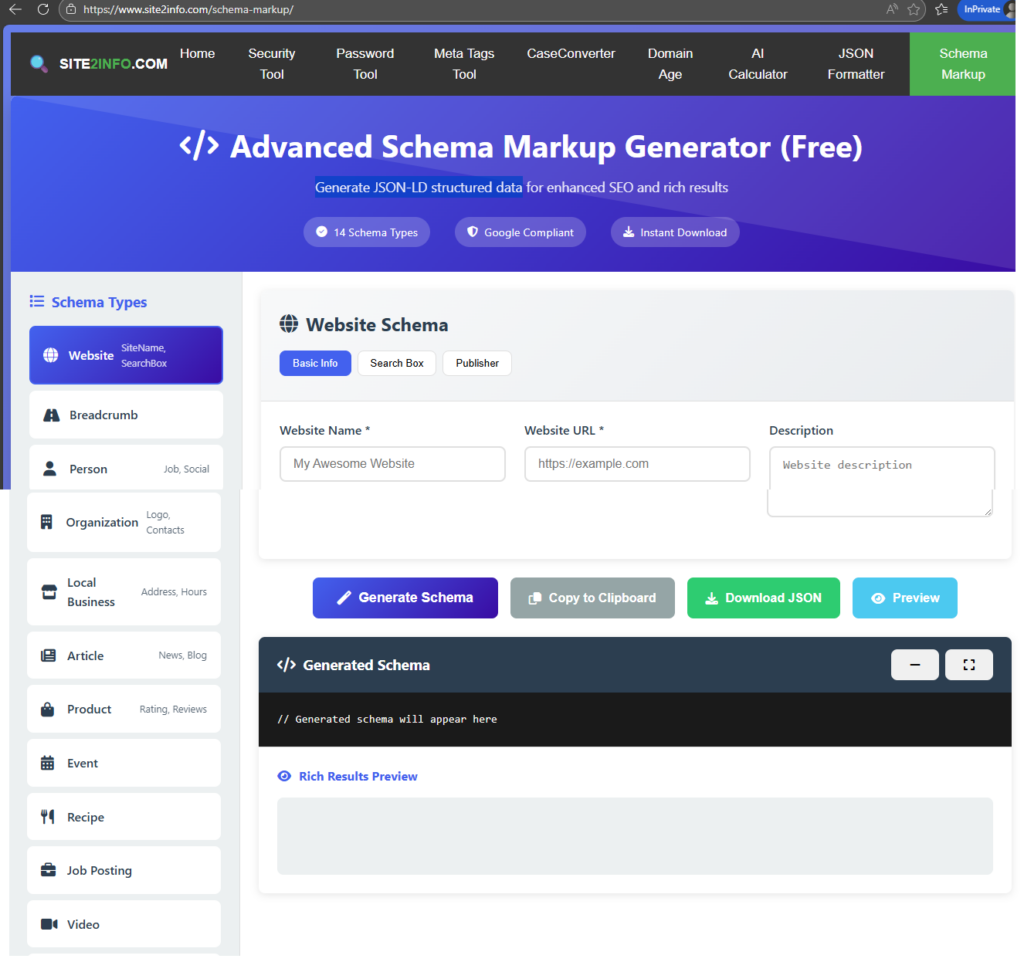
 AI Smart Calculators – Enhance UX with financial/insurance insights that drive conversions.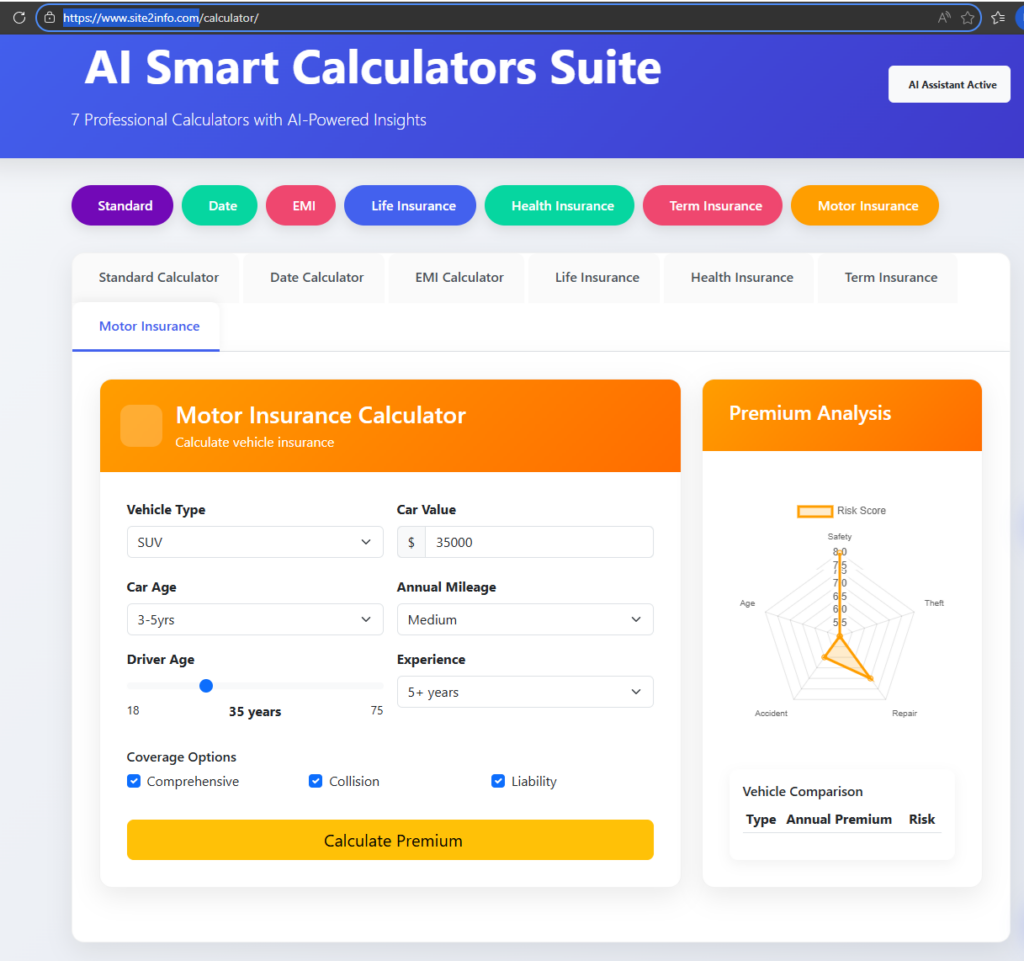


 How are you structuring your SEO audits today? Let’s exchange strategies and insights.