Think of it like renting an apartment where you still have to fix the leaky tap, repaint the walls, and upgrade the wiring yourself. Adobe gave you the servers/cloud infrastructure, but your team (or an agency) still had to handle updates, patches, scaling, and maintenance.
Adobe Commerce Cloud / PaaS means you need to manage servers, deployments, updates, or patches etc. by manually
New way ACaCS ( ACCS)/ ( SaaS):
Now it’s like staying in a serviced apartment/hotel. Adobe takes care of everything behind the scenes — the building, repairs, upgrades, security — and you just focus on living there (i.e., running your store: adding products, managing customers, running sales).
ACCS means you don’t manage servers, deployments, updates, or patches anymore — Adobe does it all for you automatically, and you just log in and run your online store.
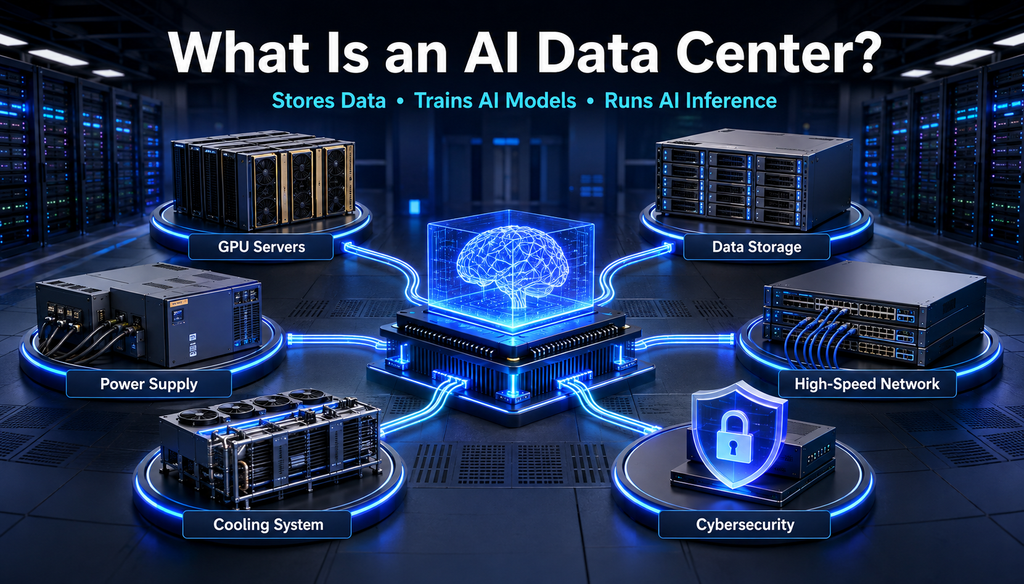
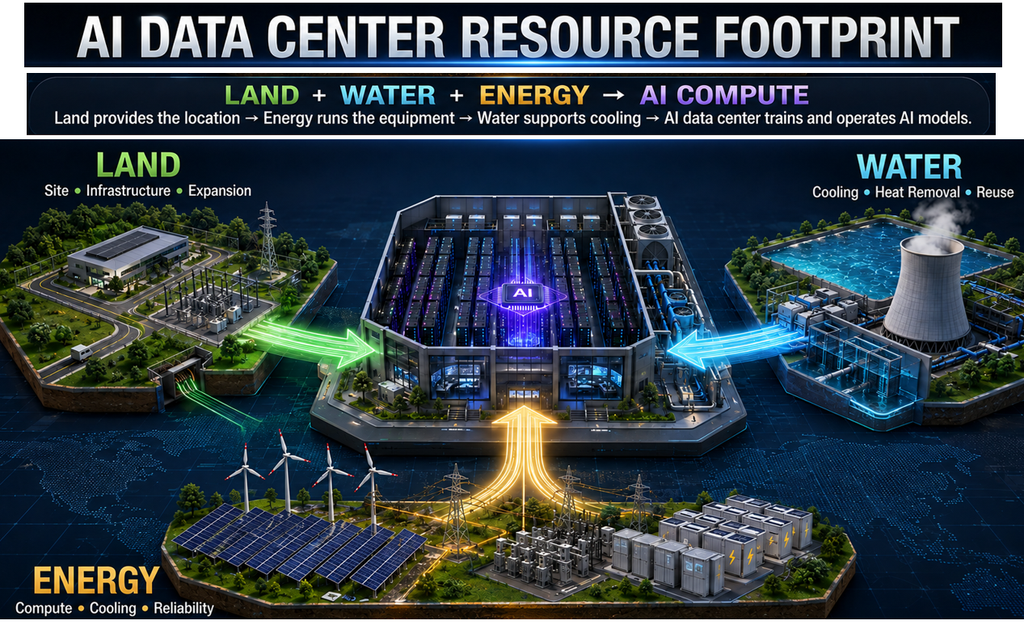
Artificial Intelligence is transforming industries such as healthcare, finance, manufacturing, robotics, e-commerce, and cybersecurity. These applications require enormous computing power, high-speed networking, and large-scale data storage — all provided by an AI Data Center.
What Is an AI Data Center?
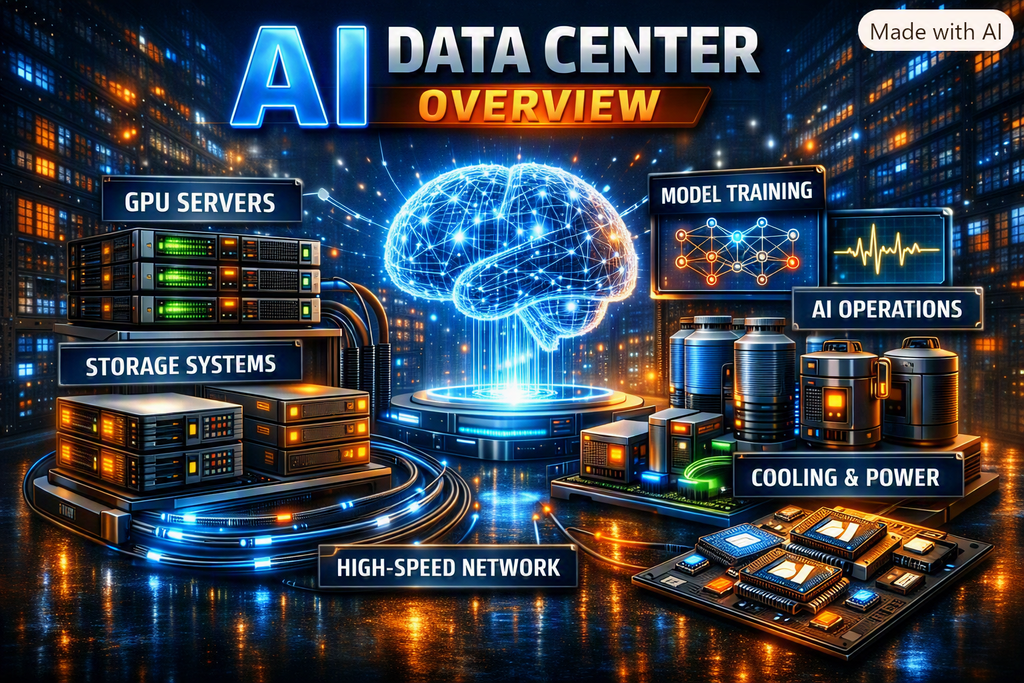
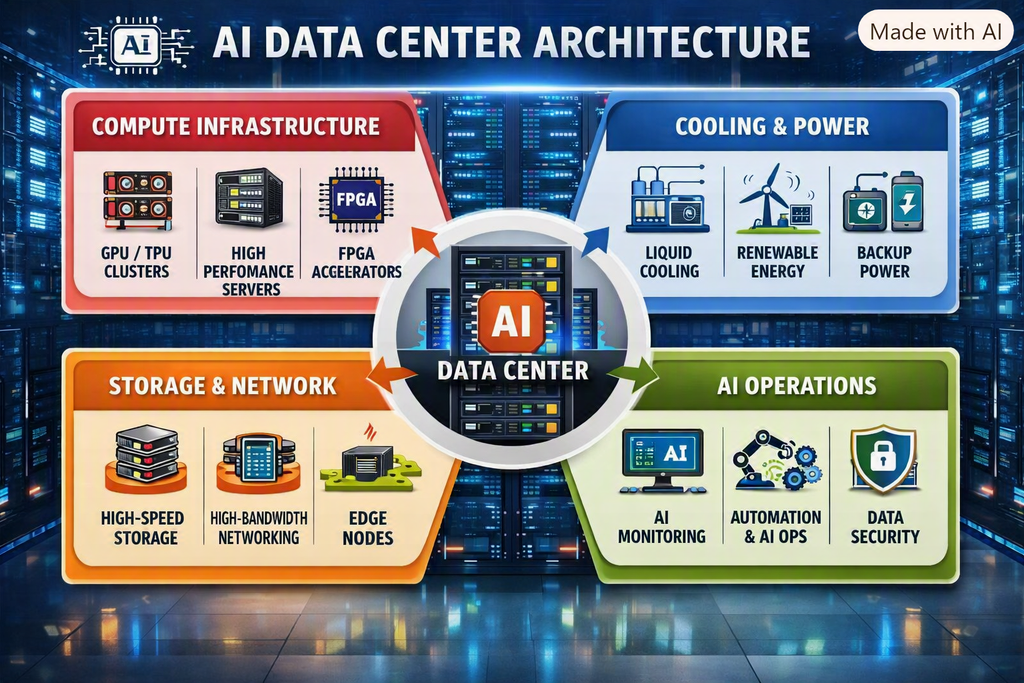
An AI data center is a specialized facility containing powerful computing infrastructure optimized for AI workloads. It includes:
Graphics Processing Units (GPUs)
AI accelerators and specialized chips
High-performance servers
High-speed networking systems
Large-scale data storage
Advanced cooling and power management
These centers train AI models using massive datasets and deliver real-time results to users.
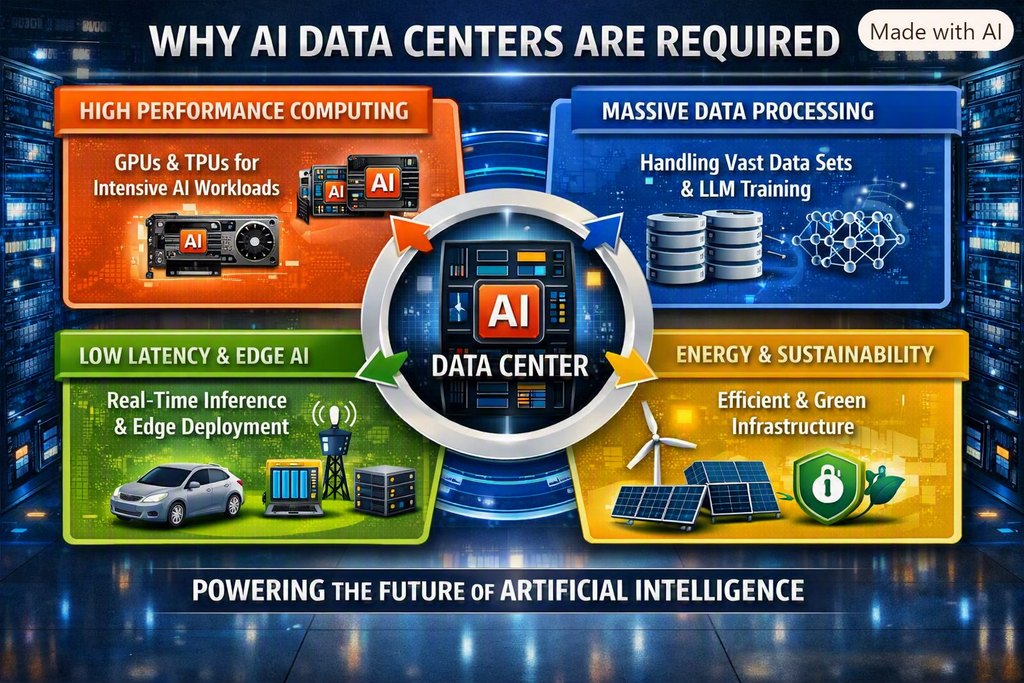
Why AI Data Centers Are Required
Massive Compute Needs: Thousands of GPUs/TPUs running in parallel.
High-Speed Networking: Ultra-low latency interconnects for petabyte-scale data transfer.
Petabyte-Scale Storage: Specialized systems for large datasets.
Advanced Cooling & Energy: Liquid cooling and renewable integration.
Balanced Training & Inference: Handles both heavy training and real-time inference.
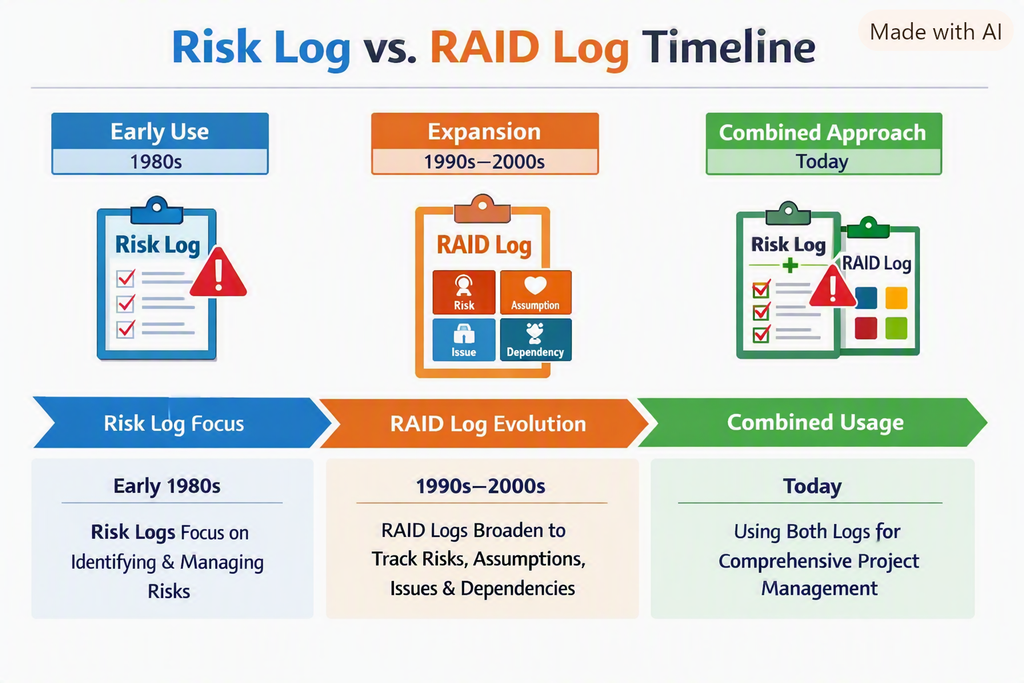
Software projects are complex, dynamic, and full of uncertainties. To manage these uncertainties, project managers rely on structured tools like Risk Logs and RAID Logs. While they sound similar, they serve different purposes and complement each other in project governance.
🔹 Define Risk Log
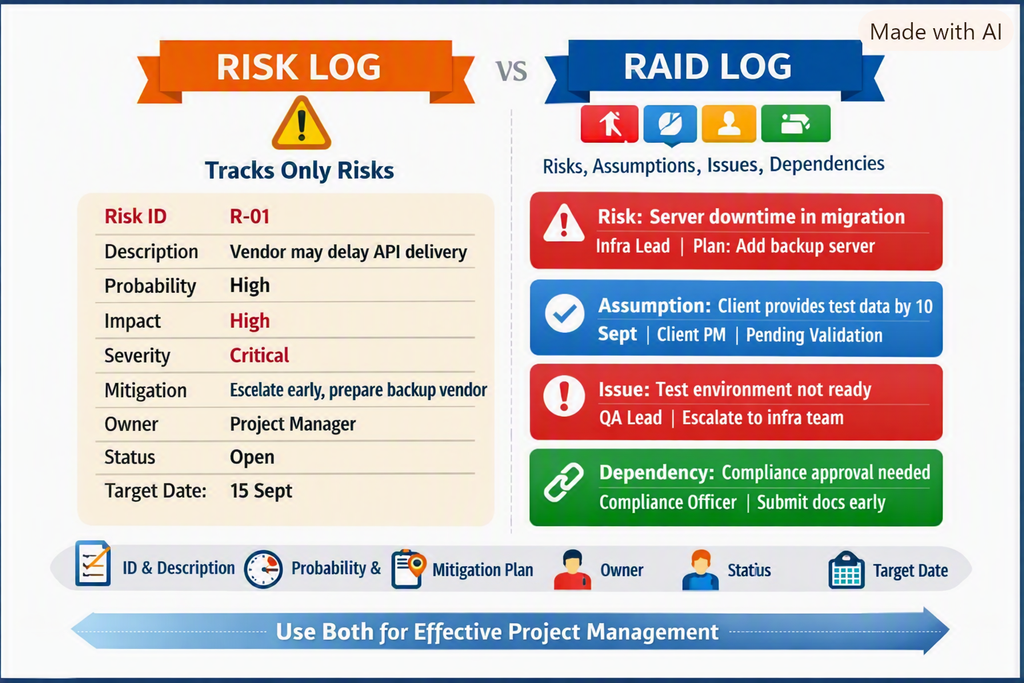
A Risk Log (or Risk Register) is a document that records potential risks that may negatively impact a project. It ensures risks are identified, assessed, and mitigated before they become issues.
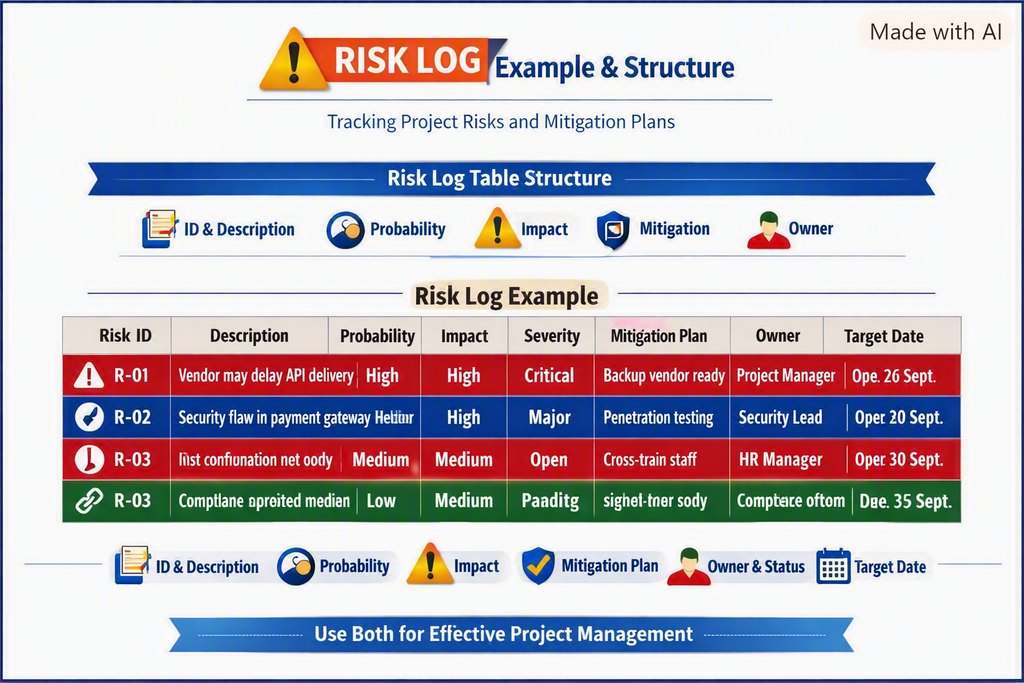
📑 Structure of a Risk Log (Mandatory Fields)
Risk ID
Risk Description
Probability (High/Medium/Low)
Impact (High/Medium/Low)
Severity (Probability × Impact)
Mitigation / Contingency Plan
Owner
Status (Open/Closed/Mitigated)
Target Date
🔹 RAID Log
Definition
A RAID Log expands beyond risks. It tracks Risks, Assumptions, Issues, and Dependencies in one place, giving a holistic view of project health.
Structure (Mandatory Fields)
Risks → Description, Probability, Impact, Owner, Status
Assumptions → Statement, Validation Plan, Owner, Status
Issues → Description, Resolution Plan, Owner, Status
Dependencies → Description, Linked Task/Team, Owner, Status, Due Date
Detailed Example
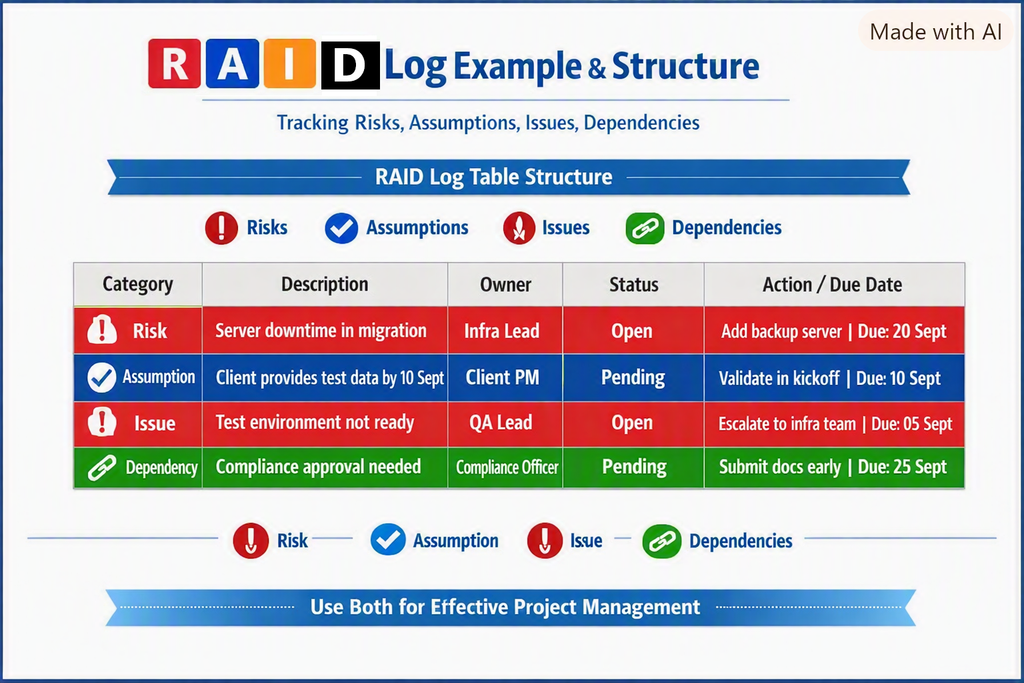
Same mobile banking app project, RAID Log entries:
Category
Description
Owner
Status
Action / Plan
Due Date
Risk
Server downtime during migration
Infra Lead
Open
Add backup server
20 Sept
Assumption
Client will provide test data by 10 Sept
Client PM
Pending
Validate in kickoff
10 Sept
Issue
Test environment not ready
QA Lead
Open
Escalate to infra team
05 Sept
Dependency
Compliance approval required before go‑live
Compliance Officer
Pending
Submit docs early
25 Sept
👉 This log captures all blockers in one place, not just risks.
🔹 When to Use Each
Risk Log → For deep risk analysis, compliance documentation, and executive reporting.
RAID Log → For day‑to‑day project tracking, Agile ceremonies, and holistic visibility of blockers.
Best Practice: Use both together — RAID for operational visibility, Risk Log for formal risk management.
🔹RAID LOGS Vs RACI Vs RACI Matrix
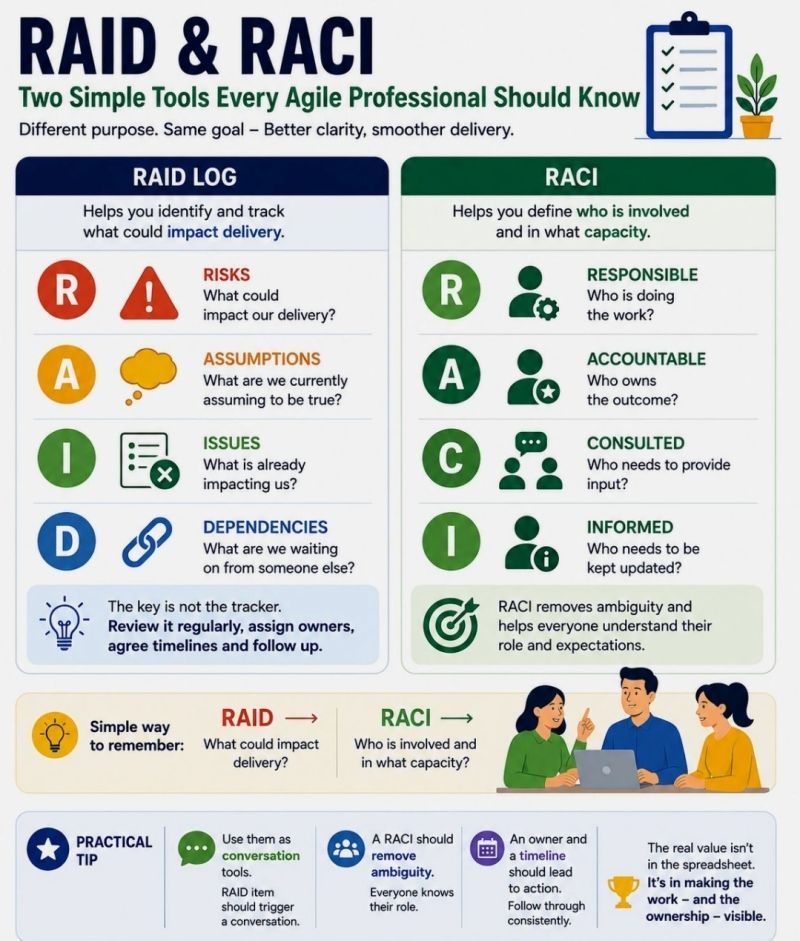
RAID logs track project risks and issues. RACI defines responsibilities. A RACI matrix is the table used to document those responsibilities.
Aspect
RAID Log
RACI
RACI Matrix
Meaning
Risks, Assumptions, Issues, Dependencies
Responsible, Accountable, Consulted, Informed
A table applying RACI to tasks and deliverables
Purpose
Track uncertainty, problems, and dependencies
Clarify roles and decision ownership
Show who does what across the project
Key question
“What could affect delivery, and how are we managing it?”
“Who does the work and owns the outcome?”
“What is each person’s role for each task?”
Typical contents
Description, impact, owner, action, due date, status
Four role definitions
Tasks in rows, people or roles in columns
When used
Updated throughout the project
Agreed during planning and reviewed as roles change
Maintained as the project’s responsibility reference
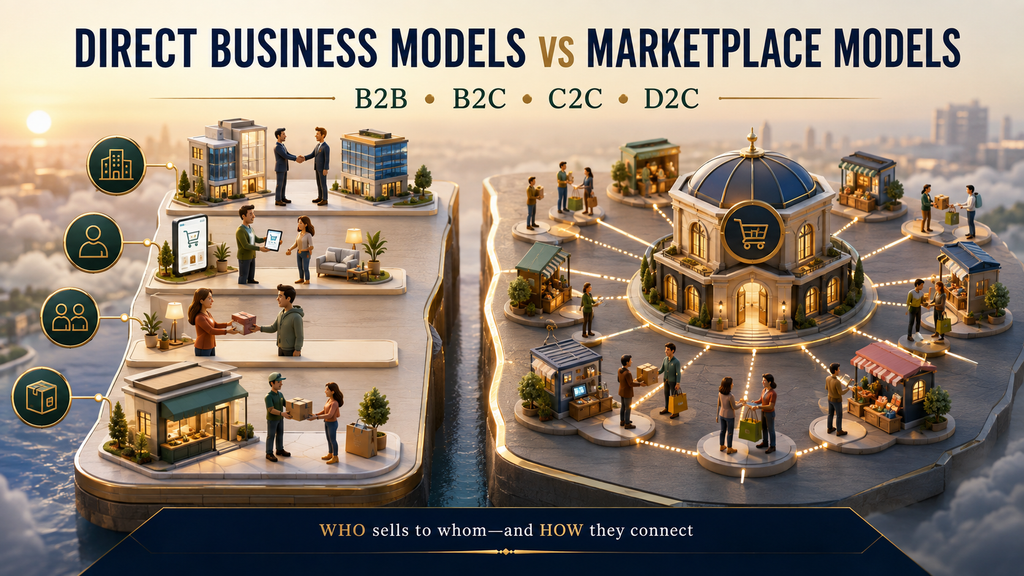
Business models such as B2B, B2C, C2C and D2C are often discussed alongside marketplaces. Although these terms are related, they describe different aspects of a commercial transaction.
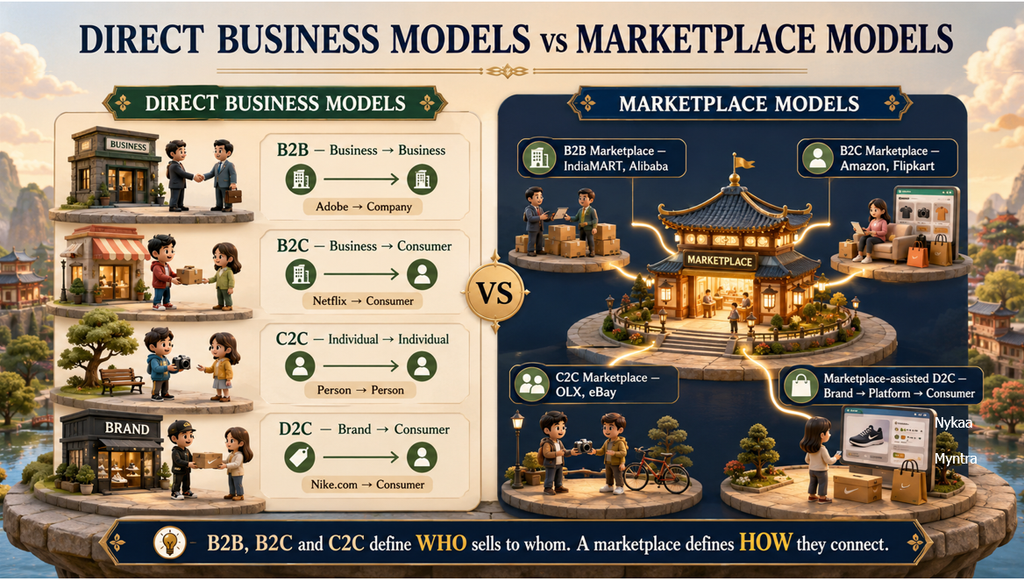
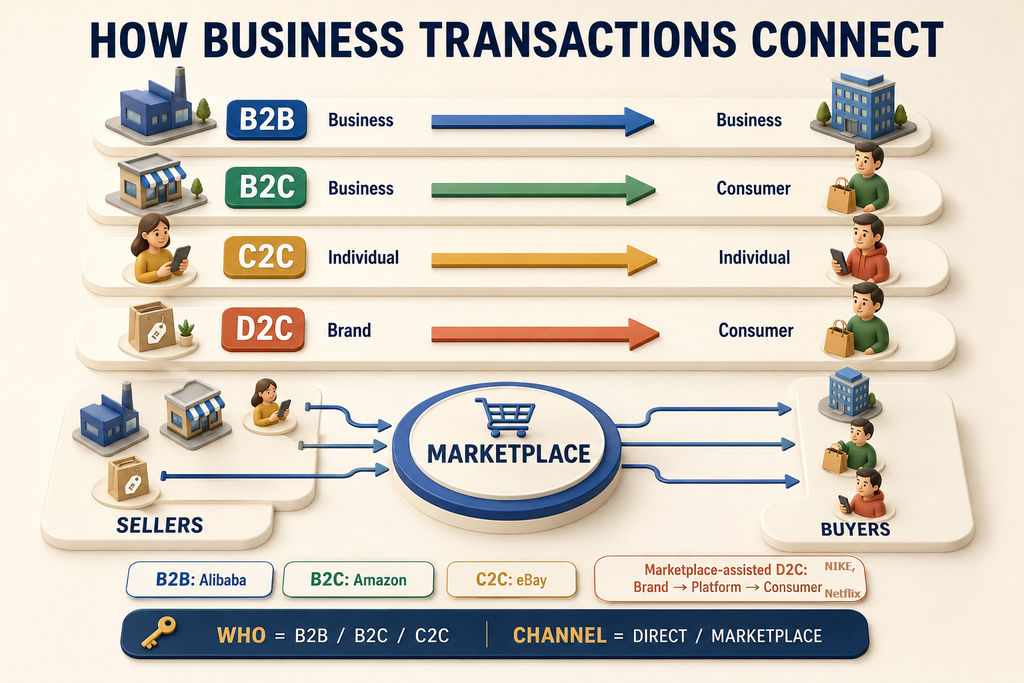
B2B, B2C and C2C identify who sells to whom. A marketplace describes how sellers and buyers connect. D2C describes a brand or manufacturer selling its own products directly to consumers.
Understanding this distinction makes it much easier to classify ecommerce businesses, digital platforms and traditional companies correctly.
What Is a Direct Business Model?
In a direct business model, a seller deals with the buyer through its own sales channel instead of relying on a third-party marketplace to facilitate the transaction. The channel could be the seller’s website, application, sales team, physical store or another company-owned platform.
However, the word direct should be used carefully. B2B, B2C and C2C do not automatically mean that a transaction is direct. These abbreviations define the parties involved, and each model may operate directly or through a marketplace.
What Is a Marketplace Model?
A marketplace is an intermediary platform that connects multiple sellers or service providers with multiple buyers. Sellers list their products or services, buyers compare the available offerings, and the platform facilitates discovery, communication, payment, fulfilment or other parts of the transaction.
A marketplace may generate revenue through:
Seller registration or subscription fees
Commission on each completed sale
Product or service listing fees
Advertising and promoted listings
Payment-processing charges
Delivery, fulfilment or logistics fees
Premium seller services
Amazon, Flipkart, Alibaba.com, IndiaMART, OLX and eBay are familiar examples, although their audiences and transaction models differ.
B2B: Business to Business
B2B refers to a transaction in which one business sells a product or service to another business.
Direct B2B example: Adobe provides software subscriptions and enterprise solutions directly to another company.
Adobe → Business customer
B2B transactions commonly include enterprise software, consulting, manufacturing supplies, wholesale products and professional services. They often involve contracts, negotiated pricing, bulk quantities and longer sales cycles.
B2B Marketplace
A B2B marketplace connects multiple business sellers with multiple business buyers.
Examples: IndiaMART and Alibaba.com.
Business sellers → B2B marketplace → Business buyers
For example, several manufacturers can list industrial equipment on Alibaba.com, allowing retailers, wholesalers and other companies to compare suppliers and purchase products in bulk.
B2C: Business to Consumer
B2C refers to a business selling products or services to individual end consumers.
Direct B2C example: Netflix provides its streaming service directly to consumers through its own digital platform.
Netflix → End consumer
Other direct B2C examples include a restaurant selling meals to customers or a software company selling individual subscriptions through its own website.
B2C Marketplace
A B2C marketplace allows multiple business sellers to offer products or services to end consumers through one platform.
Examples: Amazon Marketplace, Flipkart and Walmart Marketplace.
Business sellers → B2C marketplace → End consumers
The marketplace may manage product discovery, payments, customer reviews, delivery and returns while charging sellers commissions or service fees.
C2C: Consumer to Consumer
C2C refers to a transaction between two individuals. One person acts as the seller, while another acts as the buyer.
Direct C2C example: One person sells a used laptop directly to a friend or neighbour.
Individual seller → Individual buyer
C2C Marketplace
A C2C marketplace provides a platform on which individuals can list and sell products to other individuals.
The platform makes it easier for buyers and sellers to discover each other. Depending on the platform, it may also provide messaging, payments, ratings or buyer-protection services.
D2C or DTC: Direct to Consumer
D2C and DTC both mean Direct to Consumer. This model applies when a brand or manufacturer sells its own products directly to consumers, avoiding traditional independent wholesalers, distributors and retailers.
Best D2C example: Nike selling its products through Nike.com or a Nike-owned store.
Nike → Consumer
D2C is a specific form of B2C. Every D2C transaction is B2C because a business sells to a consumer, but not every B2C transaction is D2C.
For example, Nike selling through Nike.com is D2C. An independent retailer selling Nike shoes to a consumer is B2C, but it is not Nike’s D2C channel.
Why Brands Use D2C
The D2C model can provide brands with:
Greater control over brand presentation and customer experience
Direct access to customer feedback and first-party data
More control over pricing and promotions
Reduced dependence on traditional distributors and retailers
Opportunities to build memberships, loyalty programmes and subscriptions
At the same time, the brand becomes more responsible for marketing, technology, payments, fulfilment, returns and customer service.
Is There a D2C Marketplace?
The phrase D2C marketplace is used in ecommerce discussions, but it can be confusing. A pure D2C transaction normally occurs through a brand-owned channel. When a third-party marketplace facilitates the transaction, the platform becomes an intermediary.
Therefore, marketplace-assisted D2C or D2C brand marketplace is usually more precise.
Example: An original brand sells its own products to consumers through Amazon Launchpad.
Brand → Marketplace platform → Consumer
Amazon Launchpad is a useful example of marketplace-assisted D2C because it helps emerging brands present and sell their products to consumers. Etsy may also resemble this model when original makers sell products they produce themselves. Platforms such as Nykaa or Myntra can facilitate direct brand storefronts, although the exact commercial and fulfilment arrangements may vary.
The three channels can be distinguished as follows:
Channel
Transaction flow
Example
Pure D2C
Brand → Consumer
Nike → Nike.com customer
Marketplace-assisted D2C
Brand → Marketplace → Consumer
Brand → Amazon Launchpad → Customer
Traditional retail
Brand → Distributor/Retailer → Consumer
Brand product sold by an independent retailer
Direct Models vs Marketplace Models
Model
What it defines
Direct example
Marketplace example
B2B
Business sells to business
Adobe → Company
IndiaMART, Alibaba.com
B2C
Business sells to consumer
Netflix → Consumer
Amazon, Flipkart
C2C
Individual sells to individual
Person → Person
OLX, eBay
D2C/DTC
Brand sells its own products directly to consumers
Nike → Nike.com customer
Amazon Launchpad as marketplace-assisted D2C
The easiest way to remember the distinction is:
Who is selling to whom? B2B, B2C or C2C
How do they connect? Directly or through a marketplace
Is the brand selling its own product directly? D2C or DTC
Can One Company Use Multiple Business Models?
Yes. A company can operate through several models simultaneously.
Nike is a useful example:
Nike selling through Nike.com is D2C and B2C.
Nike supplying products to an independent retailer is B2B.
The retailer selling those products to customers is B2C.
Nike or an authorised seller using a marketplace introduces a marketplace-assisted channel.
The correct classification therefore depends on the specific transaction, customer and sales channel—not only on the company’s name.
Frequently Asked Questions
Are B2B and a B2B marketplace the same?
No. B2B describes a transaction between businesses. A B2B marketplace is an intermediary platform connecting multiple business sellers with business buyers. Every B2B marketplace facilitates B2B transactions, but every B2B company is not a marketplace.
Are B2C and a B2C marketplace the same?
No. A company may sell directly to a consumer through its own channel, or multiple businesses may sell to consumers through a B2C marketplace.
Is Amazon a B2C company or a marketplace?
Amazon can operate as both a retailer and a marketplace. When Amazon sells inventory itself, it acts as a B2C retailer. When third-party businesses sell through Amazon Marketplace, the platform facilitates B2C marketplace transactions.
Is D2C the same as B2C?
D2C is a narrower type of B2C. In D2C, the original brand or manufacturer sells its own products directly to consumers. B2C also includes retailers selling products made by other brands.
Is a D2C marketplace truly direct?
Not completely. A third-party marketplace remains involved in facilitating the transaction. That is why marketplace-assisted D2C is a more accurate description.
Conclusion
B2B, B2C and C2C classify transactions according to the seller and buyer involved. A marketplace describes an intermediary platform that connects multiple sellers and buyers. D2C is a particular form of B2C in which a brand or manufacturer sells its own products directly to consumers.
In one sentence:
B2B, B2C and C2C define who sells to whom; direct and marketplace models define how they connect; D2C identifies a brand selling its own products directly to consumers.
Suggested image alt text: 3D illustration comparing direct B2B, B2C, C2C and D2C business models with B2B, B2C, C2C and marketplace-assisted D2C platforms.
Suggested social excerpt: Understand the difference between B2B, B2C, C2C and D2C—and learn how direct sales differ from marketplace transactions through examples including Adobe, Netflix, Nike, Amazon, Alibaba and OLX.
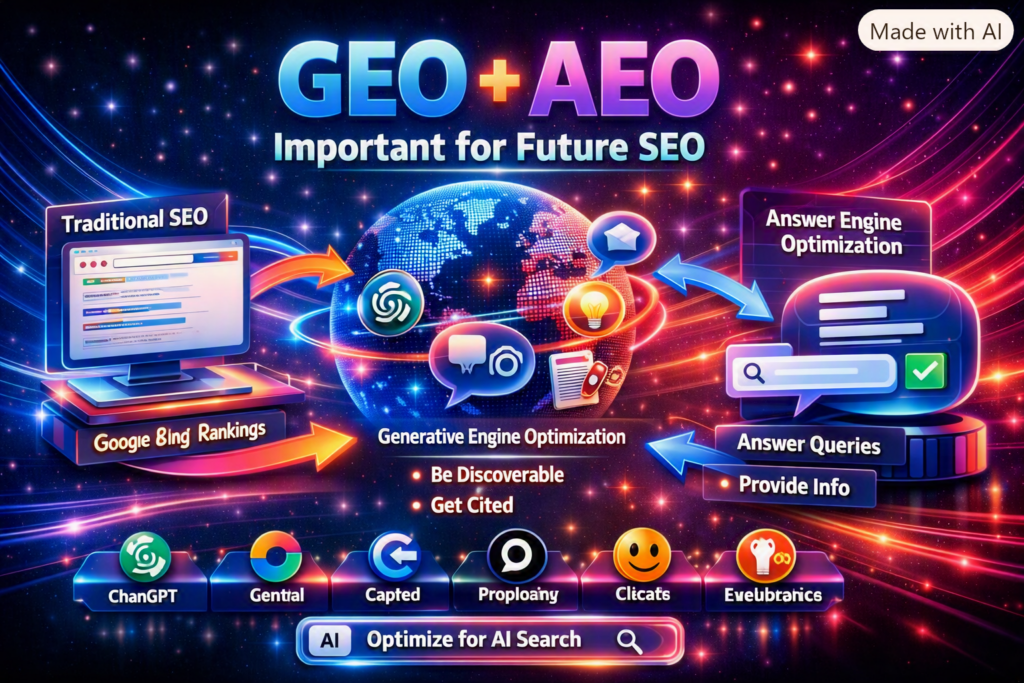
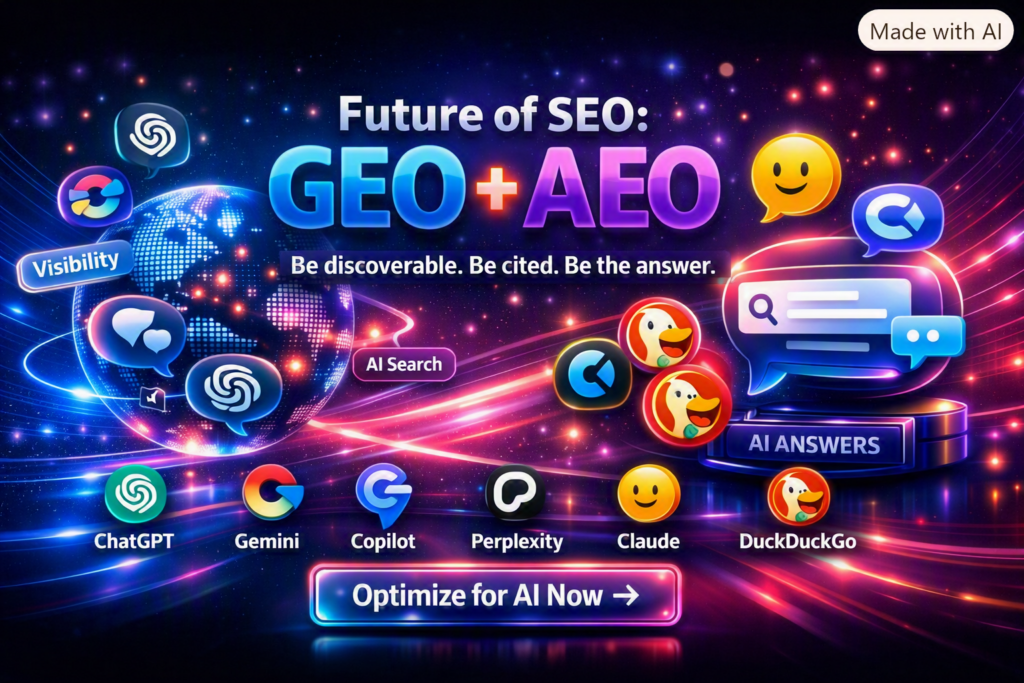
Search is changing rapidly. People no longer rely only on traditional Google result pages to find information. They increasingly ask complete questions inside ChatGPT, Gemini, Perplexity, Claude, Microsoft Copilot, DuckDuckGo and other AI-powered platforms.
These platforms can generate direct answers, summarize information and cite websites as supporting sources. Consequently, website owners must think beyond traditional Search Engine Optimization.
Two approaches are becoming increasingly important:
Generative Engine Optimization (GEO)
Answer Engine Optimization (AEO)
Technical accessibility is an essential part of both strategies. If search engines and supported AI crawlers cannot access your website, your content may have fewer opportunities to be discovered, understood or cited in AI-generated answers.
This guide explains how modern AI crawlers work, how to configure your robots.txt file and what else your website needs to become a credible source for AI search.
Important: Allowing an AI crawler does not guarantee that your website will be indexed, ranked or cited. It only gives the supported platform permission to access eligible public content. Content quality, relevance, authority, technical health and user value remain essential.
What Is Generative Engine Optimization?
Generative Engine Optimization, commonly called GEO, is the process of improving content so that generative AI platforms can:
Discover it
Understand its meaning
Evaluate its credibility
Retrieve relevant information
Use it to support generated answers
Attribute or cite the original website
Traditional SEO typically focuses on visibility in search-result listings. GEO also considers whether the content can become a trusted source within an AI-generated response.
For example, a user may ask:
What is the recommended size for an Open Graph image?
An AI platform may provide a direct answer and cite a reliable page that clearly explains the recommended dimensions, aspect ratio, platform differences and practical limitations.
A GEO-ready page should therefore provide accurate, specific and well-supported information that is easy to retrieve and verify.
What Is Answer Engine Optimization?
Answer Engine Optimization, or AEO, focuses on making website content suitable for direct answers.
It can support visibility in:
AI-generated answers
Featured snippets
Voice-search responses
People Also Ask results
Search summaries
Conversational assistants
Question-and-answer interfaces
AEO content normally includes:
A clear question or problem
A concise answer near the beginning
Descriptive headings
Definitions
Numbered instructions
Comparison tables
Visible frequently asked questions
Supporting explanations
Primary sources
Appropriate structured data
For example:
What is a meta description?
A meta description is an HTML element that provides a brief summary of a webpage. Search engines may use it when generating a search-result snippet, although they can select different text from the page when it better matches the search query.
The direct answer appears first, followed by supporting details. This structure helps both readers and retrieval systems.
GEO, AEO and SEO Work Together
GEO and AEO should not replace SEO.
Google explains that its established SEO practices remain relevant to generative search experiences. Pages still need to be crawlable, indexable, useful, reliable and technically well structured.
A successful strategy combines all three:
Discipline
Primary objective
SEO
Earn visibility in traditional search results
AEO
Provide clear responses to specific questions
GEO
Become a credible source for generative AI answers
Technical SEO
Make pages accessible, indexable and understandable
Entity optimization
Establish who created and maintains the information
Digital authority
Earn trustworthy mentions, links and independent validation
What Is an AI Search Crawler?
An AI search crawler is an automated system that visits public webpages to discover, retrieve or understand content for an AI-powered search experience.
Different crawlers can have different purposes:
Search crawlers discover content that may appear in search or AI-generated results.
User-requested fetchers retrieve a page after a user asks an assistant to access it.
Model-training crawlers collect eligible information that may be used to improve future AI models.
Grounding controls determine whether indexed content can support an AI model at response time.
These purposes should not be treated as identical.
For example:
OAI-SearchBot is associated with ChatGPT search discovery.
Claude-SearchBot supports Claude search visibility.
ClaudeBot relates to Anthropic model-training access.
PerplexityBot helps Perplexity surface and link websites in its search results.
Google-Extended controls certain Gemini training and grounding uses but does not influence Google Search rankings.
Website owners can make separate decisions about search visibility and model-training access.
How robots.txt Supports AI Search Discovery
The robots.txt file is a publicly accessible text file placed at the root of a website:
https://example.com/robots.txt
It tells compliant crawlers which areas of a website they are permitted to request.
A simple rule looks like this:
User-agent: ExampleBot
Allow: /
This means the identified crawler is allowed to request the entire public website.
To block a crawler from the complete site, the rule would be:
User-agent: ExampleBot
Disallow: /
The robots.txt file manages crawling. It is not a security system and should never be used to protect confidential information. Sensitive content should be protected through authentication and proper authorization.
Complete robots.txt Example for SEO and AI Crawlers
The following example allows traditional search crawlers, AI search crawlers, user-requested fetchers and selected model-training crawlers.
Replace the sitemap URL with the correct canonical sitemap for your domain.
# robots.txt for SEOEnquiry.com
# Allow search engines and supported AI crawlers

User-agent: *
Allow: /

# OpenAI search and user-requested access
User-agent: OAI-SearchBot
Allow: /

User-agent: ChatGPT-User
Allow: /

# OpenAI model-training crawler
User-agent: GPTBot
Allow: /

# Perplexity search and user-requested access
User-agent: PerplexityBot
Allow: /

User-agent: Perplexity-User
Allow: /

# Anthropic search and user-requested access
User-agent: Claude-SearchBot
Allow: /

User-agent: Claude-User
Allow: /

# Anthropic model-training crawler
User-agent: ClaudeBot
Allow: /

# Google Search
User-agent: Googlebot
Allow: /

# Microsoft/Bing Search
User-agent: Bingbot
Allow: /

# Google Gemini training and grounding control
User-agent: Google-Extended
Allow: /

# Apple generative-AI training control
User-agent: Applebot-Extended
Allow: /

# Common Crawl
User-agent: CCBot
Allow: /

# ByteDance
User-agent: Bytespider
Allow: /

#Alexa/Amazon AI
User-agent: Amazonbot
Allow: /

#DuckDuckGo's AI assistant
User-agent: DuckAssistBot
Allow: /

Sitemap: https://seoenquiry.com/sitemap.xml
What Each AI Crawler Does
OAI-SearchBot
OAI-SearchBot is used for OpenAI search-related discovery. OpenAI recommends not blocking it if publishers want their public content to be eligible for inclusion in ChatGPT summaries, snippets and linked search results.
OpenAI also states that ChatGPT search referral links can include:
utm_source=chatgpt.com
This allows publishers to identify some ChatGPT referral traffic in analytics.
ChatGPT-User may retrieve content in response to a user-initiated request. This is different from systematic search crawling and model training.
Allowing it can help ChatGPT access a public page when a user asks it to examine or use that page.
GPTBot
GPTBot is associated with potential OpenAI model-training access.
Allowing it does not guarantee that:
The content will be used for training
ChatGPT will remember the website
The brand will appear in answers
The page will receive citations
Search visibility will improve
Website owners who want ChatGPT search visibility but do not want to permit potential training can allow OAI-SearchBot while blocking GPTBot.
PerplexityBot
PerplexityBot is designed to discover content that may be surfaced and linked in Perplexity search results.
Perplexity recommends allowing it and ensuring that security systems accept requests from its published IP ranges. Perplexity crawler documentation
Perplexity-User
Perplexity-User supports requests initiated by Perplexity users. It may access a webpage to help answer a question and provide a link to the source.
It is not described as a model-training crawler.
Claude-SearchBot
Claude-SearchBot navigates the public web to improve the quality, relevance and accuracy of Claude’s search responses.
Blocking it may reduce a website’s visibility in Claude search experiences.
Claude-User
Claude-User can access websites when a Claude user asks a question that requires retrieving public web content.
Allowing it may help Claude retrieve and reference your content during a user-requested search.
ClaudeBot
ClaudeBot is associated with Anthropic’s model-development and training collection.
It can be controlled independently from Claude-SearchBot and Claude-User. This allows publishers to permit Claude search access while declining potential model-training access.
Google’s AI search features are built on its search and ranking systems. A page generally needs to be crawlable and eligible for Google Search before it can become eligible for visibility in supported generative search experiences.
Bingbot
Bingbot discovers and indexes content for Bing.
Bing’s index can support multiple Microsoft search and AI experiences. Website owners should also use Bing Webmaster Tools and IndexNow to help Bing discover updated content efficiently.
Google-Extended
Google-Extended is a control token rather than a separate crawler that independently requests pages.
It controls whether content collected by Google may be used for certain Gemini model-training and grounding purposes. Google explicitly states that allowing or blocking Google-Extended does not affect Google Search inclusion or ranking.
Applebot-Extended helps publishers control whether content retrieved by Applebot may be used for training Apple’s generative foundation models.
It does not independently crawl pages, and blocking it does not necessarily prevent inclusion in Apple search experiences.
CCBot
CCBot is operated by Common Crawl, which maintains a large public web-crawl dataset.
Various research and AI projects may use Common Crawl data. Allowing CCBot may support broader data availability, but it does not guarantee brand visibility, AI ranking or citations.
Bytespider
Bytespider is associated with ByteDance web crawling.
Publishers should decide whether to allow it based on their distribution strategy, server capacity, licensing preferences and data-use policies.
Amazonbot
Amazonbot is associated with Amazon services, including systems that may support search and assistant experiences.
Its exact use can evolve, so publishers should review Amazon’s current official crawler documentation before relying on it for a specific Alexa or AI-search outcome.
DuckAssistBot
DuckAssistBot retrieves webpages in real time for DuckDuckGo’s AI-assisted answers, which can prominently cite their sources.
DuckDuckGo states that DuckAssistBot data is not used to train AI models. Blocking it does not affect normal DuckDuckGo organic-search ranking, but it removes the website from eligibility as a potential source for DuckDuckGo’s AI-assisted answers.
Blocking a training crawler does not necessarily mean that the website must disappear from the same company’s search experience. Search, user retrieval and model training can have separate controls.
robots.txt Is Only the First Step
A perfect robots.txt file cannot make weak content rank or earn citations.
After enabling appropriate crawlers, complete the following work.
1. Verify indexability
Important pages should:
Return an HTTP 200 response
Not contain noindex
Not be blocked by login requirements
Use a self-referencing canonical URL
Appear in the XML sitemap
Be accessible without CAPTCHA challenges
Provide meaningful content in crawlable HTML
2. Check CDN and firewall access
A crawler may be permitted in robots.txt but still blocked by:
Cloudflare
Web application firewalls
Bot-protection systems
Rate limits
Hosting restrictions
Geographic rules
JavaScript challenges
Where supported, validate crawlers using their officially published IP ranges rather than trusting the user-agent string alone.
3. Provide answer-ready content
Each important article should include:
A descriptive title
One clear H1
A direct introductory answer
Logical H2 and H3 headings
Definitions
Step-by-step instructions
Examples
Limitations
Supporting evidence
Frequently asked questions
Primary references
A review or update date
4. Add accurate structured data
Use schema that matches the visible content.
Relevant schema types can include:
Organization
WebSite
WebPage
Article
TechArticle
WebApplication
SoftwareApplication
FAQPage
HowTo
BreadcrumbList
Person
VideoObject
Dataset
Structured data helps systems understand page entities, but there is no special “GEO schema” that guarantees AI citations.
5. Establish website identity
Create and maintain:
About page
Contact page
Author profiles
Editorial policy
Testing methodology
Corrections policy
Privacy policy
Terms of use
Consistent organization details
Genuine social and professional profiles
AI systems are more likely to trust information when they can understand who created it, how it was produced and whether it can be independently verified.
6. Publish original evidence
Generic articles are easy to reproduce and difficult to differentiate.
Create citation-worthy assets such as:
Original industry research
Product tests
Website audits
Benchmarks
Technical experiments
Calculators
Public datasets
Case studies
Transparent comparisons
Expert commentary
For example, SEOEnquiry could publish a study analysing 10,000 websites to identify:
How many lack meta descriptions
How many have canonical conflicts
How many omit Open Graph images
How many have incomplete X Card metadata
How many use invalid robots directives
Which structured-data types appear most frequently
Original findings give AI platforms a stronger reason to cite the source.
7. Build genuine authority
Improve off-site signals through:
Relevant editorial backlinks
Expert contributions
Research citations
GitHub projects
YouTube demonstrations
Technical community participation
Partnerships
Reputable directory profiles
Brand mentions from independent sources
Do not purchase artificial mentions or publish mass-generated pages solely to manipulate AI answers.
Submit and Monitor Your Website
After publishing the updated robots.txt file:
Verify Google Search Console.
Verify Bing Webmaster Tools.
Submit the XML sitemap.
Implement IndexNow.
Inspect important URLs.
Test structured data.
Review server logs for crawler visits.
Confirm that the CDN is not returning 403.
Monitor indexed pages.
Track AI-generated referral traffic.
ChatGPT referral links may include:
utm_source=chatgpt.com
Also monitor identifiable traffic from:
Perplexity
Microsoft Copilot
Gemini or Google AI experiences
Claude
DuckDuckGo
Other assistant platforms
Maintain a fixed list of important questions and test them periodically across different AI platforms.
Common Mistakes to Avoid
Assuming crawler access guarantees citations
It does not. Crawler access provides technical eligibility, not guaranteed selection.
Allowing every crawler without reviewing data use
Search discovery and model training are different. Decide deliberately which types of access support your business goals.
Blocking crawlers in the firewall
An Allow: / rule will not help if Cloudflare or another security layer returns 403 Forbidden.
Adding FAQ schema without visible FAQs
Structured data should describe visible page content.
Publishing generic AI-generated articles
Content that merely repeats common information provides little reason for an answer engine to cite it.
Creating an llms.txt file and expecting rankings
Some services may use llms.txt, but Google states that it is not required for Google Search or Google’s generative search features. It should not replace standard crawling, indexing and content-quality work.
Forgetting the sitemap domain
Always use the correct canonical domain:
Sitemap: https://seoenquiry.com/sitemap.xml
Do not accidentally reference the sitemap of another website.
Frequently Asked Questions
Does allowing OAI-SearchBot guarantee a ChatGPT citation?
No. It allows eligible public content to be crawled for search-related discovery. Relevance, quality, authority and other systems determine whether a page is used or cited.
Is GPTBot required for ChatGPT Search?
GPTBot and OAI-SearchBot have different purposes. A publisher can allow OAI-SearchBot for search visibility while blocking GPTBot for potential model-training use.
Does Google-Extended improve Google rankings?
No. Google states that Google-Extended does not affect Google Search inclusion or ranking.
Can robots.txt prevent a page from being indexed?
Robots.txt controls crawling, not guaranteed indexing. To remove a page from search results, use an appropriate noindex directive while allowing the crawler to access and read it, or protect the content with authentication.
Is schema required for AI citations?
No. Accurate structured data can help systems understand entities and page meaning, but it does not guarantee AI visibility or citations.
Should every website allow all AI crawlers?
Not automatically. Website owners should evaluate search visibility, model training, licensing, server resources, privacy and commercial objectives before selecting crawler permissions.
How long does it take to appear in AI answers?
There is no guaranteed timeline. Discovery, indexing, evaluation and citation selection vary by platform and query.
Final Checklist
Before expecting visibility in AI search, confirm that your website has:
A valid robots.txt
The correct XML sitemap URL
Search and AI crawlers permitted according to your policy
No unintended noindex
Consistent canonical URLs
Crawlable HTML content
A working sitemap
Search Console and Bing verification
IndexNow implementation
Clear answer-first content
Accurate structured data
Organization and author information
Original data or expertise
Authoritative references
Relevant internal links
Genuine external mentions
Fast mobile performance
Accessible navigation and content
AI referral and citation monitoring
Conclusion
Modern search optimization is no longer limited to blue links and keyword rankings. Websites must be technically accessible, answer-ready, trustworthy and useful enough to support AI-generated responses.
A carefully configured robots.txt file is an important starting point. It gives supported search engines and AI platforms permission to access public content. However, lasting GEO and AEO success depends on much more:
Helpful original information
Transparent evidence
Strong technical SEO
Clear entity signals
Accurate structured data
Genuine authority
Continuous measurement
The right objective is not to “train every chatbot” to promote your website. The sustainable objective is to make your website one of the clearest, most reliable and most verifiable sources available for the questions your audience asks.
When that happens, traditional search engines and AI answer engines have a stronger reason to discover, trust and cite your content.
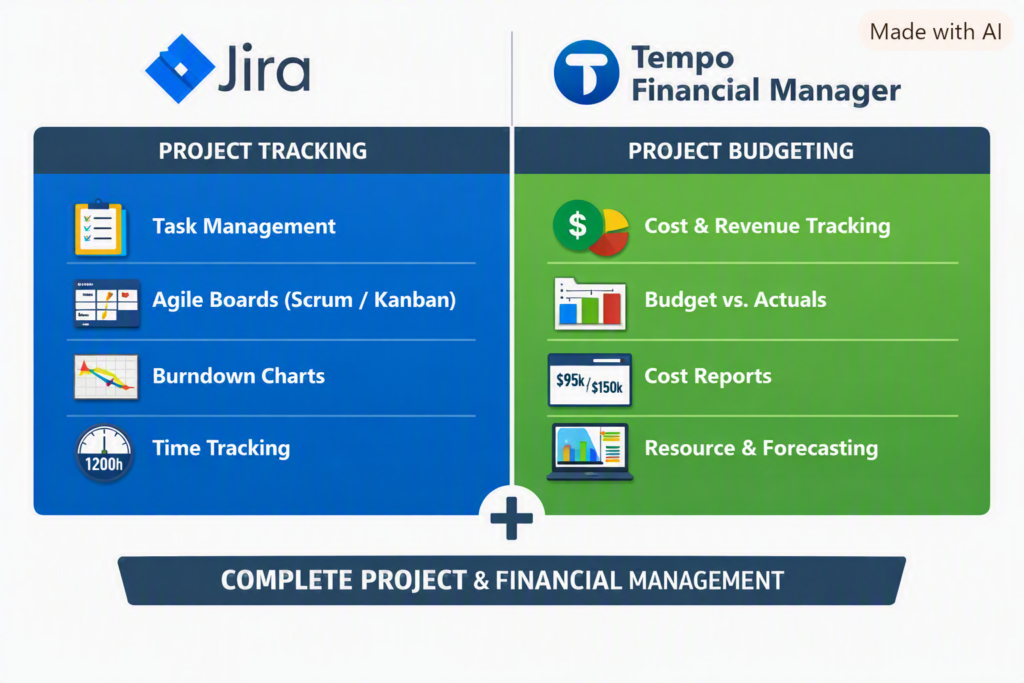
In today’s fast‑paced IT and enterprise environments, project success depends not only on timely delivery but also on financial discipline. While Jira is widely known for its powerful project tracking and Agile management capabilities, combining it with Tempo Financial Manager turns it into a complete project budgeting and financial control suite.
Jira Cloud → Handles project execution and tracking.
Tempo Financial Manager → Handles financial management and budgeting.
Together, they form a unified system — Jira with Tempo Financial Manager — that connects work effort to financial outcomes, enabling real‑time visibility for project managers and executives.
Tempo add-ons (Project budgeting and financial ) do not work with the free Jira Server . They are designed for Jira Cloud subscriptions,
💡 What Is Jira with Tempo Financial Manager?
Jira is the backbone of Agile project management — tracking tasks, sprints, and workflows. Tempo Financial Manager, an Atlassian Marketplace add‑on, extends Jira’s capabilities by adding budgeting, cost tracking, and forecasting features. Together, they provide a unified view of both project progress and financial performance.
🔧 How It Works
Effort Logging: Team members log hours directly against Jira issues.
Cost Conversion: Tempo applies hourly or blended rates to calculate real‑time costs.
Budget Tracking: Managers define project budgets and monitor actual vs. planned spend.
Forecasting: Tempo predicts future costs based on remaining work and team velocity.
Reporting: Dashboards combine progress metrics with financial KPIs for executive visibility.
📊 Example Scenario
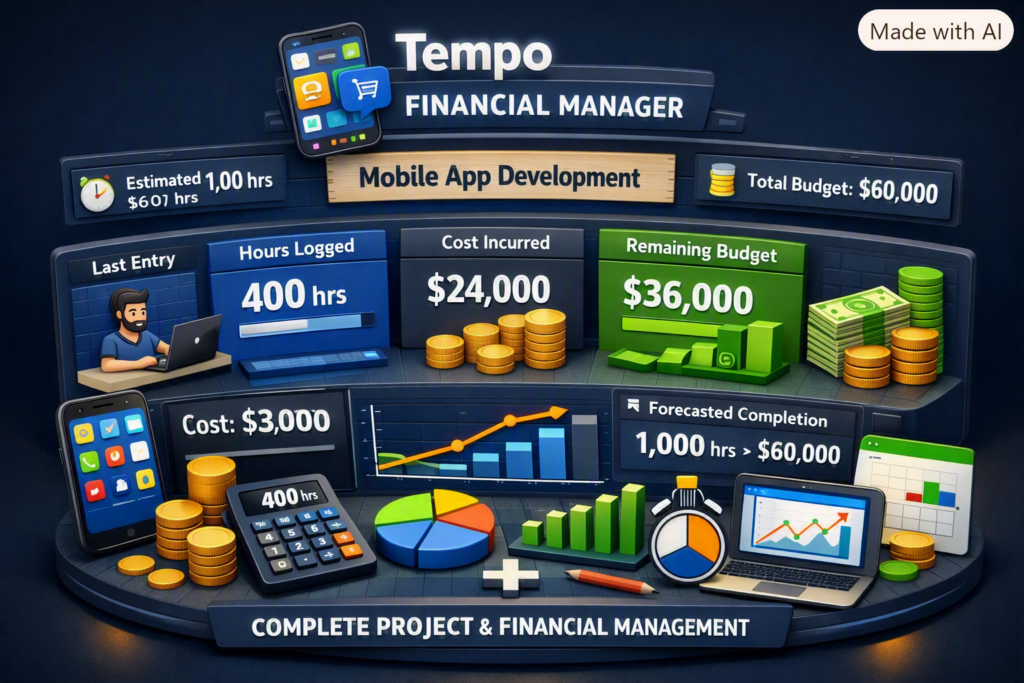
Project: Mobile App Development
Estimated Effort: 1,000 hours
Hourly Rate: $60/hr
Budget: $60,000
Tracking in Jira + Tempo:
Developer logs 50 hrs → Tempo calculates $3,000 cost.
Dashboard shows:
Hours logged: 400 hrs
Cost incurred: $24,000
Remaining budget: $36,000
Forecasted completion: 1,000 hrs → $60,000
This transparency helps project managers make informed decisions early, preventing overruns and optimizing resource allocation.
✅ Key Advantages
Feature
Benefit
Real‑time Cost Tracking
Prevents budget surprises
Integrated Dashboards
Combines progress + financials
Forecasting
Predicts future spend accurately
Resource Planning
Optimizes manpower and workload
Audit‑Ready Reports
Simplifies billing and compliance
🌍 Why It’s Popular
Single Source of Truth: Combines project execution and financial control.
Agile Alignment: Perfect for sprint‑based budgeting and iterative delivery.
Executive Visibility: Dashboards make financials easy to understand.
Efficiency: Eliminates manual spreadsheets and disconnected tools.
🧠 Real‑World Impact
Organizations using Jira with Tempo report:
Up to 30% improvement in budget accuracy.
Faster decision‑making through real‑time dashboards.
Reduced administrative overhead by automating timesheets and cost tracking.
🔮 Imortant
Jira with Tempo Financial Manager isn’t just a tool — it’s a strategic enabler for modern project management. It empowers teams to deliver projects on time, within budget, and with full transparency. For IT leaders and project managers, this integration represents the future of data‑driven, financially intelligent project delivery.
🎯 Summary
Jira Cloud → Handles project execution and tracking.
Tempo Financial Manager → Handles financial management and budgeting. Together, they form a unified system — Jira with Tempo Financial Manager — that connects work effort to financial outcomes, enabling real‑time visibility for project managers and executives.
Project Budgeting Scenario
Example Project
Project: Healthcare Patient Portal and EHR Integration Duration: 12 months Approved Budget (BAC): $2 million Delivery Model: Agile/Scrum Team Size: 20–25 members
1. Budget Breakdown
Budget category
Percentage
Amount
Discovery and planning
5%
$100,000
UX and solution architecture
8%
$160,000
Development and integration
32%
$640,000
Data migration
10%
$200,000
QA, UAT and performance testing
12%
$240,000
Security and compliance
6%
$120,000
Cloud infrastructure and licences
8%
$160,000
Training and change management
5%
$100,000
Deployment and hypercare
4%
$80,000
Management contingency reserve
10%
$200,000
Total
100%
$2,000,000
2. Resource Cost Calculation
Calculate each resource’s cost using:
Resource Cost = Hourly Rate × Planned Hours
Example:
Role
Number
Hours per person
Rate
Cost
Project Manager
1
1,800
$80
$144,000
Solution Architect
1
1,200
$100
$120,000
Developers
6
1,600
$60
$576,000
QA Engineers
3
1,400
$45
$189,000
DevOps Engineer
1
1,000
$70
$70,000
Also include:
Business analysts
UX designers
Security specialists
Data migration engineers
Clinical SMEs
Integration consultants
Vendor and licence costs
3. Create the Budget Baseline
After stakeholder approval, freeze the baseline for:
Resource costs
Vendor costs
Cloud and infrastructure
Software licences
Travel and training
Testing and compliance
Deployment and hypercare
Contingency reserve
Any change affecting the approved baseline should follow formal change control.
4. Agile Budgeting
Map the budget to Jira epics or business capabilities.
Epic
Approved budget
Patient registration
$180,000
Appointment scheduling
$220,000
EHR integration
$400,000
Telehealth
$250,000
Billing and insurance
$300,000
Data migration
$200,000
Security and compliance
$120,000
Deployment and training
$130,000
Contingency
$200,000
Track planned and completed scope by sprint, but do not treat story points as currency. Story points measure relative complexity—not financial cost.
5. Monthly Budget Tracking
Assume that after four months:
Budget at Completion: $2,000,000
Planned Value: $800,000
Earned Value: $720,000
Actual Cost: $750,000
Cost Variance
CV = EV − AC
CV = $720,000 − $750,000
CV = −$30,000
The project is $30,000 over budget for the completed work.
The project is forecast to exceed its budget by approximately $83,333 unless corrective action is taken.
6. Corrective Actions
As Project Manager, I would:
Identify which workstream caused the variance.
Validate vendor invoices and resource utilization.
Review scope added after baseline approval.
Re-estimate incomplete epics.
Remove or defer low-value requirements.
Resolve dependency and environment delays.
Rebalance resources across workstreams.
Negotiate vendor rates or deliverables.
Use contingency only after governance approval.
Present recovery options to the steering committee.
7. Change-Request Example
The client requests an additional telehealth capability costing $150,000 and requiring six weeks.
The change request should contain:
Business justification
Scope impact
Cost impact
Schedule impact
Resource requirements
Security and compliance impact
Architecture impact
Risks and dependencies
Recommended option
Sponsor approval
Do not silently absorb the work into the existing budget or sprint.
8. Using Jira for Budget Control
Jira is primarily used to track scope, effort and delivery—not as the organization’s financial accounting system.
In Jira, track:
Epic and workstream
Original estimate
Remaining estimate
Time spent
Sprint and release
Vendor or cost centre
Billable/non-billable classification
Budget category
Approved change-request reference
Use Jira dashboards to compare:
Planned versus completed scope
Estimated versus actual hours
Resource allocation
Scope added during the sprint
Epic progress
Defect and rework effort
Use MS Project, Smartsheet, ERP or finance systems for the official financial baseline and actual expenditure.
Best Interview Answer
“I begin by developing a bottom-up budget based on the WBS, resource plan, vendor estimates, infrastructure, licences, compliance, testing and deployment costs. After approval, I establish the cost baseline and track planned value, earned value and actual cost. I monitor CPI, SPI, EAC and forecast variance monthly. When a variance occurs, I identify the root cause, reforecast remaining work and present corrective options such as scope reprioritization, resource rebalancing or approved contingency usage. Any material scope change is processed through formal change control.”
AI image creation has moved far beyond generating a single illustration from a short description. A well-written prompt can define the subject, composition, visual style, lighting, materials, environment, mood, and intended use of an image. This makes AI-assisted image creation useful for marketing teams, designers, entrepreneurs, developers, educators, content creators, and product teams.
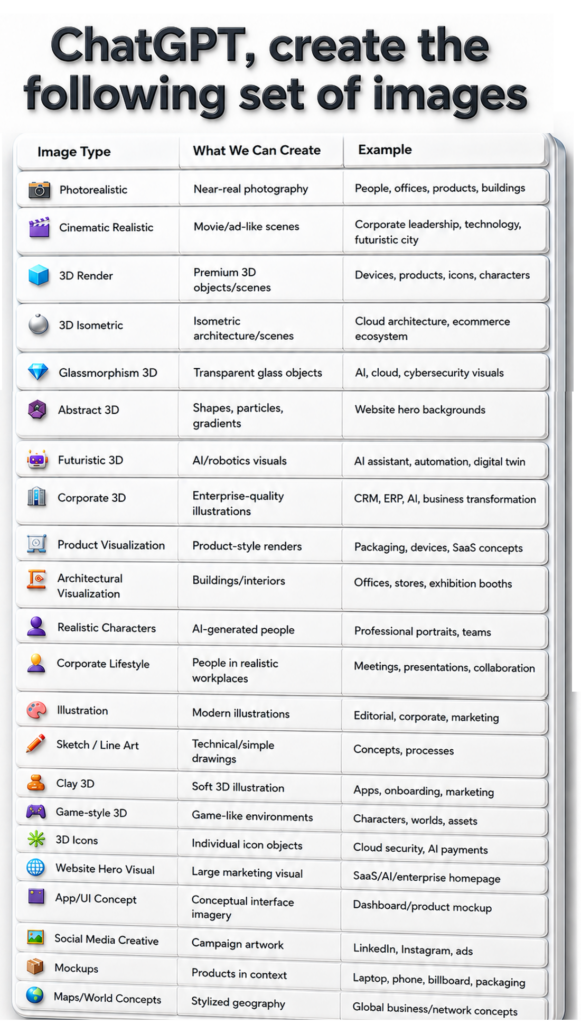
The visual “ChatGPT, create the following set of images” groups common creative requests into 24 practical categories. These are not official product categories or a fixed taxonomy. Instead, they are a useful way to think about the kinds of visual outcomes you may want when preparing a prompt.
This guide explains each category, where it can be useful, and how to ask for it clearly.
Photorealistic Images
Photorealistic images aim to resemble real photography. They are useful when the goal is natural lighting, believable materials, realistic people, real-world environments, products, buildings, food, or lifestyle scenes.
Best for:
People and professional portraits
Offices and workplaces
Product lifestyle photography
Buildings and interiors
Hospitality, travel, food, and retail concepts
Example prompt:“Create a photorealistic image of a modern technology team collaborating in a bright office, natural daylight, realistic skin tones, authentic workplace details, editorial corporate photography, wide composition.”
Cinematic Realistic Images
Cinematic realism uses many of the qualities associated with film and high-end advertising: deliberate composition, dramatic or directional lighting, depth, atmosphere, and strong visual storytelling.
The goal is not merely to make an image realistic—it is to make the scene feel deliberately photographed or filmed.
Best for: corporate leadership, brand campaigns, technology storytelling, futuristic cities, automotive concepts, launch campaigns, and hero visuals.
Example prompt:“Create a cinematic realistic scene of business leaders reviewing a digital transformation strategy in a premium boardroom, dramatic soft lighting, realistic materials, subtle depth of field, sophisticated enterprise advertising style.”
3D Render
3D renders are ideal when an object or scene should feel deliberately modeled rather than photographed. They can range from highly realistic CGI to stylized premium 3D artwork.
Best for:
Devices and technology products
Product concepts
3D characters
SaaS feature visuals
Marketing objects and hero assets
Product launches before physical photography exists
Example prompt:“Create a premium 3D render of a futuristic AI device, precision-machined aluminum and glass materials, realistic reflections, soft studio lighting, clean white background, luxury product-advertising quality.”
3D Isometric
Isometric visuals show a scene from a consistent elevated angle, making complicated systems easier to understand without relying on a fully technical diagram.
Best for: cloud architecture, e-commerce ecosystems, smart factories, logistics networks, data centers, connected cities, and platform ecosystems.
Example prompt:“Create a clean 3D isometric visualization of an e-commerce ecosystem connecting storefront, payment service, CRM, ERP, warehouse, analytics, and customer support. Use clear spatial grouping and an enterprise technology style.”
Glassmorphism 3D
Glassmorphism combines translucent surfaces, refraction, subtle blur, layered depth, and luminous edges. In 3D, it can create a sophisticated technology aesthetic when used with restraint.
Best for: AI, cloud platforms, cybersecurity, data products, SaaS interfaces, enterprise technology, and futuristic presentation visuals.
Example prompt:“Create a premium 3D glassmorphism cloud-security visual using layered translucent glass, subtle cyan and violet highlights, realistic refraction, dark neutral background, minimal enterprise aesthetic.”
Abstract 3D
Abstract 3D imagery communicates an idea through form rather than literal objects. Shapes, particles, gradients, waves, ribbons, spheres, and procedural-looking structures can create visual interest while leaving room for website or campaign copy.
Best for: website hero backgrounds, presentations, innovation campaigns, technology branding, event graphics, and thought-leadership content.
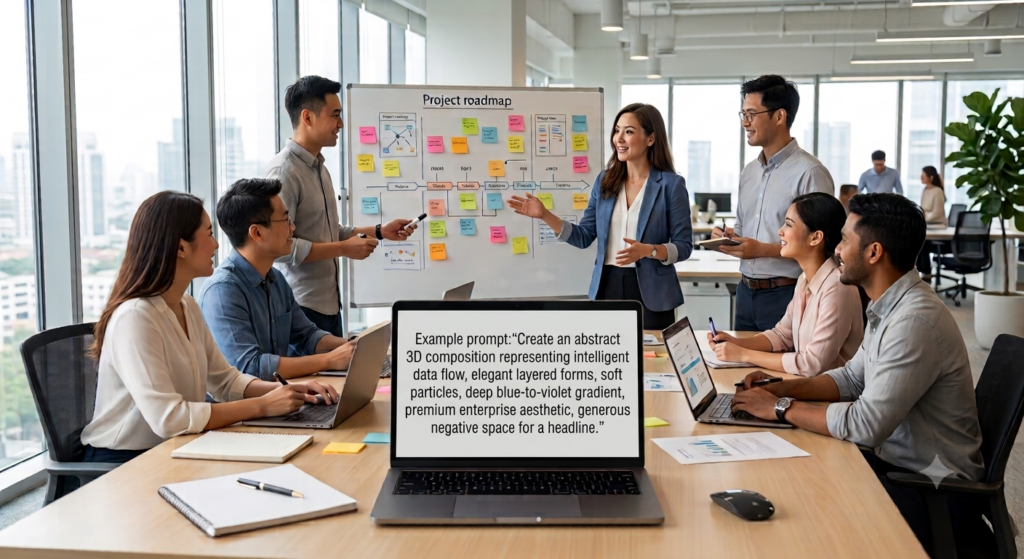
Example prompt:“Create an abstract 3D composition representing intelligent data flow, elegant layered forms, soft particles, deep blue-to-violet gradient, premium enterprise aesthetic, generous negative space for a headline.”
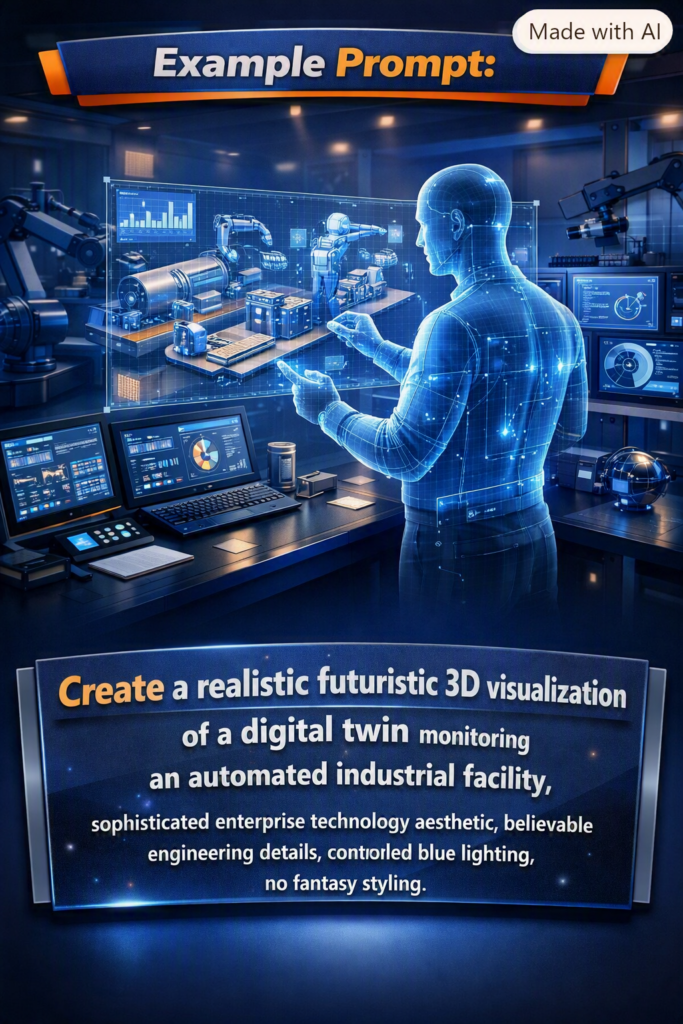
Futuristic 3D
Futuristic 3D is useful for depicting technologies and environments that may not exist in a photographable form yet.
Best for: AI assistants, robotics, automation, autonomous systems, digital twins, future workplaces, and next-generation industrial technology.
Example prompt:“Create a realistic futuristic 3D visualization of a digital twin monitoring an automated industrial facility, sophisticated enterprise technology aesthetic, believable engineering details, controlled blue lighting, no fantasy styling.”
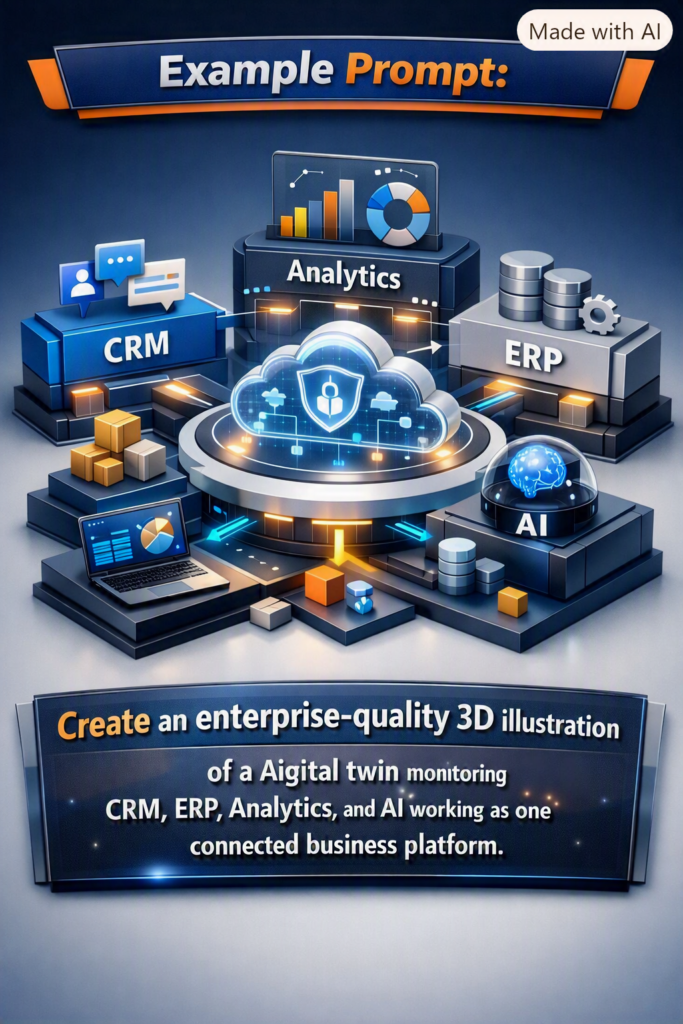
Corporate 3D
Corporate 3D turns enterprise concepts into polished visual storytelling. The style should generally remain confident, structured, and restrained rather than overly playful.
Best for: CRM, ERP, AI transformation, cloud migration, consulting, business processes, enterprise presentations, and B2B marketing.
Example prompt:“Create an enterprise-quality 3D illustration representing CRM, ERP, analytics, and AI working as one connected business platform, refined geometric components, realistic material depth, premium corporate palette.”
Product Visualization
Product visualization presents an item with the clarity and finish of commercial product photography or CGI. It can be especially valuable during ideation, packaging exploration, or marketing concept development.
Best for: packaging, electronic devices, SaaS concepts represented as physical objects, consumer products, prototypes, and launch visuals.
Example prompt:“Create a premium product visualization of a smart wearable device on a minimal studio surface, realistic metal and glass, accurate contact shadow, soft key light, commercial advertising quality.”
Architectural Visualization
Architectural visualization can explore buildings, interiors, offices, stores, event spaces, exhibition booths, hospitality concepts, and future environments.
For credible results, describe materials, lighting, layout, scale, intended function, and architectural character.
Example prompt:“Create a realistic architectural visualization of a premium technology exhibition booth, open layout, integrated digital displays, brushed metal, glass, warm accent lighting, realistic convention-hall environment.”
Realistic Characters
Realistic character imagery focuses on believable people rather than generic illustrated figures. It can be useful for conceptual professional portraits, team compositions, personas, and campaign imagery.
Best for: professional portraits, business personas, training scenarios, campaign concepts, and team-oriented visuals.
Example prompt:“Create a realistic professional portrait of a senior technology project manager, confident natural expression, business-casual clothing, soft studio lighting, realistic skin texture, neutral corporate background.”
Corporate Lifestyle
Corporate lifestyle imagery depicts people working naturally rather than posing directly for a formal portrait.
Best for: meetings, workshops, presentations, collaboration, consulting, remote work, corporate culture, and business websites.
Example prompt:“Create a realistic corporate lifestyle scene of a cross-functional team conducting a project-planning workshop, natural interaction, modern workplace, daylight, documentary-style business photography.”
Illustration
Illustration provides more stylistic freedom than realism. It can simplify complex ideas, establish a recognizable editorial identity, or communicate themes that would otherwise be difficult to photograph.
Best for: editorial content, corporate blogs, explainers, campaigns, onboarding, social media, and educational content.
Example prompt:“Create a modern editorial illustration about human-AI collaboration, clean geometric shapes, sophisticated enterprise palette, strong visual hierarchy, suitable for a technology leadership article.”
Sketch / Line Art
Line art reduces a concept to its essential structure. It is especially helpful where clarity is more important than realism.
Best for: technical concepts, process explanations, product ideation, instructional visuals, simple workflows, and early design exploration.
Example prompt:“Create clean technical line art showing the stages of a digital product workflow from idea to design, development, testing, and launch, consistent stroke weight, minimal visual noise.”
Clay 3D
Clay 3D uses soft rounded forms and approachable materials. It can make technical or onboarding concepts feel friendly and accessible.
Best for: apps, onboarding, education, feature explanations, marketing, and approachable SaaS visuals.
Example prompt:“Create a soft clay-style 3D illustration of a user completing an app onboarding flow, simple rounded forms, warm friendly palette, clean composition.”
Game-Style 3D
Game-style 3D is useful when the intended visual language resembles a designed virtual environment rather than reality.
Best for: characters, virtual worlds, game assets, gamified learning, spatial concepts, and immersive environment ideation.
Example prompt:“Create a polished game-style 3D environment for a futuristic learning hub, stylized architecture, navigable spatial layout, coherent lighting, premium game-art quality.”
3D Icons
Individual 3D icons can turn abstract features into tangible visual objects. Consistency matters when creating a set: camera angle, lighting, material, background, and scale should remain aligned.
Best for: cloud services, cybersecurity, AI, payments, analytics, app features, onboarding, and presentation slides.
Example prompt:“Create a premium 3D icon representing secure cloud computing, centered object, consistent isometric angle, glass and metallic materials, soft studio shadow, no text.”
Website Hero Visual
A website hero visual is designed around a page layout rather than as an isolated artwork. Composition and negative space become as important as the subject.
Best for: SaaS, AI, enterprise software, services, product launches, and campaign landing pages.
Example prompt:“Create a wide premium hero visual for an enterprise AI platform, sophisticated 3D data-network concept on the right, clean negative space on the left for headline and CTA, subtle cinematic lighting.”
App/UI Concept
AI-generated UI concepts can be useful during visual ideation. They are best treated as concept imagery or design direction rather than automatically assuming every generated screen is implementation-ready.
Best for: dashboards, product mockups, admin panels, mobile-app concepts, SaaS interfaces, and presentation prototypes.
Example prompt:“Create a high-fidelity concept for an enterprise project-management dashboard with portfolio health, milestones, budget status, risks, and resource allocation, clean professional UI, strong information hierarchy.”
Social Media Creative
Social media creative should be designed for fast comprehension. A strong visual hierarchy, a clear focal point, appropriate aspect ratio, and restrained copy usually matter more than excessive decoration.
Best for: LinkedIn, Instagram, campaign ads, product announcements, thought leadership, and event promotion.
Example prompt:“Create a premium LinkedIn campaign visual about AI-powered project delivery, clean corporate 3D style, one strong focal point, high contrast, space reserved for a short headline.”
Mockups
Mockups place a design or product into context. They help stakeholders visualize how something might appear in the real world.
Best for: laptop screens, phones, packaging, billboards, signage, books, posters, merchandise, and presentation boards.
Example prompt:“Create a realistic premium laptop mockup on a clean executive desk, front three-quarter view, soft daylight, screen clearly visible for a SaaS dashboard presentation.”
Maps / World Concepts
Stylized world and geographic concepts are useful for communicating global reach, connected networks, international operations, or regional business themes.
For precise geography or data-driven maps, a deterministic mapping or charting tool is preferable; generative imagery works best for conceptual visuals.
Example prompt:“Create a sophisticated 3D world concept showing a globally connected business network, subtle illuminated connection paths, dark premium background, restrained enterprise aesthetic, no geographic labels.”
Concept Art
Concept art is designed to explore an idea before it exists. It is particularly effective for imagining future products, environments, services, or technology experiences.
Best for: future technology, speculative products, early product vision, innovation workshops, campaign ideation, and investor storytelling.
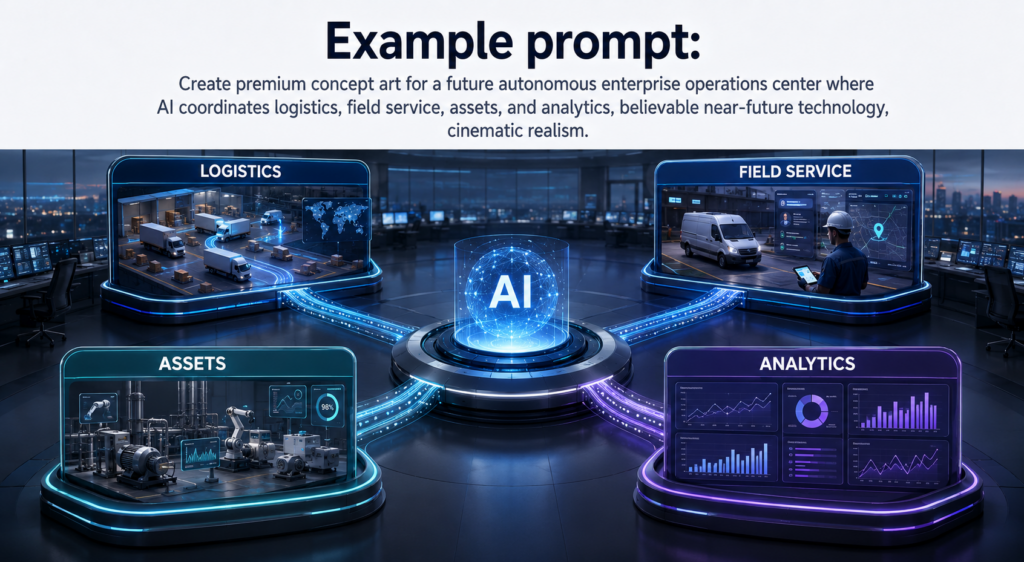
Example prompt:“Create premium concept art for a future autonomous enterprise operations center where AI coordinates logistics, field service, assets, and analytics, believable near-future technology, cinematic realism.”
Infographic-Style Visuals
Infographic-style images combine visual communication with structured information. They work well for simplified business concepts, workflows, category comparisons, and educational summaries.
When every label, number, or relationship must be exact, it is wise to verify generated text carefully or build the final infographic with deterministic layout/design tools.
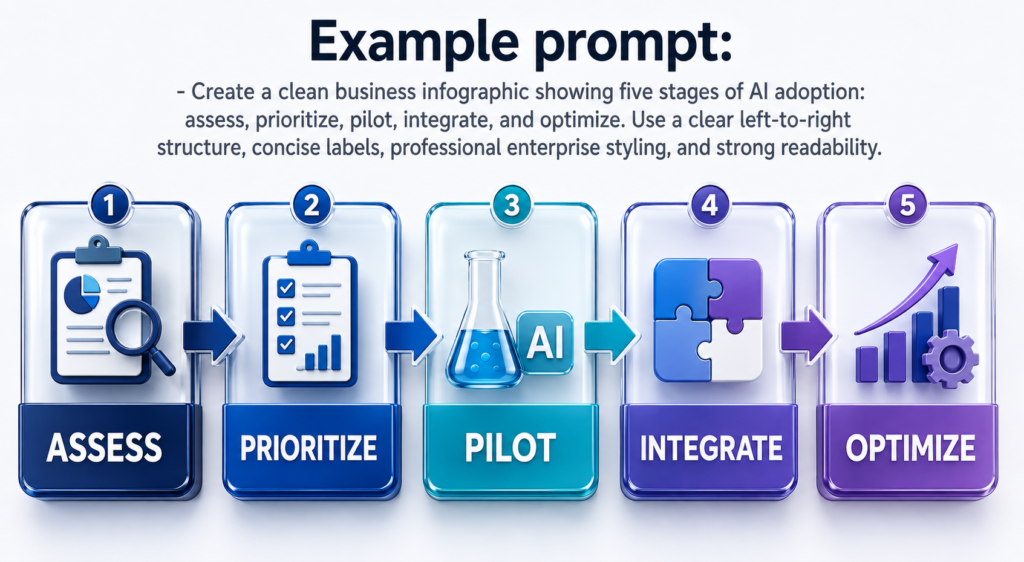
Example prompt:“Create a clean business infographic showing five stages of AI adoption: assess, prioritize, pilot, integrate, and optimize. Use a clear left-to-right structure, concise labels, professional enterprise styling, and strong readability.”
How to Choose the Right Image Style
Choosing a style becomes easier when you begin with the intended outcome.
A Better Prompting Framework
Instead of writing only “create a 3D image,” define the visual in layers:
Purpose — Where will the image be used?
Subject — What is the main object, person, or concept?
Style — Photorealistic, cinematic, 3D, isometric, illustration, etc.
Composition — Wide, square, portrait, close-up, top-down, centered, or with negative space.
Lighting and mood — Daylight, studio, dramatic, warm, futuristic, calm, premium, and so on.
Colors and materials — Brand palette, glass, metal, clay, fabric, natural materials, etc.
Text — Provide exact wording when text must appear in the image.
Constraints — State what must remain unchanged and what should not appear.
Reusable prompt template
Create a [image style] visual for [intended use]. The main subject is [subject] in [environment/background]. Use [composition], [lighting/mood], and [color/material direction]. Include the exact text “[copy]” if needed. Keep [important invariants] unchanged. Avoid [unwanted elements].
The more important a constraint is, the more explicitly it should be stated.
Combining Image Styles
These categories do not have to be isolated. Some of the strongest creative directions combine compatible qualities, for example:
3D Render + Cinematic Realistic for premium product and enterprise visuals.
Corporate 3D + Glassmorphism for sophisticated SaaS and cloud imagery.
Photorealistic + Corporate Lifestyle for believable workplace marketing.
Futuristic 3D + Architectural Visualization for smart factories and future workplaces.
3D Isometric + Infographic-style for conceptual platform and ecosystem explanations.
Product Visualization + Mockup for launch campaigns and presentations.
The key is to decide which style is primary and which qualities are secondary. Asking for too many unrelated aesthetics at once can make the creative direction less coherent.
Business Uses for AI-Generated Visuals
The same set of styles can support many business workflows:
Marketing and Brand
Create campaign concepts, landing-page visuals, social creatives, product launch artwork, thought-leadership graphics, and brand exploration.
Websites and SaaS
Develop hero concepts, 3D feature illustrations, UI ideas, icons, abstract backgrounds, product imagery, and visual directions for landing pages.
Enterprise Technology
Visualize AI, ERP, CRM, cloud, cybersecurity, automation, digital twins, transformation programs, and high-level platform ecosystems.
E-commerce and Products
Explore product presentations, packaging, lifestyle concepts, campaign imagery, mockups, and early product visualization.
Presentations and Investor Materials
Create conceptual visuals for product vision, market opportunity, future capabilities, solution overviews, and storytelling. Important business data should still be sourced and verified independently.
Training and Education
Use illustrations, line art, infographics, scenarios, diagrams, and characters to make learning material easier to understand and more engaging.
Practical Quality Tips
Specify the intended use before describing the visual style.
Ask for realistic lighting and materials when you want premium 3D results.
Use words such as “restrained,” “clean,” and “enterprise-grade” when you want professional B2B imagery rather than exaggerated effects.
For website heroes, explicitly request negative space where the page copy will appear.
For a consistent icon or asset series, repeat the same angle, lighting, palette, materials, and background instructions.
When editing an existing image, clearly state what must remain unchanged.
Treat generated text, numerical data, maps, diagrams, and factual details as items to verify before publication.
Use generative imagery for creative exploration and deterministic design/data tools when pixel-perfect structure or exact data representation is essential.
Frequently Asked Questions
Can multiple styles be combined in one prompt?
Yes. Combining compatible visual qualities can be effective. “3D Render + Cinematic Realistic,” for example, communicates both the medium and the desired lighting/presentation quality.
Which style is best for a business website?
There is no single best style. Corporate 3D, photorealistic, cinematic realistic, abstract 3D, glassmorphism, and website hero visuals can all work. The right choice depends on the brand, audience, page layout, and message.
Which style is best for AI and technology content?
Corporate 3D, futuristic 3D, glassmorphism 3D, abstract 3D, and cinematic realism are strong starting points. For enterprise audiences, subtlety and clarity often work better than excessive neon or science-fiction effects.
Can AI images contain text?
Text can be requested, but important copy should be checked carefully. For graphics where typography must be exact, consider generating the visual component and completing the final text layout in a deterministic design workflow.
Can generated images be used as final production assets?
They can be useful as final visual assets in many contexts, but the required review depends on the use case. Check visual accuracy, brand compliance, text, factual information, accessibility needs, and any applicable rights or organizational policies before publishing.
Final Thoughts
The most useful question is no longer simply, “Can ChatGPT create an image?” A better question is: What visual outcome do I need, where will it be used, and which combination of style, composition, lighting, and constraints will communicate that outcome best?
From photorealistic people and cinematic scenes to enterprise 3D, product visualization, website heroes, interface concepts, mockups, world concepts, and infographics, the range of possible creative directions is broad.
Start with the desired business outcome, select the appropriate visual category, describe the scene precisely, and refine the result through targeted edits. That approach turns image generation from experimentation into a repeatable creative workflow.