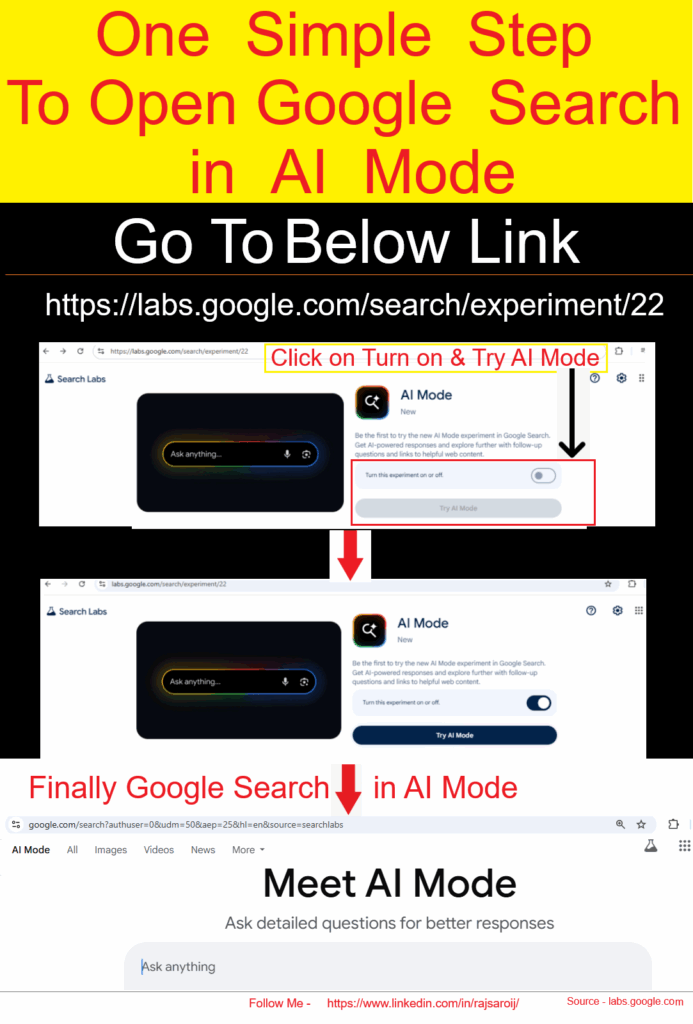
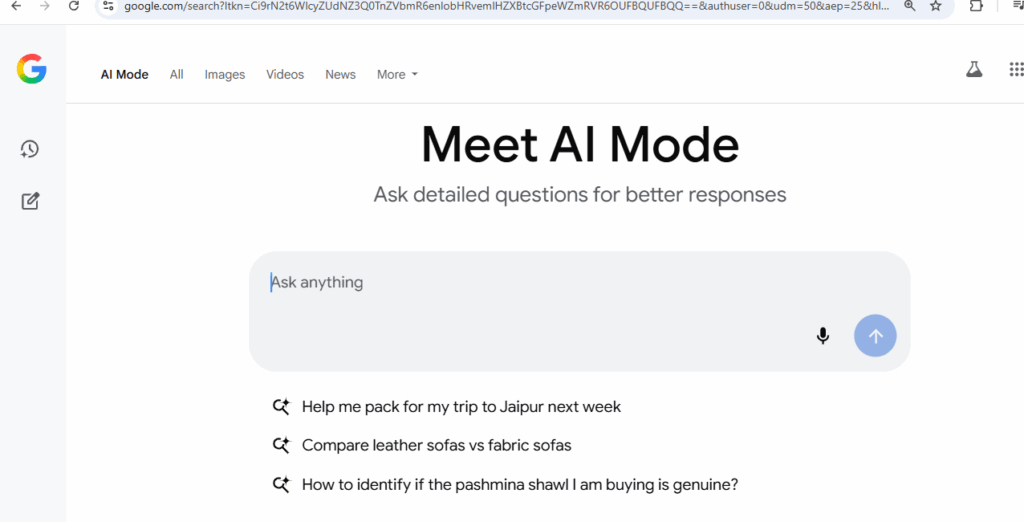
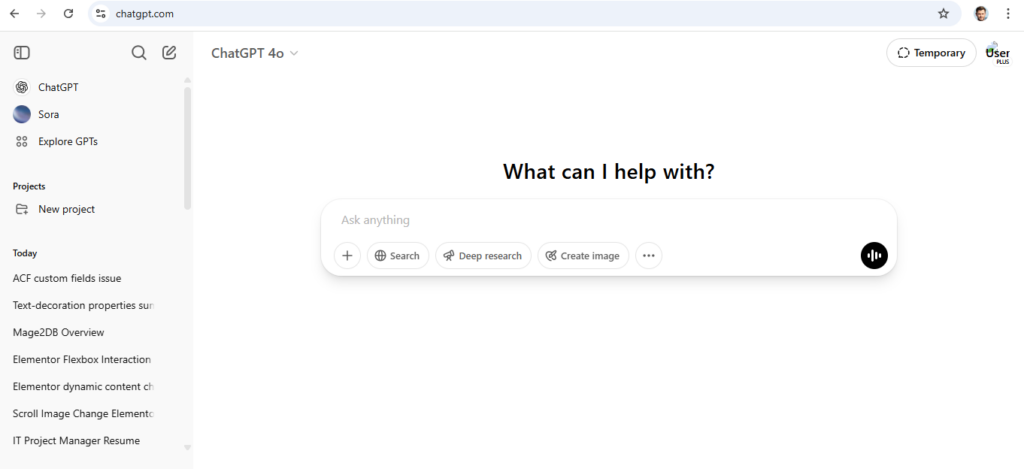
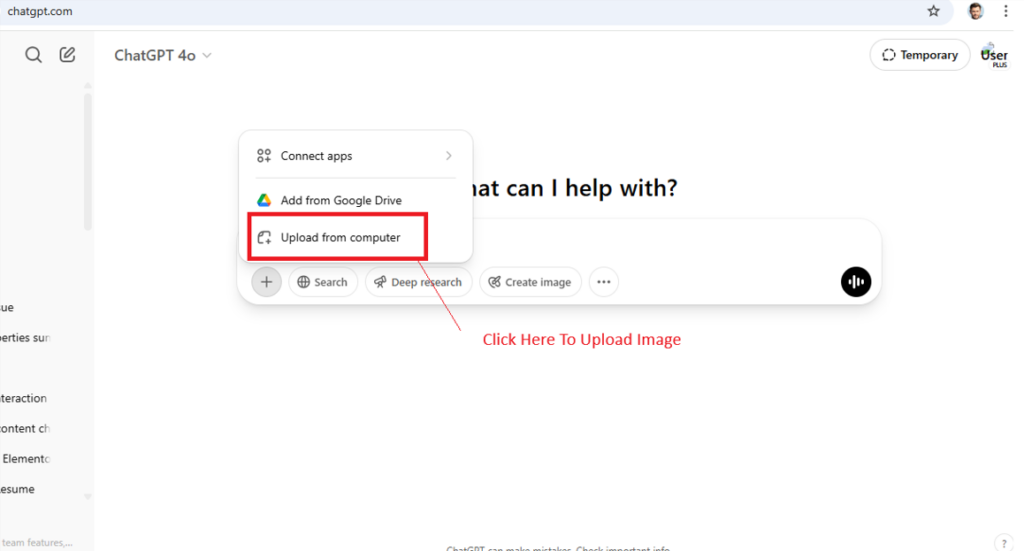
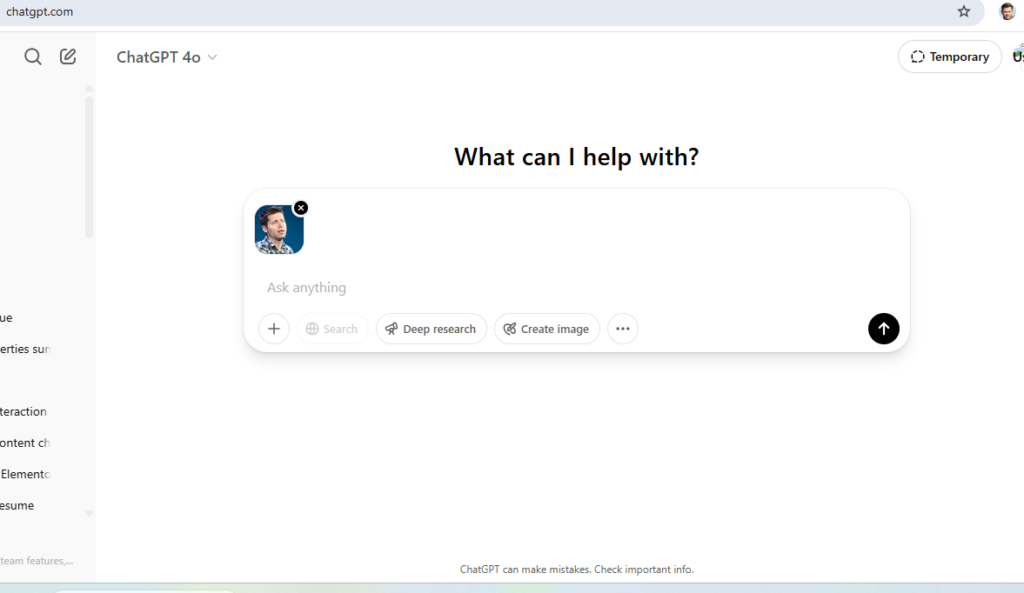
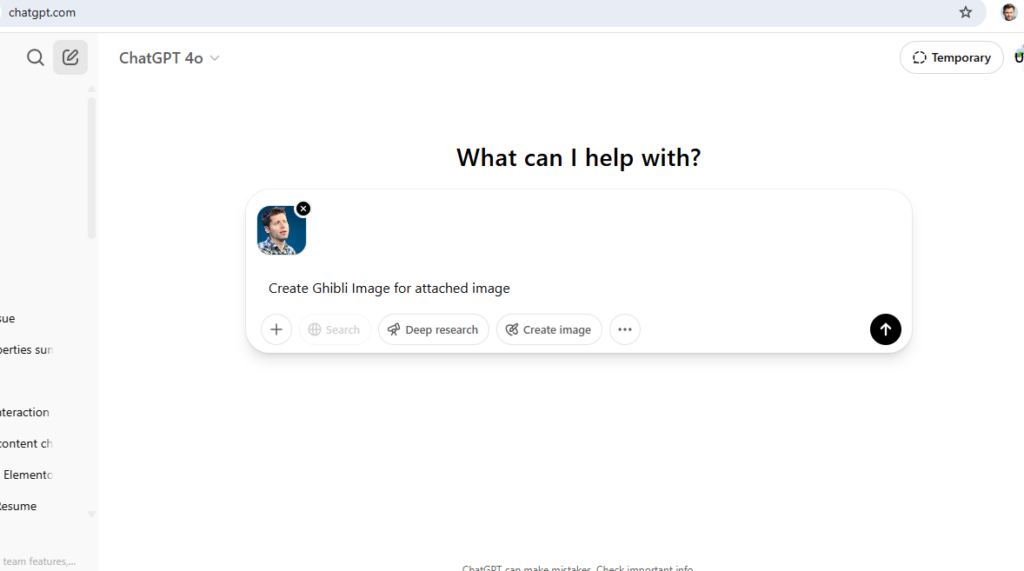
The following steps to open Google Search in AI Mode
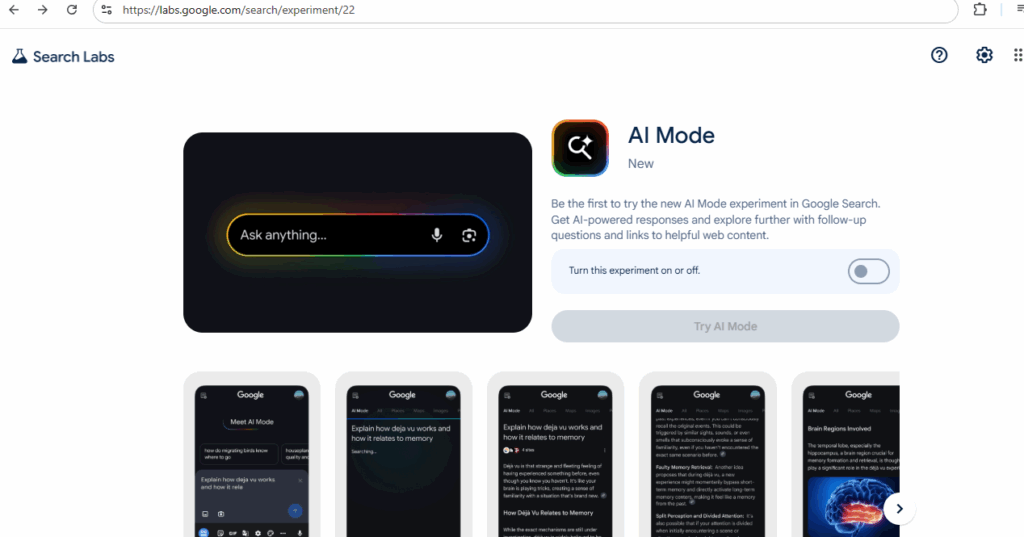
Step [1] – Go to labs.google.com
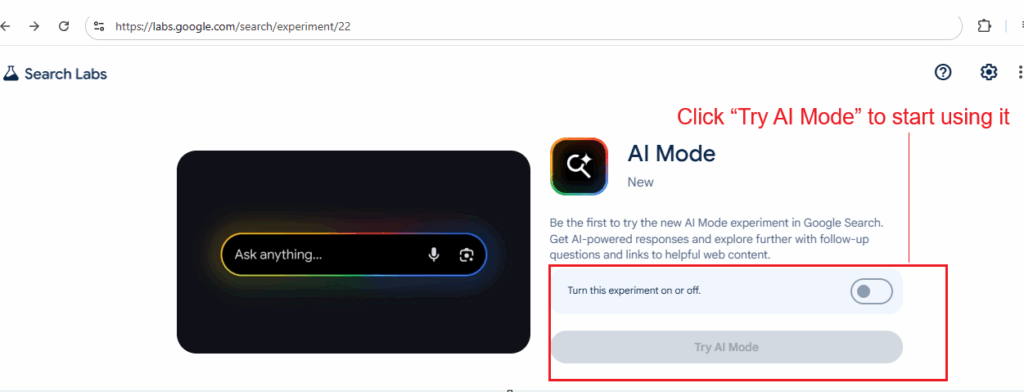
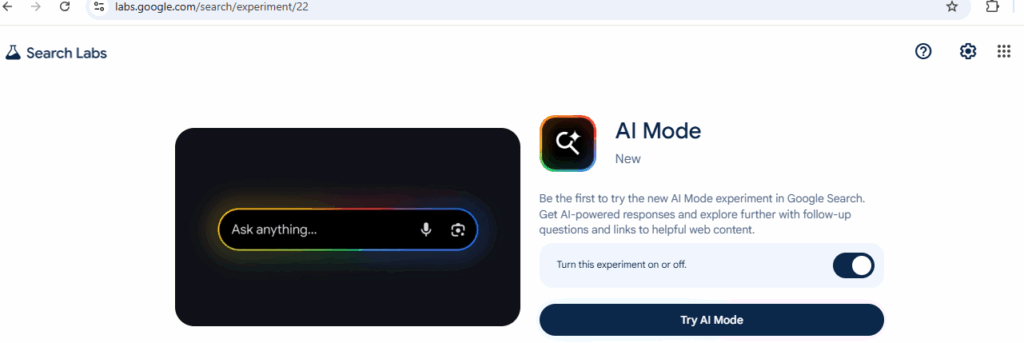
Step [2] – Look for “AI Mode” and switch it ON
Go To https://labs.google.com/search/experiment/22
Step [3] – Click “Try AI Mode” to start using it
Once Done –
Step [4] – Or just search something on Google and tap the AI Mode tab at the top
Google’s AI Mode makes searching easier, smarter, and faster — whether you’re planning meals, learning something new, or exploring hobbies. It’s now available to all users in India who use English on their device.
Step [5] – Ask Using Voice or Photos
You don’t always have to type. Just:
Upload a photo for visual searches (like spices, clothes, books, etc.)
Tap the microphone to ask your question
Step [6] – How Does Google AI Mode Work?
Google uses a “query fan-out technique” — this means the AI breaks your big question into smaller ones, searches them all together, and gives you one useful, combined answer. It also uses tools like:
Knowledge Graph (for facts)
Shopping search (for product suggestions)
Lens support (for image-based questions)
So if you take a photo of a spice and ask,
“What is this spice and how can I use it in cooking?”
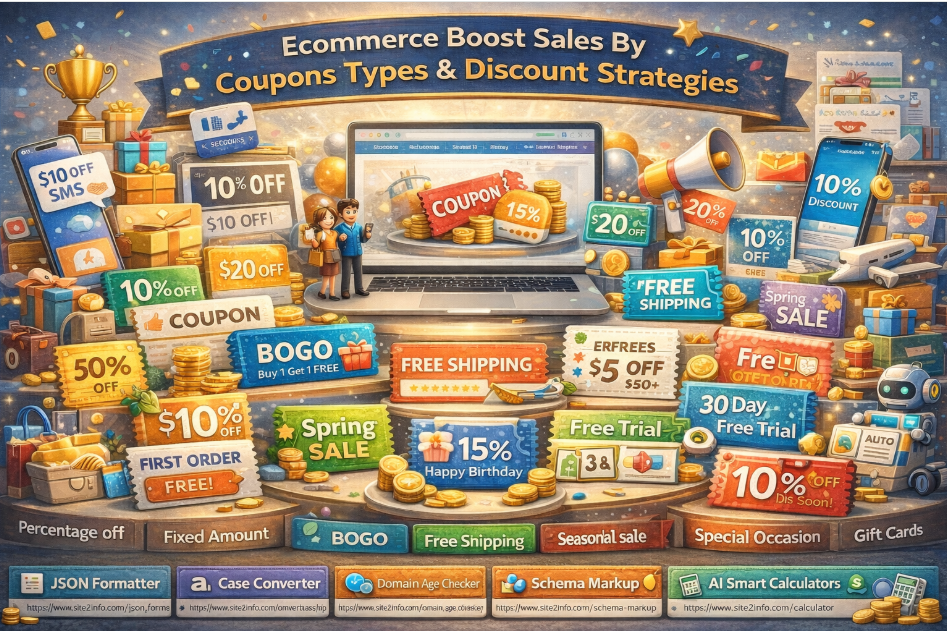
Ecommerce Boost Sales by Coupon Types & Discount Strategies
In today’s competitive digital commerce landscape, discounts and coupons are not just offers — they are strategic growth tools. When implemented correctly, coupon strategies can significantly increase sales, conversions, average order value (AOV), and customer retention.
Below are the most effective eCommerce coupon types and discount strategies that businesses use to boost sales and customer engagement.
1️⃣ Percentage-Off Discounts
Example: 10% OFF, 25% OFF
Percentage-based discounts are one of the most popular and easy-to-understand offers for customers.
Best used for:
Storewide promotions
Seasonal sales
Flash deals
Benefits:
Simple and attractive
Works well across all price ranges
Encourages impulse purchases
2️⃣ Fixed-Amount Discounts
Example: $10 OFF, $50 OFF
Fixed discounts offer a clear and direct value, especially effective for higher-priced products.
Best used for:
High-value carts
Minimum purchase thresholds
Benefits:
Perceived as high value
Controls discount cost better than percentages
3️⃣ Buy One Get One (BOGO)
Example: Buy 1 Get 1 Free / Buy 1 Get 50% Off
BOGO deals are extremely effective in increasing cart size and clearing inventory.
Best used for:
Overstocked items
Fast-moving consumer goods
Benefits:
Boosts order volume
Encourages customers to buy more
4️⃣ Free Shipping
Shipping costs are a top reason for cart abandonment.
Best used for:
Minimum cart value offers
First-time purchases
Benefits:
Reduces checkout friction
Increases conversion rates significantly
5️⃣ Seasonal & Festive Sales
Examples: Black Friday, Diwali Sale, Christmas Sale
Seasonal discounts align with customer buying psychology during festivals and holidays.
Benefits:
High traffic and intent
Strong emotional connection
Predictable sales spikes
6️⃣ Cart Deals (Cart Value Discounts)
Example: Get $20 OFF on orders above $200
Benefits:
Increases Average Order Value (AOV)
Encourages customers to add more items
7️⃣ First-Time Buyer Discounts
Example: 10% OFF on your first order
Benefits:
Reduces hesitation for new users
Improves first conversion rate
8️⃣ Loyalty Points & Rewards
Reward returning customers with points redeemable for discounts or free products.
Benefits:
Improves customer retention
Builds long-term brand loyalty
9️⃣ Referral Coupons
Offer rewards to both the referrer and the new customer.
Benefits:
Low-cost customer acquisition
Builds trust through word-of-mouth
🔟 Special Occasion Discounts
Examples: Birthday offers, anniversary discounts
Benefits:
Personalized customer experience
Strengthens emotional connection
1️⃣1️⃣ Gift Cards
Gift cards act as prepaid revenue and future conversion drivers.
Benefits:
Guaranteed upfront revenue
Encourages repeat visits
1️⃣2️⃣ Free Trials
Allow customers to try products or services before committing.
Benefits:
Reduces purchase risk
Builds confidence in your product
1️⃣3️⃣ Membership Discounts
Exclusive discounts for registered or paid members.
Benefits:
Encourages account creation
Builds a premium customer base
1️⃣4️⃣ Affiliate Coupons
Offer special coupons through affiliate partners.
Benefits:
Performance-based marketing
Expands reach with minimal risk
1️⃣5️⃣ Exit-Intent Offers
Display offers when a user is about to leave the site.
Benefits:
Reduces cart abandonment
Captures lost conversions
1️⃣6️⃣ Retargeted Promotions
Show personalized offers to returning visitors.
Benefits:
Higher relevance
Better conversion rates
1️⃣7️⃣ SMS Coupons
Send coupons directly to customers via text message.
Benefits:
High open rates
Instant engagement
1️⃣8️⃣ Automated Coupons
Coupons triggered by actions like signup, inactivity, or abandoned carts.
Benefits:
Scalable and efficient
Reduces manual effort
1️⃣9️⃣ Quantity Discounts
Example: Buy 5 items and get 10% OFF
Benefits:
Encourages bulk purchases
Ideal for B2B and wholesale
2️⃣0️⃣ Payment Method-Based Coupons
Offer discounts for specific payment methods (UPI, Wallets, Cards).
Benefits:
Reduces transaction costs
Encourages preferred payment channels
2️⃣1️⃣ Location-Based Coupons
Target offers based on customer geography.
Benefits:
Localized marketing
Region-specific promotions
2️⃣2️⃣ Scheduled Coupons
Coupons active only during specific dates or time windows.
To maximize impressions and attract more users to your LinkedIn post, you need to combine content quality with smart engagement strategies and timing. Here’s a step-by-step guide:
✅ 1. Write Strong, Relevant Content
Hook in the first 2 lines: Only the first 3 lines are visible before “…see more.” Make it compelling.
Value-driven: Share insights, quick tips, stats, stories, or lessons learned.
Originality wins: Avoid generic content. Personal experience, case studies, or unique opinions work best.
1 branded or community-based (#YourCompany, #GrowthHackers)
✅ 3. Use Engaging Formats
Text-only posts with line breaks = better readability
Carousel/Document posts (PDFs) = high engagement
Short native videos (with captions) = strong visual pull
Polls = high reach due to engagement algorithm
Images with real people (you or your team) = more relatable
✅ 4. Post Timing
Best time to post:
Weekdays: Tuesday–Thursday
Time: Between 8 AM–11 AM and 4 PM–6 PM (local audience time)
✅ 5. Engage Immediately After Posting
Reply to every comment within 60 minutes (LinkedIn’s “golden hour”).
Tag people relevant to the topic — but don’t over-tag.
Ask a question at the end of your post to invite comments.
✅ 6. Build Relationships
Comment thoughtfully on others’ posts before and after you post.
Be active with your network consistently (likes + value-adding comments = visibility).
✅ 7. Optimize Your Profile
People who see your post often click your profile.
Make sure your headline, photo, and banner clearly communicate who you are and what you do.
✅ 8. Avoid These Mistakes
Don’t include external links in the post. If needed, put links in the first comment.
Don’t use too many hashtags (3–5 max).
Don’t use “engagement bait” like “Comment ‘Yes’ if you agree” – it may be flagged.
Bonus: Use Emojis, Bullets, and Formatting
Break content with emojis (👍 💡 🚀) and short paragraphs to make it skimmable.
Example Post Structure:
pgsqlCopyEdit🔥 The #1 reason most professionals fail to grow on LinkedIn?

They post for themselves — not for their audience.

Here’s how to flip the script 👇

✅ Share lessons, not just wins
✅ Ask questions that spark real conversations
✅ Be consistent — even when the likes don’t come

What’s worked best for you on LinkedIn?

Let’s learn together. Drop your tips 👇

#LinkedInGrowth #PersonalBranding #SocialSelling #CareerTips
Definition of White-collar jobs: It refer to professional, managerial, or administrative work typically performed in an office or remote setting. These jobs usually require mental skills, education, and problem-solving abilities, rather than manual labor.
Example: Common White-Collar Job
Software developers
Accountants and financial analysts
Marketing managers
Lawyers and legal consultants
Teachers, professors, researchers
HR professionals
IT support and system administrators
Data analysts
Are White-Collar Jobs Affected by AI?
Yes, AI is transforming many white-collar roles.
How AI Is Impacting White-Collar Jobs:
[1] – Automation of Repetitive Tasks
Tools like ChatGPT, Copilot, and automation bots can draft emails, summarize documents, and even generate reports.
[2] – Data Analysis & Decision-Making
AI helps in faster and smarter data interpretation, replacing manual data crunching.
[3] – Customer Support & Communication
AI chatbots and voice assistants are reducing the need for human support agents.
[4] – Coding & Software Development
AI-assisted coding is speeding up development work and even writing code from prompts.
[5] – Creative Fields
Designers, content creators, and marketers are seeing AI tools assist or sometimes replace parts of their workflows.
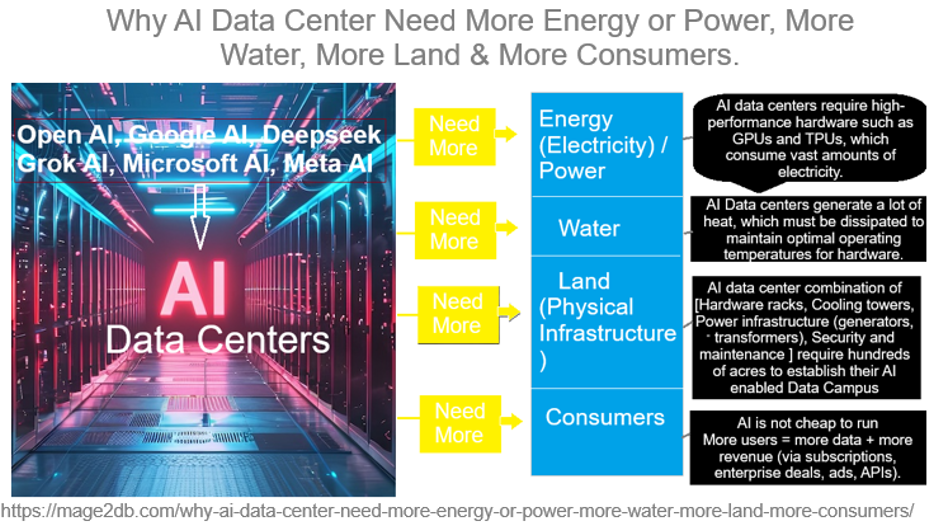
AI data centers are pivotal for modern computational tasks but demand significant resources due to their operational and structural needs.
AI data centers require significantly more resources than traditional data centers due to the unique demands of AI workloads, particularly those involving machine learning (ML) and large-scale model training and inference.
The following below steps define why AI Data Center need more Energy or Power, more Water, more Land, more consumers
Step [1] – Why Need More Energy(Electricity) / Power:
AI Algorithms workloads, especially training large models like those used for generative AI, Agentic AI, deep learning , neural networks, LLM are computationally intensive. These tasks require high-performance hardware such as GPUs and TPUs, which consume vast amounts of electricity.
AI models grow in complexity and scale, so does their energy demand.
High-Performance Computing (HPC)AI models (ChatGPT, Gemini, Grok, etc.): require massive GPUs/TPUs that consume substantial electricity clusters (e.g., NVIDIA H100s) to process and serve queries.
Training large models: consumes millions of GPU hours and vast power.
24/7 Operations: also needs constant power to keep hardware running 24/7.
Scalability: As models grow (e.g., trillion-parameter networks), energy needs rise exponentially, outpacing efficiency gains
Step [2] – Why Need More Water:
Cooling is critical for AI data centers, as the servers generate immense heat, especially in water-cooled data centers.
AI Data centers generate a lot of heat, which must be dissipated to maintain optimal operating temperatures for hardware.
Direct Cooling: Evaporative cooling towers and chilled water systems use millions of gallons annually. For example, a 15 MW data center can use up to 360,000 gallons daily.
Location Challenges:Data centers in arid regions (e.g., Arizona) strain local water resources, prompting regulatory scrutiny.
Indirect Usage: Energy production (e.g., thermoelectric power plants) often relies on water, linking energy demand to water scarcity.
For Example:: A single data center can use millions of gallons of water annually—Google’s data centers, for instance, used 5.2 billion gallons in 2023, a number likely higher now with AI expansion.
Step [3] –Why Need More Land(Physical Infrastructure ):
The scale of AI data centers is massive. The house thousands of servers, cooling systems, and backup power systems, requiring large physical spaces.
AI data center combination of [Hardware racks, Cooling towers, Power infrastructure (generators, transformers), Security and maintenance ] require hundreds of acres to establish their AI enabled Data Campus
For example: Microsoft AI, Open AI Google Gemini AI, Grok AI, Meta, Amazon AI are building AI Campus on hundreds of acres of AI-focused data campuses hundreds of thousands of square feet. As AI demand grows, companies need more land to build new facilities or expand existing ones, often in rural areas with cheaper land and power access.
Step [4] – Why Need More Consumers:
The more consumers and businesses use AI services—whether for cloud computing, generative AI applications, or enterprise solutions—the more data centers need to scale.
Revenue Model: Subscription-based AI services ( ChatGPT Plus, Grok, DeepSeek, Meta ) rely on scaling users to offset high operational costs.
Data Feedback Loop: More users generate more data, improving models (e.g., recommendation systems), which attracts more users.
AI is not cheap to run, so companies need scale to justify infrastructure.
More users = more data + more revenue (via subscriptions, enterprise deals, ads, APIs).
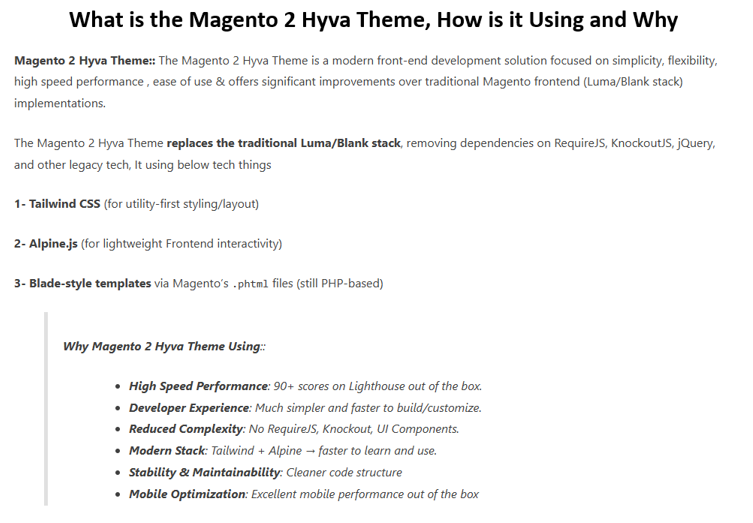
Magento 2 Hyva Theme:: The Magento 2 Hyva Theme is a modern front-end development solution focused on simplicity, flexibility, high speed performance , ease of use & offers significant improvements over traditional Magento frontend (Luma/Blank stack) implementations.
The Magento 2 Hyva Theme replaces the traditional Luma/Blank stack, removing dependencies on RequireJS, KnockoutJS, jQuery, and other legacy tech, It using below tech things
Mobile Optimization: Excellent mobile performance out of the box
SEO Advantages: Faster loading improves search rankings
How Magento 2 Hyva Theme is Integrating
1 – Prerequisites:
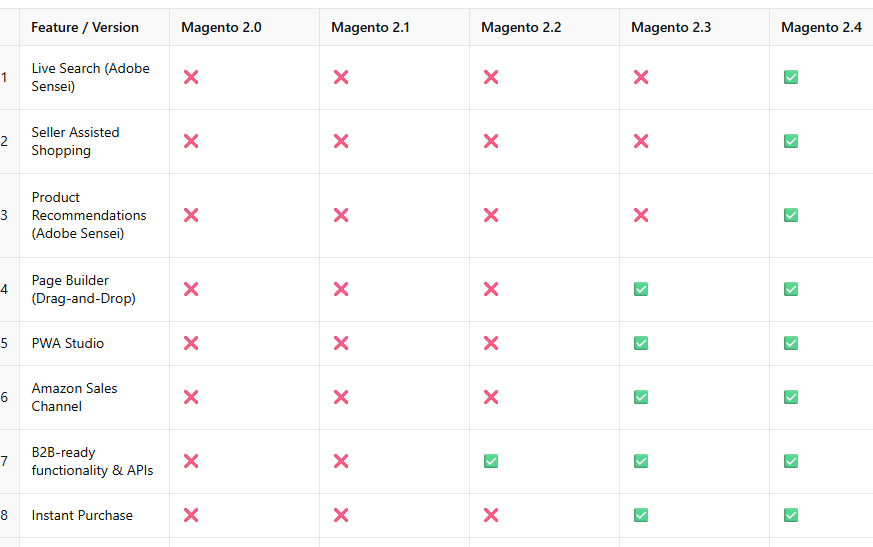
Magento 2.4.3 or higher.
Purchase a Hyvä license to access the theme package and private Packagist key.
Ensure server compatibility (PHP 7.4+, Node.js 12.13.0+ for Tailwind compiler).
Back up the Magento store and database to prevent data loss.
2 – Setup via Composer:
Configure Hyvä repositories in the Magento project (hosted on private GitLab and public GitHub).
Run commands like composer require hyva-themes/magento2-default-theme to install the theme and its dependencies (e.g., email module, GraphQL tokens).
3 – Activation:
In the Magento Admin Panel, navigate to Content > Design > Configuration, select the store view, and apply the “Hyvä/default” theme.
Update the database schema with bin/magento setup:upgrade.
Deploy static content in production mode and flush the cache (bin/magento cache:flush).
4 – Customization:
Use Tailwind CSS and Alpine.js to style and add interactivity.
Leverage the Hyvä UI library for pre-built components.
Override templates using Magento’s theme hierarchy or XML layouts.
5 – Optional Features
Enable Hyva Checkout (React-based or Luma fallback) for a faster checkout experience.
Integrate third-party extensions (over 1,000 are Hyvä-compatible).
6 – Development Workflow
Developers work with pHTML templates, which are standalone and have minimal dependencies,
JavaScript is embedded within templates, reducing complexity and making templates portable.
The theme supports GraphQL for efficient data fetching and can be localized using CSV translation dictionaries.
Developers can use the Hyvä Community Slack Channel for support and access extensive documentation to learn Tailwind CSS, Alpine.js, and Hyvä’s structure.
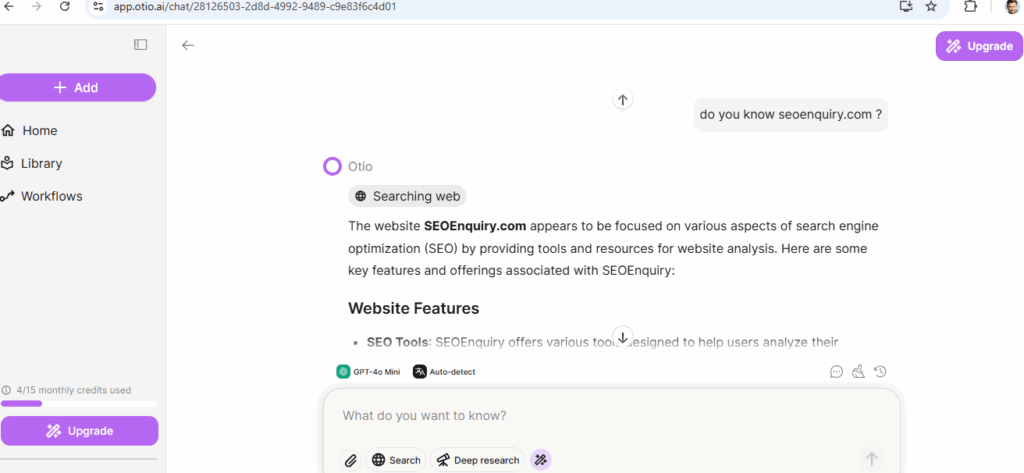
Skip reading 100s of pages docs or watching hours of video. Extract the insights (more summarized) you need, fast
Access all premium AI models
Chat with Llama 4, DeepSeek R1, GPT-4o, Claude, Gemini 2.5 Pro and more!
Chat with your documents
Instant Youtube summaries
Document comparison
AI text editor and more!
Still doing research the hard way?
❌ Manually reading endless reports? ❌ Watching long videos just for key insights? ❌ Struggling with writing, citations, and structuring?
It’s time to upgrade your workflow.
With Otio, that’s exactly what you get!
No more wasting hours reading, summarizing, and organizing information—Otio does it for you instantly.
What Makes Otio Stand Out? ✅ Lightning-Fast Summaries – Extract key takeaways from long-form content instantly. ✅ AI-Assisted Writing – Say goodbye to writer’s block with structured drafts and edits. ✅ Reliable Research – Get accurate, cited information without endless fact-checking. ✅ Automated Workflows – Set up smart AI routines to streamline your research process.
By using otio.ai your asking query will be detailed, structured AI summaries & Automatically generated summaries from Images, Videos, PPT, Audio, Docs, Links, PDFs to Youtube videos
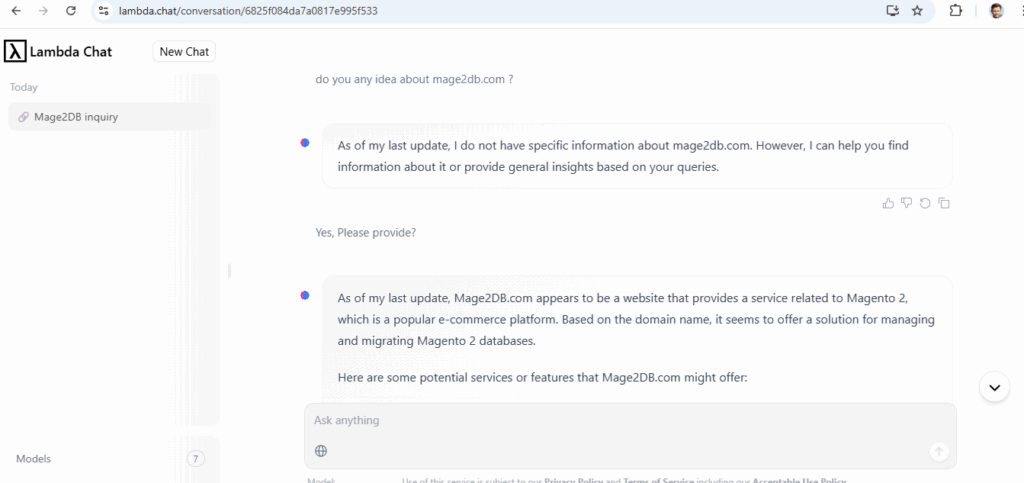
[1.8] –lambda.chat – Free / Paid AI chatbot – DeepSeek based advanced open-source large language models (LLMs) as free.
Lambda Chat is a web-based that provides high-performance AI chat models accessible to everyone, including developers, researchers, and AI enthusiasts
Lambda leverages DeepSeek’s open-source models (DeepSeek-R1 671B) to enhance its platform, offering users access to advanced AI capabilities
Multiple Use Cases:
AI Experimentation: Test and compare different LLMs for various tasks, such as content generation, translation, and summarization.
Application Development: Incorporate advanced language models into applications via the Inference API.
Educational Purposes: Learn about LLM capabilities and behaviors through hands-on interaction.
Is there Any Relationship Between https://deepseek.com & https://lambda.chat/
Lambda Chat and DeepSeek.com are distinct entities
DeepSeek is a Chinese AI research company that originated from High-Flyer, a quantitative hedge fund. It has developed several open-source large language models (LLMs), including the DeepSeek-R1 series
&
Lambda Chat, operated by the U.S.-based company Lambda, provides a platform for users to interact with various LLMs. Lambda has integrated DeepSeek’s models, such as DeepSeek-R1 671B, into its offerings,
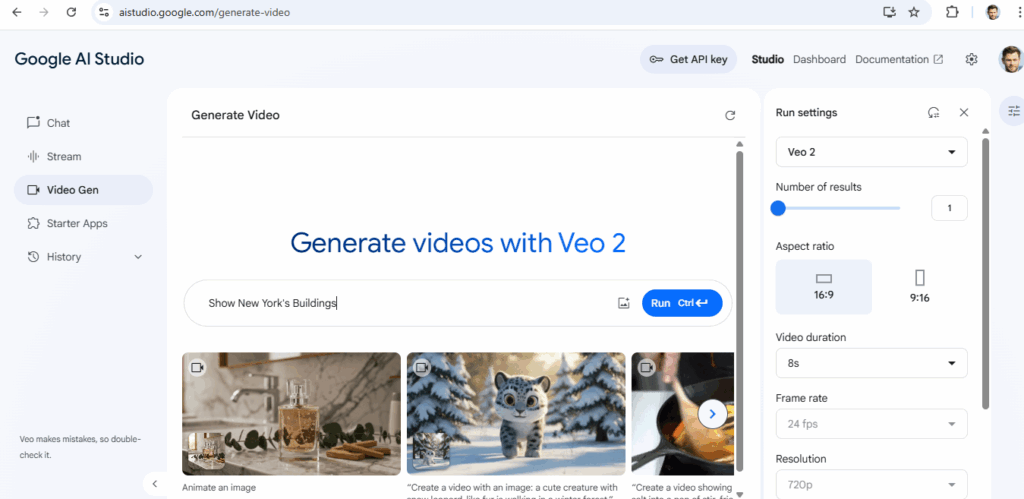
I have put content in Video Gen Section & it generated Video as below
Show New York’s Buildings
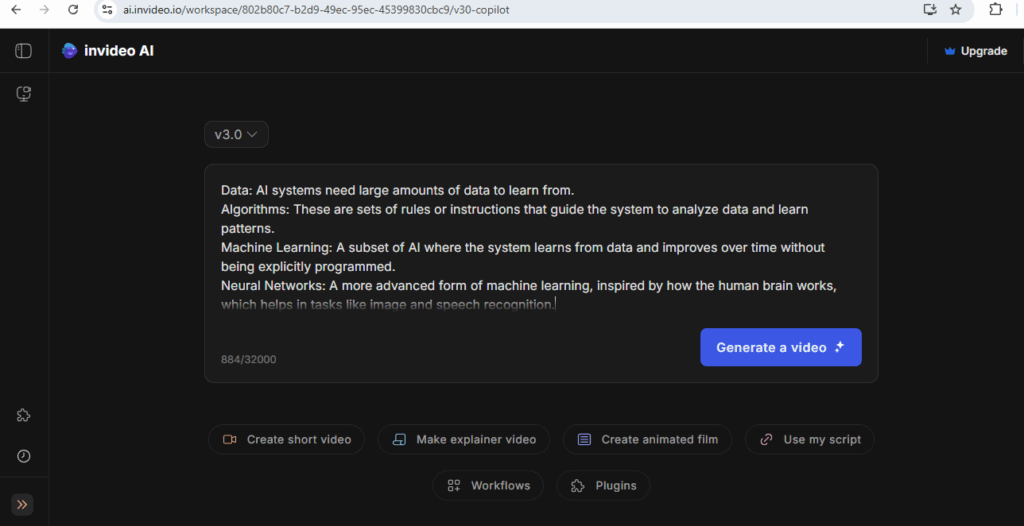
[5.5] –ai.invideo.io – :: Generate Videos / Auto Video , Create short video , Make explainer video, Create animated film, YouTube, YouTube Short Video, Use my script based Video
Once Clicked on Generate Video redirected as below
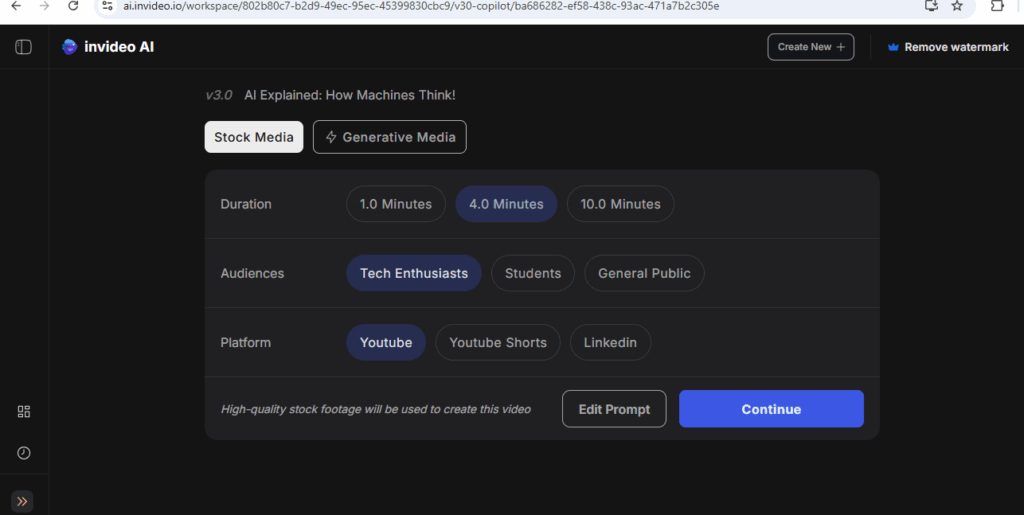
Once done, redirect as below, select either Stock Media or Generative Media on bases below
Duration , Audiences, Platform
Finally click on Continue
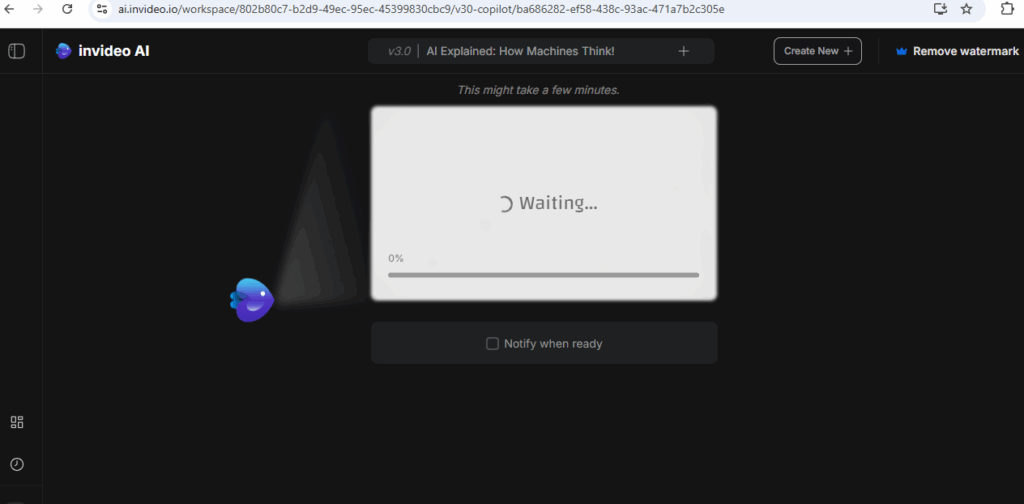
Once clicked on Continued redirected as below, It will take some time , Please be patience
Finally Video Generated as below, here overserve Video, auto animated video as per images have been created inside Video.
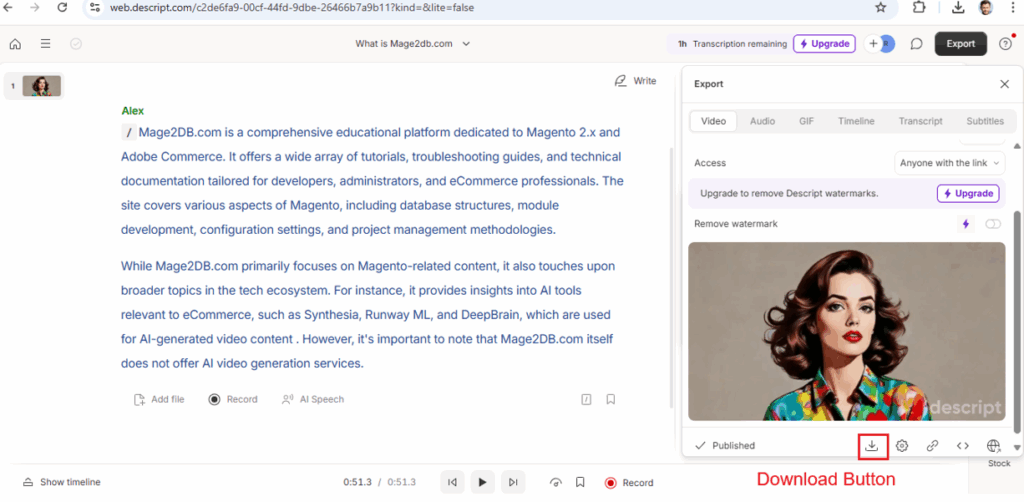
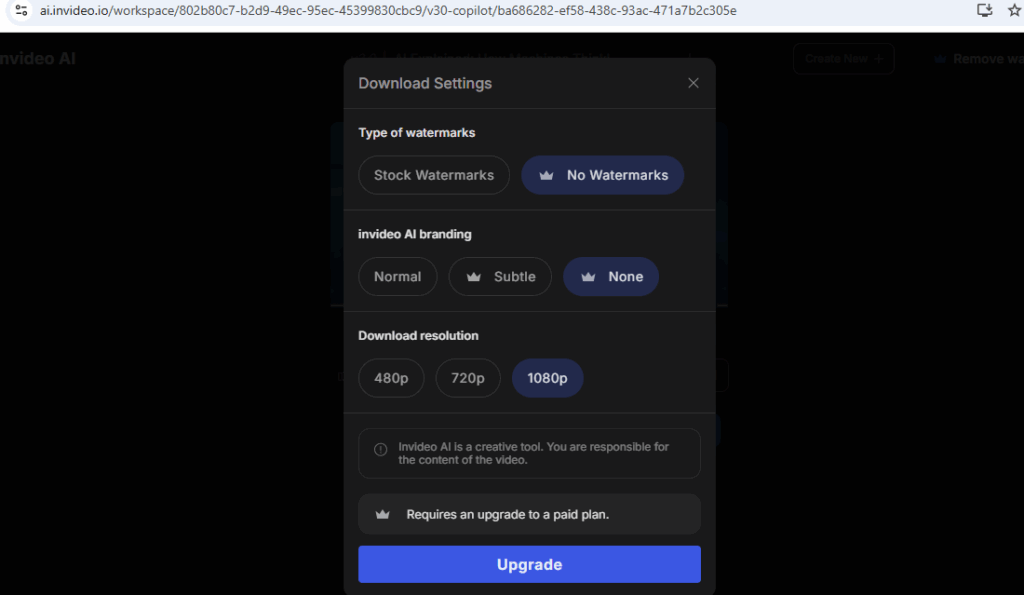
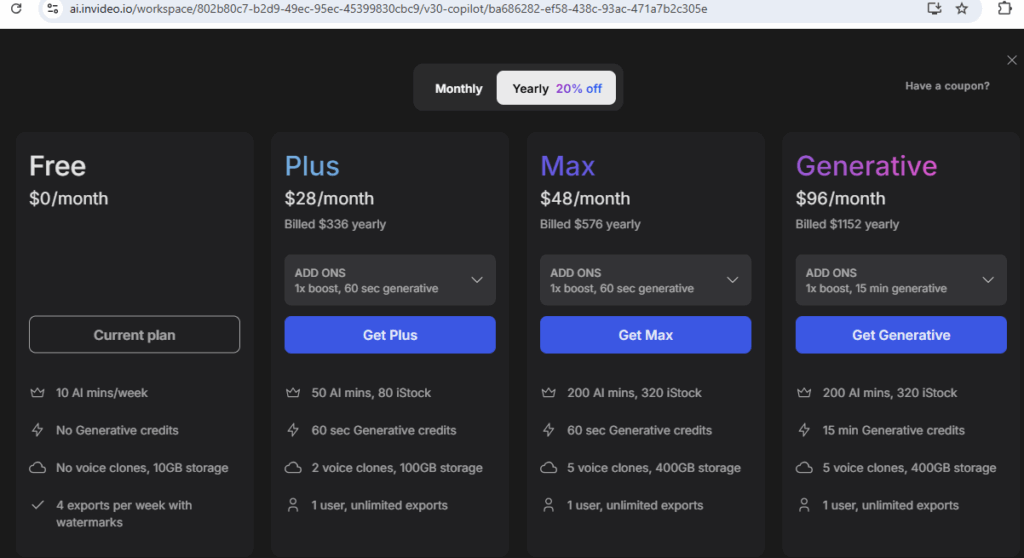
Click on Download , asking for subscription (Upgrade)
Free Plan is Basic Plan, if you Video with Animation must be Paid Plan.
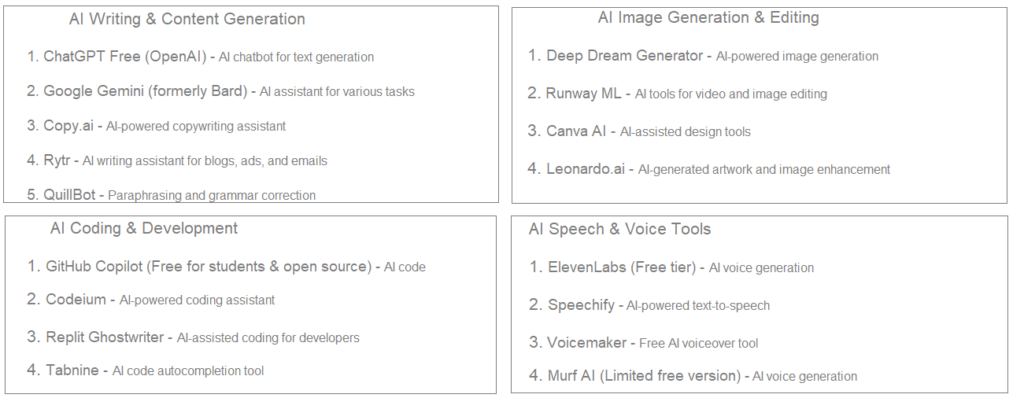
[6] – AI Research & Productivity
Elicit – AI-powered research assistant
Perplexity AI – AI-driven search engine
You.com – AI-powered search with chat features
Notion AI – AI-enhanced note-taking and organization
Otter.ai (Free plan available) – AI-generated meeting transcriptions
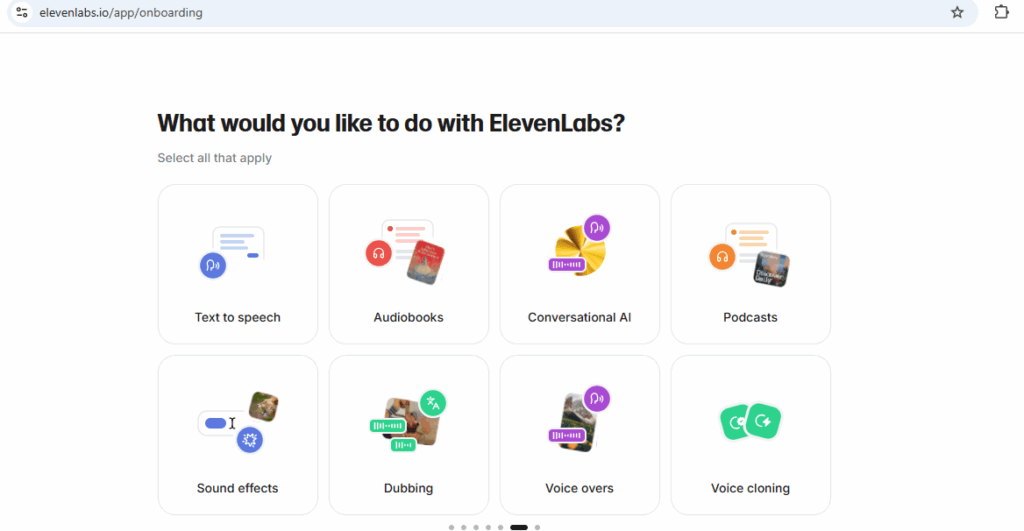
👉 Marketing & Sales 👉 Education & Training 👉 Corporate Communications 👉 Social Media Content 👉 Podcasting 👉 Video Content Creation 👉 Audio Integration 👉 Innovative text-based editing simplifies the editing process 👉 Robust AI features like Overdub and Studio Sound enhance content 👉 Flexible pricing plans cater to various user needs
Advantages All Above Tools
👉 User-friendly interface suitable for beginners. 👉 High-quality avatars with realistic expressions and lip-syncing. 👉 Extensive language support for global audiences. 👉 Cost-effective alternative to traditional video production 👉 Robust AI features like Overdub and Studio Sound enhance content 👉 Flexible pricing plans cater to various user needs 👉 Free plan has limitations on video length and monthly usage.