
Introduction
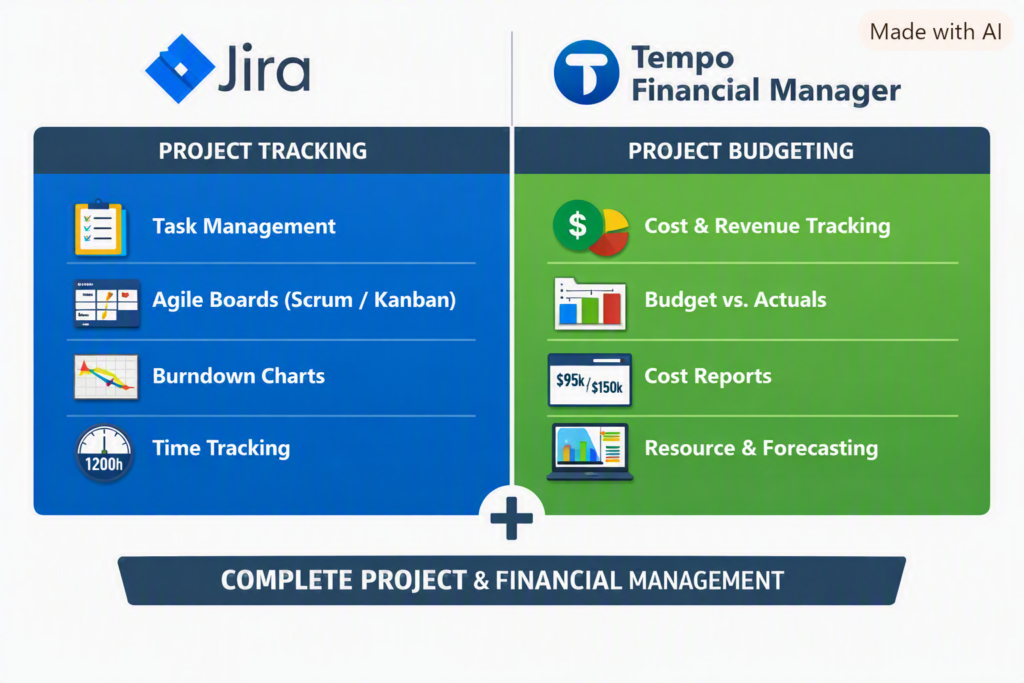
In today’s fast‑paced IT and enterprise environments, project success depends not only on timely delivery but also on financial discipline. While Jira is widely known for its powerful project tracking and Agile management capabilities, combining it with Tempo Financial Manager turns it into a complete project budgeting and financial control suite.
Jira Cloud → Handles project execution and tracking.
Tempo Financial Manager → Handles financial management and budgeting.
Together, they form a unified system — Jira with Tempo Financial Manager — that connects work effort to financial outcomes, enabling real‑time visibility for project managers and executives.
Tempo add-ons (Project budgeting and financial ) do not work with the free Jira Server . They are designed for Jira Cloud subscriptions,
💡 What Is Jira with Tempo Financial Manager?
Jira is the backbone of Agile project management — tracking tasks, sprints, and workflows. Tempo Financial Manager, an Atlassian Marketplace add‑on, extends Jira’s capabilities by adding budgeting, cost tracking, and forecasting features. Together, they provide a unified view of both project progress and financial performance.
🔧 How It Works
- Effort Logging: Team members log hours directly against Jira issues.
- Cost Conversion: Tempo applies hourly or blended rates to calculate real‑time costs.
- Budget Tracking: Managers define project budgets and monitor actual vs. planned spend.
- Forecasting: Tempo predicts future costs based on remaining work and team velocity.
- Reporting: Dashboards combine progress metrics with financial KPIs for executive visibility.
📊 Example Scenario
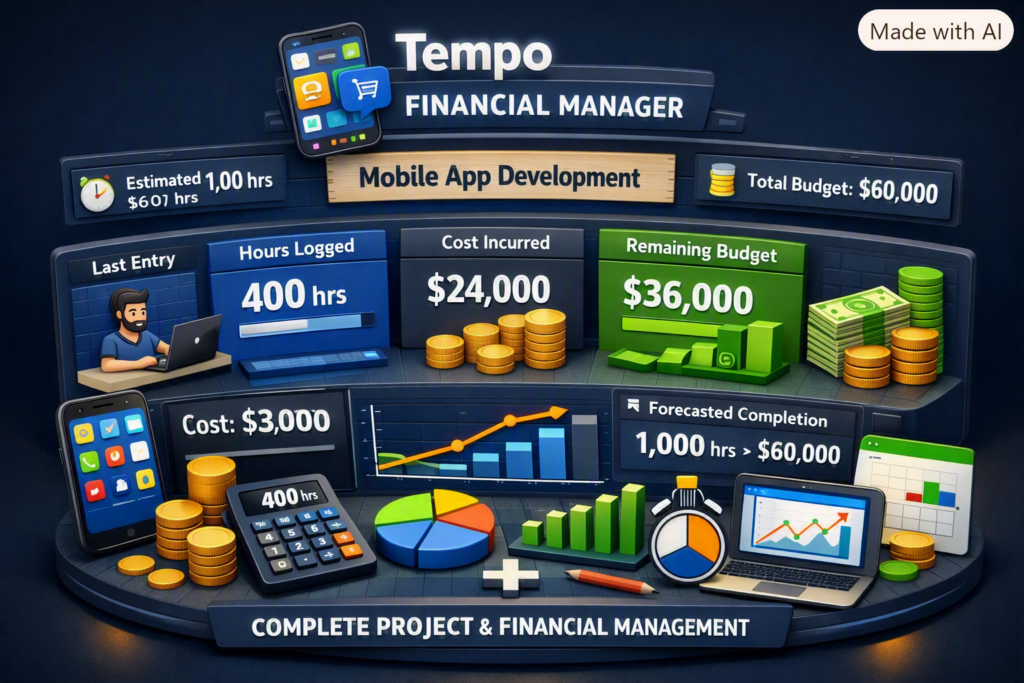
Project: Mobile App Development
- Estimated Effort: 1,000 hours
- Hourly Rate: $60/hr
- Budget: $60,000
Tracking in Jira + Tempo:
- Developer logs 50 hrs → Tempo calculates $3,000 cost.
- Dashboard shows:
- Hours logged: 400 hrs
- Cost incurred: $24,000
- Remaining budget: $36,000
- Forecasted completion: 1,000 hrs → $60,000
This transparency helps project managers make informed decisions early, preventing overruns and optimizing resource allocation.
✅ Key Advantages
| Feature | Benefit |
|---|---|
| Real‑time Cost Tracking | Prevents budget surprises |
| Integrated Dashboards | Combines progress + financials |
| Forecasting | Predicts future spend accurately |
| Resource Planning | Optimizes manpower and workload |
| Audit‑Ready Reports | Simplifies billing and compliance |
🌍 Why It’s Popular
- Single Source of Truth: Combines project execution and financial control.
- Agile Alignment: Perfect for sprint‑based budgeting and iterative delivery.
- Executive Visibility: Dashboards make financials easy to understand.
- Efficiency: Eliminates manual spreadsheets and disconnected tools.
🧠 Real‑World Impact
Organizations using Jira with Tempo report:
- Up to 30% improvement in budget accuracy.
- Faster decision‑making through real‑time dashboards.
- Reduced administrative overhead by automating timesheets and cost tracking.
🔮 Imortant
Jira with Tempo Financial Manager isn’t just a tool — it’s a strategic enabler for modern project management. It empowers teams to deliver projects on time, within budget, and with full transparency. For IT leaders and project managers, this integration represents the future of data‑driven, financially intelligent project delivery.
🎯 Summary
- Jira Cloud → Handles project execution and tracking.
- Tempo Financial Manager → Handles financial management and budgeting. Together, they form a unified system — Jira with Tempo Financial Manager — that connects work effort to financial outcomes, enabling real‑time visibility for project managers and executives.
Project Budgeting Scenario
Example Project
Project: Healthcare Patient Portal and EHR Integration
Duration: 12 months
Approved Budget (BAC): $2 million
Delivery Model: Agile/Scrum
Team Size: 20–25 members
1. Budget Breakdown
| Budget category | Percentage | Amount |
|---|---|---|
| Discovery and planning | 5% | $100,000 |
| UX and solution architecture | 8% | $160,000 |
| Development and integration | 32% | $640,000 |
| Data migration | 10% | $200,000 |
| QA, UAT and performance testing | 12% | $240,000 |
| Security and compliance | 6% | $120,000 |
| Cloud infrastructure and licences | 8% | $160,000 |
| Training and change management | 5% | $100,000 |
| Deployment and hypercare | 4% | $80,000 |
| Management contingency reserve | 10% | $200,000 |
| Total | 100% | $2,000,000 |
2. Resource Cost Calculation
Calculate each resource’s cost using:
Resource Cost = Hourly Rate × Planned HoursExample:
| Role | Number | Hours per person | Rate | Cost |
|---|---|---|---|---|
| Project Manager | 1 | 1,800 | $80 | $144,000 |
| Solution Architect | 1 | 1,200 | $100 | $120,000 |
| Developers | 6 | 1,600 | $60 | $576,000 |
| QA Engineers | 3 | 1,400 | $45 | $189,000 |
| DevOps Engineer | 1 | 1,000 | $70 | $70,000 |
Also include:
- Business analysts
- UX designers
- Security specialists
- Data migration engineers
- Clinical SMEs
- Integration consultants
- Vendor and licence costs
3. Create the Budget Baseline
After stakeholder approval, freeze the baseline for:
- Resource costs
- Vendor costs
- Cloud and infrastructure
- Software licences
- Travel and training
- Testing and compliance
- Deployment and hypercare
- Contingency reserve
Any change affecting the approved baseline should follow formal change control.
4. Agile Budgeting
Map the budget to Jira epics or business capabilities.
| Epic | Approved budget |
|---|---|
| Patient registration | $180,000 |
| Appointment scheduling | $220,000 |
| EHR integration | $400,000 |
| Telehealth | $250,000 |
| Billing and insurance | $300,000 |
| Data migration | $200,000 |
| Security and compliance | $120,000 |
| Deployment and training | $130,000 |
| Contingency | $200,000 |
Track planned and completed scope by sprint, but do not treat story points as currency. Story points measure relative complexity—not financial cost.
5. Monthly Budget Tracking
Assume that after four months:
- Budget at Completion: $2,000,000
- Planned Value: $800,000
- Earned Value: $720,000
- Actual Cost: $750,000
Cost Variance
CV = EV − AC
CV = $720,000 − $750,000
CV = −$30,000
The project is $30,000 over budget for the completed work.
Schedule Variance
SV = EV − PV
SV = $720,000 − $800,000
SV = −$80,000
The project is behind schedule.
Cost Performance Index
CPI = EV ÷ AC
CPI = 720,000 ÷ 750,000
CPI = 0.96
A CPI below 1 means cost efficiency is unfavourable.
Schedule Performance Index
SPI = EV ÷ PV
SPI = 720,000 ÷ 800,000
SPI = 0.90
The project is progressing at approximately 90% of the planned rate.
Estimate at Completion
EAC = BAC ÷ CPI
EAC = $2,000,000 ÷ 0.96
EAC = approximately $2,083,333
The project is forecast to exceed its budget by approximately $83,333 unless corrective action is taken.
6. Corrective Actions
As Project Manager, I would:
- Identify which workstream caused the variance.
- Validate vendor invoices and resource utilization.
- Review scope added after baseline approval.
- Re-estimate incomplete epics.
- Remove or defer low-value requirements.
- Resolve dependency and environment delays.
- Rebalance resources across workstreams.
- Negotiate vendor rates or deliverables.
- Use contingency only after governance approval.
- Present recovery options to the steering committee.
7. Change-Request Example
The client requests an additional telehealth capability costing $150,000 and requiring six weeks.
The change request should contain:
- Business justification
- Scope impact
- Cost impact
- Schedule impact
- Resource requirements
- Security and compliance impact
- Architecture impact
- Risks and dependencies
- Recommended option
- Sponsor approval
Do not silently absorb the work into the existing budget or sprint.
8. Using Jira for Budget Control
Jira is primarily used to track scope, effort and delivery—not as the organization’s financial accounting system.
In Jira, track:
- Epic and workstream
- Original estimate
- Remaining estimate
- Time spent
- Sprint and release
- Vendor or cost centre
- Billable/non-billable classification
- Budget category
- Approved change-request reference
Use Jira dashboards to compare:
- Planned versus completed scope
- Estimated versus actual hours
- Resource allocation
- Scope added during the sprint
- Epic progress
- Defect and rework effort
Use MS Project, Smartsheet, ERP or finance systems for the official financial baseline and actual expenditure.
Best Interview Answer
“I begin by developing a bottom-up budget based on the WBS, resource plan, vendor estimates, infrastructure, licences, compliance, testing and deployment costs. After approval, I establish the cost baseline and track planned value, earned value and actual cost. I monitor CPI, SPI, EAC and forecast variance monthly. When a variance occurs, I identify the root cause, reforecast remaining work and present corrective options such as scope reprioritization, resource rebalancing or approved contingency usage. Any material scope change is processed through formal change control.”