
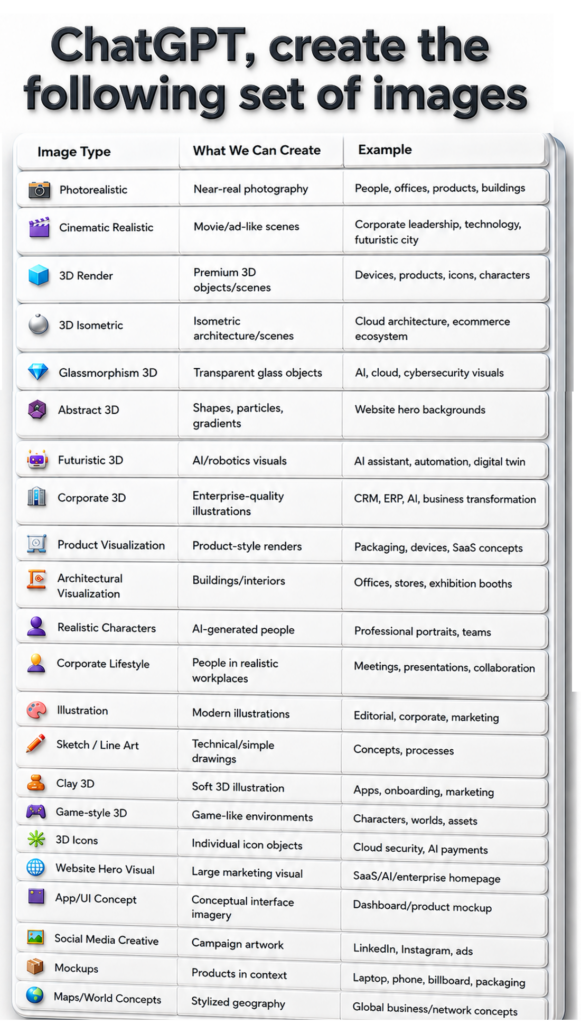
AI image creation has moved far beyond generating a single illustration from a short description. A well-written prompt can define the subject, composition, visual style, lighting, materials, environment, mood, and intended use of an image. This makes AI-assisted image creation useful for marketing teams, designers, entrepreneurs, developers, educators, content creators, and product teams.
The visual “ChatGPT, create the following set of images” groups common creative requests into 24 practical categories. These are not official product categories or a fixed taxonomy. Instead, they are a useful way to think about the kinds of visual outcomes you may want when preparing a prompt.
This guide explains each category, where it can be useful, and how to ask for it clearly.
- Photorealistic Images
Photorealistic images aim to resemble real photography. They are useful when the goal is natural lighting, believable materials, realistic people, real-world environments, products, buildings, food, or lifestyle scenes.
Best for:
People and professional portraits
Offices and workplaces
Product lifestyle photography
Buildings and interiors
Hospitality, travel, food, and retail concepts
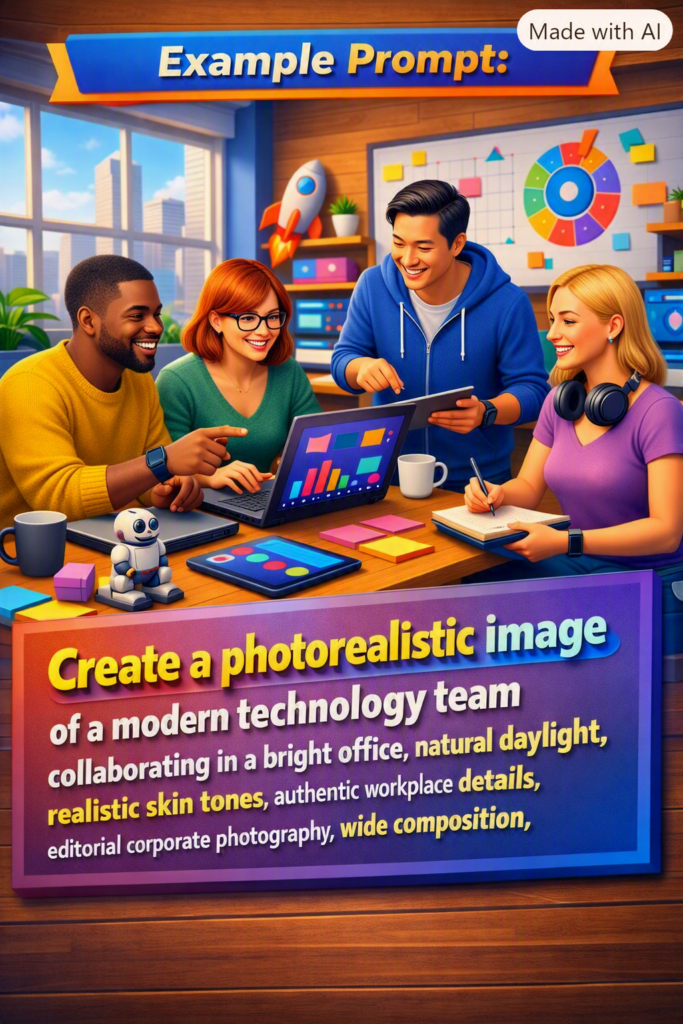
Example prompt:“Create a photorealistic image of a modern technology team collaborating in a bright office, natural daylight, realistic skin tones, authentic workplace details, editorial corporate photography, wide composition.”
- Cinematic Realistic Images
Cinematic realism uses many of the qualities associated with film and high-end advertising: deliberate composition, dramatic or directional lighting, depth, atmosphere, and strong visual storytelling.
The goal is not merely to make an image realistic—it is to make the scene feel deliberately photographed or filmed.
Best for: corporate leadership, brand campaigns, technology storytelling, futuristic cities, automotive concepts, launch campaigns, and hero visuals.
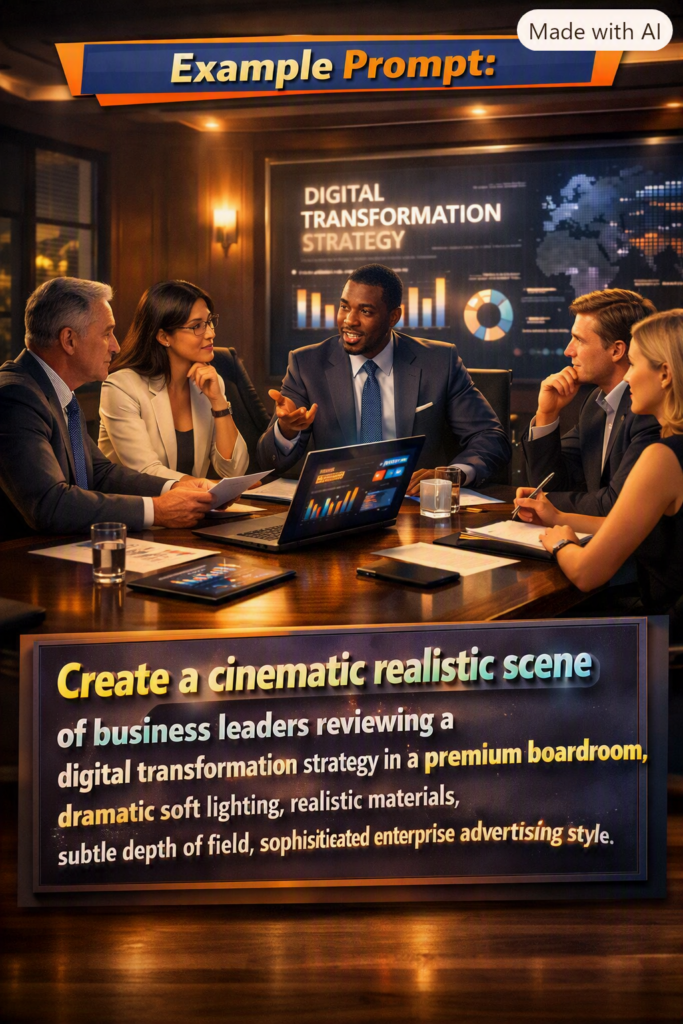
Example prompt:“Create a cinematic realistic scene of business leaders reviewing a digital transformation strategy in a premium boardroom, dramatic soft lighting, realistic materials, subtle depth of field, sophisticated enterprise advertising style.”
- 3D Render
3D renders are ideal when an object or scene should feel deliberately modeled rather than photographed. They can range from highly realistic CGI to stylized premium 3D artwork.
Best for:
Devices and technology products
Product concepts
3D characters
SaaS feature visuals
Marketing objects and hero assets
Product launches before physical photography exists
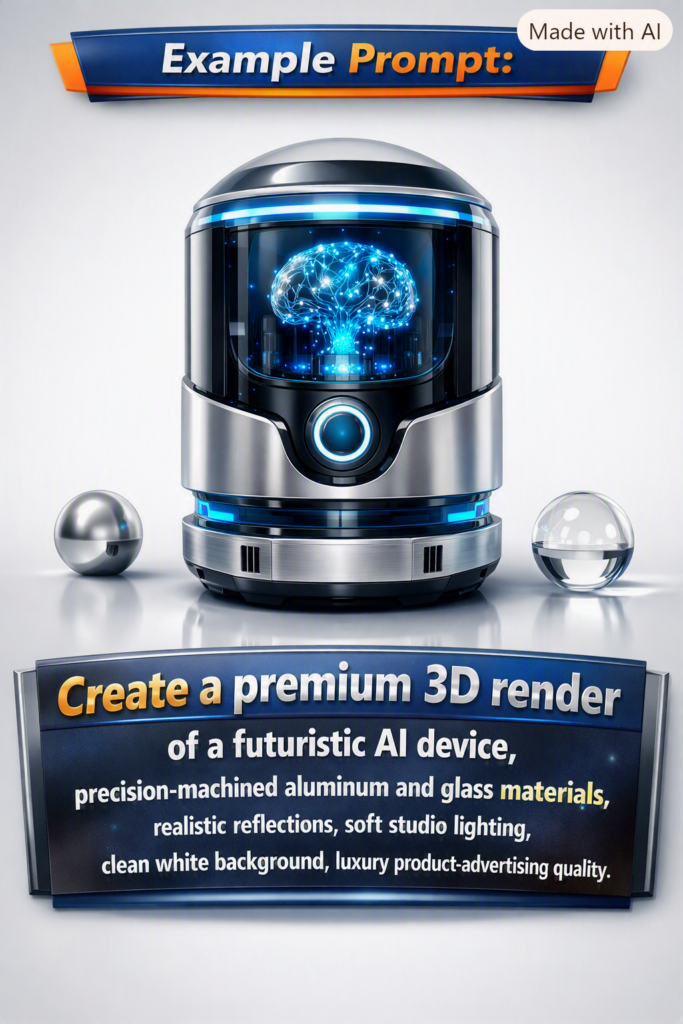
Example prompt:“Create a premium 3D render of a futuristic AI device, precision-machined aluminum and glass materials, realistic reflections, soft studio lighting, clean white background, luxury product-advertising quality.”
- 3D Isometric
Isometric visuals show a scene from a consistent elevated angle, making complicated systems easier to understand without relying on a fully technical diagram.
Best for: cloud architecture, e-commerce ecosystems, smart factories, logistics networks, data centers, connected cities, and platform ecosystems.
Example prompt:“Create a clean 3D isometric visualization of an e-commerce ecosystem connecting storefront, payment service, CRM, ERP, warehouse, analytics, and customer support. Use clear spatial grouping and an enterprise technology style.”
- Glassmorphism 3D
Glassmorphism combines translucent surfaces, refraction, subtle blur, layered depth, and luminous edges. In 3D, it can create a sophisticated technology aesthetic when used with restraint.
Best for: AI, cloud platforms, cybersecurity, data products, SaaS interfaces, enterprise technology, and futuristic presentation visuals.
Example prompt:“Create a premium 3D glassmorphism cloud-security visual using layered translucent glass, subtle cyan and violet highlights, realistic refraction, dark neutral background, minimal enterprise aesthetic.”
- Abstract 3D
Abstract 3D imagery communicates an idea through form rather than literal objects. Shapes, particles, gradients, waves, ribbons, spheres, and procedural-looking structures can create visual interest while leaving room for website or campaign copy.
Best for: website hero backgrounds, presentations, innovation campaigns, technology branding, event graphics, and thought-leadership content.
Example prompt:“Create an abstract 3D composition representing intelligent data flow, elegant layered forms, soft particles, deep blue-to-violet gradient, premium enterprise aesthetic, generous negative space for a headline.”
- Futuristic 3D
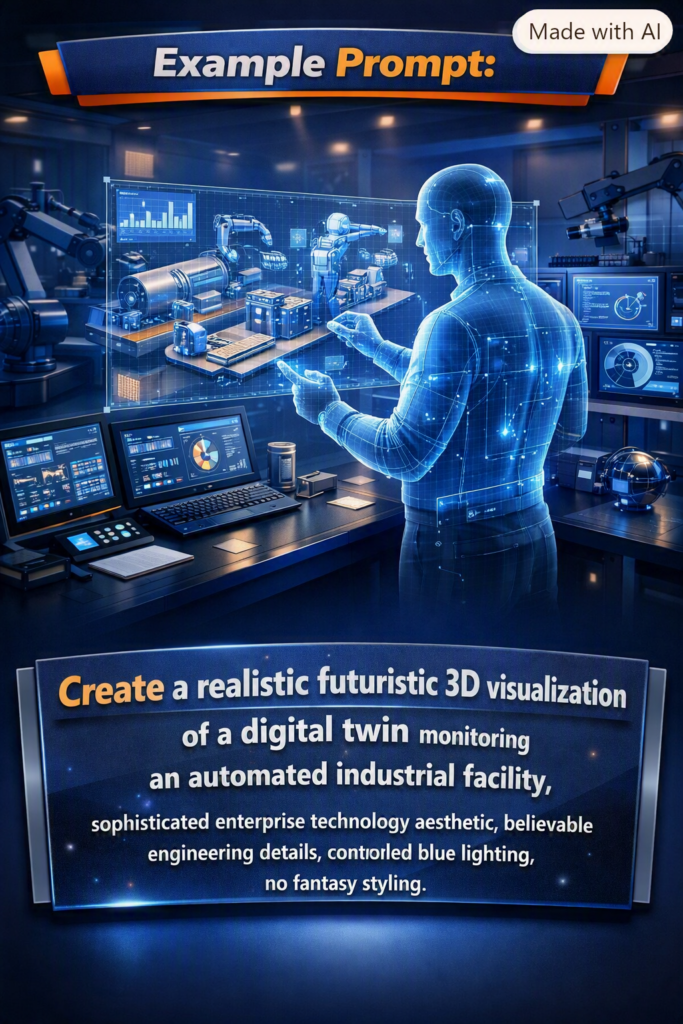
Futuristic 3D is useful for depicting technologies and environments that may not exist in a photographable form yet.
Best for: AI assistants, robotics, automation, autonomous systems, digital twins, future workplaces, and next-generation industrial technology.
Example prompt:“Create a realistic futuristic 3D visualization of a digital twin monitoring an automated industrial facility, sophisticated enterprise technology aesthetic, believable engineering details, controlled blue lighting, no fantasy styling.”
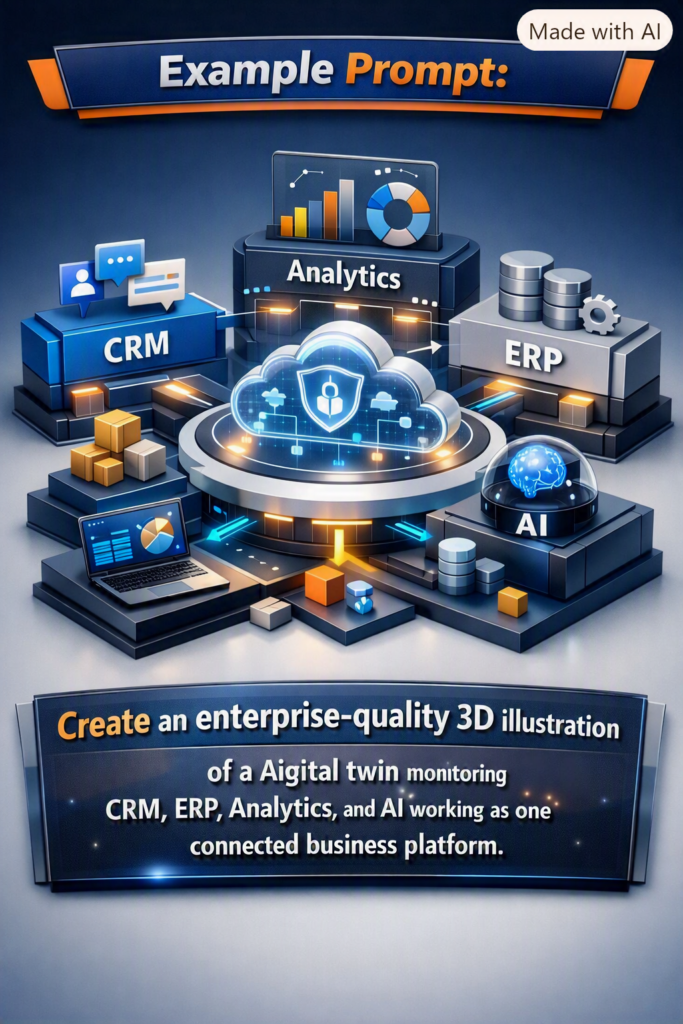
- Corporate 3D
Corporate 3D turns enterprise concepts into polished visual storytelling. The style should generally remain confident, structured, and restrained rather than overly playful.
Best for: CRM, ERP, AI transformation, cloud migration, consulting, business processes, enterprise presentations, and B2B marketing.
Example prompt:“Create an enterprise-quality 3D illustration representing CRM, ERP, analytics, and AI working as one connected business platform, refined geometric components, realistic material depth, premium corporate palette.”
- Product Visualization
Product visualization presents an item with the clarity and finish of commercial product photography or CGI. It can be especially valuable during ideation, packaging exploration, or marketing concept development.
Best for: packaging, electronic devices, SaaS concepts represented as physical objects, consumer products, prototypes, and launch visuals.
Example prompt:“Create a premium product visualization of a smart wearable device on a minimal studio surface, realistic metal and glass, accurate contact shadow, soft key light, commercial advertising quality.”
- Architectural Visualization
Architectural visualization can explore buildings, interiors, offices, stores, event spaces, exhibition booths, hospitality concepts, and future environments.
For credible results, describe materials, lighting, layout, scale, intended function, and architectural character.
Example prompt:“Create a realistic architectural visualization of a premium technology exhibition booth, open layout, integrated digital displays, brushed metal, glass, warm accent lighting, realistic convention-hall environment.”
- Realistic Characters
Realistic character imagery focuses on believable people rather than generic illustrated figures. It can be useful for conceptual professional portraits, team compositions, personas, and campaign imagery.
Best for: professional portraits, business personas, training scenarios, campaign concepts, and team-oriented visuals.
Example prompt:“Create a realistic professional portrait of a senior technology project manager, confident natural expression, business-casual clothing, soft studio lighting, realistic skin texture, neutral corporate background.”
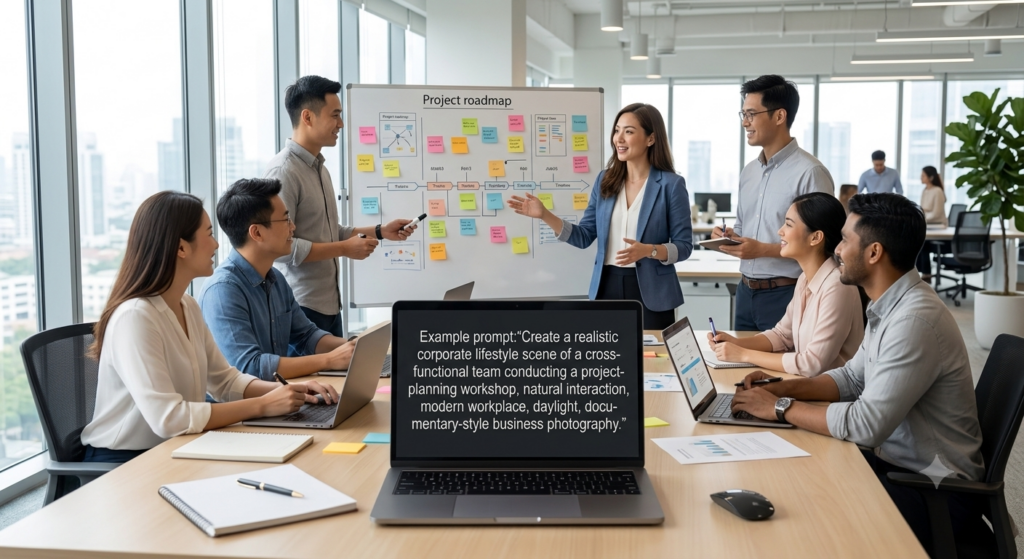
- Corporate Lifestyle
Corporate lifestyle imagery depicts people working naturally rather than posing directly for a formal portrait.
Best for: meetings, workshops, presentations, collaboration, consulting, remote work, corporate culture, and business websites.
Example prompt:“Create a realistic corporate lifestyle scene of a cross-functional team conducting a project-planning workshop, natural interaction, modern workplace, daylight, documentary-style business photography.”
- Illustration
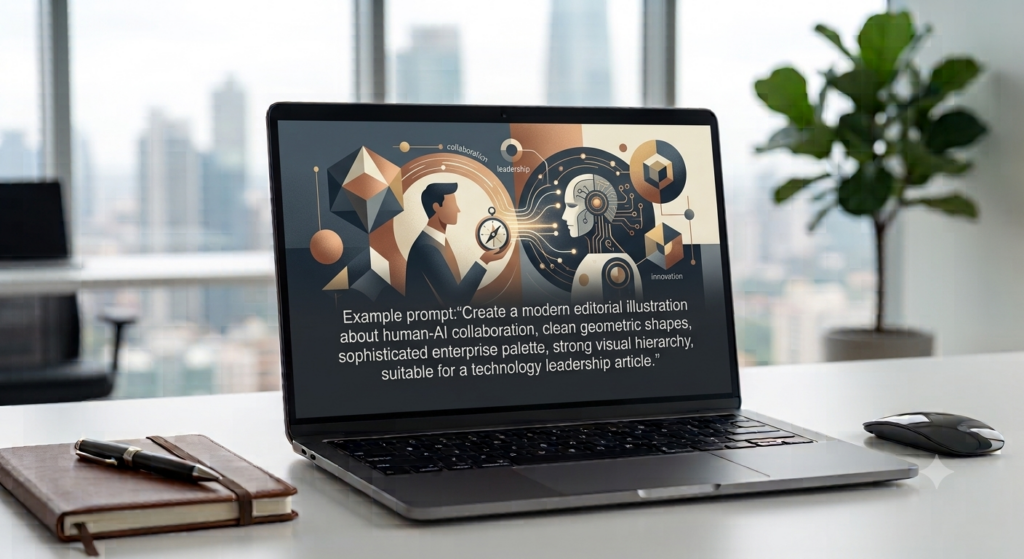
Illustration provides more stylistic freedom than realism. It can simplify complex ideas, establish a recognizable editorial identity, or communicate themes that would otherwise be difficult to photograph.
Best for: editorial content, corporate blogs, explainers, campaigns, onboarding, social media, and educational content.
Example prompt:“Create a modern editorial illustration about human-AI collaboration, clean geometric shapes, sophisticated enterprise palette, strong visual hierarchy, suitable for a technology leadership article.”
- Sketch / Line Art
Line art reduces a concept to its essential structure. It is especially helpful where clarity is more important than realism.
Best for: technical concepts, process explanations, product ideation, instructional visuals, simple workflows, and early design exploration.
Example prompt:“Create clean technical line art showing the stages of a digital product workflow from idea to design, development, testing, and launch, consistent stroke weight, minimal visual noise.”
- Clay 3D
Clay 3D uses soft rounded forms and approachable materials. It can make technical or onboarding concepts feel friendly and accessible.
Best for: apps, onboarding, education, feature explanations, marketing, and approachable SaaS visuals.
Example prompt:“Create a soft clay-style 3D illustration of a user completing an app onboarding flow, simple rounded forms, warm friendly palette, clean composition.”
- Game-Style 3D
Game-style 3D is useful when the intended visual language resembles a designed virtual environment rather than reality.
Best for: characters, virtual worlds, game assets, gamified learning, spatial concepts, and immersive environment ideation.
Example prompt:“Create a polished game-style 3D environment for a futuristic learning hub, stylized architecture, navigable spatial layout, coherent lighting, premium game-art quality.”
- 3D Icons
Individual 3D icons can turn abstract features into tangible visual objects. Consistency matters when creating a set: camera angle, lighting, material, background, and scale should remain aligned.
Best for: cloud services, cybersecurity, AI, payments, analytics, app features, onboarding, and presentation slides.
Example prompt:“Create a premium 3D icon representing secure cloud computing, centered object, consistent isometric angle, glass and metallic materials, soft studio shadow, no text.”
- Website Hero Visual
A website hero visual is designed around a page layout rather than as an isolated artwork. Composition and negative space become as important as the subject.
Best for: SaaS, AI, enterprise software, services, product launches, and campaign landing pages.
Example prompt:“Create a wide premium hero visual for an enterprise AI platform, sophisticated 3D data-network concept on the right, clean negative space on the left for headline and CTA, subtle cinematic lighting.”
- App/UI Concept
AI-generated UI concepts can be useful during visual ideation. They are best treated as concept imagery or design direction rather than automatically assuming every generated screen is implementation-ready.
Best for: dashboards, product mockups, admin panels, mobile-app concepts, SaaS interfaces, and presentation prototypes.
Example prompt:“Create a high-fidelity concept for an enterprise project-management dashboard with portfolio health, milestones, budget status, risks, and resource allocation, clean professional UI, strong information hierarchy.”
- Social Media Creative
Social media creative should be designed for fast comprehension. A strong visual hierarchy, a clear focal point, appropriate aspect ratio, and restrained copy usually matter more than excessive decoration.
Best for: LinkedIn, Instagram, campaign ads, product announcements, thought leadership, and event promotion.
Example prompt:“Create a premium LinkedIn campaign visual about AI-powered project delivery, clean corporate 3D style, one strong focal point, high contrast, space reserved for a short headline.”
- Mockups
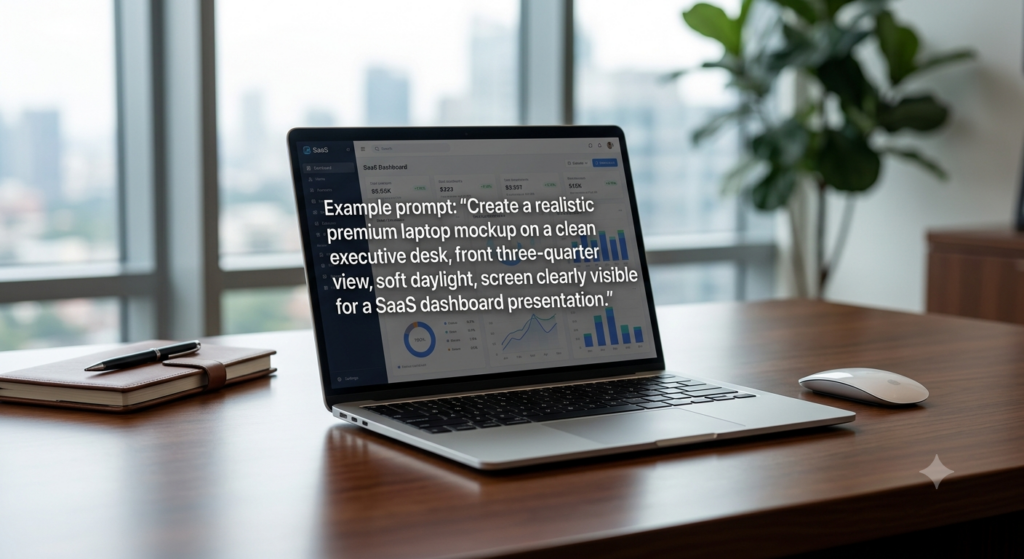
Mockups place a design or product into context. They help stakeholders visualize how something might appear in the real world.
Best for: laptop screens, phones, packaging, billboards, signage, books, posters, merchandise, and presentation boards.
Example prompt:“Create a realistic premium laptop mockup on a clean executive desk, front three-quarter view, soft daylight, screen clearly visible for a SaaS dashboard presentation.”
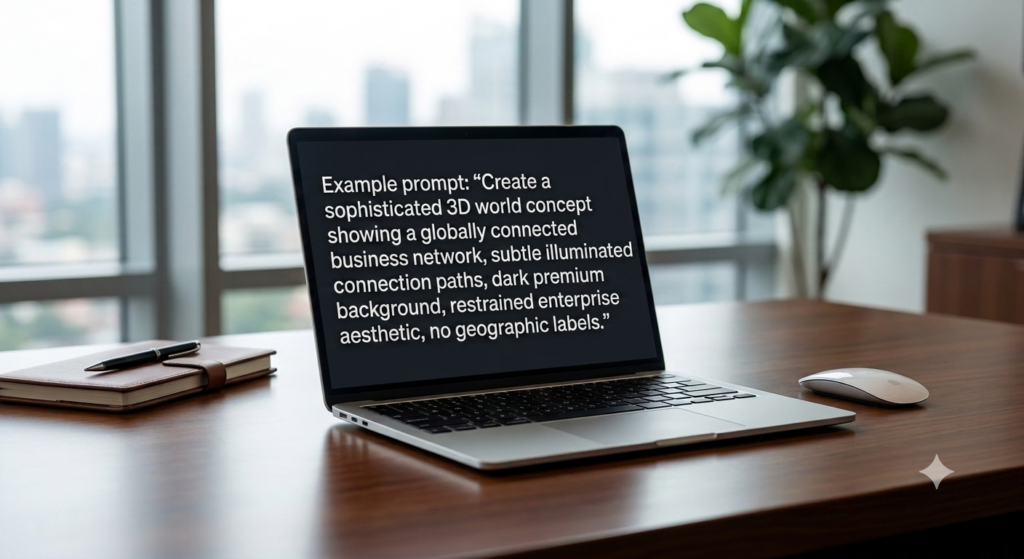
- Maps / World Concepts
Stylized world and geographic concepts are useful for communicating global reach, connected networks, international operations, or regional business themes.
For precise geography or data-driven maps, a deterministic mapping or charting tool is preferable; generative imagery works best for conceptual visuals.
Example prompt:“Create a sophisticated 3D world concept showing a globally connected business network, subtle illuminated connection paths, dark premium background, restrained enterprise aesthetic, no geographic labels.”
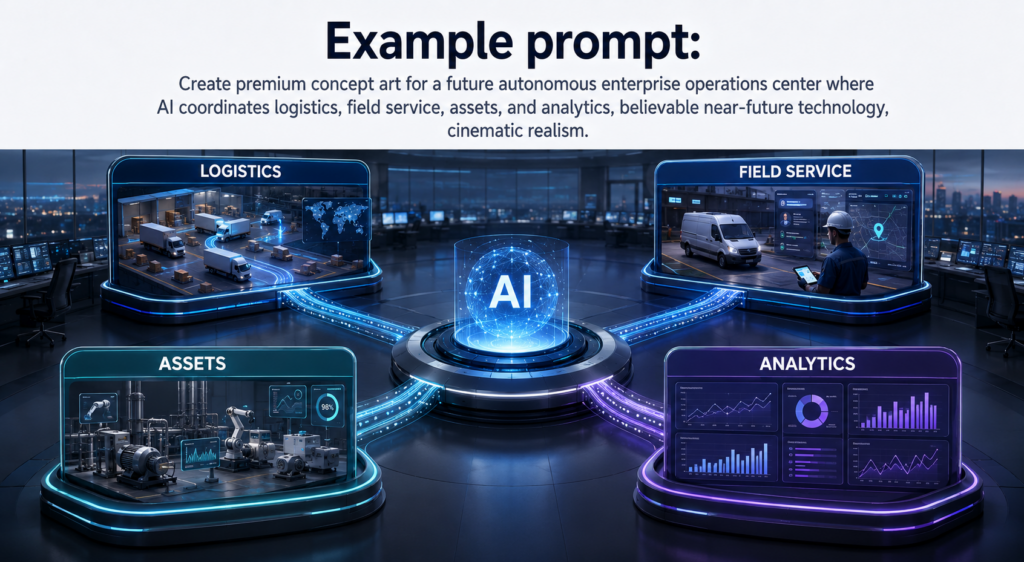
- Concept Art
Concept art is designed to explore an idea before it exists. It is particularly effective for imagining future products, environments, services, or technology experiences.
Best for: future technology, speculative products, early product vision, innovation workshops, campaign ideation, and investor storytelling.
Example prompt:“Create premium concept art for a future autonomous enterprise operations center where AI coordinates logistics, field service, assets, and analytics, believable near-future technology, cinematic realism.”
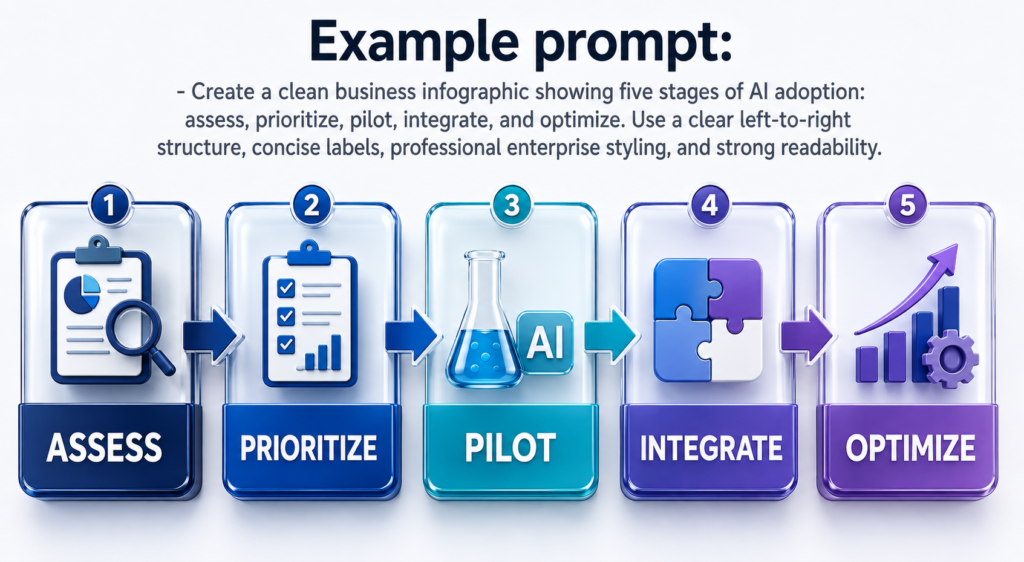
- Infographic-Style Visuals
Infographic-style images combine visual communication with structured information. They work well for simplified business concepts, workflows, category comparisons, and educational summaries.
When every label, number, or relationship must be exact, it is wise to verify generated text carefully or build the final infographic with deterministic layout/design tools.
Example prompt:“Create a clean business infographic showing five stages of AI adoption: assess, prioritize, pilot, integrate, and optimize. Use a clear left-to-right structure, concise labels, professional enterprise styling, and strong readability.”
How to Choose the Right Image Style
Choosing a style becomes easier when you begin with the intended outcome.
A Better Prompting Framework
Instead of writing only “create a 3D image,” define the visual in layers:
Purpose — Where will the image be used?
Subject — What is the main object, person, or concept?
Style — Photorealistic, cinematic, 3D, isometric, illustration, etc.
Composition — Wide, square, portrait, close-up, top-down, centered, or with negative space.
Lighting and mood — Daylight, studio, dramatic, warm, futuristic, calm, premium, and so on.
Colors and materials — Brand palette, glass, metal, clay, fabric, natural materials, etc.
Text — Provide exact wording when text must appear in the image.
Constraints — State what must remain unchanged and what should not appear.
Reusable prompt template
Create a [image style] visual for [intended use]. The main subject is [subject] in [environment/background]. Use [composition], [lighting/mood], and [color/material direction]. Include the exact text “[copy]” if needed. Keep [important invariants] unchanged. Avoid [unwanted elements].
The more important a constraint is, the more explicitly it should be stated.
Combining Image Styles
These categories do not have to be isolated. Some of the strongest creative directions combine compatible qualities, for example:
3D Render + Cinematic Realistic for premium product and enterprise visuals.
Corporate 3D + Glassmorphism for sophisticated SaaS and cloud imagery.
Photorealistic + Corporate Lifestyle for believable workplace marketing.
Futuristic 3D + Architectural Visualization for smart factories and future workplaces.
3D Isometric + Infographic-style for conceptual platform and ecosystem explanations.
Product Visualization + Mockup for launch campaigns and presentations.
The key is to decide which style is primary and which qualities are secondary. Asking for too many unrelated aesthetics at once can make the creative direction less coherent.
Business Uses for AI-Generated Visuals
The same set of styles can support many business workflows:
Marketing and Brand
Create campaign concepts, landing-page visuals, social creatives, product launch artwork, thought-leadership graphics, and brand exploration.
Websites and SaaS
Develop hero concepts, 3D feature illustrations, UI ideas, icons, abstract backgrounds, product imagery, and visual directions for landing pages.
Enterprise Technology
Visualize AI, ERP, CRM, cloud, cybersecurity, automation, digital twins, transformation programs, and high-level platform ecosystems.
E-commerce and Products
Explore product presentations, packaging, lifestyle concepts, campaign imagery, mockups, and early product visualization.
Presentations and Investor Materials
Create conceptual visuals for product vision, market opportunity, future capabilities, solution overviews, and storytelling. Important business data should still be sourced and verified independently.
Training and Education
Use illustrations, line art, infographics, scenarios, diagrams, and characters to make learning material easier to understand and more engaging.
Practical Quality Tips
Specify the intended use before describing the visual style.
Ask for realistic lighting and materials when you want premium 3D results.
Use words such as “restrained,” “clean,” and “enterprise-grade” when you want professional B2B imagery rather than exaggerated effects.
For website heroes, explicitly request negative space where the page copy will appear.
For a consistent icon or asset series, repeat the same angle, lighting, palette, materials, and background instructions.
When editing an existing image, clearly state what must remain unchanged.
Treat generated text, numerical data, maps, diagrams, and factual details as items to verify before publication.
Use generative imagery for creative exploration and deterministic design/data tools when pixel-perfect structure or exact data representation is essential.
Frequently Asked Questions
Can multiple styles be combined in one prompt?
Yes. Combining compatible visual qualities can be effective. “3D Render + Cinematic Realistic,” for example, communicates both the medium and the desired lighting/presentation quality.
Which style is best for a business website?
There is no single best style. Corporate 3D, photorealistic, cinematic realistic, abstract 3D, glassmorphism, and website hero visuals can all work. The right choice depends on the brand, audience, page layout, and message.
Which style is best for AI and technology content?
Corporate 3D, futuristic 3D, glassmorphism 3D, abstract 3D, and cinematic realism are strong starting points. For enterprise audiences, subtlety and clarity often work better than excessive neon or science-fiction effects.
Can AI images contain text?
Text can be requested, but important copy should be checked carefully. For graphics where typography must be exact, consider generating the visual component and completing the final text layout in a deterministic design workflow.
Can generated images be used as final production assets?
They can be useful as final visual assets in many contexts, but the required review depends on the use case. Check visual accuracy, brand compliance, text, factual information, accessibility needs, and any applicable rights or organizational policies before publishing.
Final Thoughts
The most useful question is no longer simply, “Can ChatGPT create an image?” A better question is: What visual outcome do I need, where will it be used, and which combination of style, composition, lighting, and constraints will communicate that outcome best?
From photorealistic people and cinematic scenes to enterprise 3D, product visualization, website heroes, interface concepts, mockups, world concepts, and infographics, the range of possible creative directions is broad.
Start with the desired business outcome, select the appropriate visual category, describe the scene precisely, and refine the result through targeted edits. That approach turns image generation from experimentation into a repeatable creative workflow.